Categories
Digital Signages

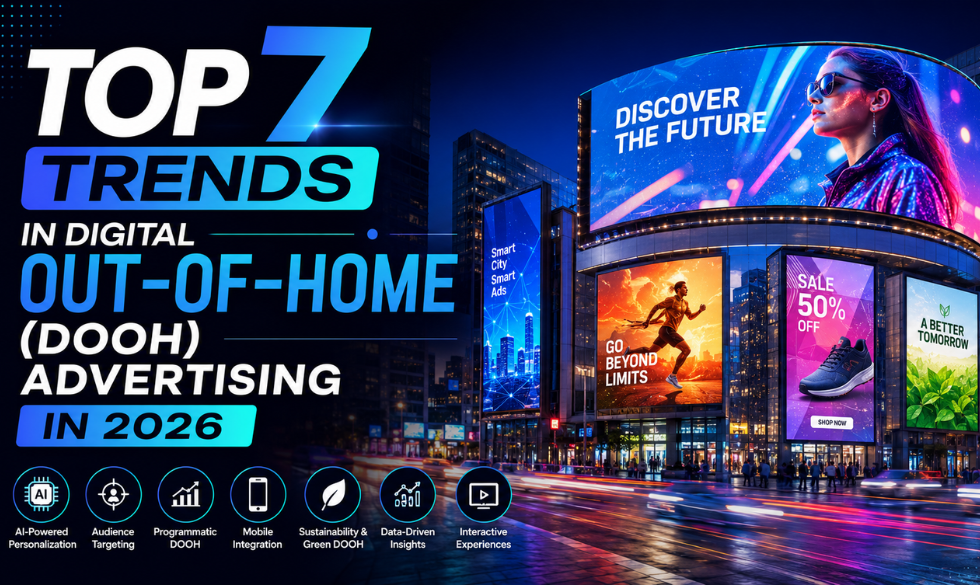
Top 7 Trends in Digital Out-of-Home (DOOH) Advertising in 2026

Top 7 Trends in Digital Out-of-Home (DOOH) Advertising in 2026

Digital Out-of-Home advertising, or digital OOH, has become one of the most powerful ways for marketers to reach people in the real world. As technology moves forward and consumer behaviour shifts, the DOOH landscape keeps evolving. In 2026, a handful of clear trends are shaping the future of digital signage systems and outdoor advertising.

This article walks through the top digital OOH advertising trends marketers can expect this year, what each one means in practice, and how brands in India and worldwide are already using them to build campaigns that get noticed and get measured.

Digital OOH in 2026: Where the Market Stands

Before the trends, some context on how fast this space is moving.

$2.4B India digital OOH advertising market value in 2025
11%+ Expected annual growth rate of India's DOOH market
20% Share of India DOOH spend expected to be programmatic

India's digital OOH advertising market was valued at roughly 2.4 billion US dollars in 2025 and is projected to grow at more than 11 percent a year, reaching over 6 billion dollars in the next decade. The growth is being driven by metro and airport expansion, smart-city projects, more screens in malls and retail, and a rapid rise in small and medium businesses buying outdoor digital space. Industry forecasts also suggest that around 20 percent of DOOH spend in India will be bought programmatically, a big jump from where it stood just two years ago.

"Outdoor advertising has stopped being a fixed poster you book for a month. It is becoming a live, data-fed channel that behaves much more like the digital media marketers already know." Intelisa Product Team

DOOH Advertising Trend 1: Programmatic Advertising Dominance

Programmatic advertising changed how ads are bought online, and it is now doing the same for screens in public places. In 2026, programmatic buying has become central to digital OOH. It lets advertisers buy and sell screen time automatically and in real time, which makes planning far simpler and helps brands reach the right audience at the right moment. Using data and audience insights, advertisers can serve personalised, relevant messages instead of one fixed creative for everyone.

The practical benefit for Indian advertisers is flexibility. Instead of locking into a long contract on a single site, a brand can buy screen time by the hour, by location cluster, or by audience condition, then shift budget to whatever is working. For a smaller brand this is the difference between outdoor being out of reach and being a usable channel.
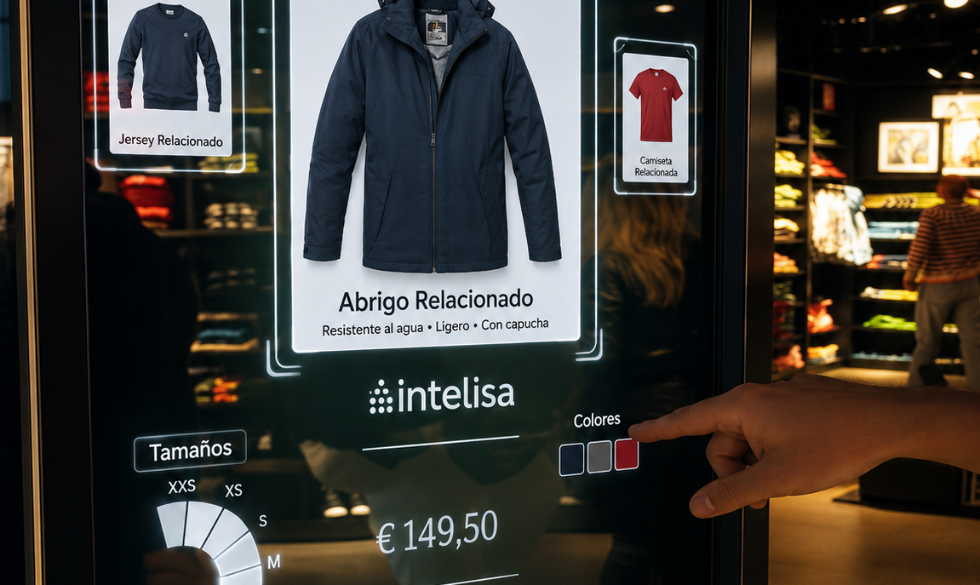
Digital Out-of-Home DOOH advertising screens in a busy city environment

Programmatic buying lets advertisers purchase digital OOH screen time in real time, by location and audience

DOOH Advertising Trend 2: Dynamic Content and Personalization

The days of static billboards are behind us. In 2026, digital signage solutions continue to lean on dynamic content and personalization to hold attention. By plugging into data sources such as weather, time of day, location and audience demographics, advertisers can build highly targeted content that changes on its own.

Take a clothing brand as an example. Using DOOH, the store can show different creatives depending on the weather and time of day. On a rainy afternoon the digital billboard promotes waterproof jackets and rain boots, tempting passers-by to step inside and stay dry. As the sky clears, the content switches to summer dresses and sunglasses, matching the mood outside and appealing to shoppers looking for something lighter.
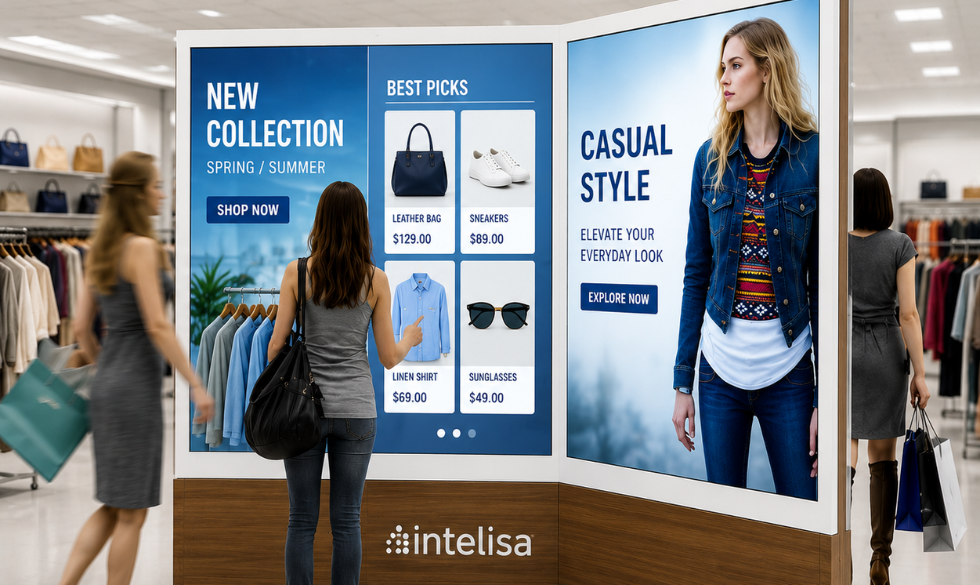
Dynamic digital signage content changing by weather and time of day

Dynamic creative lets one screen show many versions of a campaign, triggered by weather, time or location

Location and audience data take this further. A billboard in a trendy shopping district can push the latest fashion aimed at the people who actually walk that street. The same brand, on a screen near a university, can promote student discounts or affordable back-to-school outfits instead. This level of personalization does more than grab attention, it makes the brand feel relevant to the person standing in front of the screen.

India has real examples of this already. Food delivery platforms in Bengaluru have run dayparted campaigns promoting breakfast deals in the morning and dinner offers after dark, while an apparel brand in Mumbai ran weather-triggered creatives showing rainwear during monsoon showers. These are ordinary campaigns using ordinary screens, made smarter by data.

DOOH Advertising Trend 3: Interactive and Immersive Experiences

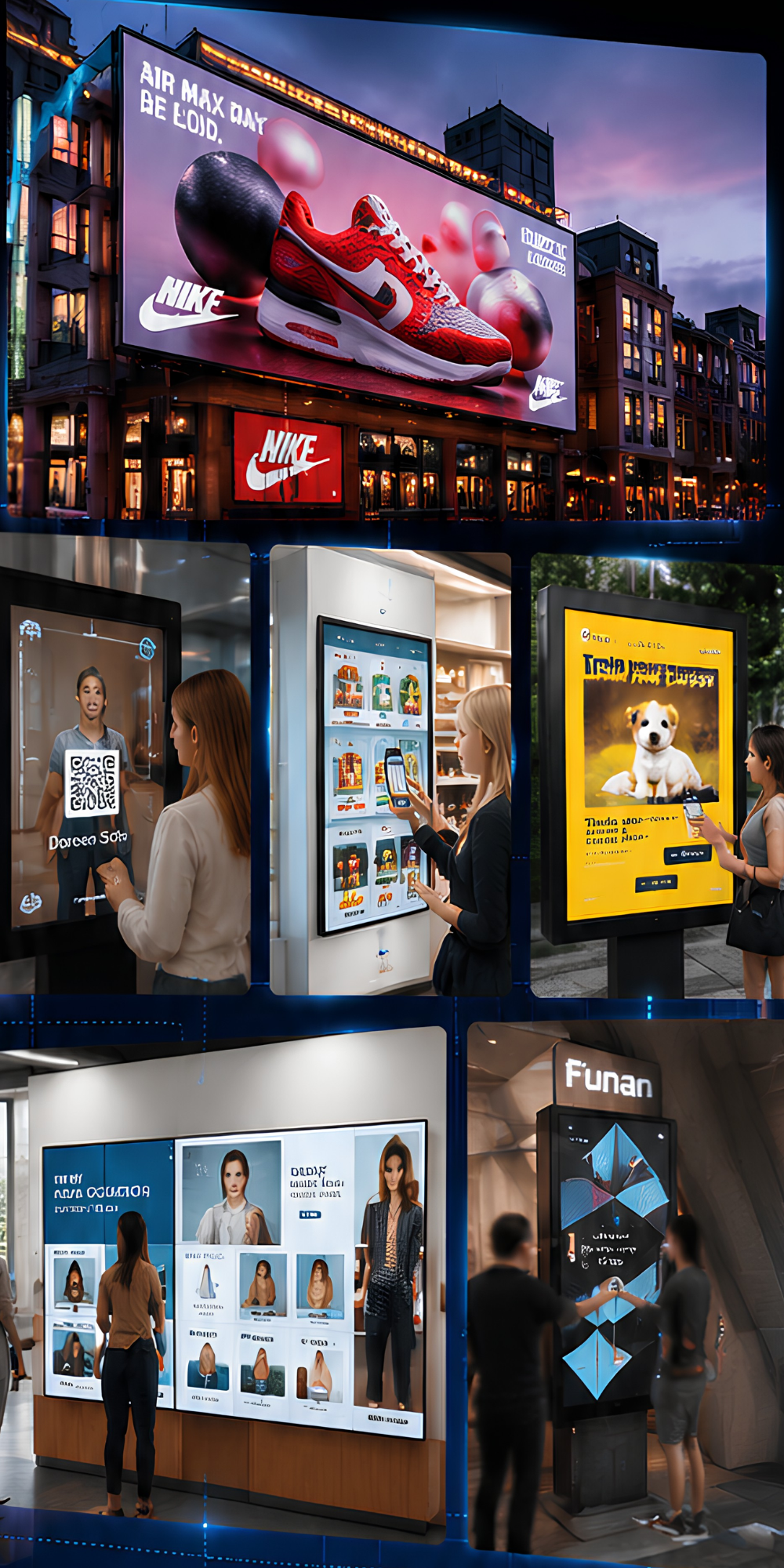
People increasingly want experiences, not just something to look at. Outdoor advertising has responded by adding interactive elements that pull the audience in. Touchscreens, augmented reality and virtual reality are being built into digital screens so users can engage with content and brands in real time.

A cosmetics brand can let people virtually try different shades of lipstick. A clothing retailer can offer an AR mirror for trying on outfits. These moments hold attention far longer than a passive ad, and they hand the brand useful data about what people actually chose. Interactive formats also extend naturally into interactive kiosks placed in malls and transit hubs, where dwell time is high.

A good example is Pedigree's interactive signage, which let users play with and feed a dog on screen, capturing the joy of being a pet parent. Simple idea, memorable execution.
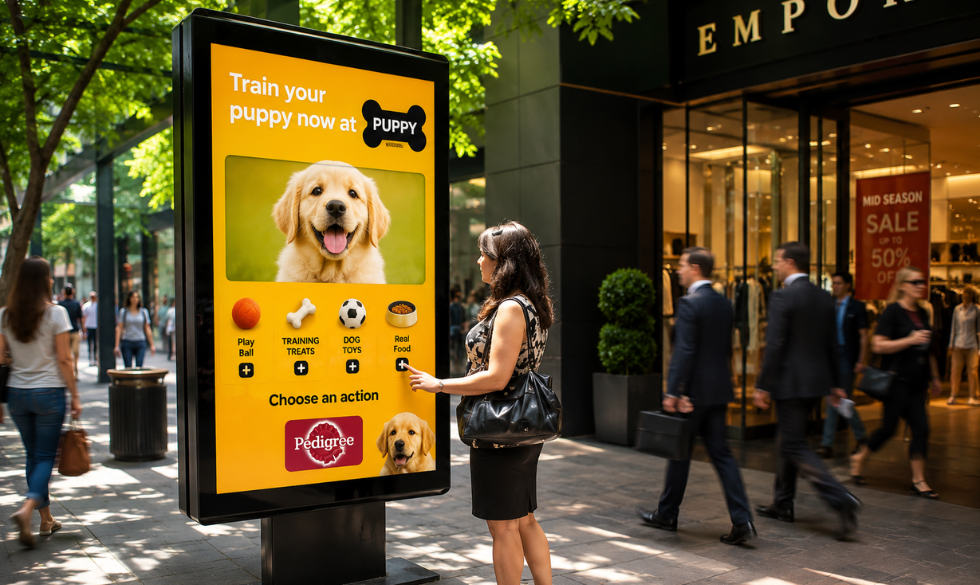
Interactive digital signage creating an immersive brand experience

Interactive and AR-driven screens turn passive viewers into active participants

DOOH Advertising Trend 4: Integration with Mobile Devices

Advertisers keep finding new ways to connect screens with smartphones. In 2026, digital signage displays and mobile phones work together more smoothly than ever. Technologies such as QR codes, NFC and beacons bridge the offline and online experience.

Someone can scan a QR code or tap their phone to get more information, unlock a special deal, or open exclusive content tied to the ad they just saw. In India this has become especially powerful because UPI and QR scanning are already second nature, so the step from seeing an ad to acting on it is genuinely one tap. It makes the experience more engaging for the viewer and gives advertisers a way to measure exactly how well a screen performed.
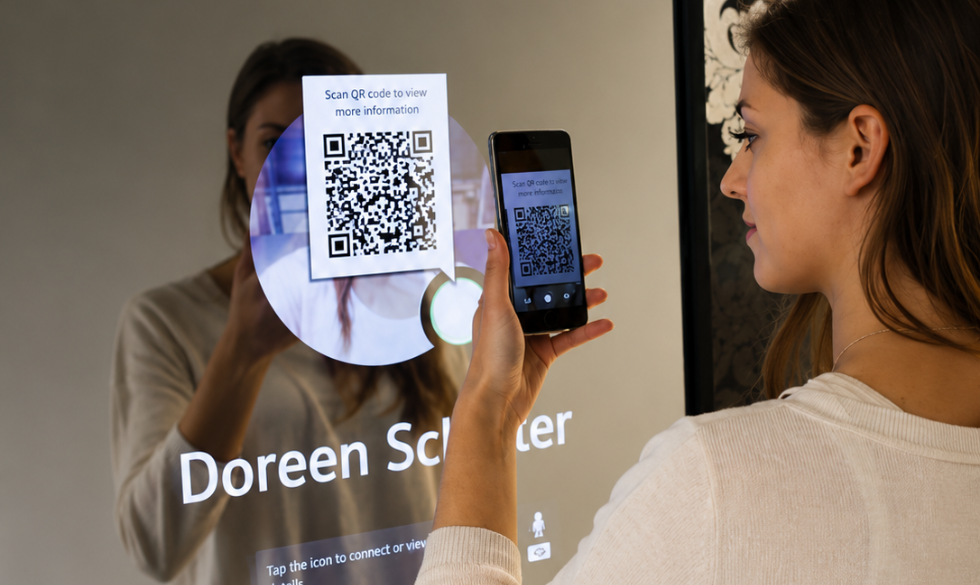
Digital signage integrated with mobile phones through QR codes

QR codes and NFC turn a glance at a screen into a measurable action on the viewer's phone
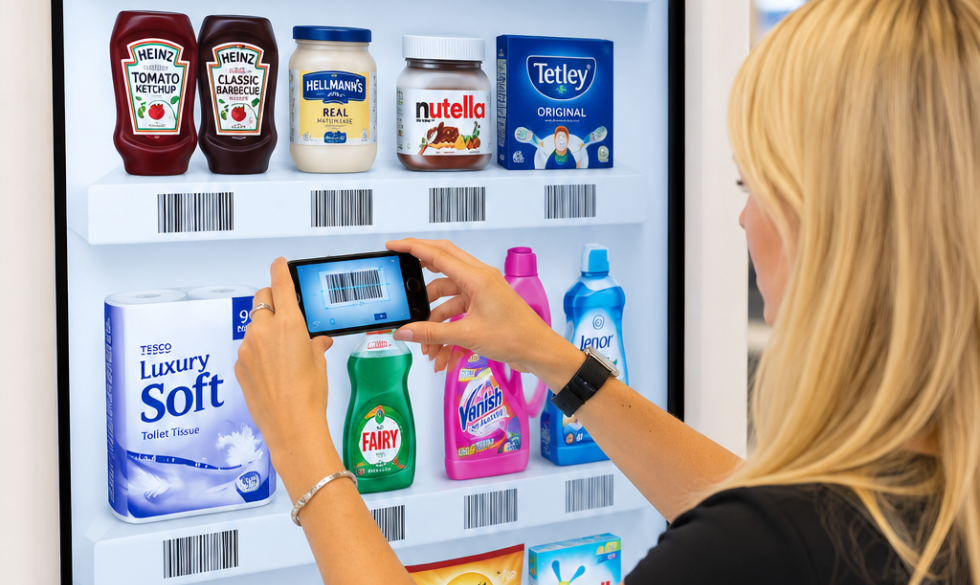
Digital OOH advertising linked to mobile for offers and content

Mobile integration links outdoor exposure directly to offers, sites and app installs

DOOH Advertising Trend 5: Data-Driven Insights and Analytics

One of the biggest advantages of digital OOH advertising is the ability to gather data and actually measure whether a campaign worked. In 2026, better analytics are central to optimizing DOOH campaigns rather than a nice extra.
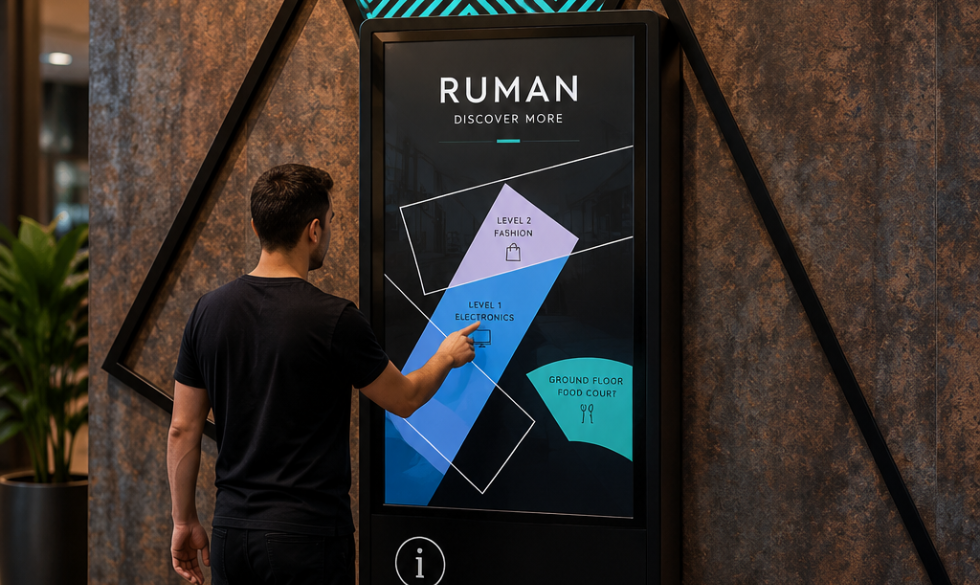
Data analytics dashboard measuring digital OOH campaign performance

Real-time analytics show which screens, times and creatives are actually driving results

Real-time data on audience profile, engagement and campaign performance helps advertisers refine strategy while a campaign is still running. AI-powered analytics tools surface patterns in consumer behaviour and preferences, which lifts the return on DOOH spend. Footfall tracking and mobile-based measurement are also improving, which matters in India where the lack of a single agreed audience measurement standard has long held the category back. As measurement improves, more budget follows.

DOOH Advertising Trend 6: Sustainability and CSR Initiatives

As environmental concerns move to the centre of business planning, brands are paying closer attention to sustainability and corporate social responsibility. That is reshaping DOOH in 2026 and beyond. Advertisers are adopting eco-friendly practices such as energy-efficient screens, renewable power sources, and recycled materials in the structures that hold them.

There is a practical reason too, not just a reputational one. Modern LED displays draw significantly less power than older screens, and features like automatic brightness adjustment cut consumption further by dimming at night and brightening in daylight. Over a network of screens running every day, that shows up directly on the electricity bill. Brands are also using their screen time for public interest messaging, from safety campaigns to civic information, which builds goodwill alongside commercial content.

DOOH Advertising Trend 7: Rise of Creative Formats

In 2026, digital OOH is seeing a genuine boom in creative formats. Dynamic Creative Optimization enables real-time personalization that matches the mindset of the person passing by. Audio-based DOOH and anamorphic 3D videos are the formats getting the most attention, because they create an experience rather than an impression.

Marketers are adopting these approaches to make campaigns more memorable. With dynamic, 3D and audio elements, DOOH advertising can hold a viewer, lift brand recall, and stretch what is creatively possible outdoors. The bigger shift is that advertisers now build contextually relevant content specifically for the DOOH space, instead of resizing a print or TV creative and hoping it works.

Nike's AirMax 3D billboard in Japan remains a standout example of how far this can go. It combined advanced display technology, careful detail and real creative ambition to bring the shoe to life in a way that stopped people in the street.
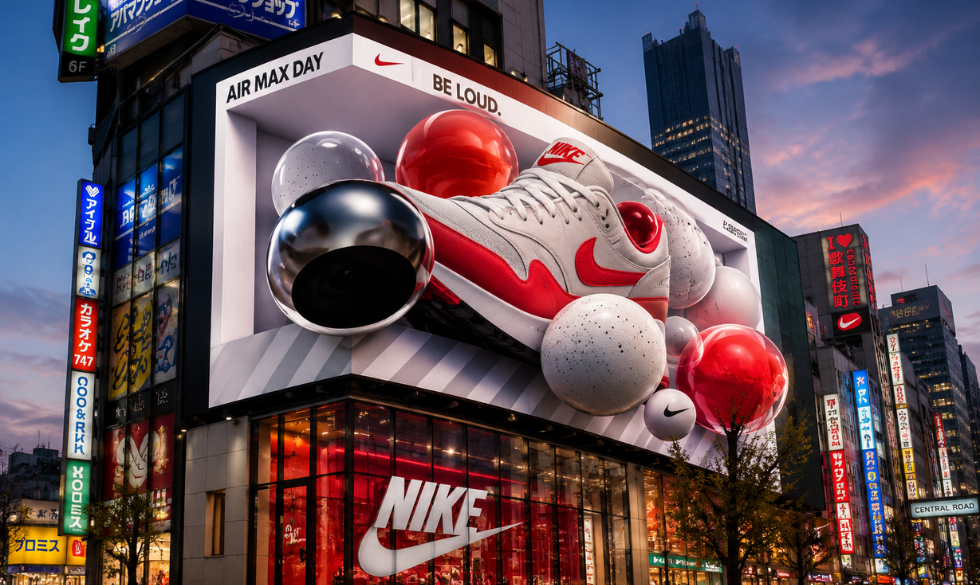
Anamorphic 3D digital billboard creative format

Anamorphic 3D billboards create a sense of depth that makes people stop, film and share

The AirMax shoes appeared to step out of the billboard when viewers engaged. People could use their smartphones to unlock an augmented reality layer, try the shoes on virtually, customise colours and patterns, and see how they looked in their own surroundings. Physical and digital, in one moment.

How These Trends Fit Together

Read individually, these look like seven separate ideas. In practice they stack. Programmatic decides where and when your ad runs, dynamic content decides what it says, interactivity and mobile give the viewer something to do, and analytics tell you whether any of it worked. Creative format is how you make it memorable, and sustainability is how you run it responsibly.

TrendWhat it solvesBest starting point
Programmatic buyingRigid, expensive media buyingBuy by hour or audience, test small
Dynamic contentOne creative for everyoneWeather or daypart triggers
Interactive and ARPassive, forgettable adsTouch screens in high-dwell spots
Mobile integrationNo link between screen and actionA single clear QR offer
AnalyticsNo proof of performanceTrack scans and screen uptime
SustainabilityHigh power cost and poor opticsAuto-brightness and efficient LED
Creative formatsLow recallOne strong 3D or motion execution

Where Digital OOH Works Best in India

Location decides results. These are the environments delivering the strongest returns for digital OOH advertisers across Indian cities.

Metro and Transit Hubs

High footfall and genuine waiting time, which makes them ideal for QR offers, sequential storytelling and dayparted creative. Transit is among the fastest-growing DOOH formats in India.

Airports

Long dwell time and a premium audience. Best suited to immersive 3D, AR activations and brand-building campaigns aimed at travellers with time on their hands.

Shopping Malls

Shoppers already in a buying mindset. Works well for retail offers, interactive screens, wayfinding and mall-owned advertising inventory.

Roadside and Highways

Only a few seconds of attention, so this favours bold weather-triggered creative and anamorphic 3D that lands instantly.

Run Your DOOH Campaigns With Intelisa

Every trend on this page needs software that can schedule, trigger and update content across many screens in real time. That is exactly what Intelisa is built for.

  • Real-time communication so ads go live the moment you need them
  • AI-based personalization for contextually relevant content
  • Dynamic triggers by time, day, location and live data
  • Offline mode keeps screens running with limited connectivity
  • Manage one screen or a nationwide network from one dashboard
Explore the Platform
Digital OOH advertising network managed through Intelisa software

Stay Ahead of the Curve With Intelisa

In a channel that changes this quickly, staying on top of the trends is what separates a campaign people remember from one they walk past. Businesses across India, Canada, the USA and the Middle East are already putting these ideas to work. To execute them properly you need a reliable digital signage platform behind the screens.

With Intelisa, marketers get real-time communication so ads reach the right audience at the right moment, AI-based personalization for content that actually resonates, and an offline mode that keeps screens running even when connectivity drops. Whether you run a handful of displays or a national video wall network, it is all controlled from one place.

Want to Run Smarter DOOH Campaigns?

Tell us what you are planning and we will show you how Intelisa can power your screens, from a single billboard to a nationwide digital OOH network.

Book a Free Trial Today

Frequently Asked Questions

What is digital OOH advertising?

Digital OOH, or digital out-of-home advertising, is advertising shown on digital screens in public spaces such as billboards, malls, metro stations, airports and roadside displays. Unlike printed hoardings, the content is digital, so it can be updated instantly, rotated between several campaigns, and triggered by data such as weather or time of day.

What is the difference between OOH and DOOH?

OOH covers all out-of-home advertising, including printed billboards, posters and transit ads. DOOH is the digital part of it, where content plays on electronic screens. DOOH adds motion and video, instant updates, multiple messages on one site, data-driven targeting, and measurable performance, none of which static OOH can offer.

What is programmatic DOOH?

Programmatic DOOH is the automated buying and selling of digital out-of-home screen time in real time, similar to how online ads are bought. Advertisers can purchase by hour, location or audience condition instead of booking a site for weeks, which makes outdoor advertising far more flexible and accessible to smaller brands.

How big is the digital OOH market in India?

India's digital OOH advertising market was valued at around 2.4 billion US dollars in 2025 and is projected to grow at more than 11 percent a year over the coming decade. Growth is driven by metro and airport expansion, smart-city projects, more screens in retail and malls, and rising adoption of programmatic buying.

How do you measure the success of a DOOH campaign?

DOOH campaigns can be measured through QR scans and mobile actions, footfall tracking near screens, anonymous audience measurement, screen uptime and play logs, and the website visits or app installs the campaign drives. Combined with social sharing, this makes digital OOH far more measurable than traditional printed outdoor advertising.

Is digital OOH advertising affordable for small businesses?

Yes, increasingly so. Programmatic platforms allow brands to buy screen time by the hour or by audience rather than committing to long contracts, which lowers the entry cost. Small and medium businesses are among the fastest-growing group of DOOH advertisers in India, often starting with short, targeted campaigns in a single locality.

What software do I need to run digital OOH screens?

You need a digital signage platform that can schedule content, pull in live data feeds for dynamic creative, update many screens remotely, and report on uptime. Intelisa is a cloud-based, display-agnostic platform that handles all of this from one dashboard and keeps content playing offline if the internet drops.

The Bottom Line

Digital OOH advertising in 2026 is no longer about renting a big screen and hoping people look. It is about buying smartly, showing the right message at the right moment, giving people something to do, and proving what worked. The brands winning outdoors are the ones treating it as a data-driven channel rather than a decoration.

Want to know more about how Intelisa can help you execute impactful DOOH campaigns? Book a free trial with us today.

I
Intelisa Content Team

The Intelisa team writes about digital signage, DOOH and smart display technology for businesses across India. Questions? Write to us at info@intelisa.in

Categories
Digital Signages

Digital Signage Evaluation Checklist: 10 Key Factors

Digital signage is steadily making its way into businesses across every sector. And for good reason: when customers are already in your space with the intention to buy, you have their attention. A real-time digital channel lets you use that golden window to share the right message at the right moment.

Customer engagement is well known to lift sales. So why not use the time you have with your customers to communicate clearly, increase engagement, and ultimately sell more?

The catch is that requirements differ from one business to the next. A food outlet may change its menu only a few times a year, while a clothing store changes displays every time trends shift. Different needs call for different solutions, with different features and different price points.

Getting the configuration right from day one matters. Once hardware is bought, you are limited by what it can do, so it pays to think it through before you commit. Here are ten key factors to evaluate before choosing a digital signage technology for your business.

10
Factors to check before you buy any signage solution
400%
More views for digital signage vs static displays, per Intel
1
Dashboard is all you should need to run every screen

1. What Will It Be Used For?

Start with the purpose. Understanding how you will use digital signage tells you what infrastructure you actually need.

  • Will it show your own offerings, or also earn secondary revenue through advertising?
  • Will simple images and videos do, or will you later want live data from your ERP, POS, or inventory system?
  • Is it customer-facing, for employees, or both?

Say you run a fast-food chain and want to show your menu. Here the main job is displaying combos, meal deals, and limited-time offers. But if you plan to run third-party ads later, the solution must also support dynamic ad content, scheduling by slot, and proof-of-play reports, so you can earn extra revenue from partner brands.

Communication

Own Messaging

  • Digital menu boards and offers
  • Product promotions and new arrivals
  • Wayfinding and queue information
  • Internal and corporate communication
Monetisation

Advertising Revenue

  • Selling screen time to partner brands
  • Slot-based ad scheduling
  • Proof-of-play reports for advertisers
  • Retail media and Digital OOH networks

2. Hardware: Will It Meet Today's Needs and Tomorrow's?

Map out both current and future requirements, especially for the hardware, because hardware is where you are most likely to hit limits over time. That said, do not overthink it. There is no need to buy expensive upgraded hardware for "maybe" scenarios with no foreseeable need. For longer-term changes, there are often smart ways to work around a full upgrade.

For example, a screen used to share best practices inside a company may later need to live-stream leadership messages. That should be factored into the hardware choice. But complex advertising features are not needed for this use case at all.

Key Hardware Specs to Check

SpecWhat to Look ForWhy It Matters
BrightnessAround 350 to 500 nits for indoor; 2,500 nits or more for sunlit windows and outdoorContent must stay readable in its real lighting
Operating hoursCommercial panels rated for 16/7 or 24/7 useConsumer TVs are not built for long daily runtimes
Screen sizeBased on viewing distance and spaceToo small is ignored; too big overwhelms
Media playerEnough power for video, live data, and future featuresWeak players limit what you can run later
Form factorWall mount, standee, video wall, kiosk, or outdoorPlacement drives the right format
TouchOnly where customers need to interactTouch adds cost, so use it with purpose
Tip: Unsure which format suits your space? Compare options on the digital standees page or read our guide to digital display screens.

3. Ease of Use

In our experience, this cannot be stressed enough. Complex installations, long deployments, and needless integrations make a solution hard for your own staff to adopt, and they are the people who will use it every day. Start with ease of use. The product should be plug-and-play and simple to understand. Advanced features can be added step by step later.

Think of a retail store where floor staff manage the screens. The solution should have a friendly interface that needs minimal training. A plug-and-play system with an intuitive content management platform lets staff update and schedule promotions on their own, without technical expertise.

Look for these signs of a truly easy platform:

  • Drag-and-drop playlist and layout builder
  • Ready-made templates for menus, offers, and announcements
  • Scheduling by time of day, day of week, location, or campaign
  • A mobile app or browser access to update content from anywhere

4. Cloud or On-Premise Content Management

Where your content management system lives affects cost, control, and convenience. A cloud-based digital signage software lets you manage every screen from a browser, with automatic updates and no servers to maintain. An on-premise setup keeps everything inside your own network, which some banks, hospitals, and government bodies prefer for policy reasons.

FactorCloud CMSOn-Premise CMS
Setup timeFast, no servers neededLonger, needs IT setup
Upfront costLow, subscription-basedHigher, server and licence costs
Remote accessFrom anywhereUsually within the network
UpdatesAutomaticManaged by your IT team
Data controlWith a trusted providerFully in-house

Also ask whether screens keep playing if the internet drops. Good players cache content locally and continue running offline, then sync once the connection returns.

5. Dashboards and Alerts for Monitoring

Remote monitoring works best with aggregated dashboards that users can view centrally. For a Digital OOH provider, for example, screen utilisation and revenue earned are key metrics, so a real-time dashboard showing both, along with trends, is vital for management.

These Key Performance Indicators (KPIs) should be distilled and easy to view. Useful ones include:

  • Screen uptime and online or offline status
  • Proof of play: what played, where, and when
  • Ad slot utilisation and revenue
  • Audience engagement, such as touch interactions or QR scans

You should also be able to trigger alerts on key events. In the example above, if utilisation drops too low, the system could send an email or SMS to management saying revenue is below the minimum threshold. Similarly, an alert when a screen goes offline lets you fix it before customers notice a blank display.

6. Ability to Integrate: Social Media, ERP, and More

Always check whether a provider can integrate with ERPs, POS systems, and social media. Many providers use off-the-shelf products that cannot be customised beyond a point, which may limit what your solution can do.

Picture a fashion boutique that wants engaging campaigns using user-generated content. With social media integration, customers post photos wearing your brand with a set hashtag. Those posts are collected and shown on the in-store screens, featuring real customers and building a sense of community and authenticity.

Other valuable integrations include:

  • POS and inventory: Show live prices and hide items that are out of stock automatically.
  • ERP and business data: Display production targets, sales numbers, or KPIs on office and factory screens.
  • Queue management: Show token numbers and wait times at banks, clinics, and service centres.
  • Live feeds: Weather, news, and live TV where relevant.
  • Open APIs: Let your team or partners build custom integrations in future.

7. Ability to Add Sensors

Sensors are exciting additions to the core product and can greatly widen your use cases. With motion or pick-up sensors, for instance, a screen can play a video about the exact product a customer picks up, which lifts engagement and sales.

Now imagine you run a busy hospital. Sensors connected to your digital signage can improve the patient experience and streamline operations. Occupancy sensors in waiting areas can track how many people are present. When numbers cross a threshold, the screens can guide patients to quieter areas, reducing crowding and improving comfort.

Other sensor-driven ideas include proximity sensors that wake a screen when someone approaches, light sensors that adjust brightness automatically to save power, and anonymous audience analytics cameras that estimate footfall and dwell time without storing personal data.

8. Security and Access Control

Your screens are public-facing, so a hacked or misused display can harm your brand in seconds. Security is often forgotten during buying, but it is essential. Check for:

  • Role-based access: Store staff can update local offers, while only head office can change brand content.
  • Content approval workflows: New content is reviewed before it goes live.
  • Secure connections: Encrypted communication between the CMS and players.
  • Locked-down players: Devices that cannot be tampered with or used for other apps.
  • Audit logs: A record of who changed what and when.

9. Pricing and Total Cost of Ownership

Once technical needs are met, the next key factor is cost and how to optimise it. Choose a pricing model based on features used and number of screens, so you can start small and scale up by adding features later.

Look beyond the sticker price and consider the total cost of ownership over three to five years:

Cost ComponentWhat to Ask
HardwareAre screens and players commercial grade? What is the warranty?
Software licenceIs it per screen, per feature, or a flat plan? Monthly or yearly?
InstallationAre mounting, cabling, and setup included?
Content creationAre templates included, or will you need a designer?
Support and maintenanceWhat does ongoing support cost, and what is covered?
Power and connectivityWhat is the running cost for electricity and internet?
Tip: Compare plans and features on the Intelisa pricing page to see what fits your screen count and needs.

10. Lead Time, Training, Support, and Scalability

These may seem minor, but they matter and are often the final step in talks with a provider.

  • Lead time: Agree on a clear timeline for end-to-end installation, especially if you are working toward a store opening or product launch.
  • Refresher training: Ask about the frequency and length of remote training. Operators often change, so refresher sessions for new staff should be available.
  • Support and SLA: Confirm support hours, response times, and whether on-site service is available in your cities.
  • Scalability: Check how easily you can add new screens and locations, and whether existing installations can be moved. With the right platform, this should be simple.
"Buy for the use case you have today, on a platform that can grow with the one you will have tomorrow. That balance saves more money than any discount." Intelisa Product Team

Quick Checklist: Questions to Ask Your Digital Signage Provider

  1. Can the solution handle both my current use case and likely future needs?
  2. Is the hardware commercial grade and bright enough for my location?
  3. How easy is it for my staff to update and schedule content?
  4. Is the CMS cloud-based, and do screens keep playing offline?
  5. Do I get dashboards, proof of play, and alerts when a screen goes down?
  6. Can it integrate with my POS, ERP, social media, and other systems?
  7. Does it support sensors and audience analytics?
  8. What security features and user roles are available?
  9. What is the total cost of ownership over three to five years?
  10. What are the lead time, training, support terms, and scaling options?

A Platform That Ticks Every Box

Intelisa brings hardware, software, and support together, so you get a solution configured for your business, not a one-size-fits-all product.

  • Easy cloud CMS your staff can use from day one
  • Dashboards, proof of play, and screen alerts
  • Integrations with social media, ERP, and more
  • Works offline if the internet drops
  • Scales from one screen to a nationwide network
Explore the Platform
Intelisa digital signage standee powered by cloud software

Conclusion

Choosing digital signage is not just about picking a screen. It is about matching the purpose, hardware, software, integrations, security, and support to how your business actually works, today and a few years from now. Work through the ten factors above and you will avoid the most common and costly buying mistakes.

At Intelisa, we are happy to help you find the right configuration for your needs, so you do not have to worry about the technology and can focus on what you do best: engaging customers and growing your business.

Need Help Choosing the Right Setup?

Tell us about your business and we will recommend the right screens, software, and features. Or try Intelisa free for 14 days, no credit card required.

Start Your Free Trial

Frequently Asked Questions

What should I consider before buying digital signage?

Consider what the screens will be used for, whether the hardware meets current and future needs, ease of use, cloud or on-premise content management, dashboards and alerts, integrations, sensor support, security, total cost of ownership, and the provider's lead time, training, support, and scalability.

Can I use a regular TV for digital signage?

You can for light, short-term use, but consumer TVs are not designed to run many hours a day and may void their warranty in commercial use. Commercial displays are rated for 16/7 or 24/7 operation, offer higher brightness, and last longer, making them the better choice for most businesses.

Is cloud-based digital signage better than on-premise?

For most businesses, yes. Cloud-based signage is faster to set up, has lower upfront cost, updates automatically, and lets you manage screens from anywhere. On-premise suits organisations that must keep all data inside their own network for policy reasons.

What happens to digital signage if the internet goes down?

With a good platform, screens keep playing content cached on the local player. Once the connection returns, the player syncs any new content and schedules automatically. Always confirm offline playback with your provider before buying.

How do I calculate the total cost of digital signage?

Add up hardware, software licences, installation, content creation, support and maintenance, and running costs for power and internet over three to five years. This total cost of ownership gives a truer picture than the upfront price alone.

I
Intelisa Content Team

The Intelisa team writes about digital signage, standees and smart display technology for businesses across India and worldwide. Questions? Write to us at info@intelisa.in

Categories
Digital Signages

5 Coolest Digital Signage applications from across the world

by Alok Dukle

Alok Dukle is Co-Founder & CEO of Intelisa with over 10 years of experience in early stage growth ventures, venture investments and Internet of Things (IoT). He has previously worked with the USD 21Bn Mahindra Group, in its Private Equity and Incubation division.

Display communication is one of the oldest forms of communication. In fact, cave paintings, which date back a whopping 40,000 years to the Stone Age (that’s right!), were the first form of display communication.

The resilience of the mighty display communication is given the fact that it is in physical space, which we can presume will be here to stay, perennially.

With the onset of digital display technologies such as LCDs, LEDs, the IoT technology, and more, Digital Signage Solutions has evolved greatly. What was a one-way static medium can now be an engagement-driven two-way digital medium, which opens up a world of possibilities.

Here are some incredibly cool applications that we spotted globally powered by this intelligent technology:

1) Virtual Trials: Redefining the Shopping Experience

Virtual trials have revolutionized the way people shop for clothes, offering a unique and immersive experience through the use of gesture control and virtual reality technologies. Imagine stepping in front of a digital mirror that not only reflects your image but also transforms into a dynamic screen, allowing you to virtually try on different outfits without the need for physical garments.

One remarkable example of this cutting-edge technology can be found in a store located in Dubai. By leveraging embedded sensors and advanced software, customers can now indulge in the extraordinary feature of trying on clothes virtually. Through intuitive gestures, users can swap between various clothing options and instantly see how they look, thanks to incredibly realistic 3D renders.

Furthermore, this innovative approach to shopping enables retailers to break free from the limitations of stocking clothes in-store. Once a customer finds their perfect fit, the purchased clothes can be conveniently shipped directly to their location. This seamless integration of Interactive Kiosk technology with omnichannel sales creates a dynamic and efficient shopping ecosystem.

2) Community Building in Cities: Strengthening Connections

Community building plays a vital role in fostering connections and enhancing the sense of belonging within cities. In bustling metropolises like New York, digital signages lining bus stops have become a powerful tool for staying in touch and building a vibrant community.

These digital displays serve multiple purposes, including communicating the latest local events and sharing vital information from the local government with commuters. Additionally, the inclusion of advertisements generates revenue while ensuring the displays remain financially sustainable.

One notable feature of these digital signage is their ability to facilitate real-time engagement campaigns and contests, such as the captivating ‘Halloween photo campaign’ held in New York. By actively involving commuters in these initiatives, these displays keep individuals engaged and create a shared experience within the community.

Similarly, in Boston, solar-powered screens utilizing e-ink technology are making a significant impact. These screens effectively address one of the critical challenges associated with display technology—ensuring a continuous power supply.

Interactive Kiosk technology

3) Real-time Engagement-Driven Hoardings: Amplifying Brand Communication

Real-time engagement driven hoardings have emerged as a powerful tool for brands to achieve greater impact and maximize their return on investment.

One remarkable example of this is a Digital Billboard that captured the internet’s attention and went viral. By incorporating real-time engagement features, brands can actively involve the audience and create an immersive experience. This interactive approach sparks curiosity, encourages participation, and generates a sense of connection with the brand.

Digital Billboard India

Image Source: https://twitter.com/relientkenny/status/1206654881391685640

4) Dynamic Design Experience: Enhancing Aesthetics with Digital Signages

Digital signages serve as a powerful tool for creating a dynamic design layer that enhances the overall aesthetics and architectural integration of spaces. One compelling application is the use of digital signages in lobbies, where they seamlessly blend in with the surroundings while offering a visually captivating and informative experience.

Imagine a lobby video wall featuring an array of meticulously crafted screens. Not only does this setup present a premium and aesthetically pleasing design, but it also serves as a versatile platform for showcasing key information when needed.

Whether displaying welcome messages, event schedules, or engaging multimedia content, the dynamic nature of the digital signage adds a layer of sophistication and modernity to the space.

Digital Billboard in India

5) Immersive 3-D Experience

3D digital billboards are a cutting-edge form of advertising that utilizes advanced technology to create captivating and immersive experiences. These billboards blend the virtual and physical worlds, capturing viewers’ attention and leaving a lasting impression.

digital billboard advertising software

Image Source: Instagram

One remarkable example of a 3D digital billboard is Nike’s AirMax campaign. Using augmented reality, the billboard brings the AirMax shoes to life, allowing users to virtually try them on, customize colors and patterns, and see how they look in different real-world environments. This extraordinary fusion of technology, detail, and creativity showcases Nike’s commitment to innovation in advertising.

6) Light 'em Up and Gain Eyeballs: Times Square's Exemplary Impact

When discussing applications for digital signage, it would be remiss not to mention the iconic Times Square in the heart of bustling New York City. This vibrant city square stands as a testament to the immense impact and engagement that digital signage can achieve.

Times Square is filled with a lot of digital signage adorning buildings and captivating the attention of millions of passersby. These dynamic displays, with their vibrant colors, captivating animations, and larger-than-life visuals, are the lifeline of the square. They create an electric atmosphere and contribute to the unique identity of Times Square.

If we were to replace these digital signage with static billboards, Times Square would lose its dynamic and immersive character.

Digital Billboard India

Will be happy to receive additional examples, comments & ideas on your take on innovative digital signages that add to communication and engagement. Do write to us at info@13.201.127.92

Categories
Digital Signages

Digital Screen Signage vs. Static Communication: Which is Better?

Digital Screen Signages essentially convert static communication to digital display communication. Static communication is a one-time use-and-throw type of communication – think of the countless posters of fashion brands showing the latest designs, or even the pinned-up notice boards in schools or offices, or the paper food menus at restaurants, as well as the flex standees in events or hoardings on public streets.

Every avenue one sees around us uses some form of communication; think about it.

Why is that? Well, that’s an easy one simply because communication with stakeholders, be it customers, employees, partners, and so on, will always be integral to conveying and generating awareness.

The problem, however, is with static communication, which has many disadvantages. Let’s examine a few of these disadvantages:

Disadvantages of static communication

Uneconomical & Non-Eco-Friendly

One of the major downsides of static communication is its lack of reusability. Paper and flex posters, once utilized, need to be discarded, resulting in significant waste production. For instance, in India alone, approximately 15,000 tonnes of flex material are used monthly, highlighting the non-eco-friendly nature of one-time-use communication. Digital signage solutions, on the other hand, allow for reusable communication that reduces waste and promotes sustainability. For example, a digital screen at a retail store can display different promotional messages throughout the year, eliminating the need for frequent printing and disposal of paper posters.

High End-to-End Costs

Printing costs, transportation expenses, and manual labor contribute to the overall expense of deploying traditional static communication methods. These costs can quickly accumulate, especially when communicating across multiple locations. By adopting digital signage, businesses can significantly reduce costs associated with printing, transportation, and manual labor. For instance, a chain of restaurants can centrally manage and update their digital menu boards using restaurant digital signage, eliminating the need to print and distribute physical menus.

Manual and Inconvenient

Coordinating the placement of static communication materials across different venues can be a cumbersome and time-consuming process. This manual effort often leads to logistical challenges and inconvenience.

Digital signage software simplifies the process by allowing centralized control and instant updates. For example, an event organizer can easily change and display event schedules and announcements on digital screens across venues, eliminating the need for manual updates.

Advantages of Digital Screen Signages:

Fortunately, digital screens integrated with advanced digital signage solutions provide an efficient and flexible alternative to static communication. Here are some key advantages of leveraging digital signage:

Reusability

Digital screen signages offer the advantage of long-term reuse as a communication medium. With digital creatives, messages can be easily changed and updated, making the screens more versatile and environmentally sustainable.
For example, a transportation company can use digital signboards at bus stops to display dynamic route information and updates, eliminating the need for frequent manual updates of fixed schedules.

Dynamic Content and Instant Updates

With a simple press of a button, digital display boards enable instant updates to displayed content. This allows for real-time communication changes, ideal for time-sensitive promotions.
For instance, a retail store can quickly update digital screens to showcase new product launches, ongoing sales, or limited-time offers, capturing customers’ attention and driving immediate action.

Modern retail space with digital displays

Centralized Control

Cloud-based digital signage systems can be centrally controlled, facilitating seamless communication management across multiple locations. This ensures consistent branding and messaging, streamlining operations for businesses and organizations.
For example, a multinational corporation can use a centralized signage platform to share company-wide announcements, ensuring uniform communication across all offices.

Enhanced Visibility

Research suggests that digital signage displays offer up to twice the visibility compared to static posters. High brightness levels and dynamic content—like videos—captivate viewers and improve message retention.
For example, a museum can use interactive digital signage to showcase exhibits with visuals and videos, offering visitors a more immersive experience.

Interactive Features

Digital signages provide opportunities for incorporating advanced interactive features. From social media integration to impression management, these interactive elements engage the audience and enhance the overall communication experience.
For instance, a shopping mall can integrate digital signage with social media to encourage shoppers to engage with the brand online, building community and user-generated content.

digital display

Expanding Applications of Digital Signages

The benefits of digital signage technology extend across industries, use cases, and spaces:

  • Retail: Digital signages can be used in retail environments to showcase product information, promotions, and customer reviews, enhancing the shopping experience and driving sales.
  • Hospitality: Hotels and resorts can utilize digital signages for displaying event schedules, wayfinding, and personalized guest messages, improving guest engagement and satisfaction.
  • Healthcare: Digital signage in healthcare facilities can provide important information such as appointment reminders, health tips, and emergency notifications, enhancing patient communication and overall experience.
  • Transportation: Airports, bus stations, and train terminals can employ digital signage for real-time updates on arrivals, departures, and travel information, improving passenger communication and reducing confusion.
  • Education: Educational institutions can leverage digital signage for announcements, campus maps, event promotions, and showcasing student achievements, enhancing campus communication and engagement.

Transforming Communication with Intelisa: Unlocking the Power of Digital Screen Signages

Intelisa digital signage solutions empower organizations to make communication more impactful, dynamic, and sustainable. With Intelisa digital signage software, businesses can streamline operations, enhance brand consistency, and engage their audiences like never before.

From retail outlets and corporate environments to healthcare clinics and public spaces, Intelisa enables businesses to deliver messages that truly resonate with their audience. With Intelisa’s centralized dashboard, users can easily manage and update content across multiple screens and locations, ensuring consistent, high-quality messaging.

So, don’t wait any longer, get your free Intelisa digital signage trial today and experience the future of digital communication.

Categories
Digital Signages

Healthcare Digital Signage Software for Hospitals & Clinics

Effective communication lies at the heart of delivering exceptional patient care in the ever-evolving healthcare landscape. From bustling hospital corridors to serene clinic waiting rooms, transparent and timely information is crucial to improving the patient experience.

With rapid technological advancements, healthcare facilities are adopting advanced solutions to transform how they communicate with their patients entirely. One such innovation adopted by the healthcare industry is digital signage software for hospitals.

Gone are the days of outdated notice boards and static signs; now, dynamic healthcare digital signage infused with technology is breathing new life into patient communication. But if you are unaware of how to use digital signage solutions in healthcare settings, we are here to help you.

This article will dive deep into the right ways to maximize your patient experience using digital signage for healthcare. So, let’s get started!

Setting clear objectives

Start by determining the specific goals you want to achieve with digital signage. Here are some common objectives of setting up signage in hospital settings:

Provide information to patients, visitors, and staff.

Use digital signage displays to provide important information like waiting times, visiting hours, emergency alerts, and general hospital announcements. It helps to keep people informed and reduce confusion.

Assist in wayfinding.

Hospitals can utilize digital signage to assist patients and visitors in navigating complex buildings. Interactive maps and directions can be displayed to guide individuals to specific departments, making it easier for them to find their way around the facility.

Digital Signage Software for Hospitals

Educate patients.

Digital signage can educate patients about various health topics, medical procedures, and healthy lifestyle choices. It can display informative videos, slideshows, or animations to promote health awareness and informed decision-making.

Enhanced staff communication.

Digital signage can be a valuable tool for internal communication within the hospital. It can display essential announcements, employee recognition, training schedules, and other relevant information for staff members.

Promote services and events.

Hospitals can use digital signage to communicate or generate awareness about their services, health campaigns, and upcoming events. It can help raise awareness among patients and the local community about available medical expertise, screenings, workshops, or support groups.

Choosing the right digital signage software

Now that you have assessed your goals and objectives, it’s time to select a digital signage software that aligns with them. Here are some steps you can follow to make an informed decision:

Evaluate specific requirements of your healthcare setting

Consider factors such as the size and layout of your facility, the number of screens you need, content management capabilities, integration with existing systems (EMR, scheduling, etc.), and any compliance regulations (HIPAA, ADA) you must adhere to.

Research available options

Conduct thorough research to identify digital signage software providers specializing in the healthcare industry. Look for companies experienced in healthcare that understand the sector’s unique needs. Explore websites, read customer reviews, and compare features, functionality, and pricing.

For instance, healthcare providers love how Intelisa’s cloud-based digital signage solution helps them push educational content for patients to multiple locations from a single dashboard. With digital signage software live in over 2000 locations, digital communication becomes more effortless.

Prioritize content management capabilities

A robust content management system (CMS) is essential for creating, scheduling, and managing content on your screens. Ensure that the digital signage software supports easy content creation, editing, and scheduling by time, location, or audience, and supports multiple media formats (images, videos, live feeds).

Look for seamless integration

The software must seamlessly integrate with your existing electronic medical records (EMR) system, scheduling software, data feeds, or third-party applications. Integration can streamline workflows and enable dynamic content delivery based on real-time data.

Security and compliance

Healthcare environments handle sensitive patient information, so security and compliance are crucial. Ensure that the digital signage software adheres to industry-standard security protocols and can protect data privacy.

Once you have shortlisted a few digital signage software options, request demos or trials from the vendors. This will allow you to test the software firsthand and evaluate its ease of use, interface, performance, and overall user experience. Pay attention to how well it aligns with your specific requirements and objectives.

Plan your content strategy.

Understanding your audience is crucial to plan your content strategy effectively. Consider the demographics and characteristics of the people viewing the digital signage. Patients, visitors, and staff may have different information needs and preferences. Conduct surveys to gather insights on what content they find valuable and engaging.

dynamic healthcare digital signage

Remember that creating a content calendar is an integral part of your strategy. Develop a schedule for content updates, taking into account the frequency and timing that works best for your audience. Plan for daily, weekly, and monthly content rotations, and consider any special events or campaigns you want to promote.

Bonus tip: Engage with various stakeholders, including hospital departments, doctors, nurses, marketing teams, and patient representatives, to gather relevant content and ensure accuracy.

Determine display locations

When determining the best locations for digital signage displays, it’s crucial to consider strategic placements that can effectively reach a large audience. One of the key areas to focus on is the waiting rooms. These spaces are often filled with patients and visitors looking for information or entertainment while waiting.

digital signage software for hospitals

Reception areas are another prime location for digital signage displays. The reception area is usually the first point of contact for patients and visitors entering a facility. Highlight important announcements, showcase services or products, or display welcome messages.

Lastly, focus on hallways and patient rooms, as they are often high-traffic areas within a facility, making them an ideal spot for digital signage displays.  This can be particularly effective for sharing important information, such as directions, upcoming events, or health and safety reminders.

Note: Consider the height and orientation of the displays to ensure optimal visibility and readability as people walk by.

Create and manage content.

Use the digital signage software to design and schedule your content. Consider creating different content playlists for different times of the day or specific areas within the healthcare facility. Update content regularly to keep it fresh and relevant.

For instance, during the morning hours, when the facility is typically busy with patients, display content related to healthy living, preventive care, and reminders for regular check-ups. In the afternoon, when the waiting rooms are less crowded,  showcase information about upcoming health education seminars, wellness programs, and testimonials from satisfied patients.

healthcare digital signage

And the best part? Digital signage solutions like Intelisa have a scheduling feature that automatically switches between playlists based on the time of the day. This ensures that the displayed content remains relevant and captures the target audience’s attention at specific times.

Tailor content to different audiences

Segment your content to cater to different patient demographics and healthcare needs. For example, you might display information about preventive care for older adults in geriatric wards or promote pediatric health initiatives in children’s areas.

Conclusion

In conclusion, digital signage software for healthcare has emerged as a powerful communication tool for hospitals and clinics. By incorporating dynamic and cloud-based digital signage displays, healthcare facilities can deliver vital information effectively, improve patient satisfaction, and enhance operational efficiency.

However, investing in a user-friendly digital signage solution is key to long-term success. For instance, Intelisa offers advanced features like live streaming, social media integration, and centralized control empowering hospitals to reuse marketing content across channels effortlessly.

To learn more about how to fully utilize digital signage in your hospital or clinic setup, book a free trial with Intelisa today and experience smarter patient communication firsthand.

Categories
Digital Signages

How to maximize ROI with a dynamic digital signage?

Are you tired of spending money on traditional advertising methods with little to no return on investment? A dynamic digital signage is here to ensure you spend your bucks right!

This modern advertising approach can help you grab the attention of your target audience and maximize your ROI. With vibrant visuals, eye-catching animations, and compelling content, dynamic digital signage is the perfect way to get your message across in a fun and engaging way.

But what is digital signage, and how effective are digital displays in improving ROI? We will talk all about it in this article to ensure you know what smart digital signage can be utilized for! So, let’s get started.

Digital signage meaning

Digital signage refers to the use of digital displays, such as monitors or TVs, to showcase information, advertisements, or promotions. Digital signage and displays can be static or interactive and are commonly seen in public spaces, stores, or restaurants

style=”text-align: justify;”>Digital signage as a service is a cloud-based solution that enables businesses to remotely manage and update their digital signage content. This technology is an effective way for businesses to engage and inform customers and can be used in various settings such as retail, hospitality, and healthcare.

6 Steps to maximize ROI with dynamic digital signage

Now that we know what digital signage is, let’s get ahead with the steps to maximum ROI with dynamic displays.

1. Set clear goals and objectives of installing dynamic digital signage

Dynamic displays are used to achieve many different goals and objectives. In retail, the main goal is often to drive sales and enhance the customer experience.

According to Forbes, “retailers aim to use dynamic signage as a way of personalizing the shopping experience, showing customers how products can be used and enticing them with special promotions or offers.”

Dynamic Digital Signage

Similarly, in healthcare, the goals for dynamic signage include improving communication with patients, reducing wait times, and enhancing patient satisfaction.

Lastly, for restaurants, digital signage can be used to improve menu visibility, showcase specials, and increase upselling.

According to QSR magazine, “digital menu boards have become a necessity for restaurants to stay competitive by easily adapting to price changes, menu updates and new product rollouts.”

In a nutshell, dynamic digital signage is a versatile tool that can serve various goals for businesses. So, get started and identify the goals and objectives of setting up a digital display!

2. Identify your target segments and display engaging content

Identifying your target audience is crucial to maximizing ROI from installing digital signage. You can easily tailor the content of your digital signage by understanding the specific needs, behaviours, and preferences of your target audience.

digital signage for retail stores

For example, retail stores can identify different customer segments based on demographics, age, and shopping preferences. A quick analysis of customer data and insights goes a long way in improving the overall engagement.

3. Select the right hardware and software.

It’s crucial to select the right hardware and software as it directly impacts the performance, reliability, and effectiveness of the digital signage solution.

Some factors to consider include display screen size and resolution, media player and content management system, connectivity, and security features. For instance,  Intelisa is a fully secured digital signage solution that ensures no downtime and works in offline mode as well.

The hardware components, such as displays and media players, should be selected based on the specific requirements of the digital signage deployment.

hardware and digital signage software

For example, if the digital signage displays are intended for outdoor use, they should be weatherproof and have high brightness levels for clear visibility in sunlight. Similarly, media players should have sufficient processing power and memory to smoothly run the content and software.

Furthermore, choosing high-quality hardware from reputable brands ensures that the digital signage solution operates for an extended period without frequent breakdowns, reducing the total cost of ownership (TCO) and maximizing ROI.

4. Select a digital signage solution with integration features.

Make sure you test the integration and compatibility of digital signage solutions before making a choice. Digital signage solutions often require integration with other systems, such as content management systems (CMS), ERP’s, Point of Sale (POS) systems, data sources, third-party applications, or hardware peripherals (e.g., sensors, touchscreens, etc.).

cloud-based digital signage solutions

Selecting hardware and software that are compatible with existing systems or have built-in integration capabilities ensures seamless operation and functionality, maximizing the value and effectiveness of the digital signage solution.

5. Create compelling content that resonates with the audience.

The success of dynamic digital signage depends on the content you display. Are you creating content compelling enough to lure in your target audience? If not, here are some tips you can use:

    • Use eye-catching graphics
      High-quality graphics with visually appealing images, videos, or animations can immediately grab attention and create an impact. For example, in a retail store, using vibrant videos with dynamic animations can showcase the latest products or promotions and entice customers to make a purchase.
    • Encourage customers with interactive content.
      Interactive content encourages audience engagement and improves the overall effectiveness of digital signage displays.
      For example, restaurants can use interactive menus to enhance the overall dining experience and boost sales.
    • Display real-time information
      Displaying real-time information such as news updates or social media feeds can create a sense of urgency and relevance. For example, in a healthcare facility, displaying real-time wait times or patient testimonials can improve the overall patient experience.
    • Incorporating user-generated content
      User-generated content, such as social media posts, customer reviews, or testimonials, can add authenticity and social proof to the digital signage.
      For example, retail stores can display positive customer reviews to boost brand credibility and encourage customers to make a purchase.
    • Using storytelling to your advantage.
      Storytelling content with compelling narratives or emotional appeal can resonate with the audience and create a memorable experience.
      For example, stores can display their origin story or brand mission and vision through a compelling story to build a connection.

6. Test and optimize digital signage displays.

Testing and optimizing dynamic displays play an important role in garnering maximum engagement and revenue. Start by creating multiple versions and layouts of your content and test them against each other to see which one performs better (A/B testing). Experiment with different CTAs, colors, fonts, content types, etc.

Conduct a deep content performance analysis using analytical data and insights. This can involve tracking metrics such as impressions, click-through rates, or conversion rates. Use this data to optimize your content strategy and create more effective and engaging content.

Conclusion

If you’re looking for a comprehensive digital signage solution that can help you maximize ROI, look no further than Intelisa. With our cutting-edge cloud-based digital signage software, you can create dynamic and engaging content that captures attention and helps you achieve your business goals.

Our digital signage for restaurants, retail stores, and healthcare centers offers unmatched flexibility, security, and scalability. Plus, our user-friendly interface and expert support make it easy to get started.

So, don’t wait any longer, take your brand visibility to the next level with Intelisa’s dynamic digital signage solutions and book a free trial today!

Frequently Asked Questions (FAQs)

Dynamic digital signage is a modern approach to advertising that uses digital displays to showcase content such as videos, images, and text.

Any business that wants to increase brand awareness, promote products or services, and improve customer experience can benefit from dynamic digital signage. Examples include retail stores, healthcare facilities, restaurants, and more.

The content you display on your digital signage should be visually appealing, informative, and relevant to your target audience. Examples include promotions, product demos, social media feeds, and news updates.

When selecting hardware and software for your digital signage, consider factors such as display size and resolution, compatibility with your content management system, and ease of use for your staff.

Maximizing ROI with dynamic digital signage requires measuring success. Track customer engagement, sales data, and foot traffic. Use surveys or feedback forms to gather insights and A/B testing to compare content and messaging effectiveness.

Categories
Digital Signages

5 ways of using digital signage in restaurants

We all have heard of the saying, “you eat with your eyes first,” and what better way to tease your customers’ taste buds than with visually appealing digital displays?

Digital signages provide an excellent opportunity to showcase your restaurant’s menu items and create an engaging visual experience for your customers. Using digital menu boards, you can feature your menu items and exciting deals in a visually appealing and informative manner.

So, whether you are a small restaurant owner or a large chain, read on to discover how digital signage can enhance your customers’ dining experience and help grow your business

Showcase menu items.

Digital signage can display high-quality images of your restaurant’s menu items, making them more visually appealing and tempting to customers.

Points to Consider While Setting Up Digital Menu Displays

Here are some points you must consider while setting up your digital menu displays:

  • Hire a professional photographer to take compelling pictures of your menu items. Remember that high-quality images play a significant role in capturing attention.

  • Display nutritional facts to show how your meals contribute to a healthier dining experience.

  • Give item descriptions to help customers better understand what they are ordering.

  • Highlight your bestselling items to entice customers into trying them.

  • Create short yet compelling videos of your menu items being prepared and served.

Digital Signage in Restaurants

Bonus tip: Create interactive kiosks or interactive menus on the digital signage system where customers can browse and customize their orders. This can enhance the ordering experience and make it more personalized.

Promote special discounts and offers.

Promoting special discounts and offers using digital signage is an effective way to attract customers and increase sales. Here are some key areas you must focus on while highlighting these offers:

  • Make the offer stand out using bold fonts, contrasting colors, and appropriate placement.

  • Use engaging visuals like photos and videos of menu items on offer to make it more appealing.

  • Include a strong CTA like limited time only or order now and save to initiate immediate action.

  • Use a countdown timer to create a sense of urgency and encourage customers to take action before the offer expires.

  • Keep updating your offers on digital displays and clarify how much money customers can save by taking advantage of the special offer.

digital billboards

Such offers work exceptionally well at capturing attention and increasing orders.

Display customer reviews on your restaurant's digital signage.

Displaying customer reviews on digital signage is a great way to showcase your restaurant’s positive reputation. It helps build customer loyalty and recommendations. But to ensure you do it right, here are some tips you can use:

  • Choose the most positive reviews to be displayed on the signage.

  • A simple “good food” won’t cut it if you already have, “I recently visited XYZ restaurant and was blown away by the overall experience… I can’t wait to go back!”

  • Here are some more examples of reviews that cut.

display technologies

And if you have many such positive reviews, please show them off!

  • Use eye-catching visuals to make the reviews easier to read. Feel free to use various images and graphics to improve the overall look.

  • Extract reviews from platforms like Google and Yelp to showcase your reputation online.

  • Use a scrolling display to show multiple positive user reviews and highlight different areas simultaneously. This will create an engaging display for customers who will likely pay attention.

  • Encourage customers to leave reviews with various incentives.

  • Update digital signage reviews frequently to keep the display fresh and engaging for customers.

Provide sources of customer entertainment.

Digital signage can be a powerful tool for providing entertainment in a restaurant. Let’s look at some ways you can use to keep customers content:

  • Display live sports events to attract sports fans and create a lively atmosphere. They will likely sit and enjoy the game until the end while trying different items on your menu. A win-win for both, isn’t it?

  • Restaurants with a lively social media presence can use digital signage to showcase their social media feeds. You can include captivating Instagram photos, reels, and user-generated content to capture attention.

  • Use a digital signage display to show mainstream TV shows. People sometimes visit restaurants to pass the time, and there’s no better entertainment than a cup of coffee, some snacks, and their favorite TV show on a screen.

  • Run contests through digital signage and provide special discounts to winners or even free meals.

  • Work on creating custom animation videos of your restaurant menu items or specials to garner attention.

Digital signage technology

Bonus tip: When using digital signage displays for customer entertainment, ensuring the content is high-quality and relevant to your brand is essential. Avoid overwhelming customers with too much information or distracting content. Keep the displays simple, visually appealing, and easy to understand.

Give a sneak peek at your brand story.

Every great business stems from a creative idea followed by proper execution. How about sharing that creative idea with your customers? Let’s take an example to understand this better:

“Chew-Chew’s is a restaurant started by a group of food-loving locomotive engineers who had a knack for whipping delicious meals in their train’s dining car. They decided to take their culinary skills off the rails and open a restaurant that combined their two passions: food and trains.

The result was a quirky and fun establishment that served hearty meals inspired by classic railroad car fare. From the “Boxcar Burger” to the “Train Wreck Tacos,” Chew-Chew’s has something for everyone. The décor is full of train-themed knick-knacks, and the waitstaff wears conductor hats. It’s a truly unique dining experience that’ll leave you chugging back for more!”

Now that’s an interesting story that deserves attention. Remember that people are always curious to learn about unique restaurant themes. Go ahead and give them the information they need, some creative display technologies, and visuals.

Install your digital signage display today!

In conclusion, digital signage can be a powerful tool for restaurant businesses to enhance their customer experience and increase revenue. By using digital signage creatively, such as displaying menu items, promoting specials, showcasing social media, entertaining guests, and streamlining ordering and payment processes, restaurants can engage customers in new and exciting ways.

Digital Signage Platform Suggestion – Intelisa

One solution that can help restaurants implement digital signage is Intelisa. Intelisa is a digital signage platform that allows businesses to create and manage content on multiple screens from a single location. With features such as menu scheduling, menu template designs, social media integration, and customer analytics, Intelisa can help restaurants maximize the potential of their digital signage.

Get started and book a free trial today!

Categories
Digital Signages

6 Key Components to Set Up Digital Signage That Actually Gets Noticed

Digital signage has become one of the most powerful ways to communicate with customers in stores, restaurants, offices, and public spaces. More and more brands are adding screens to enjoy the benefits everyone talks about: more attention, faster updates, and better sales. But like any communication channel, digital signage only delivers results when it is set up with a clear strategy.

The common mistake is to install a screen, load a few slides, and forget about it. Customer behaviour keeps changing, and signage that is never updated or personalised quickly becomes background noise. To avoid that, here are six key components you must get right to set up your digital signage effectively in 2026.

$21B
Estimated global digital signage market in 2026, per MarketsandMarkets
14%
Expected yearly growth of India's digital signage market to 2034, per IMARC
400%
More views for digital signage vs static displays, per Intel

With the Indian market alone valued at over USD 1 billion in 2025, screens are quickly becoming standard in retail, hospitality, healthcare, and corporate spaces. The businesses that win are not the ones with the most screens, but the ones that set them up well.

1. Identify the Objective of Your Signage

Digital signage can do many jobs: run promotional ads, engage the audience with contests, showcase product galleries, share information, or even earn revenue from third-party ads. Start by deciding what you want your screens to achieve. Most businesses use a blend of promotional and interactive content to keep customers engaged.

Ideas You Can Implement

  • Run time-sensitive ads during busy hours. The time of day plays a big role in choosing content. Flash offers and limited-time deals work best when the store is crowded. Running ads on your own screens is also far more cost-effective than traditional advertising.
  • Use interactive content to hold attention. Attention spans are short, and even the best promotional video loses impact if all you do is talk about your products and offers. Mix in quizzes, contests, QR-based giveaways, and animated slides to keep content fresh and engaging.
  • Stand up for a cause. Most content connects to your products or services, but many brands go a step further by supporting a cause they genuinely care about.

A well-known example is the #LookingForYou campaign by Battersea Dogs and Cats Home at a shopping centre in England. Shoppers were handed brochures fitted with a radio frequency (RFID) tag. As they walked through the centre, digital screens tracked the brochure and showed a rescue dog named Barley "following" them from screen to screen, encouraging adoptions and volunteering.

Battersea LookingForYou campaign using digital signage in a shopping centre

Source: Adweek

The campaign drew huge engagement and media coverage. Supporting a cause you believe in helps your audience understand your values and builds an emotional connection that pure selling cannot.

Tip: Write down one primary goal for each screen, such as "increase add-on sales at checkout" or "reduce perceived wait time in the lobby". Every piece of content on that screen should serve that goal.

2. Choose the Right Ad Frequency

How often an ad plays should depend on how important and relevant it is. An attractive offer on your bestselling products will naturally grab attention, so it makes sense to show it more often than other content. Give more screen time to the messages your customers care about most.

Other Factors That Affect Ad Frequency

  • Viewing distance: If the screen is far from where people stand or walk, repeat key ads more often so they are seen by everyone passing.
  • Crowd levels: There is little point running many ads in an empty store. Increase frequency during peak hours and schedule content around your busiest times.
  • Dwell time: In waiting areas where people stay for several minutes, use a longer and more varied playlist so viewers do not see the same ad again and again.
  • Loop length: For walk-by locations, keep the full loop short, usually one to three minutes, so passers-by catch the key message.
LocationTypical Dwell TimeSuggested Approach
Store entranceA few secondsOne strong offer, repeated often
Aisles and endcapsShortProduct-specific offers and demos
Checkout queueA few minutesMix of add-ons, info, and entertainment
Waiting rooms and lobbiesLongLonger, varied playlists with news and info
Restaurant menu boardsUntil the order is placedMenu plus rotating combo offers by daypart

3. Decide the Type of Content to Display

As mentioned earlier, the best signage mixes promotional and interactive content. Here are the key areas to focus on.

Key Areas to Target

  • Show more video content. Viewers engage better with short videos than with static images. Show product demos, new launches, behind-the-scenes production, styling ideas, and customer feedback.
  • Highlight products customers may miss. In a store with hundreds of products, shoppers often overlook items they would love. Feature your best products on screen to spark interest, and invite viewers to follow your social pages, visit your website, or join your newsletter.
Interactive digital signage content in a retail store

Source: AVT

  • Share news from your industry. People enjoy relevant, niche information. Go beyond generic content, share useful updates, and track how viewers respond. You can also promote your other store locations.
  • Showcase recent events and workshops. Photos and videos from your events build a connection that goes beyond selling, and encourage people in your store to join the next one.
  • Share real customer reviews. Buying decisions are strongly shaped by what other customers say. Display genuine reviews from Google, your website, or social media to build trust.
Digital display software showing customer reviews and promotions
  • Answer frequently asked questions. Review customer feedback and talk to your sales team to find the questions people ask most. Answering them on screen helps shoppers who hesitate to ask.
  • Use live and dynamic data. Show live prices, stock levels, weather-based offers, queue numbers, or social media feeds that update automatically, so content always feels current.
Additional tip: When promoting an upcoming event, offer viewers exclusive early entry through a QR code on screen. It drives engagement and helps you capture leads.

Design Rules That Work on Any Screen

  • Keep one main message per slide with a short headline, ideally under eight words.
  • Use large fonts and strong contrast so text is readable from a distance.
  • Keep each slide on screen for around eight to ten seconds for walk-by areas.
  • Add one clear call to action, such as "Scan for 10% off" or "Ask at the counter".
  • Stick to your brand colours and fonts so every screen feels consistent.

4. Create Engaging Content Without a Design Team

You do not need to be a graphic designer to create great signage content. Tools like Canva and Adobe Express offer thousands of templates for posters, menus, infographics, and short videos. Both now include AI features, such as Canva's Magic Studio and Adobe Firefly, that can generate images, remove backgrounds, resize designs for different screens, and even write headline ideas in seconds.

For simple animations, these tools let you add motion to text and images with a click, and PowerPoint or Google Slides still work well for information-led presentations.

You can also look for digital signage providers that offer end-to-end services, including content creation. Intelisa, for example, has a built-in Canva integration and offers an introductory package where our team designs the right creatives and manages your content library. This makes it much easier to adopt digital signage and get a strong return from day one.

Retail signage solutions displaying engaging promotional content

You can also hire a designer or use stock images and videos. Here are some of the best free and paid stock content websites to get started:

Free

Free Stock Sites

  • Pexels
  • Pixabay
  • Unsplash
  • Vecteezy (free and premium)
Paid

Premium Stock Sites

  • Adobe Stock
  • Shutterstock
  • Getty Images
  • iStock

Always check the licence terms before using stock content for commercial display, especially for videos and images with people.

5. Place Your Digital Signage Correctly

Placement plays a huge role in whether your screens get noticed. It may seem simple, but it needs careful thought.

Key Questions Before Installation

  • What path do customers usually take through your space?
  • Which areas are most crowded during rush hours?
  • Where do customers wait or spend time standing?
  • Is there wall space that naturally faces customers and catches the eye?
  • How much natural light hits that spot during the day?
Customer engagement digital signage placed in a retail store

Placement Ideas

  • Interior walls for broad messages: Angled to face customers directly, perfect for general messages like "50% off this weekend".
  • Aisle endcaps for targeted content: Smaller screens with specific content such as exclusive offers or product demos.
  • Checkout counters to reduce perceived waiting time: Informative or entertaining content keeps customers engaged in the queue.
  • Entrances and windows to pull in footfall: High-brightness screens or digital standees that attract people walking past.
  • Self-service points: Touch screens and interactive kiosks for ordering, wayfinding, and product search.

Technical Placement Checks

  • Mount screens at eye level, roughly 1.5 to 1.8 metres from the floor to the centre of the screen, for most indoor spaces.
  • Match brightness to the setting: standard indoor screens work for most interiors, while window-facing and outdoor screens need high-brightness panels.
  • Avoid glare from windows and lights, and make sure there is a power point and reliable internet nearby.
  • Choose screen size based on viewing distance; a bigger screen is not always better in a small space.
Tip: Do not fill empty wall space just because it is available. Place every screen where it serves a clear purpose on the customer journey.

6. Select Effective Digital Signage Software

The software behind your screens decides how easy they are to manage and how well your campaigns perform. Easy setup and daily use should be top priorities when choosing digital signage software.

For example, Intelisa's cloud-based software gets you started within a few clicks. You can control screens from your smartphone or computer, connect your social media pages, create dynamic content, and deliver personalised experiences across every location.

Digital signage software dashboard for scheduling content

Core Features Intelisa Provides

  • Plug-and-play setup that is active in about 5 minutes
  • Supports all content types, including images, videos, and documents
  • Offline mode for areas with patchy internet
  • User-friendly interface for every tech level
  • Affordable subscription-based pricing
  • Extra revenue through third-party advertising
  • Centralised monitoring and content control
  • Social media integration to reuse online content
  • Advanced features to future-proof your investment

What Else to Look For in 2026

FeatureWhy It Matters
Scheduling and daypartingShow the right content at the right time and place automatically
Proof of play and analyticsKnow what played, where, and when, and measure engagement
Screen health alertsGet notified when a screen goes offline before customers notice
User roles and approvalsControl who can change content and keep your brand safe
IntegrationsConnect POS, inventory, social media, and live data feeds
ScalabilityGrow from one screen to hundreds without changing platforms

The software you choose will ultimately decide how successful your signage is. Review every feature that matters to your business before you commit. Compare plans on the Intelisa pricing page.

"Screens get attention, but strategy keeps it. Set a clear goal, place screens where they matter, and keep refreshing your content." Intelisa Product Team

Quick Setup Checklist

ComponentQuestion to Answer
ObjectiveWhat should each screen achieve?
Ad frequencyHow often should each message play, and when?
Content typeWhat mix of promotional, informative, and interactive content fits?
Content creationWho will create content, and with which tools?
PlacementWhere on the customer journey will each screen sit?
SoftwareCan you manage, schedule, and measure everything easily?

Set Up Your Signage the Easy Way

Intelisa brings screens, software, and content support together, so you can launch effective digital signage without the technical headache.

  • Live in minutes with plug-and-play setup
  • Built-in Canva integration for quick design
  • Schedule by time, day, location, or campaign
  • Keeps playing even if the internet drops
  • Scales from one screen to a nationwide network
Explore the Platform
Intelisa digital signage standee ready for quick setup

Wrapping Up

Getting these six components right gives your digital signage a strong start. But setup is only the beginning. Keep testing different content, keep ad frequency in check, review placement as your space changes, and rely on an easy-to-use digital signage solution that lets you adapt quickly. The businesses that treat signage as a living channel, not a one-time install, are the ones that see lasting results.

Ready to Set Up Your Digital Signage?

Tell us about your space and goals, and we will help you plan the right screens, content, and placement. Start free for 14 days, no credit card required.

Start Your Free Trial

Frequently Asked Questions

What do I need to set up digital signage?

You need a commercial display screen, a media player (built into many smart displays), digital signage software to manage content, an internet connection for remote updates, and content such as images, videos, or menus. You also need a clear objective and the right placement for each screen.

How long does it take to set up digital signage?

With a plug-and-play cloud platform like Intelisa, a single screen can be live in about five minutes once it is mounted and connected. Larger multi-location rollouts take longer depending on installation, content creation, and the number of screens.

How often should I change digital signage content?

Refresh promotional content at least every two to four weeks, and update offers, prices, and events as soon as they change. In places with regular visitors, such as offices or gyms, update more often so content does not become background noise.

Where is the best place to put digital signage in a store?

The best spots are store entrances and windows to attract footfall, aisle endcaps for product-specific offers, checkout queues to engage waiting customers, and walls that directly face the main customer path. Mount screens at eye level and avoid glare.

Can I create digital signage content without a designer?

Yes. Tools like Canva and Adobe Express offer ready-made templates and AI features to create posters, menus, and short videos quickly. Intelisa also has a built-in Canva integration and can design creatives for you as part of an introductory package.

Does digital signage work without internet?

Yes, with the right software. Intelisa stores content locally on the player, so screens keep playing even if the internet drops, and new content syncs automatically once the connection returns.

I
Intelisa Content Team

The Intelisa team writes about digital signage, standees and smart display technology for businesses across India and worldwide. Questions? Write to us at info@intelisa.in

Categories
Digital Signages

Top 5 Digital Signage Ideas For Your Retail Store

Do you know that simply visually highlighting top products at the point of sale in a retail store doubles their conversion rate? (Case in Point: The effectiveness of mannequins!)

Let’s be honest; the world is filled with window shoppers looking for a slight push. It can be a sale, an irresistible offer, a unique brand story, or an interesting production process.

Captivating visuals are quick at capturing attention. Your walk-ins drastically increase when they see a tempting offer next to their favourite items.

But there are various ways of using digital signage for your retail store.

Today, we will cover some of these ways and strategies to make the most of your displays. Here’s a 101 of making offers your prospects can’t refuse!

1) Highlight The Current Offers And Sale On Top Products

How often have you walked into a store after seeing a sale sign or a tempting offer?

Our excitement to purchase heightens when our most-loved products are highlighted, especially with special offers. But what if disappointment follows as the sale ended weeks ago or the product displayed is out of stock?

The traditional ways of communication (posters, pamphlets, magazine displays) show a single offering for an extended period. Conveying new information takes an unnecessary amount of time and effort.

Why choose digital signages over traditional approaches?

  • Display real-time information on limited period offers and sales on the best-selling products.

  • Automation removes the burden of manual effort and costs.

  • Enhance customer excitement with countdowns for upcoming sales.

  • Scheduling offers and promotions become more accessible while you convey your top offers to a mass audience.

Digital Signage Ideas for Retail Stores

Takeaway tips:

  • A 50% off sign next to a fast selling product will likely drive enquiries for that product. Changing offers dynamically is as important as highlighting the right product, and both are key to amplifying sales.

  • Use a digital signage solution that lets you schedule your promotions in advance and track analytics. For instance, Intelisa’s AI-driven analytics help create targeted content based on results. Measure the results, modify your content creation strategy, and follow it with strategic signage placement.

2) Share Your Unique Brand Story With The Customers

Do you have a crazy story behind how your brand came into existence?

Use digital signage to convey that story and show your brand is more than the products or services it provides. A unique brand story helps establish a connection with your prospective customers.

Brand loyalty often stems when prospects connect with your brand’s values. Here are some questions you can focus on:

  • What core problems you identified led you to start your brand?
    Explain how you came around to the solutions that stem from your personal troubles.

  • What are the unique ways you use to solve the concerned problems?
    Give your audience a glimpse of your thought-out approaches.

  • Does your brand name have deep values attached to it?
    People love dwelling on compelling stories driving an action.

  • How much have you progressed over the years?
    Play with numbers and create a visual impact while depicting your progress.

  • Is your brand focused on producing eco-friendly products? What other soft aspects do you cater to through your products?

Every successful brand recognizes the importance of storytelling. Instead of conveying the idea of selling products with every content piece, focus on selling experiences.

3) Showcase User-Generated Content To The Audience

Do you know that 93% of consumers agree to make quicker buying decisions with User-generated content (UGC)?

Prospective customers will likely believe past users’ experiences and reviews rather than the experience the brand claims to provide or advertises. The impact of user-generated content on conversions remains high. Moreover, providing unbiased information on your products helps make quicker decisions.

Showcase a social media wall

Creating a social media wall is the easiest way of incorporating UGC into digital signage. Social media works wonders in capturing attention in the retail setting. Focus on the following aspects while creating a social media wall:

  • Either target a specific platform like Twitter or have a blend of different ones (Twitter, Instagram, Facebook, etc.).

  • Work on identifying the platforms where your target audience talks the most.

  • Next, extract all these conversations, photos, and videos and display them to your prospects.

  • Include social icons on the signage to drive traffic to your social platforms.

in-store digital displays

Takeaway tips

  • Show your prospective customers the experience you provide through text, images, and videos. With Intelisa, you can communicate real-time updates with social media integration, ERP integration, and more. It’s time to eliminate static posters conveying outdated information to users.

  • Displaying past users’ experiences next to the products helps give customers a real-time experience to initiate the buying decision.

5) Run Videos Showing Your Production Process

Does your production process differ significantly from your competitors? Is it a short yet exciting journey your prospects should know about?

Audiences love knowing the production process of the items they use regularly. Brands often make heavy claims about their products in marketing campaigns. But they rarely put effort into backing it up with proof.

Words continue to have a substantial impact, but showcasing the actions builds trust. Here is what you should do instead:

  • Instead of claiming the use of eco-friendly raw materials, display the entire production process.

  • Provide utmost transparency to establish credibility among your target audience.

  • Add enough transitions in your videos for a visually pleasing effect.

  • Blend the production process with funny behind-the-scenes videos to make it interesting.

6) Showcase the range of your products

People outside your retail store can see only a limited number of products displayed on the front.

What if they are interested in spending on products they can’t see?

You can interpret audiences’ needs, but the final decision comes from their end.

With digital signage, showcase your wide range of products in a captivating and dynamic video walls. Combine them with the top benefits they provide to a targeted customer segment. Moreover, giving quick access to various works well in capturing interest.

Here’s how Rebecca Minkoff, one of the luxury fashion brands, uses digital signage to provide an interactive experience.

product showcase screens

Using this interactive digital signage, users can browse through product catalogues, contact attendants, etc. It provides a hassle-free experience of exploring items, especially during a heavy crowd in-store.

Conclusion

Retail digital signage works exceptionally well whether you promote an offer, showcase your range of products, or integrate physical with your online reviews and content. Digital signage solutions like Intelisa are equipped with a centrally controlled module to help you keep track of your advertised information. Communicating status updates also becomes easier through the cloud. The company tackles large and small businesses looking to improve their ROI through effective communication.

The end-to-end service ensures all your needs are handled without any hassle. Furthermore, the heavy focus on personalization and automated communication further improves engagement and drives sales.

Categories
Digital Signages

8 Digital Signage Strategies for Product Launches

A product launch has one job: capture attention fast and turn it into sales before the excitement fades. That means building brand awareness, announcing launch offers, showcasing the full product range, and answering customer questions, all at the same time and often in a crowded space.

Your sales team is ready with every detail. But on launch day they cannot talk to everyone at once. That is why more brands now add a layer of dynamic digital displays to their launches. Screens deliver the message instantly, keep working when staff are busy, and can be changed in seconds as the day unfolds.

In this guide, we cover eight practical ways to use digital signage for product launches, from creating urgency and driving QR engagement to measuring what actually worked. Let us begin with the one that moves sales the most: urgency.

Why Digital Signage Works for Product Launches

Printed posters and banners are fixed the moment they leave the printer. A launch, on the other hand, changes by the hour: stock sells out, offers expire, new questions come up. Digital signage keeps pace because you update it remotely through digital signage software, across one screen or hundreds.

400%
More views for digital signage vs static displays, per Intel
87%
Of retailers in a WBR survey rated interactivity as a top signage feature
75%
Of shoppers in a SOTI survey like displays showing inventory availability

The numbers point one way: screens earn more attention than print, and shoppers want information they can access on their own. A launch is where both matter most.

1. Create Urgency with Digital Signage

Say you have launched an excellent new product that solves a real customer problem. How do you make sure shoppers do not postpone the decision? And if they do walk away, what are the odds they come back to buy?

Urgency closes that gap. Use your screens to highlight three things that push a quicker buying decision:

  • The top challenges your product solves
  • The benefits it offers to each target segment
  • Limited-time deals and launch-day offers that reward acting now
Digital signage showing a limited-time launch offer

A promotional display built to drive launch-day urgency

Customers always pay attention when you talk about their problems. Now imagine them seeing that exact solution with a strong launch-day discount. The chance of them acting right there goes up sharply.

Add a Live Countdown Timer

Nothing says "act now" like a clock that is ticking. A countdown to the end of the launch offer, or to the moment a product goes on sale, adds real pressure without a single word from your team. You can also show live stock levels such as "Only 40 left at launch price" to add scarcity, as long as the numbers are true.

Key takeaway: Lead with benefits over features, pair them with a compelling launch-day price, and use a countdown to give customers a reason to buy today.

2. Build Buzz Before Launch Day

The best launches start before the doors open. Use your screens in the weeks leading up to the launch to build anticipation among the people who already visit your store or showroom.

  • Teaser content: Show silhouettes, partial reveals, or "Something new arrives on 15 October" messages.
  • Early-access sign-ups: Pair a QR code with a pre-registration form so interested buyers get first access or an exclusive price.
  • Launch-day countdown: Run a days-to-launch timer across all locations so every store builds excitement together.

Because content is scheduled centrally, you can switch every screen from teaser mode to launch mode at the exact same minute across all your locations.

3. Use QR Codes for Customer Engagement

QR codes are perfect for curious but impatient customers who want information right away. They bridge the screen and the shopper's phone, letting people go deeper without waiting for a sales rep. Start by understanding what your target customers need, then pick the right use case:

  • Detailed product information. Many customers want full specs before they buy. A QR code on the display can open a page with everything they need to decide. Add a first-time buyer discount on that page to improve instant conversion.
  • Fun quizzes and giveaways. People love to play. Run a quick quiz, a puzzle challenge, or even an in-store scavenger hunt where each screen reveals a clue.
  • Product catalogues. Give shoppers your full range in one scan, so they can explore variants and accessories on their own phone.
  • Customer data capture. Offer a coupon in exchange for a short form with basic details. Then use that information to share new products, upcoming sales, and restock alerts.
  • Website and social channels. Customers like to understand a brand before buying. Link to your online store, brand story, or social pages so they can see reviews and your community.

Make Your QR Codes Measurable

Use dynamic QR codes instead of static ones. A dynamic code lets you change the destination after launch without replacing the content, and it records every scan. Add UTM parameters to the link so your analytics shows exactly how many visits and sales came from each screen and location.

Takeaway tip: Place QR codes large enough to scan from two to three metres away, add a clear reason to scan such as "Scan for 10% off", and track results with dynamic codes.

4. Use Screens to Answer FAQs

A new product always raises questions. Some customers ask right away. Many others expect the answer without having to ask. Using digital signage to answer frequently asked questions brings clarity, and a customer with fewer doubts is far more likely to buy.

Interactive digital signage answering customer questions

Information-first displays answer questions even when staff are busy

But why use a display if your sales reps already have all the answers? Two reasons:

  1. Many people are curious but shy to ask. Their questions stay unanswered, and they quietly continue using a competitor's product.
  2. Your store may be at full capacity on launch day. Screens reduce wait time and give answers while your reps are busy with other customers.

Good FAQ topics for a launch screen include price and variants, how the product compares with the older model, warranty and returns, compatibility, and delivery or installation timelines.

Key takeaway: Balance your sales-focused displays with information-first screens on launch day. Clarity sells.

5. Enhance the Experience with Interactive Displays

What is the most successful feature of an in-store digital signage strategy? Two surveys offer a clear answer:

  • A survey by WBR of 100 retailers found interactivity was the top feature, with 87% of them stressing its importance.
  • A retail survey by SOTI found that 66% of shoppers prefer self-checkouts, and 75% like digital displays that show inventory availability. In short, shoppers do not want to hunt for someone to help them.

Both findings point to the value of interactive digital signage solutions such as touch standees and interactive kiosks.

Interactive exhibition display at a product launch

Interactive displays let visitors explore products at their own pace

Here is what creates a great interactive experience on launch day:

  • Rich interactive content with videos and images that show all the shopping options.
  • Multitouch tables that give visitors a guided digital tour of the new range.
  • Deep product learning with easy links to the brand's social media accounts.
  • Personalisation that shows the entire product line when someone searches for one item.
  • Direct purchase so customers can order their choice right from the screen.
Non-Touch Screens

Best for Broadcasting

  • Launch offers and countdowns at the entrance
  • Hero product videos and brand stories
  • FAQ loops and QR code prompts
  • Social proof and review walls
Touch Screens

Best for Self-Service

  • Browsing the full catalogue and variants
  • Comparing models side by side
  • Checking stock and placing orders
  • Registration, feedback, and lead capture
Key takeaway: Give customers a personalised experience with interactive signage. Let them browse collections, place orders, and share feedback on their own terms. Not sure which format fits? Compare options on the digital standees page.

6. Use Animation to Inform and Entertain

Nobody stops for a boring display. Animation turns information into something people actually want to watch.

Say your product has several uses and stands out because of that versatility. Explaining each use through 2D or 3D animation is far easier to follow than a block of text. You can also create animated characters for each customer segment, and if you are targeting a younger audience, animation is one of the most reliable ways to hold attention.

Animated digital signage content for a product launch

Animated content keeps passers-by watching longer

Here are some animation techniques brands use to deliver their message:

  • Complex masks: Hide and reveal content to build a narrative. This works well for posing a question and then answering it.
  • Image alteration: Make pictures pop and create the illusion of movement from still product shots.
  • Kinetic typography: Fast-paced text animation with rotation, zoom, and well-timed pauses that reveals key points one by one.
  • Customer loops: Short, looping clips of real customers enjoying your products.
  • 3D product spins: A 360-degree rotating view that shows the product from every angle, ideal when stock on the floor is limited.
Takeaway tip: Experiment with character animation that puts your target segments into fun, relatable situations. Keep each loop short so a passer-by gets the message in a few seconds.

7. Show Social Proof and Live Buzz

People trust other people. During a launch, show that others are already excited and buying:

  • Live social walls that pull in posts using your launch hashtag.
  • Real reviews and ratings from early buyers or beta testers.
  • Influencer or creator clips unboxing or using the product.
  • Live counters such as "500 sold today" once the numbers are real.

Always moderate social feeds before they go on screen, and only display genuine reviews and figures. Authentic buzz builds trust; anything else damages it.

8. Measure What Worked

A launch is also a learning opportunity. Digital signage makes results measurable in ways print never could. Track these metrics to plan your next launch better:

MetricWhat It Tells YouHow to Track It
QR code scansWhich screens and offers drove actionDynamic QR codes with UTM links
Touch interactionsWhich products and features people exploredInteractive display analytics
Sign-ups capturedSize of your post-launch marketing audienceForm submissions from screen links
Offer redemptionsHow many buyers the screen offer convertedUnique coupon codes per display
Sales upliftOverall impact of screens on revenueCompare stores or hours with and without screens
Screen uptimeWhether every display ran as plannedRemote monitoring in your signage CMS

Use these insights during the launch too. If one offer is outperforming another by noon, push it to every screen in the afternoon.

"The biggest advantage of screens at a launch is not how bright they are. It is that you can change the message the moment you learn something new." Intelisa Product Team

Launch Day Digital Signage Checklist

Use this quick checklist to make sure your screens are ready:

StageWhat to Do
2 to 4 weeks beforePlan screen placement, create teaser content, set up QR sign-up pages
1 week beforeBuild launch content, FAQs, and animations; schedule the switch from teaser to launch mode
1 day beforeTest every screen, QR code, touch flow, and offline playback
Launch dayMonitor screens remotely, update stock and offers live, push the best performers
After launchSwitch to post-launch content, review metrics, follow up with captured leads

Content Best Practices

  • Keep headlines short, ideally under eight words, so they read at a glance.
  • Use high contrast between text and background, and large fonts readable from a distance.
  • Keep one main message per slide and one clear call to action.
  • Match brightness to the setting; high-brightness screens work best near windows or outdoors.
  • Schedule content by time of day, for example product demos in the morning and flash offers in the evening rush.

Run Your Entire Launch from One Dashboard

Intelisa's cloud platform lets you plan, schedule, and update launch content on every screen, from a single standee to a nationwide network.

  • Switch from teaser to launch content at one set time
  • Update offers and stock messages in seconds
  • Schedule by time, day, location, or campaign
  • Runs touch and non-touch displays alike
  • Keeps playing even if the internet drops
Explore the Platform
Intelisa digital standee for product launch campaigns

Bringing It All Together

The most successful launches blend these ideas. Build buzz before the day, create urgency with offers and countdowns, invite engagement through QR codes and touch screens, answer questions before they are asked, entertain with animation, show real social proof, and measure everything.

A launch is your best chance to show your edge over competitors. Make your product's benefits impossible to miss, keep the information interesting, and let your creativity drive engagement. With a cloud platform like Intelisa, every screen stays in sync and every change goes live in seconds.

Planning Your Next Product Launch?

Tell us about your launch and we will help you set up the right screens and content, then show you how Intelisa runs it all. Start free for 14 days, no credit card required.

Start Your Free Trial

Frequently Asked Questions

How does digital signage help a product launch?

Digital signage grabs attention faster than print, creates urgency with live offers and countdowns, answers customer questions when staff are busy, and drives engagement through QR codes and interactive screens. Content can be updated remotely in seconds, which suits the fast pace of a launch.

What content should I show on screens during a launch?

Show the problems your product solves, key benefits for each customer segment, launch-day offers with a countdown, answers to common questions, QR codes for more details or discounts, animated product demos, and genuine reviews or social posts from early buyers.

Should I use touch or non-touch screens for a product launch?

Use non-touch screens to broadcast offers, videos, and FAQs to everyone passing by. Use touch screens where customers need to browse the catalogue, compare models, check stock, or place orders. Many launches use both: non-touch near the entrance and touch for self-service inside.

How can I measure the success of digital signage at a launch?

Track QR code scans with dynamic codes and UTM links, touch interactions on interactive displays, sign-ups captured, redemptions of screen-specific coupon codes, and sales uplift compared with locations or hours without screens.

Can I update launch content on multiple screens at once?

Yes. With cloud-based digital signage software like Intelisa, you can schedule and update content across every screen and location from one dashboard, including switching all screens from teaser content to launch content at the exact same time.

I
Intelisa Content Team

The Intelisa team writes about digital signage, standees and smart display technology for businesses across India and worldwide. Questions? Write to us at info@intelisa.in

Need a quote or product info?
Our sales assistant is here to help.