Categories
Digital Signages

Electronic Signage: Complete Guide for Businesses in 2026

Electronic Signage What It Is and Why It Matters in 2026

Still using printed posters and static boards to communicate with your customers? In 2026, that approach is costing you attention, engagement, and revenue. Electronic signage, also known as digital signage, is transforming how businesses of all sizes communicate, promote, and connect with their audiences.

From retail stores and airports to corporate offices and smart cities, electronic display screens are reshaping how brands deliver messages. According to industry research, electronic signage can boost brand awareness by up to 47.7% and increase average purchase amounts by 29.5%.

In 2026, electronic signage is no longer just about displaying content; it’s about delivering smart, real-time, and personalized experiences. With the rise of AI and cloud-based platforms like Intelisa, businesses can now turn simple screens into intelligent communication systems.

This complete guide will help you understand what electronic signage is, how it works, why it matters more than ever, and how to get started today.

What is Electronic Signage?

Electronic signage refers to the use of digital screens — such as LED, LCD, or projection displays — to show content like advertisements, announcements, videos, menus, or real-time information. While the terms “electronic signage” and “digital signage” are often used interchangeably, electronic signage specifically emphasizes the use of electronic display boards and screen-based communication systems across physical environments.

Unlike traditional printed signage, an electronic signage system allows businesses to:

  • Update content instantly without any physical effort
  • Display dynamic and interactive visuals that capture attention
  • Schedule content based on specific times, locations, or events
  • Integrate real-time data for smarter, more relevant communication
  • Manage hundreds of screens remotely from a single platform

In simple terms, electronic signage replaces static boards with smart, flexible, and engaging digital display screens that can be fully controlled from anywhere in the world.

Electronic Signage

How Electronic Signage Works

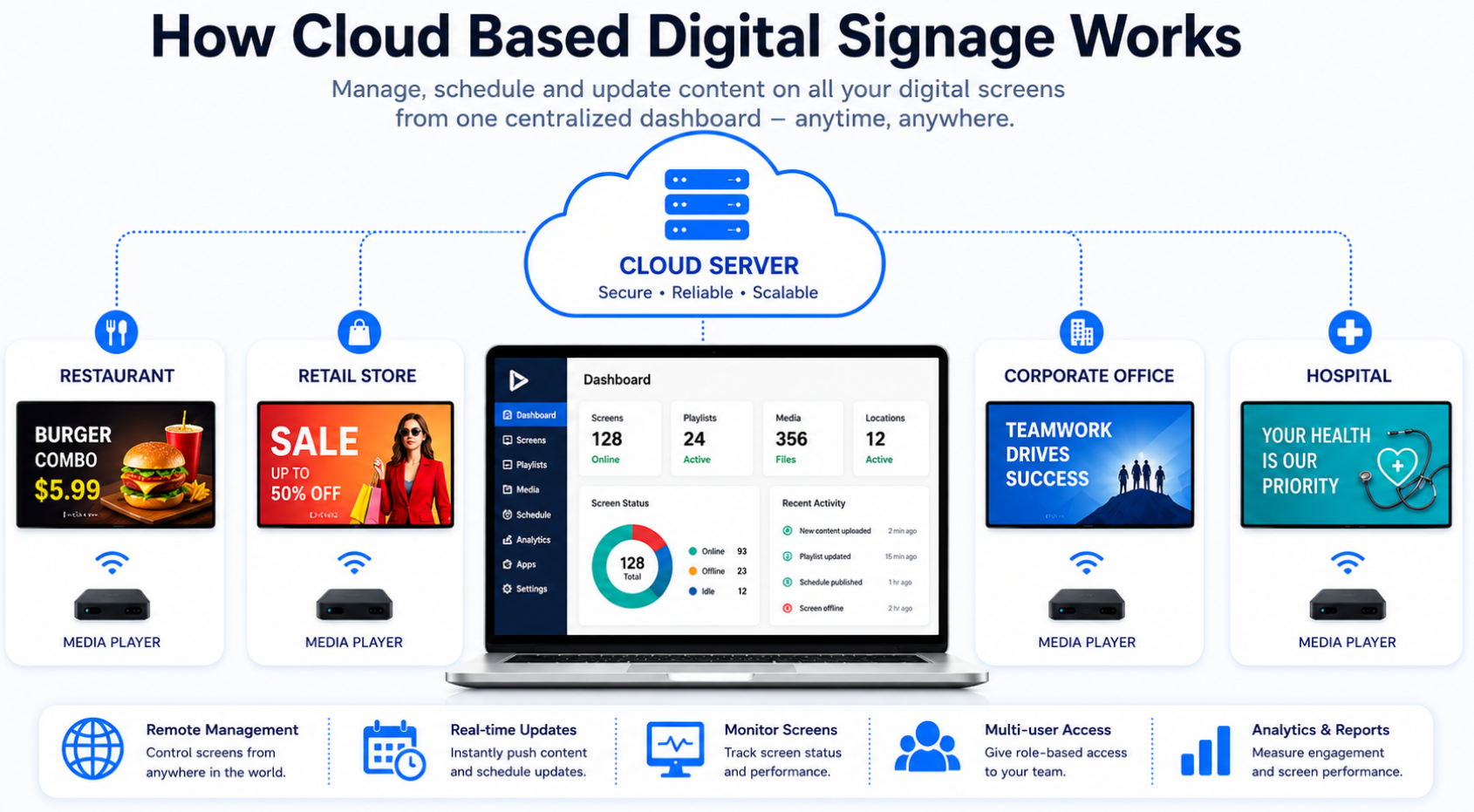
Electronic signage may look simple on the outside, but behind the scenes, it relies on a combination of hardware, software, and connectivity to create a seamless communication system. Here are the four core parts of any electronic signage system:

1. Display Screen

This is the physical electronic display board (LED/LCD) on which the content is shown. These screens are designed for continuous operation and high brightness, so content remains visible even in outdoor environments or well-lit indoor spaces. Modern displays come in various sizes from small indoor panels to large-format electronic billboards.

2. Media Player

A device that stores and plays content on the screen. It ensures smooth playback of videos, images, and animations while supporting multiple file formats and resolutions for better display performance. Some advanced systems use cloud-based players that eliminate the need for local hardware.

3. Content Management System (CMS)

The brain of the electronic signage system. A good digital signage software platform allows you to upload, manage, schedule, and publish content across all your screens. It gives full control over what is displayed, when it appears, and how it is updated, all from a single dashboard without any technical knowledge required.

4. Internet Connectivity

Enables real-time updates and remote management. With internet connectivity, businesses can control screens from anywhere, push instant updates, and run automated campaigns without manual intervention. Wi-Fi, LAN, or 4G/5G connections are all commonly used.

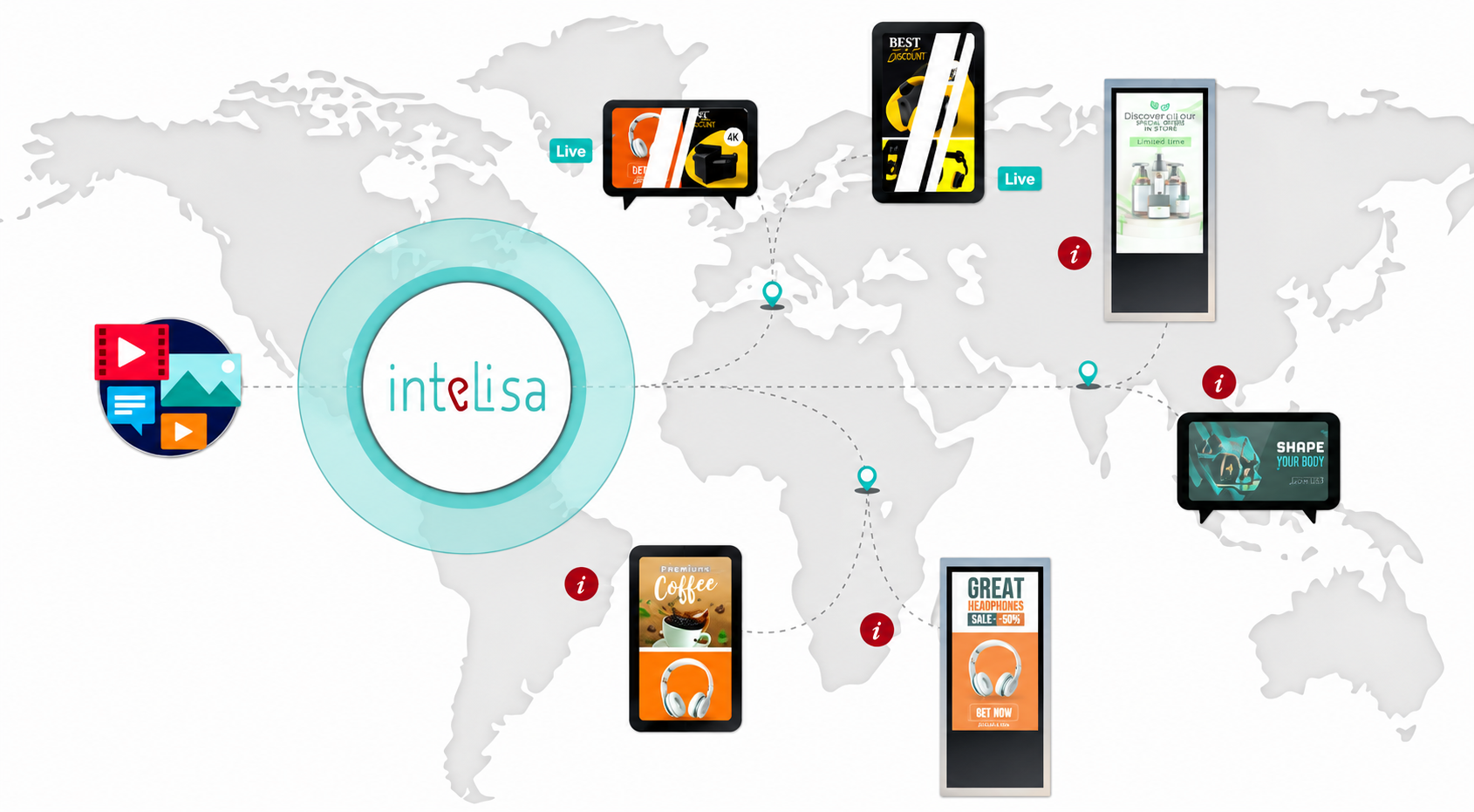
Platforms like Intelisa bring all these elements together into one unified cloud-based electronic signage system, allowing businesses to control multiple screens across different locations from a single dashboard.

Why Electronic Signage Matters in 2026

The importance of electronic signage has grown rapidly due to changes in technology, consumer expectations, and the increasing need for real-time communication across industries. Here is why electronic signage is more critical than ever in 2026:

1. Real-Time Communication

In today’s fast-paced world, information changes constantly, and businesses need a way to communicate instantly. Electronic signage allows real-time updates, ensuring that customers always see the most accurate and relevant information at the right moment.

Examples:

  • Restaurants updating menu availability and daily specials
  • Airports showing live flight status and gate changes
  • Retail stores promote flash sales as they happen
  • Hospitals displaying real-time queue numbers and wait times

With Intelisa, these updates can happen automatically without manual intervention, saving time and eliminating errors.

2. Higher Engagement and Attention

Electronic display screens naturally attract more attention compared to static posters because they use motion, light, and dynamic visuals. This makes them highly effective in crowded environments where grabbing and holding attention is difficult.

  • Motion graphics grab the eye instantly
  • Bright displays stand out in crowded public spaces
  • Videos increase brand recall and customer engagement significantly

Research shows that people retain 65% of information delivered through visual content combined with text, compared to only 10% through text alone, making electronic signage a powerful communication tool.

3. Cost-Effective in the Long Run

Although the initial investment in electronic signage may seem high, it significantly reduces long-term costs associated with printing, installation, and manual updates. Once the electronic signage system is in place:

  • No printing costs for every campaign change
  • No manual replacements or installation charges
  • Instant content updates at zero extra cost
  • Multiple campaigns on a single screen, maximizing ROI

Businesses typically recover their investment within 12-18 months, after which the savings on print and design costs add up significantly.

4. Personalization and Targeted Messaging

In 2026, personalization has become essential for effective marketing. Electronic signage allows businesses to display different content based on time, location, and audience type, making communication far more relevant and effective.

Electronic signage systems can now:

  • Show different content at different times of the day
  • Target specific audiences based on location or demographics
  • Adapt messaging dynamically based on real-time data

Example:
Morning Coffee and breakfast promotions
Afternoon Lunch deals and offers
Evening Dinner specials and happy hour

5. Integration with AI and Data

AI is transforming electronic signage into an intelligent system that can analyze data and optimize performance automatically. It enables businesses to understand audience behavior and adjust content in real time without any manual work.

With AI-powered electronic signage software, screens can:

  • Analyze audience behavior and dwell time
  • Optimize content performance automatically
  • Respond to environmental factors like weather or time of day
  • Deliver hyper-personalized messages at scale

Platforms like Intelisa enable businesses to use AI capabilities without needing any technical expertise, making smart electronic signage accessible to everyone.

6. Sustainability and Environmental Benefits

By eliminating the need for printed materials, electronic signage significantly reduces paper waste and the carbon footprint associated with traditional print advertising. In 2026, sustainability is a growing priority for businesses, and electronic display boards offer a greener communication alternative.

Key Features of Modern Electronic Signage

Modern electronic signage systems come with advanced features that make them powerful tools for communication, marketing, and operations management.

1. Cloud-Based Control

Cloud-based electronic signage systems allow businesses to manage and update content remotely from any device, at any location. This flexibility ensures quick updates and better control over multiple electronic display screens without being physically present.

2. Multi-Screen Management

Businesses can control hundreds of electronic display boards across different locations from a single dashboard, making operations more efficient, consistent, and scalable. Whether you have 5 screens or 500, management is equally simple.

3. Content Scheduling

Content can be scheduled in advance based on time, day, or events, ensuring that the right message is delivered at the right moment to the right audience, automatically and without manual effort.

4. Real-Time Updates

Content on any electronic information display can be updated instantly without any delay, allowing businesses to respond quickly to price changes, promotions, emergencies, or breaking news.

5. Analytics and Insights

Advanced analytics tools help track content performance, viewer engagement, and campaign effectiveness, enabling data-driven decision-making and continuous improvement of your electronic signage strategy.

6. QR Code Integration

QR codes on electronic signage connect offline viewers to online platforms, enabling instant purchases, form fills, social media follows, or information access. This bridges the gap between physical and digital customer journeys.

7. Social Media Integration

Modern electronic signage software can automatically pull and display social media feeds, user-generated content, and live hashtag walls, making content fresh, engaging, and community-driven without extra effort.

8. Zone-Based Content Display

Screens can be divided into multiple zones, each displaying different content simultaneously, for example, a news ticker at the bottom, a promotional video in the center, and live weather updates on the side.

Intelisa combines all these features into one easy-to-use cloud-based digital signage software platform, simplifying electronic signage management for businesses of all sizes.

Electronic Signage Complete Guide for Businesses in 2026

Common Use Cases of Electronic Signage by Industry

Electronic signage is widely used across industries to improve communication, engagement, and customer experience. Here is how different sectors are leveraging electronic display systems in 2026:

Retail

Retail stores use electronic signage for retail to display promotions, highlight new products, show real-time pricing, and create an immersive shopping experience. Electronic display boards at entry points and checkout counters significantly increase impulse purchases and average basket size.

Restaurants and Cafes

Restaurants use digital menu boards and electronic signage to display items, prices, combo deals, and limited-time offers. Menu updates that previously took days now take seconds, improving customer experience and reducing staff workload.

Corporate Offices

Companies use corporate electronic signage for internal communications, KPI dashboards, meeting room displays, visitor welcome screens, and employee recognition boards, ensuring smooth and engaging communication within the organization.

Healthcare

Electronic signage in healthcare is used for patient queue management, wayfinding, health awareness campaigns, appointment reminders, and staff communications, improving operational efficiency and reducing patient anxiety in waiting areas.

Education

Schools, colleges, and universities use electronic information displays for campus announcements, event updates, timetable changes, emergency alerts, and navigation, enhancing communication with students, staff, and visitors across large campuses.

Transportation

Airports, railway stations, and bus terminals use electronic signage for real-time schedule updates, gate information, navigation maps, and emergency communications, ensuring smooth passenger flow and reducing confusion in high-traffic environments.

Manufacturing

Factories and warehouses use electronic display boards for production dashboards, safety alerts, shift updates, and performance metrics, keeping floor workers informed and operations running efficiently without paper-based communication.

Intelisa: Making Electronic Signage Smarter

Intelisa is redefining how businesses use electronic signage by making it smarter, simpler, and more effective. As a leading digital signage solutions provider, Intelisa serves businesses across India, the USA, Canada, the UAE, Qatar, and Australia.

What Makes Intelisa Different?

  • Centralized Dashboard: Manage all your electronic display screens from one place with complete ease and efficiency
  • Real-Time Updates: Instantly update content across all locations and screens without any delay
  • Inventory Sync: Automatically update product availability and pricing to avoid outdated promotions
  • QR Code Integration: Connect offline electronic signage advertising with online conversions seamlessly
  • AI Capabilities: Enable smart automation, audience analytics, and content performance optimization
  • Social Media Integration: Automatically display your latest social media content on any screen
  • Zone-Based Display: Show multiple content types on a single screen simultaneously
  • No Technical Expertise Needed: Anyone can manage electronic signage with Intelisa’s intuitive interface

With Intelisa, businesses can run advanced electronic signage campaigns without complexity or technical challenges and get started in minutes.

Ready to experience smarter electronic signage? Start your free trial with Intelisa today, no credit card required.

Electronic Signage vs Traditional Signage

Here is a clear comparison of electronic signage and traditional signage to understand why businesses are rapidly making the switch:

Feature Traditional Signage Electronic Signage
Content Update Manual requires reprinting Instant update from anywhere
Flexibility Low – fixed once printed High – change anytime
Engagement Low – static visuals High – motion and dynamic content
Cost Over Time High – repeat printing costs Cost-efficient one-time hardware investment
Personalization None Advanced time, location, and audience-based
Environmental Impact High – paper and ink waste Low – no print materials needed
Analytics None Full performance tracking and insights
Remote Management Not possible Fully remote via cloud platform

Signage clearly provides a more modern, flexible, and effective communication solution than traditional signage, and the gap will only grow wider as technology advances.

Electronic Signage in India

Challenges of Electronic Signage and How to Overcome Them

1. Initial Investment

The upfront cost of electronic signage hardware can be high for some businesses. However, the key is to start small — even one or two screens in high-traffic areas deliver measurable results quickly. As ROI becomes visible, businesses can scale up their electronic signage system gradually without a large upfront commitment.

2. Content Creation

Creating engaging content consistently may seem challenging, especially for small teams. However, using pre-built templates, AI-generated content tools, and social media auto-integration (as offered by Intelisa) dramatically simplifies the content creation process — making it fast, easy, and cost-effective.

3. Technical Setup

Technical setup and configuration can feel overwhelming for non-technical users. This challenge is easily solved by choosing a user-friendly electronic signage software platform like Intelisa, which offers guided onboarding, customer support, and an intuitive interface that requires zero coding or IT knowledge.

4. Ongoing Maintenance

Like any technology, electronic display boards require periodic maintenance to ensure optimal performance. Investing in high-quality commercial-grade hardware from the beginning significantly reduces maintenance issues and ensures long-term reliability and performance.

The Future of Electronic Signage

The future of electronic signage is exciting and innovation-driven. As technology continues to evolve, electronic signage systems will become even more intelligent, immersive, and deeply integrated into everyday environments.

Key Trends Shaping Electronic Signage in 2026 and Beyond:

  • AI-generated content that adapts automatically based on audience, time, and context
  • Interactive touch and gesture-controlled screens for hands-on customer engagement
  • Voice-enabled electronic kiosks for completely hands-free interaction
  • 3D and immersive holographic visuals that capture attention in a crowded world
  • IoT-connected electronic displays that respond automatically to real-time sensor data
  • Programmatic electronic signage advertising — automated, data-driven ad buying for digital out-of-home screens
  • Facial recognition and audience analytics — understanding who is viewing your content to optimize messaging
  • 5G-powered electronic billboards — faster, more reliable connectivity enabling richer content experiences

These advancements will make electronic signage more powerful, personalized, and deeply integrated into both physical and digital customer experiences — making it an indispensable business tool for the decade ahead.

Best Practices for Using Electronic Signage Effectively

To get the best results from your electronic signage system, follow these proven best practices:

  • Keep content short and clear — viewers typically have 3–5 seconds of attention; make your message instantly understood
  • Use high-quality visuals — blurry or low-resolution images damage credibility; always use sharp, high-resolution graphics
  • Update content regularly — stale content loses effectiveness; keep screens fresh with new offers, news, and promotions
  • Include a clear call-to-action — every piece of content should tell the viewer what to do next (scan QR, visit website, call now)
  • Use data to optimize — review analytics regularly and adjust content based on what is performing best
  • Match content to location and audience — tailor your electronic signage message to the specific context of each screen
  • Test before going live — always preview content on the actual screen before publishing to catch any display issues

Final Thoughts

Electronic signage in 2026 is not just a display tool, it’s a smart communication platform that combines technology, data, and creativity to deliver real business results. With real-time updates, AI integration, cloud-based control, and advanced analytics, businesses can deliver personalized and impactful messages that truly connect with their audience at the right time and place.

Whether you run a single retail store or manage hundreds of locations globally, electronic signage offers a scalable, cost-effective, and powerful way to communicate, engage, and convert. Platforms like Intelisa are making this technology accessible, scalable, and easy to use for businesses of all sizes without requiring any technical expertise.

In a world full of distractions, electronic signage helps brands stand out not just by being visible, but by being relevant, engaging, and timely. The businesses that invest in smart electronic signage today will have a clear competitive advantage tomorrow.

Ready to transform your business communication? Try Intelisa for free today and see the difference smart electronic signage can make, no credit card required.

Frequently Asked Questions

Electronic signage refers to digital display systems — such as LED or LCD screens — used to show advertisements, announcements, menus, or real-time information. Unlike traditional printed signage, electronic signage enables instant content updates, dynamic visuals, and improved audience engagement in any environment.

Electronic signage works through a combination of display screens, media players, and a content management system (CMS). The CMS allows users to upload, schedule, and manage content remotely, while internet connectivity enables real-time updates across all screens simultaneously — from a single dashboard.

Electronic signage helps businesses improve visibility, engagement, and communication. It allows real-time content updates, reduces printing costs, supports targeted and personalized messaging, and provides performance analytics — making it a cost-effective and scalable marketing and communication solution for businesses of all sizes.

Yes, electronic signage is significantly more flexible and effective than traditional signage. Electronic signage allows instant content updates, dynamic visuals, personalization, and full performance analytics — while traditional signage is static, expensive to update, and offers no engagement data or targeting capabilities.

Yes, small businesses can easily use electronic signage with affordable cloud-based platforms like Intelisa. These electronic signage solutions make it simple and cost-effective to manage content — even without technical expertise or large budgets. Starting with just one screen is enough to see measurable results.

The cost of an electronic signage system depends on factors like screen size, location, hardware quality, and software features. While the initial hardware investment may be higher than printed signage, electronic signage reduces long-term costs by eliminating printing, manual updates, and installation charges — delivering strong ROI within 12–18 months.

Electronic signage is widely used in retail, restaurants, healthcare, education, corporate offices, manufacturing, and transportation. Each industry uses electronic display systems to improve communication, promote products, manage operations, and enhance the customer or employee experience.

Yes, modern electronic signage systems allow fully remote content updates through cloud-based CMS platforms like Intelisa. This means businesses can change content on any electronic display screen anytime and from anywhere in the world — without physically accessing the screen or sending anyone on-site.

AI enhances electronic signage by analyzing audience behavior, automatically optimizing content performance, and enabling real-time personalization. AI-powered electronic signage can adjust ads based on time of day, weather, demographics, or viewer data — significantly improving engagement and campaign effectiveness.

The future of electronic signage includes AI-driven content automation, interactive and touch-enabled screens, voice-controlled kiosks, 3D and holographic displays, IoT integration, and 5G-powered electronic billboards. These advancements will make electronic signage smarter, more personalized, and more deeply integrated into everyday business and customer experiences.

Electronic signage and digital signage refer to the same concept — the use of screen-based display systems to show dynamic content. “Electronic signage” emphasizes the use of electronic display boards and hardware, while “digital signage” is the broader industry term. Both describe the same technology used to communicate, advertise, and inform through screens.

Categories
Digital Signages

How to Set Up a Digital Billboard in 2026 (Step-by-Step Guide)

Digital Billboard

Digital advertising has entered a new era. Traditional hoardings are no longer enough to capture attention in fast-moving cities. In 2026, a digital billboard is not just a display; it’s a smart, responsive advertising system powered by data, automation, and AI.

For ambitious business owners, visionary marketers, and forward-thinking agencies, mastering the ability to deploy and scale these assets is essential to unlocking exponential growth. This is particularly true in high-velocity markets like India, where the demand for measurable results and high-impact visibility is at an all-time high.

This guide breaks everything down into simple, actionable steps so you can start from scratch and build a high-performing DOOH (Digital Out-of-Home) setup. Whether you are a newcomer or a seasoned professional, this step-by-step roadmap will empower you to dominate both the technical execution and the strategic marketing aspects of modern digital billboards.

What is a Digital Billboard?

A digital billboard is a large LED screen used to display advertisements outdoors. Unlike traditional billboards, digital billboards can show multiple ads in rotation, update content instantly, run time-based or event-based campaigns, and integrate with data and AI for optimization.

These screens are now commonly seen in metro cities, on highways, in malls, at airports, and even in Tier-2 cities. With increasing urbanization and digital adoption, their presence is expanding rapidly across both commercial and public spaces.

Key features that define a modern digital billboard include high-resolution LED panels, cloud-based connectivity for remote management, and integrated sensors that allow for real-time audience measurement and environmental triggers.

Digital Billboards in India

Why Digital Billboards Are Growing Rapidly in India

India is one of the fastest-growing markets for digital billboard advertising. Here’s why:

1. Smart City Development

Government initiatives and urban expansion are increasing the demand for digital infrastructure, including smart advertising systems.

2. Affordable Technology

LED screen costs and software solutions are becoming more accessible, making it easier for businesses to invest in digital billboards.

3. Data-Driven Marketing Demand

Brands want measurable results, not just visibility. Digital billboards provide insights that traditional hoardings never could.

4. Consumer Behavior Shift

People expect dynamic, engaging, and relevant content everywhere, whether online or offline.

5. Rise of Platforms Like Intelisa

Cloud-based platforms such as Intelisa are simplifying campaign management, making digital billboard solutions accessible even for small and medium businesses without heavy technical knowledge.

Step-by-Step Guide to Set Up a Digital Billboard

Step 1: Choose the Right Location

Location is the foundation of successful digital billboard advertising.

What to Look For:

  • High footfall or vehicle traffic
  • Areas where people slow down (signals, junctions)
  • Commercial hubs, malls, or transit zones
  • Locations near your target audience

Key Insight:

Not all traffic is equal. A crowded junction where people wait for 60 seconds is more valuable than a fast highway where people pass in 5 seconds.

Pro Tip: Focus on attention time, not just impressions. The longer people stay in front of your billboard, the higher the chances of engagement and recall.

Step 2: Select the Right Hardware and Screen

Choosing the right hardware is critical for performance and durability.

Important Factors:

1. Brightness (Nits)

  • 5,000–8,000 nits recommended for outdoor use
  • Ensures visibility in direct sunlight

2. Pixel Pitch (Resolution)

  • Lower pitch = higher clarity
  • Ideal range: P6 to P10 for outdoor billboards

3. Weather Resistance

  • Must be waterproof and dustproof (IP65 rating or higher)
  • Important for Indian climate conditions, such as heat, rain, and dust

4. Size and Viewing Distance

  • Larger screens for highways
  • Medium screens for urban areas

5. Energy Efficiency

  • Lower power consumption reduces operational costs

Modern digital billboards in India are designed for 24/7 operation with minimal maintenance, making them a long-term investment for businesses.

Step 3: Install a Smart CMS (Content Management System)

A powerful CMS is the brain of your digital billboard.

Platforms like Intelisa transform a simple screen into a smart advertising system.

What a Smart CMS Can Do:

  • Manage multiple screens from one dashboard
  • Schedule ads based on time, location, or triggers
  • Update content instantly without manual intervention
  • Automate campaigns using AI

Intelisa Key Features:

  • Real-time campaign updates
  • Inventory sync (auto-remove unavailable products)
  • Centralized dashboard for multi-location control
  • QR-based engagement tools

Why It Matters:  Without a CMS, your billboard is just a screen. With it, it becomes a revenue-generating machine that can run campaigns efficiently and intelligently.

Step 4: Create High-Impact Content

Content is what drives engagement and conversions.

Best Practices for Digital Billboards:

  • Use bold visuals and minimal text
  • Keep the message readable within 3–5 seconds
  • Use motion graphics or short videos
  • Include a clear call-to-action (CTA)
  • Add QR codes for instant interaction

AI-Driven Content Strategy:

Instead of one ad, create multiple versions:

  • Different headlines
  • Multiple visuals
  • Various offers

AI (via platforms like Intelisa) can automatically test and optimize combinations to find what works best.

Pro Tip: Build a content library, not a single creative. This allows continuous optimization and better performance over time.

Step 5: Enable Programmatic DOOH Advertising

Programmatic DOOH (pDOOH) allows automated buying and optimization of ad space.

Benefits:

  • Hyper-local targeting: Ads within a specific radius
  • Time-based delivery: Morning vs evening campaigns
  • Budget control: Spend where performance is highest
  • Real-time adjustments: Pause or scale instantly

Example Use Cases:

  • A restaurant runs lunch ads between 12 and 3 PM
  • A retail store promotes offers near its location
  • A movie ad runs only near cinemas

This approach makes digital billboard advertising more efficient and ROI-focused.

Step 6: Add QR Codes and Conversion Tracking

One of the biggest advantages of digital billboards in India is measurability.

What You Can Track:

  • QR code scans
  • Website visits
  • Store footfall
  • App downloads
  • Conversions

Why QR Codes Matter:

They bridge offline and online marketing.

Example:
A user scans a billboard → lands on the offer page → makes a purchase.

Pro Tip: Always include a strong CTA like:
“Scan & Get 20% Off”

Step 7: Use AI for Smart Optimization

AI is what truly differentiates modern digital billboard advertising.

What AI Can Do:

  • Adjust ads based on the weather
  • Change creatives based on audience demographics
  • Optimize ad frequency and timing
  • Improve performance automatically

Real-Life Examples:

  • Rain → Promote cabs or umbrellas
  • Hot weather → Cold drinks or AC ads
  • Evening → Food delivery promotions

With platforms like Intelisa, these optimizations happen automatically, reducing manual effort and improving campaign results.

Step 8: Ensure Legal Compliance and Permissions

Before installation, ensure you follow local regulations.

Requirements in India:

  • Municipal permissions
  • Zoning regulations
  • Safety compliance
  • Electrical approvals

Ignoring compliance can lead to penalties or shutdowns, so it is important to handle this step carefully before launching your billboard.

Cost of Digital Billboard in India

Cost of Digital Billboard in India

The cost of setting up a digital billboard in India depends:

  • Location (prime vs non-prime)
  • Screen size and quality
  • Installation and maintenance
  • Software and CMS subscription

Typical Cost Breakdown:

  • Hardware: ₹5 lakh – ₹25 lakh+
  • Installation: ₹1–3 lakh
  • Software (CMS): Monthly/annual subscription
  • Maintenance: Ongoing

ROI Advantage:

Compared to traditional billboards:

  • Multiple advertisers share one screen
  • Higher engagement rates
  • Real-time optimization improves ROI

Common Mistakes to Avoid

Avoid these common pitfalls:

  • Too much text on the screen
  • No clear CTA
  • Ignoring data and analytics
  • Running the same ad all day
  • Poor screen quality
  • No mobile integration

Advanced Strategies for 2026

1. 3D and Anamorphic Ads

Highly engaging and viral-ready content that grabs attention instantly.

2. Interactive Kiosks

Touchscreens for navigation, booking, and product discovery in public spaces.

3. Voice and Gesture Control

Hands-free interaction for a better user experience.

4. IoT Integration

Screens respond to traffic, weather, and city data in real time.

5. Generative AI Creatives

AI creates ads dynamically based on trends, audience behavior, and performance.

Industries Benefiting from Digital Billboards

  • Retail and E-commerce
  • Real Estate
  • Food and Beverage
  • Entertainment and Movies
  • Healthcare
  • Education

In India, digital billboards are especially effective for hyperlocal businesses looking for nearby customers.

Why Intelisa is a Game-Changer

Intelisa simplifies the entire process of digital billboard advertising.

Key Benefits:

  • Easy campaign management
  • Real-time updates
  • Automated optimization
  • Multi-location control
  • Seamless online-to-offline integration

It turns a traditional billboard into a smart marketing system that delivers measurable results.

The Future of Digital Billboards in India

The future of digital billboards in India is incredibly promising.

What to Expect:

  • Smarter AI-driven campaigns
  • Fully automated ad optimization
  • Deeper personalization
  • Integration with smart cities
  • Better ROI tracking

As technology evolves, digital billboards will become more interactive, intelligent, and essential for modern advertising strategies.

Frequently Asked Questions

A large LED screen used to display rotating advertisements outdoors, which can update content instantly and integrate with data and AI for optimization.

Growth is driven by Smart City Development, decreasing costs of LED technology, demand for data-driven marketing, consumer preference for dynamic content, and simplified campaign management via platforms like Intelisa.

A platform like Intelisa acts as the “brain” of the billboard, enabling users to manage multiple screens, schedule time-based ads, update content instantly, and automate campaigns using AI.

It enables automated buying and optimization of ad space, allowing for hyper-local targeting, time-based delivery, and real-time adjustments to campaigns.

5,000–8,000 nits are recommended for outdoor use to ensure the screen is clearly visible in direct sunlight.

Final Thoughts

Setting up a digital billboard in 2026 is not just about installing a screen; it’s about building a smart advertising ecosystem.

With the right location, advanced technology, AI-powered tools like Intelisa, and a strong content strategy, businesses can turn outdoor advertising into a measurable and scalable growth channel.

In today’s competitive world, success in digital billboard advertising doesn’t come from being everywhere.

It comes from being relevant at the right moment.

Categories
Digital Signages

7 Smart Ways to Create an Interactive In-Store Shopping Experience

in-store interactive technology

Let’s be honest: retail has changed, but not in the way many predicted. It’s not that physical stores are becoming obsolete; it’s that uninspired stores are. With the convenience of e-commerce, customers now expect a specific reason to visit a brick-and-mortar location.

If a store feels like a static warehouse, it loses its competitive edge. To succeed, retailers must transform “browsing” into an “event.” Here is how forward-thinking brands are using modern technology to drive engagement and results.

Prioritize Interactive Digital Displays

Traditional static signage often becomes background noise. Interactive digital displays, however, put the customer in control of their own journey.

Instead of a standard “Sale” sign, imagine a screen that allows a customer to filter products by skin type in a beauty aisle or compare technical specifications in an electronics shop. This is about empowered discovery. Shoppers often prefer to find answers independently rather than waiting for a busy sales associate. By providing instant access to details via high-quality digital signage, you remove a significant barrier to the sale.

Implement Smart Product Discovery Tools

Few things frustrate a shopper more than navigating a large floor plan without guidance. Interactive kiosks act as an intuitive “navigation system” for the retail environment.

If a specific item is out of stock, a kiosk shouldn’t simply end the interaction. It should offer alternatives: “This item is available at our downtown branch, or we can arrange home delivery by Tuesday.” This functionality, often integrated into broader digital signage solutions, saves a sale that might otherwise have been lost to a competitor’s mobile app.

Use Augmented Reality (AR) to Resolve Uncertainty

Augmented Reality (AR) is often dismissed as a novelty, but its true value lies in reducing “buyer’s remorse” before the transaction occurs.

  • The Spatial Factor: Furniture retailers can allow customers to visualize exactly how a sectional fits within their specific room dimensions.
  • Virtual Consultations: In the beauty and fashion sectors, AR allows for dozens of “try-ons” in seconds without the need for physical samples or fitting rooms.

The goal of AR isn’t just to impress the customer; it is to provide the certainty required to finalize a purchase.

Provide Personalized, Data-Driven Recommendations

We are all familiar with the “frequently bought together” algorithms used online. Bringing that logic in-store is a significant value-add. When a customer scans a product at one of your interactive kiosks, the system can instantly suggest complementary accessories or matching items. It’s not an “upsell” in the traditional sense; it’s curation. You are helping the customer complete their purchase without forcing them to hunt through multiple aisles.

Transition from Sales to Immersive Demonstrations

You cannot replicate the tactile experience of a product online. This is the inherent advantage of physical retail. Interactive demonstrations, such as live culinary sessions or “hands-on” testing zones for technology, eliminate doubt. When a customer experiences a product’s performance firsthand, the value proposition becomes much clearer than it ever could be in a brochure.

Encourage Organic Social Media Advocacy

Modern shoppers are highly influential when they share their experiences online. Retailers can capitalize on this by creating visually compelling moments using vibrant digital signage solutions that encourage photography and sharing.

Whether it’s a professionally designed “photo zone” or a creative product installation, these features drive organic reach. This turns your customers into brand advocates, providing authentic marketing to their entire social network at no additional cost.

Utilize Gamification to Drive Dwell Time

Gamification is an effective strategy for making the shopping environment more dynamic. Whether it involves scanning QR codes on digital displays for a mystery discount or a digital “loyalty wheel” at checkout, these elements make the experience more memorable. The longer a customer engages with the brand environment, the higher the probability of a completed sale and a return visit.

interactive shopping

The Strategic Advantage

Creating an interactive environment isn’t about collecting gadgets; it’s about measurable outcomes:

  • Active Engagement: Giving shoppers a reason to stay focused on the physical environment.
  • Operational Efficiency: Using self-service tools like interactive kiosks to handle routine questions so staff can focus on high-value sales.
  • Conversion: Turning a hesitant browser into a confident buyer.
interactive stores

Final Thoughts

The future of retail belongs to brands that treat their floor space as a destination, not just a point of distribution. This is where a platform like Intelisa becomes vital.

Intelisa allows you to manage your entire digital signage ecosystem seamlessly from the cloud. You can push real-time updates to your digital displays, launch dynamic promotions, and maintain brand consistency across numerous locations with ease. It serves as the digital backbone of the store, ensuring your interactive content works just as hard as your top-performing team members.

Frequently Asked Questions

It is any retail touchpoint like touchscreens, interactive kiosks, or AR that requires the customer to actively participate rather than just passively browse.

Yes. By providing instant information and building buyer confidence, interactive tools directly improve conversion rates and average transaction value.

No. Digital signage solutions act as support tools, handling routine questions so your team can focus on personalized customer service and closing sales.

Yes. You can start small with QR codes or a single digital display and scale as your budget allows.

Identify your biggest “friction point,” like long wait times or confusing layouts, and choose one digital solution, such as an interactive kiosk, to solve it.

It acts as the central “brain,” allowing you to manage and update all your digital content and digital signage across multiple locations instantly from the cloud.

Categories
Digital Signages

Beyond the Billboard: How AI is Redefining DOOH

Billboard

The era of “post and pray” is officially over.

If you walk through the bustling streets of New York, Dubai, or Singapore today, you’ll notice a subtle yet profound shift. The screens surrounding us haven’t just become brighter, they’ve become sentient. Artificial Intelligence isn’t just a buzzword; it is the central nervous system of public advertising.

Digital Out-of-Home (DOOH) has evolved from simple electronic posters into intelligent ecosystems that sense, adapt, and optimize in real-time. Here is how AI is transforming the landscape and how platforms like Intelisa are leading the charge.

The End of Static Ad Loops

For decades, DOOH relied on the “fixed loop”—a 30-second ad playing on repeat regardless of who was watching. AI and edge computing have effectively dismantled this “set-it-and-forget-it” model.

Today’s screens utilize dynamic decision-making to react to real-world triggers:

  • Weather-Responsive: A sudden downpour instantly switches a screen from sunscreen ads to ride-hailing services or hot coffee promotions.
  • Demographic Sensing: As a group of Gen-Z shoppers approaches, the creative shifts to trending streetwear or the latest sneaker drop.
  • Contextual Assembly: Instead of one static video, AI assembles multiple creative elements (headlines, visuals, and offers) on the fly to match the moment.

💡 Pro Tip: Stop designing “an ad.” Build a kit of creative parts. Let the AI determine which combination of visual and headline will convert best in the current environment.

Precision Targeting: Measuring Attention, Not Just Traffic

In a high-velocity urban world, footfall is a vanity metric. What matters is attention. AI-powered sensors now allow brands to move beyond “how many people passed by” to “how many people actually looked.”

Modern systems now measure:

  • Gaze Duration: How long eyes stayed on the screen.
  • Dwell Time: How long a person remained in the vicinity.
  • Engagement Signals: Whether the viewer interacted via mobile or gesture.

This data allows for a Temporal Content Strategy: morning commuters get punchy, direct messaging, while evening crowds with higher dwell times are served immersive storytelling.

Making Smart DOOH Accessible With Intelisa

AI-powered DOOH is no longer limited to large global brands.

Platforms like Intelisa are making cloud-based digital signage solutions accessible to businesses of all sizes.

Instead of manual updates, businesses can now run proactive campaigns that adjust automatically.

Key Capabilities

  • Inventory sync that removes unavailable products automatically
  • Real-time campaign updates across locations
  • QR-based engagement for seamless customer journeys
  • Centralized dashboard to manage multiple screens

This turns DOOH into a smart and responsive system.

💡 Intelisa Pro Tip: Use QR codes to connect outdoor ads with online conversions.

Programmatic DOOH: The Digital Precision of Outdoor

The way we buy ad space has changed. Programmatic DOOH (pDOOH) allows brands to bid on “moments” rather than locations.

  • Hyper-Local Targeting: Only show ads on screens within 500 meters of your retail store.
  • High-Intent Moments: A movie studio can bid for higher frequency specifically near cinemas on Friday nights.
  • Budget Agility: Shift your spend instantly based on which locations are performing best.

💡 Pro Tip: Focus on high-intent moments instead of continuous exposure.

Moving Toward Performance-Driven Metrics

Outdoor advertising used to be a “brand awareness” play. By integrating AI with mobile location data and QR interactions, brands can now track:

  1. Screen Exposure vs. Store Visits.
  2. App Downloads triggered by specific displays.
  3. Direct Purchases via scan-to-buy features.

💡 Pro Tip:  Always include a clear call to action to improve tracking.

Why AI-Driven DOOH Is Growing Globally

The growth of AI in DOOH is driven by several global trends.

Urban Expansion

Cities are becoming more crowded, increasing the need for smarter communication.

Smart Infrastructure

Digital screens are now part of transport systems, malls, and public spaces.

Cost Efficiency

Technology has become more affordable for businesses.

Changing Consumer Expectations

People expect personalized and relevant messaging everywhere.

These factors are driving rapid adoption worldwide.

Interactive Screens and Smart Kiosks

DOOH is no longer passive.

Interactive kiosks are becoming common in malls, airports, and retail spaces.

Common Use Cases

  • Mall navigation
  • Airport check-in
  • Product discovery
  • Ticket booking
  • Customer feedback

With AI, these systems can:

  • Recommend products
  • Change language automatically
  • Offer location-based deals
  • Trigger real-time promotions.

Pro Tip: Interactive screens increase engagement time significantly.

The Future: What’s Next for Smart Screens?

We are already seeing the next wave of innovation:

  • Generative Creatives: AI that designs its own layouts based on what is trending on social media that hour.
  • Voice & Gesture: Interactive kiosks that allow users to ask for directions or browse products hands-free.
  • IoT Integration: Screens that dim or brighten based on city power grids or change content based on traffic congestion levels.

The Bottom Line

Your billboard is no longer a static piece of vinyl—it is a connected, data-driven team member. Success in this new era doesn’t go to the brand with the most screens; it goes to the brand that uses them most intelligently. With Intelisa, you aren’t just buying visibility; you’re buying relevance.

Pro Tip: Use 3D visuals and immersive formats to capture attention and increase recall.

Frequently Asked Questions

AI-powered DOOH uses artificial intelligence to optimize ad content, timing, and placement based on real-time data.

Yes, modern systems follow a privacy-first design and do not store personal identity.

Yes, programmatic DOOH allows businesses of all sizes to run targeted campaigns.

ROI can be measured using QR codes, location tracking, and conversion analysis.

Retail, restaurants, real estate, entertainment, and healthcare all benefit from DOOH advertising.

Intelisa provides a cloud-based digital signage solution with real-time updates, centralized control, and AI-driven optimization.

The Final Word: From Static to Smart

Digital out-of-home advertising is no longer just about visibility. It’s become a smart, data-driven channel where every screen can deliver the right message at the right time.

Artificial intelligence is transforming DOOH into a responsive and measurable medium. Instead of static ads, brands can now run dynamic campaigns that adapt to time, location, and audience behavior.

For businesses of all sizes, this change opens up new opportunities. With Intelisa, managing and optimizing digital signage has become easier, faster, and more effective.

In the coming years, the brands that will win won’t be the ones with the most screens, but the ones that use them most wisely.

Because today, it’s not about being everywhere.

It’s about being relevant when it matters most.

Categories
Digital Signages

13 Ways Self-Service Kiosks are Redefining the Customer Journey

Self-service kiosks have moved from “nice-to-have” gadgets to essential operational tools. By handing control back to the customer, brands are seeing a 20-30% boost in satisfaction scores and a significant lift in transaction value. Whether in a busy QSR, a retail flagship, or a corporate lobby, kiosks solve the age-old problem of friction at the point of sale. Here are 13 reasons why they are a win for both the business and the buyer.

Self-Service Kiosks

The Benefits: Speed, Accuracy, and Growth

  • Eliminate the Queue: Kiosks allow customers to bypass the traditional counter. This can slash wait times by up to 70%, turning peak-hour chaos into a streamlined flow.
  • High-Volume Throughput: By deploying multiple units, you can serve more patrons simultaneously without increasing your headcount.
  • Precision Ordering: When customers enter their own data, miscommunication disappears. Error rates drop by nearly 80%, ensuring the order is right the first time.
  • Hyper-Personalization: Integrated with loyalty data, kiosks can greet repeat users and suggest their “usual” order, making a digital interaction feel surprisingly personal.
  • Autonomy and Control: Customers appreciate the ability to browse menus or catalogs at their own pace, free from the pressure of a waiting line.
  • Inclusive Design: With multilingual support and adjustable UI heights, kiosks make your services accessible to a much broader demographic.
  • Sleek Brand Perception: Modern, high-res touchscreens signal that your brand is forward-thinking and tech-literate.
  • Chain-Wide Consistency: Ensure that every branch delivers the same service standard. A single cloud update can sync pricing and promos across every location instantly.
  • The “Silent” Upsell: Kiosks never forget to ask if a customer wants a meal deal or a complementary accessory. These automated prompts typically lift average order values by 10-20%.
  • Transaction Privacy: For sensitive purchases, kiosks provide a discreet checkout experience that encourages fuller baskets.
  • Always-On Service: Kiosks don’t take breaks. They enable 24/7 service in unmanned or late-night zones, capturing revenue that would otherwise be lost.
  • Actionable Data: Every click is a data point. Learn which items are being viewed but not bought to optimize your inventory and marketing.
  • Lowered Stress Levels: A self-paced interaction reduces “order anxiety,” leading to a more relaxed customer who is more likely to return.

Overcoming Deployment Hurdles

While the ROI is clear, a successful rollout requires more than just “plugging it in.” Here is how to handle the most common challenges:

  • Technical Reliability: Don’t cut corners on hardware. Use industrial-grade screens and a CMS that offers remote diagnostics to fix bugs before they cause downtime.
  • User Adoption: If the UI is confusing, people will walk away. Stick to intuitive, large-button designs and consider having a staff member nearby for “concierge” assistance during the first week of launch.
  • Security & Trust: Use end-to-end encryption and secure QR/PIN authentication. For outdoor units, ensure the casing is weather-resistant and tamper-proof.
  • System Integration: The biggest bottleneck is often legacy software. Work with open-API platforms that can talk to your existing POS and inventory systems without a massive custom build.
  • Space & Aesthetics: Avoid a “clunky” look. Use modular mounts (wall, counter, or floor-standing) that fit your store’s specific flow and design language.

Is Your Store Ready for the Kiosk Shift?

The shift toward self-service is no longer optional—it’s expected. If you aren’t offering your customers the speed and control of a kiosk, you’re likely losing them to someone who is.

Take the guesswork out of your deployment. Intelisa provides the intelligent CMS backbone needed to manage, update, and optimize your kiosk network from a single dashboard.

Book a Discovery Session with Intelisa Today.

Categories
Digital Signages

Moving Past the “Screen on a Wall”: Why 2026 is the Year of Proactive Signage

For years, digital signage was essentially a glorified, expensive TV. You made a loop, uploaded it to a CMS, and hoped someone looked at it. But by 2026, that “post and pray” model will have finally died. “We’ve stopped talking at shoppers and started building spaces that actually listen and react to them.”

The shift is simple: Signage is no longer a passive display; it’s an intelligent hub powered by a mix of computer vision, GenAI, and edge computing. It doesn’t just show a video—it senses the room and makes a decision.

proactive-signage

What’s Actually Driving the Change?

AI fundamentally reshapes content creation, delivery, and measurement.

  • The “Right Now” Content (GenAI): We’re moving away from fixed 30-second loops. If a sudden thunderstorm hits a mall, the system shouldn’t be showing sunglasses. It should be generating an umbrella promo or a “stay dry” cafe offer in real-time without a marketing manager having to click a button.
  • Context-Aware Triggers: Computer vision has matured. We aren’t just talking about “detecting a person.” We’re talking about a screen recognizing that a group of teenagers is standing in front of it and swapping a luxury watch ad for a trending sneaker drop instantly.
  • Operational Intelligence: This is the most vital part. It’s about the screen talking to the inventory system. If the kitchen is low on chicken, the Digital Menu Board removes the chicken burger automatically. That isn’t “magic”—it’s basic operational efficiency.

This framework moves us beyond traditional, high-friction touchscreens toward a more natural interface. By integrating voice, gesture, and sentiment analysis, we can now offer a truly multimodal experience that feels intuitive rather than forced.

real-world-impact

Real-World Impact: Beyond the Retail Hype

While retail gets the most attention, the real “proactive” wins are happening in sectors where friction used to be the norm.

  • Transportation & Smart Cities: We’ve all seen “static” wayfinding. The 2026 version is dynamic. If security Line A has a 20-minute wait, the signage reroutes you to Line B in real-time. In cities, screens aren’t just showing ads; they’re monitoring air quality and shifting transit alerts during pollution spikes.
Transportation Smart Cities
  • The “Advisory” Bank Branch: Modern banks are using signage to kill the “sterile” vibe. If sensors detect a customer lingering at the mortgage rate screen, a QR code for a first-time homebuyer’s guide pops up, or a nearby staff member is alerted that someone might need specialized help.
  • Manufacturing & Safety: On a factory floor, these screens are the “nervous system.” They pull data from IoT sensors to predict a machine failure 48 hours before it happens, flashing alerts to the crew before a breakdown halts production.

The Bottom Line: Moving the Needle on ROI

With AI-driven hubs, we’re finally closing the loop. We can now measure “Attention Scores” (how many people actually looked, and for how long) and link those views directly to a timestamped purchase at the register.

The best part? It’s finally privacy-first. By using Edge Processing, the system recognizes a “30-year-old male” in the moment to show the right ad, but it never records his face or stores his ID. It’s smart, it’s targeted, and it’s compliant.

Digital signage in 2026 isn’t just about pixels; it’s about making physical spaces as responsive and data-driven as a website. Digital signage is no longer a “screen on a wall”—it’s the nervous system of intelligent environments, blending worlds for seamless, personalized impact.

Categories
Digital Signages

How Digital Signage Transforms the Shopping Mall Experience

Shopping-Mall-Experience

Shopping malls in India have changed dramatically over the last decade. Earlier, malls were simply places to shop; today, they’re lifestyle destinations where people come to eat, watch movies, meet friends, attend events, and spend lengthy hours. In such an environment, communication within the mall plays a crucial role in shaping the consumer experience and influencing buying decisions.

This is where digital signage has emerged as a powerful tool. From guiding shoppers to stores to promoting offers in real time, digital signage is transforming how mall visitors interact with brands.

Tip: Malls that use digital screens instead of static posters attract more attention because movement naturally draws the human eye.

Understanding the Modern Indian Mall Shopper

The Indian mall shopper today is very different from a decade ago. People now walk into malls with smartphones, short attention spans, and multiple intentions. Some are there to shop, some to eat, some to watch a movie, and many are simply browsing.

Shoppers consume information quickly. They rarely stop to read long messages; instead, they react to visuals, timing, and relevance. This behaviour makes traditional static posters less effective.

Tip: Short, visually strong messages like “Flat 30% Off Today” perform better than long descriptions.

What Is Digital Signage in a Shopping Mall?

Shopping-Mall

Digital signage systems use electronic displays—such as LED screens, video walls, and interactive kiosks—to deliver messages. These displays are connected to software that allows for remote content updates.

In a shopping mall, digital signage systems are used for:

  • Store promotions
  • Wayfinding and directories
  • Food court menus
  • Event announcements
  • Brand advertising
  • Emergency or operational messages


Unlike printed posters, content can be changed instantly without printing or manual replacement.

Tip: Rotating multiple creatives on one screen increases message recall.

Why Digital Signage Works So Well in Indian Shopping Malls

Indian-Shopping-Malls

One major advantage of Indian malls is that people tend to linger. They wait in lines, sit in food courts, stand near escalators, and spend time in common areas. These moments create excellent opportunities for communication. Digital signage captures attention during these natural pauses without interrupting the shopper’s journey.

Tip: Screens near escalators and lifts perform extremely well because people are already looking around.

Improving Wayfinding and Navigation

Navigation

Large malls can be confusing, especially for first-time visitors. Digital directories and wayfinding screens make navigation easy. Touch-enabled screens allow users to find stores or services quickly, providing convenience and reducing frustration.

Tip: Integrating sponsored brand content near navigation areas increases exposure without feeling intrusive.

Streamlined navigation encourages deeper browsing and prevents shoppers from feeling lost.

Increasing Visibility for Retail Stores

Retail-Stores

Not every store in a mall enjoys prime visibility. Digital signage allows retailers to promote new arrivals, seasonal sales, and limited-time offers to shoppers who might otherwise miss their storefront.

Tip: Countdown-based offers like “Sale Ends in 2 Hours” increase urgency and footfall.

Driving Food Court and Restaurant Sales

Restaurant-Sales

Food courts are one of the most effective areas for digital signage. Digital menu boards make menus easier to read and more attractive, allowing restaurants to update prices, combos, and visuals instantly.

Tip: Highlighting high-margin items during peak hours increases the average order value (AOV).

Supporting Mall-Wide Promotions and Events

Festivals, exhibitions, brand launches, and entertainment events are a regular part of Indian mall culture, but relying on static posters to communicate updates can be slow and inefficient.

Digital signage helps mall operators streamline event communication by enabling them to:

  • Promote events instantly
  • Update schedules in real time
  • Maintain consistent messaging across all screens

Tip: Using festival-inspired visuals and regional languages resonates more strongly with Indian audiences.
This approach keeps branding consistent while encouraging higher engagement and event participation.

Centralised Control With Cloud-Based Digital Signage

Cloud Based Digital Signage

It is not practical to manage hundreds of screens manually. From a cloud-based system, mall operators can control content on all screens from a single dashboard. Updates can be made instantly without visiting each location.

Tip: Cloud control is ideal for flash sales and last-minute announcements.

This is especially useful for mall chains operating across multiple cities in India.

How Intelisa Enables Smarter Mall Communication

Intelisa provides smart, AI-driven, cloud-based digital signage solutions designed for scale and ease of use. Intelisa’s platform helps malls:

  • Standardise branding across locations.
  • Schedule content in real time.
  • Adapt messaging based on audience behaviour.

Tip: AI-driven scheduling boosts engagement by delivering the right message to the right audience at the right moment.

Intelisa’s solutions are trusted by rapidly growing companies worldwide and are tailored for industries including retail, restaurants, advertising, corporate offices, healthcare, and manufacturing.

Personalised and Context-Aware Advertising

Context Aware Advertising

One of the greatest strengths of modern digital signage is personalization. AI-powered platforms can tailor content based on factors like time, location, and audience behavior.

For example, morning visitors might see café promotions, while evening audiences are shown dining or movie offers.

Tip: Context-aware advertising feels more useful than intrusive, which helps improve brand perception.

This level of personalization makes content more relevant and drives stronger engagement.

Measuring Engagement and ROI

Unlike static posters, digital signage provides measurable results. Mall managers can track:

  • Screen uptime and content performance.
  • Interaction through QR codes.
  • Campaign effectiveness via data-driven insights.

Tip: QR codes make it easier to measure customer interest while encouraging online interaction.

Data-driven insights enable ongoing campaign optimisation and better performance over time.

Sustainability and Cost Efficiency

Digital signage offers a more sustainable alternative to traditional printed posters by reducing paper waste, ink consumption, and transportation expenses.

For malls aiming to improve sustainability while controlling costs, digital signage becomes a smart long-term investment with strong returns.

Tip: Highlighting eco-friendly initiatives on digital screens can strengthen brand credibility and public

Over time, digital signage proves more cost-effective than frequent printing and replacements.

The Future of Digital Signage in Indian Malls

As malls evolve into smarter, tech-enabled spaces, digital signage will increasingly integrate with mobile apps, loyalty programs, and interactive technologies. Displays will become more intelligent, engaging, and highly personalised.

Malls that adopt advanced digital signage early can build a clear competitive advantage in customer experience and advertising opportunities.

Tip: Early adoption helps create long-term brand recall while boosting confidence among advertisers and partners.

Over time, digital signage proves more cost-effective than frequent printing and replacements.

Key Takeaways

Digital signage has become an essential part of the modern shopping mall experience in India. It improves communication, enhances the customer experience, and creates new revenue opportunities. With a smart platform like Intelisa, malls can turn every screen into a powerful communication and advertising tool.

Frequently Asked Questions

It uses digital displays to show ads, promotions, directions, and announcements throughout the mall.

They increase visibility, enable real-time promotion, and increase footfall.

Yes, it facilitates centralized management across multiple floors and geographic locations.

Intelisa provides AI-driven, scalable, and easy-to-manage digital signage solutions for modern businesses.

Digital signage attracts attention through motion, brightness, and timely content. Shoppers engage more with dynamic visuals than static posters, especially when messages are relevant to their location and time.

LED video walls, stand-alone digital displays, interactive kiosks, and digital directories work best in malls. A cloud-based digital signage system allows easy management across all these formats.

Yes, cloud-based digital signage solutions enable centralised control of content across multiple malls or floors from a single dashboard, making updates fast and consistent.

Digital signage systems scale without problems. Even smaller malls can start with a few screens and expand gradually without changing the core infrastructure.

Digital signage services enable advertisers to run targeted campaigns, update creatives instantly, and measure engagement using QR codes or interaction data.

Yes, modern solutions like Intelisa support multiple languages, including Hindi, English, and regional Indian languages.

Categories
Digital Signages

Beyond the Billboard: Unexpected Places to Deploy Signage (And Why They Work)

Billboards used to be the king of advertising. You’d drive down a highway, and a huge, flashy ad would grab your attention, simple as that. But today? Not so much. Consumers scroll, swipe, and scroll some more, often catching only fragments of the messages thrown at them.

One massive billboard can’t always compete with a hundred tiny interactions happening throughout someone’s day.

That’s where the era of “micro moments” began. These are the brief, intent-driven windows when people turn to their devices, or even glance around their surroundings, for quick answers, inspiration, or entertainment.

Let’s look at some of the unexpected places to Deploy digital signage using a digital signage software solution and how they work.

Understanding how people browse today

People don’t look at things the way they used to. Here’s what’s changing:

  • Short attention spans: Users skim quickly on apps, websites, and even in physical spaces, so only the most eye-catching messages get noticed
  • Context-driven engagement: People respond to signage that fits their activity or mood, a coffee ad hits differently while in line at a café versus stuck in traffic
  • Cross-device browsing: Audiences jump between mobile, desktop, and in-store experiences, meaning your message needs to connect across multiple touchpoints
  • Implication for signage: Placement matters more than size or frequency, a small, well-timed sign can outperform a huge billboard that misses the moment

Unexpected places for signage

Research suggests that implementing digital signage increased foot traffic in retail stores by up to 24%. That’s not all, as approximately 70% of customers have made impulse purchases after seeing digital signage ads.

You are heavily missing out if you are not making the most of the opportunity you get for digital signage placements. Here are some unexpected places to look out for:

Public transport and transit points

Digital screens on subway platforms, buses, and taxi tops give brands a chance to reach commuters in real time.

For example, JCDecaux’s digital screens in London bus shelters show dynamic ads that change based on weather, time, or events, keeping content relevant and engaging.

JCDecaux’s digital screens in London bus shelters

Here’s another example of how the popular brand Duracell used old buses to show the durability of its battery:

Duracell

Elevators and stairwells

Office buildings, malls, and hotels have small, enclosed spaces that force attention. Just 30 seconds in an elevator or a few flights of stairs is enough for someone to notice your messaging, especially if it’s unexpected or humorous. 

Here’s an example of how Zara, the popular fashion brand advertised its collection in an elevator.

Digital Signage in elevators stairwells

💡What else to show: Apart from your collections and discounts, you can show vertical content with bold visuals or fun mini-quizzes to keep users engaged for the 30-60 seconds they’re inside.

Restrooms and washrooms

Bars, airports, and stadiums might seem unusual, but restrooms are perfect because people are stationary. While washing hands or waiting in a stall, they have time to actually absorb what’s in front of them.

Digital Signage in restrooms

Coffee cups and food packaging

Cafes, delivery apps, and takeout containers offer a unique way to reach audiences in their daily routines. While physical cups can’t display digital signage, cafes are now using small digital screens on counter tops or coffee machines, showing dynamic ads or promotions.

For example, Starbucks Reserve stores use counter-top screens to highlight seasonal drinks and loyalty programs.

Deploy Digital Signage

Fitness and recreational spaces

Digital signage in gyms, yoga studios, or climbing walls can motivate users while promoting products. Nike gyms feature digital boards displaying workout tips and gear recommendations, keeping the content relevant to people’s activity and mindset.

Digital signage in gyms, yoga studios, or climbing walls

Digital overlays in AR apps or mobile navigation

AR apps, shopping apps, and maps are essentially digital signage on mobile. IKEA Place app uses AR to overlay furniture in users homes, giving them interactive, real-world brand experiences.

Digital overlays in AR apps or mobile navigation

Unexpected office and co-working spots

Digital signage in lobbies, meeting rooms, or co-working areas engages a professional audience. WeWork lobbies feature dynamic screens showing company updates, local events, and sponsored brand content, giving repeated exposure to a high-value audience.

Many co-working spaces are adapting signage to enhance the experience.

Digital Signage lobbies

💡Also Read: Sports, Trivia, Entertainment: Use Your Digital Signage Player For More Than Instructions

Psychological principles behind the effectiveness of digital signages

Here’s why digital signage in the above described places is likely to garner attention and engagement:

  • Attention through surprise: People are wired to notice what breaks the routine. A digital sign that’s unexpected, like an animated display in a stairwell or an AR overlay on a map, instantly grabs attention.
  • Contextual relevance: Signage that fits what users are doing or feeling sticks much longer in memory. A workout tip in a gym or a coffee promotion near a cafe resonates because it aligns with the user’s current activity.
  • Repetition in Small Doses: Micro-moments work best when repeated subtly. Seeing a brand in multiple small interactions throughout the day reinforces awareness without feeling intrusive.
  • Interactive or Shareable Elements: Interactive signage encourages users to engage, making the experience memorable and sometimes shareable. Touch screens, AR filters, or social media tie-ins turn passive viewers into active participants.

💡 Pro Tip: Use AI to make your digital signage smarter and adjust content in real time based on audience behavior, time, or location. Personalized messages grab attention, boost engagement, and increase the chance of conversions.

Best practices for placement

Here are some best practices to ensure an effective digital signage placement:

Research user habits and journeys

Before placing digital signage, understand how your audience moves through the space. Are they commuting, waiting in line, or browsing a cafe? Mapping out user journeys helps you identify the points where attention is most likely.

💡Example: Retailers often place screens near checkout lanes because shoppers naturally pause there, giving them a moment to engage.

Prioritize high dwell-time spaces

The longer people stay in one place, the more likely they are to notice and absorb your content. Lobbies, elevators, cafés, and restrooms are all high dwell-time areas that make small digital signs highly effective.

💡Pro Tip: Even a 20-30 second exposure can be enough if the content is relevant and eye-catching.

Align message with the environment and user mood

Signage works best when it resonates with what the user is doing or feeling. A coffee promotion in the morning, a motivational workout tip at the gym, or entertainment content in a waiting area feels natural and engaging.

💡Example: Subway ads that change based on time of day, showing breakfast options in the morning and dinner promotions in the evening perform better because they match context.

Track engagement with QR codes, AR interactions, or social sharing

Digital signage gives you the advantage of measurable engagement. QR codes, AR filters, or prompts to share on social media help track interactions and optimize future campaigns.

💡Pro Tip: Keep calls-to-action simple and intuitive as users are more likely to scan or interact if it’s easy and clearly tied to a benefit.

High-Impact Digital Signage Placement Checklist

Here’s a checklist to keep handy:

1. Know Your Audience

  • Map your audience’s journey: Where do they pause, browse, or wait?
  • Identify high-traffic and high-dwell areas.
  • Understand their activity and mood at each location (commuting, relaxing, shopping, working).

2. Choose the Right Spot

  • Prioritize high dwell-time locations: elevators, lobbies, cafés, restrooms.
  • Use unexpected spots to grab attention: stairwells, coffee counters, co-working spaces.
  • Make sure the placement matches the content—context is key.

3. Optimize Content for Engagement

  • Keep messages short, bold, and visually striking.
  • Include interactive or shareable elements: QR codes, touch screens, AR filters.
  • Rotate or update content frequently to prevent fatigue.

4. Leverage Timing and Context

  • Align content with time of day, weather, or events.
  • Use AI-driven tools to personalize content in real-time.

5. Measure and Refine

  • Track engagement via QR codes, social sharing, or touch interactions.
  • Monitor foot traffic and conversions when possible.
  • Adjust placement or messaging based on performance data.

6. Test and Iterate

  • Start with a pilot location before rolling out widely.
  • Experiment with formats, sizes, and content types.
  • Continuously refine placement strategy based on audience response.

Deploy signages effectively with Intelisa

Digital signage works best when it’s smart, timely, and relevant—and that’s exactly what Intelisa, a digital signage software solution delivers. You can control and update content across screens in real time, from videos to social media feeds, making sure your audience always sees something fresh.

Intelisa also makes it easy to personalize content based on location, context, or audience behavior. That means every micro-moment becomes an opportunity to connect, engage, and even boost sales by 3 to 5 times.

Want to see how it works? Book a free trial today!

Categories
Digital Signages

The IKEA Effect and Digital Signages: Letting Shoppers ‘Build’ Their Own Offers

Why do shoppers get more attached to a product when they’ve helped create it, even in the smallest way? That’s the IKEA effect in action.

Put simply, people value things more when they’ve had a hand in building them. Think of flat-pack furniture, DIY meal kits, even custom sneakers.

The effort makes the end result feel more personal, more “theirs.” But you don’t need to sell DIY products to tap into this bias. With the right tech, retailers can spark the same sense of ownership in-store.

Interactive digital signage is the bridge. Picture a screen that doesn’t just flash offers but lets shoppers build their own. Scan a QR to pick bundles, wave to unlock add-ons, tap through quick polls to shape what’s shown.

That tiny act of participation makes the deal feel like theirs, not just the store’s. And when shoppers feel ownership, they engage more, buy more, and return more.

Let’s see how you can do it.

What Is the IKEA Effect?

The IKEA effect comes straight out of behavioral science. First studied by Michael Norton, Daniel Mochon, and Dan Ariely, it shows that people place a higher value on things they’ve partially created themselves.

Think about it: that wobbly IKEA chair you spent an afternoon assembling, the custom sneakers you designed online, or even a playlist you curated on Spotify. None of these is entirely “from scratch,” but because you put in effort, they feel more meaningful and therefore more valuable.

For retailers, this isn’t just a fun psychology quirk.

It’s a powerful lever. If shoppers feel like they’ve had a hand in shaping a product, offer, or experience, they’re more likely to engage with it, pay more for it, and develop a stronger connection to the brand.

IKEA effect

Why the IKEA Effect Matters in Retail Today

Modern shoppers don’t just want to buy, they want to participate. They crave personalization and control, whether that’s choosing the toppings on a pizza, customizing a sneaker, or tweaking the features on a new phone.

This is where the IKEA effect comes into play. When people feel a sense of emotional ownership, their purchase intent shoots up. They’re not just buying something; they’re buying their version of it. That emotional stake often tips the scale from “maybe later” to “add to cart.”

You can see this reflected in broader consumer trends:

  • DIY culture has exploded, from craft kits to meal subscriptions.
  • Co-creation is becoming mainstream, with brands letting customers vote on flavors, designs, or product drops.
  • Customization is now expected, whether online or in-store.

And the numbers back it up. A Deloitte study showed that consumers spend 37% more with brands that deliver consistent, positive shopping experiences, including personalization.

For retailers, that’s the power of the IKEA effect; turning passive shoppers into active participants and browsers into buyers.

Also Read: Click, Swipe, Buy: The Magic of Personalized Shopping with IoT

Digital Signage as a Medium for Shopper Participation

Digital signage has come a long way. What started as static screens showing the same looping ads has evolved into dynamic, interactive systems that update in real time.

And here’s why signage is uniquely suited to spark shopper participation:

  • Real-time updates mean offers, inventory, and promotions can shift instantly, keeping content fresh and relevant.
  • Visual + interactive format makes it engaging; shoppers can see, touch, scan, or gesture to influence what’s on screen.
  • Integration with sensors, QR codes, or mobile devices turns signage from a passive display into an active two-way channel.

And here’s where it gets exciting: add a layer of AI in digital signage, and the whole game changes. Instead of looping the same ads, the screen can actually think. It can switch up offers based on the crowd in front of it, the time of day, or even what’s trending online.

How Retailers Can Let Shoppers ‘Build’ Their Own Offers

If the IKEA effect is about giving shoppers a sense of ownership, digital signage is the perfect canvas to make it happen. Here are four practical ways retailers can bring this to life:

QR Code-Enabled Personalization

A quick scan, and shoppers unlock choices: discounts, bundles, or add-ons.

Example: McDonald’s in Asia has tested QR-enabled menus where scanning lets you customize meal combos, swap sides, or access time-bound discounts.

QR Code-Enabled Personalization

Sensor-Based Interactivity

Motion, touch, or presence sensors adapt the content on-screen in real time.

Example: Nike’s interactive “House of Innovation” stores in New York and Shanghai use motion-sensitive displays and smart mirrors to recommend products as shoppers move, try, or interact.

Sensor-Based Interactivity

Mobile Prompt Integration

Shoppers connect through apps, beacons, or NFC triggers on their phones.

Example: Sephora uses beacons to push personalized offers to app users when they enter the store, which can sync with in-store screens for a more immersive experience.

interactive digital signage

Gamified Offers

Deals become something to “unlock” through play or participation.

Example: Coca-Cola has run campaigns with interactive vending machines where shoppers play mini-games on a digital screen display to win instant discounts or free products.

Gamified Offers

💡Pro Tip: Don’t overwhelm shoppers with too many choices. Behavioral science shows that three options hit the sweet spot, enough to feel personalized without causing decision fatigue.

Benefits of Applying the IKEA Effect with Digital Signage

  • Higher engagement: When shoppers get to “build” their own offers or customize what they see, they spend more time exploring. That extra time in-store (or even on-screen) creates more opportunities for discovery and purchase.
  • Better sales conversion: The ownership effect kicks in. A discount or product they had a hand in choosing feels more valuable, making them more likely to act on it.
  • Smarter data collection: Every scan, tap, or selection gives retailers a clearer view of shopper preferences. That data isn’t just numbers—it’s insight you can use to fine-tune future campaigns.
  • Stronger brand connection: Participation creates an emotional hook. Shoppers don’t just see your brand; they feel part of it. That sense of belonging translates into loyalty beyond a single visit.

Conclusion

The IKEA effect proves one thing: shoppers place higher value on experiences and products they’ve helped shape. Even small acts of participation create a sense of ownership that fuels a stronger intent to buy.

Digital signage is the ideal canvas to bring this psychology into retail. From QR scans to gamified screens, it transforms shopping from a passive act into an interactive one, where customers don’t just see offers, they help build them.

👉 Ready to see it in action? Book a free trial with Intelisa and explore how interactive digital signage can turn your stores into participation-driven experiences.

FAQs

  1. What is the IKEA effect in retail?
    The IKEA effect is a behavioral science principle that says people value products or experiences more when they’ve had a hand in creating them. In retail, this means shoppers feel more invested in offers or bundles they customize themselves.
  2. How does digital signage use the IKEA effect?
    Digital signage can let shoppers ‘build’ their own offers through interactive screens, QR codes, or mobile integrations. This makes customers feel ownership of the deal, increasing the likelihood of purchase.
  3. What are the benefits of applying the IKEA effect with digital signage?
    Key benefits include higher in-store engagement, improved sales conversions, stronger emotional loyalty, and more valuable customer data from preferences and selections.
  4. Is interactive digital signage expensive for retailers?
    Not necessarily. Modern cloud-based solutions (like Intelisa) make it affordable and scalable. Retailers can start small with QR-based interactivity before moving to advanced sensor-driven or mobile-integrated setups.
  5. How can retailers measure the success of IKEA effect-driven signage?
    Metrics like time spent engaging with the display, redemption rates of personalized offers, and repeat visits are strong indicators. Retailers can also track data on preferences selected by shoppers to refine future campaigns.
Categories
Digital Signages

Beyond the Screen: How Omnichannel Signages Connect Clicks to Bricks

Shoppers these days don’t just browse in-store or online, they do both, often at the same time. They compare prices on their phones while walking the aisles. They scan QR codes on product tags to read reviews. They expect the convenience of digital with the touch-and-feel of physical.

But for many retailers, the experience between online and offline still feels like two different worlds. Disconnected branding. Inconsistent offers. Frustrated customers who fall through the cracks.

That’s where omnichannel signages come in.

By syncing digital displays with real-time data from ecommerce, CRM, and mobile platforms, retailers can create a seamless journey that follows the shopper, not the other way around.

In this guide, we’ll break down:

  • What omnichannel signage is (in plain English)
  • How it differs from traditional in-store and online signage
  • Where retailers often fall short
  • Real-world examples from brands like Nike, Sephora, and IKEA
  • Practical steps to launch your own omnichannel signage strategy
  • And what the future holds (hint: AI, voice, AR)

Let’s dive into how retail signage that talks to every channel isn’t just possible—it’s quickly becoming essential.

What Is Omnichannel Signage and Why It Matters Today

Omnichannel signage is a unified content delivery system that ensures consistent, personalized messaging across both physical stores and digital platforms.

Whether it’s a screen inside a retail store or a banner ad on a customer’s phone, omnichannel signage connects the dots between the two, creating a seamless experience no matter where the shopper interacts with your brand.

Why Bridge the Online and Offline Gap?

Because your customers already are.

Consumers these days don’t think in “channels,” they simply expect convenience. They might browse products on their phone, check availability at the nearest store, walk in to try them, and then still order online to get a better deal or home delivery.

When your in-store and online signage work in silos, this journey feels clunky and disjointed. But when they’re synced? The transition feels natural, and customers stay longer, buy more, and come back.

The Rise of the Hybrid Shopper

If you’re still treating physical and digital as two separate strategies, you’re already behind.

Salesforce study found that 87% of shoppers now begin their product search on digital channels, up from 71% the year before. Yet in the same dataset, the majority of shoppers across all generations, from Gen Z to Boomers, still prefer making purchases in physical stores.

In short: today’s customer is hybrid by default. They fluidly move between online and in-store, and your strategy needs to keep up.

Single-Channel vs. Multichannel vs. Omnichannel Signage

Type of Signage Description Weakness
Single-channel Messaging on only one touchpoint (e.g., in-store only) Zero reach beyond that environment
Multi-channel Presence across several touchpoints, but siloed (e.g., store + website) Messages often inconsistent or duplicated
Omnichannel All signage touchpoints are connected and synchronized Requires data integration but delivers the best experience

Omnichannel signage isn’t just about putting screens everywhere; it’s about using those screens (and banners and popups and QR codes) intelligently, so they talk to each other and reflect where the customer is in their journey.

Also Read: How to Integrate AI with Digital Signages for Smarter Marketing

In-Store Signage vs Online Signage: Key Differences

Digital signage plays a crucial role in influencing decisions, whether it’s a glowing display inside a physical store or a personalized banner on a shopper’s screen. But in-store signage and online signage serve different purposes, with different strengths and limitations.

Let’s break down the key differences:

In-Store Signage

Examples:

  • Digital display screens near product shelves
  • Interactive kiosks
  • Digital menu boards
  • Window displays with motion-triggered content
  • Shelf-edge screens

Strengths:

  • Captures attention at the moment of decision
  • Enhances in-person engagement through visuals and interactivity
  • Can trigger impulse purchases
  • Reinforces brand presence in a tangible space
  • Works even when customers aren’t on their phones

Limitations:

  • Limited to physical foot traffic
  • Content updates can be slower without cloud-based systems
  • Cannot track individual user data without integrations like loyalty apps

Online Signage

Examples:

  • Website banners and pop-ups
  • Exit-intent overlays
  • Personalized homepage carousels
  • In-app notifications
  • Email banners and dynamic ad displays

Strengths:

  • Instantly customizable and trackable
  • Personalization based on browsing or purchase history
  • Enables A/B testing for content effectiveness
  • Scales to thousands of users at once
  • Easy to target specific segments

Limitations:

  • Banner blindness—users often ignore them
  • Can feel intrusive if poorly timed
  • Limited to digital-only interactions
  • Lacks tactile brand immersion

How Both Impact Customer Behavior Differently

  • In-store signage influences spontaneous, sensory-driven decisions. It helps customers discover products they didn’t plan to buy and strengthens brand trust through physical presence.
  • Online signage is more targeted and data-driven, nudging customers based on past behavior, great for upselling, retargeting, and recovering abandoned carts.

But when the two work together, say, a customer sees a promo online and is reminded of it in-store, that’s where omnichannel magic happens.

The Gap Between In-Store and Online Retail Experiences

Despite the rise of hybrid shopping, many retailers still struggle to deliver a truly seamless journey. The gap between in-store and online often shows up in subtle but damaging ways, costing brands both conversions and customer loyalty.

Here’s what that gap looks like in action:

Disconnected Promotions

Ever seen a product on discount online, only to walk into the store and find no trace of that offer?

That’s a classic case of retail omnichannel challenges. When promotions aren’t synced across channels, customers feel misled or frustrated. Worse, they may abandon the purchase altogether.

A seamless promotional strategy ensures the same deal (or a smart variation of it) follows the shopper, no matter where they choose to buy.

Inconsistent Branding and Messaging

Brand tone, colors, and content should remain cohesive whether someone’s viewing a product on their phone or seeing it on a shelf display.

But often, in-store screens feel like a different brand universe compared to online ads. This disconnect dilutes brand identity and weakens trust. Bridging online and offline shopping requires a unified creative direction that spans every channel.

Friction in the Customer Journey

Let’s say a customer discovers a product via a mobile app, walks into your store, but doesn’t know where to find it or whether it’s in stock.

This kind of experience break is common when digital touchpoints aren’t connected to real-time in-store data. Without tools like interactive kiosks, mobile-friendly store maps, or synced inventory signage, customers hit friction. And friction kills conversions.

Missed Opportunities in Cross-Selling

Online, it’s easy to recommend related products using data: “You bought this—try that.”

But in-store? Many retailers still rely on static signs or generic up-sell attempts. Without connected digital signage or smart triggers, they miss the chance to suggest relevant add-ons at the moment of purchase.

Imagine a screen near running shoes that instantly showcases socks and water bottles based on current inventory.

That’s what bridging the online and offline shopping gap looks like in practice.

Real‑World Examples of Omnichannel Signage in Action

These retail leaders show exactly best retail signage practices bring unified brand experiences to life across physical and digital channels:

Nike: App + In‑Store Screen Sync

Nike’s flagship stores integrate the Nike app with in-store digital displays. Shoppers can browse, customize, or wishlist sneakers via the app, then see those choices instantly showcased on nearby screens when they enter the store. This creates a seamless, continuity-driven experience across channels

Nike: App + In‑Store Screen Sync

Sephora: In‑Store Tablets Tied to Customer Accounts

Sephora empowers its “Beauty Insider” loyalty members through in-store signage and tablets synced with customer profiles. Prompts like “Mobilize Your Membership” encourage app downloads, and scanning digital loyalty cards triggers personalized offers at checkout, bridging online activity with in-store experience.

Sephora: In‑Store Tablets Tied to Customer Accounts

IKEA: Scannable Tags & AR-Enhanced Reviews

IKEA leads with interactive tags and an AR-powered catalog. Customers can scan printed tags in-store or catalog pages with the IKEA app to access product videos, online reviews, and even place virtual furniture in their home, melding the best of digital content with the physical shopping journey .

IKEA: Scannable Tags & AR-Enhanced Reviews

How to Implement Omnichannel Signage in Your Retail Strategy

Thinking about bridging your online and offline experiences with signage? Here’s how to turn that vision into action.

Omnichannel signage may sound like a big investment, but when done right, it becomes the heartbeat of a modern retail signage strategy. Whether you’re a big-box chain or a boutique brand, the steps are more accessible than you’d think.

Step 1: Map Your Customer Journey Touchpoints

Before plugging in screens, zoom out.

Identify where and how your customers interact with your brand, both online and offline:

  • Are they discovering you via mobile or desktop?
  • Do they visit physical stores to compare before buying online?
  • What moments in the journey can signage influence—discovery, comparison, decision, or checkout?

This helps you pinpoint high-impact signage opportunities, like a reminder display at checkout or a product education screen near a shelf.

Step 2: Choose Cloud-Based Digital Signage Software

Cloud-based signage tools are essential for real-time syncing across locations and platforms. Look for software that:

  • Lets you update content from a central dashboard
  • Supports multiple screen formats (kiosks, shelf displays, window signage)
  • Integrates easily with your ecommerce and CRM stack

This ensures your digital signage stays in lockstep with online offers, campaigns, and messaging.

Step 3: Integrate with CRM, POS & Ecommerce Platforms

Connected signage only works if it’s… well, connected.

Link your screens to:

  • CRM systems to personalize content based on loyalty or purchase history
  • POS systems to avoid promoting out-of-stock products
  • Ecommerce platforms to reflect live pricing and deals

The result? A fluid customer experience, regardless of channel.

Step 4: Start Small: One Campaign, One Store

Don’t roll everything out at once.

Instead, test one omnichannel signage campaign:

  • Sync a store window display with an online offer
  • Trigger personalized screens for loyalty app users
  • Show dynamic pricing based on current inventory

Start with one store, analyze results, and iterate fast.

Step 5: Track What Matters

The true power of omnichannel signage lies in data. Measure:

  • Dwell time in front of screens
  • Sales uplift during signage campaigns
  • Cross-channel engagement (e.g., app opens triggered by QR codes)

These insights help you optimize your retail signage strategy over time – and prove ROI to stakeholders.

Future Trends: What’s Next for Omnichannel Signage

As technology evolves, so does the way retailers connect with customers. The next wave of omnichannel signage is more than just smarter screens—it’s about making signage almost human in how it understands and responds to behavior.

Here’s what’s on the horizon:

AI-Driven Dynamic Content

Machine learning is turning digital signage from static to strategic. AI can analyze real-time data, like foot traffic patterns, weather, or inventory levels—to show the most relevant content at that exact moment.

Imagine a rainy day triggering promotions for umbrellas on outdoor displays. That’s AI in retail signage doing its thing.

Interactive Displays with AR

Retailers are integrating augmented reality into signage, letting shoppers:

  • Virtually try on makeup or clothes
  • Visualize how furniture looks in their home
  • Explore product specs via immersive storytelling

This boosts engagement and bridges the “I need to see it to believe it” gap.

Omnichannel Signage

Predictive Signage Based on Shopper Behavior

By analyzing past interactions across channels, signage can predict what a customer wants before they ask.

  • A frequent buyer might see “Welcome back, your favorite jeans are 20% off.”
  • A first-timer might see product comparisons or how-tos

This creates moments that feel curated and thoughtful.

Voice-Activated Displays

The rise of voice in retail (think: Alexa, Siri) is making its way to signage. Shoppers will soon talk to displays to:

  • Search for products
  • Ask for help or directions in-store
  • Get spoken reviews or specs on demand

Creating a Seamless Retail Journey with Omnichannel Signage

Here’s a quick recap of what we discussed:

  • Omnichannel signage connects online and offline touchpoints
  • It personalizes messaging with CRM, POS, and ecommerce integrations
  • It offers real-time agility, driving stronger engagement and sales
  • Brands like Nike, Sephora, and IKEA are already doing it—and doing it well

The future? It’s interactive, AI-powered, and totally customer-led

Now’s the time to start building signage that speaks to every channel.

Ready to bring your signage strategy into the future? Let’s talk about tools, integrations, or campaign ideas to get started.