Categories
Digital Signages

LCD, LED, OLED, MicroLED: The Complete Display Technologies Guide for 2026

A screen is a screen, right? Not quite. When a retail store owner in Mumbai asks for a display for their shop entrance, the answer is very different from what a hospital in Hyderabad needs or what a billboard company in Delhi requires. Every space, every environment, and every budget points to a different display technology.

This guide explains every major display technology in plain language, how they compare, and which one makes sense for different business situations in India. By the end, you will know exactly what to ask for and what to avoid.

What Is Display Technology?

Display technology refers to the collection of methods and engineering used to generate visual output on screens. This includes everything from the 43-inch standee at a retail store entrance to the massive LED billboard on a highway to the monitor on a doctor's desk in a clinic.

Every screen uses one of a small number of core technologies to produce light and form an image. Understanding these technologies helps you make smarter decisions about which screen to buy for your business, how long it will last, and whether it will actually perform well in your specific environment.

"Intelisa's digital signage platform is display agnostic. Whether you are using an LCD screen in your office, an LED video wall in your mall, or a commercial standee at your store entrance, Intelisa manages content across all of them from one dashboard." Intelisa Product Team
60%+ New smartphones now ship with OLED panels
$100B Global flat panel display market in 2025
20%+ Annual DOOH growth rate in India

How Display Technology Has Changed Over the Years

Understanding where displays came from helps you appreciate why today's screens are so much better for business use. The shift has been dramatic.

Early 1900s to 1990s

CRT (Cathode Ray Tube) Displays

The original television and monitor technology. CRT screens used an electron beam to light up phosphors on a glass tube. They were heavy, thick, power-hungry, and produced a lot of heat. A 27-inch CRT weighed over 30 kilograms. These are now completely obsolete for commercial use.

Late 1990s to 2000s

Plasma Display Panels

Plasma screens used tiny gas cells to produce light and offered excellent color accuracy and wide viewing angles. They were popular for large home TVs. However, they were heavy, prone to screen burn-in, and consumed a lot of power. Plasma displays are no longer manufactured.

2000s to Present

LCD Flat Panel Displays

LCD technology changed everything. Slim, light, affordable, and energy-efficient, LCD screens became the default choice for TVs, monitors, laptops, and commercial displays worldwide. LCD remains the most widely used display technology in Indian businesses today.

2010s to Present

LED and OLED Displays

LED displays replaced fluorescent backlights with LED light sources, making screens brighter, thinner, and more durable. OLED took things further by making each pixel emit its own light, enabling perfect blacks, deeper contrast, and significantly thinner panels.

2020s and Beyond

MicroLED, QLED, and Transparent Displays

The current frontier. MicroLED combines the brightness of LED with the pixel-level control of OLED. QLED uses quantum dots to achieve wider color ranges. Transparent OLED creates see-through displays used in luxury retail and automotive applications.

Large outdoor LED display screen managed by Intelisa digital signage

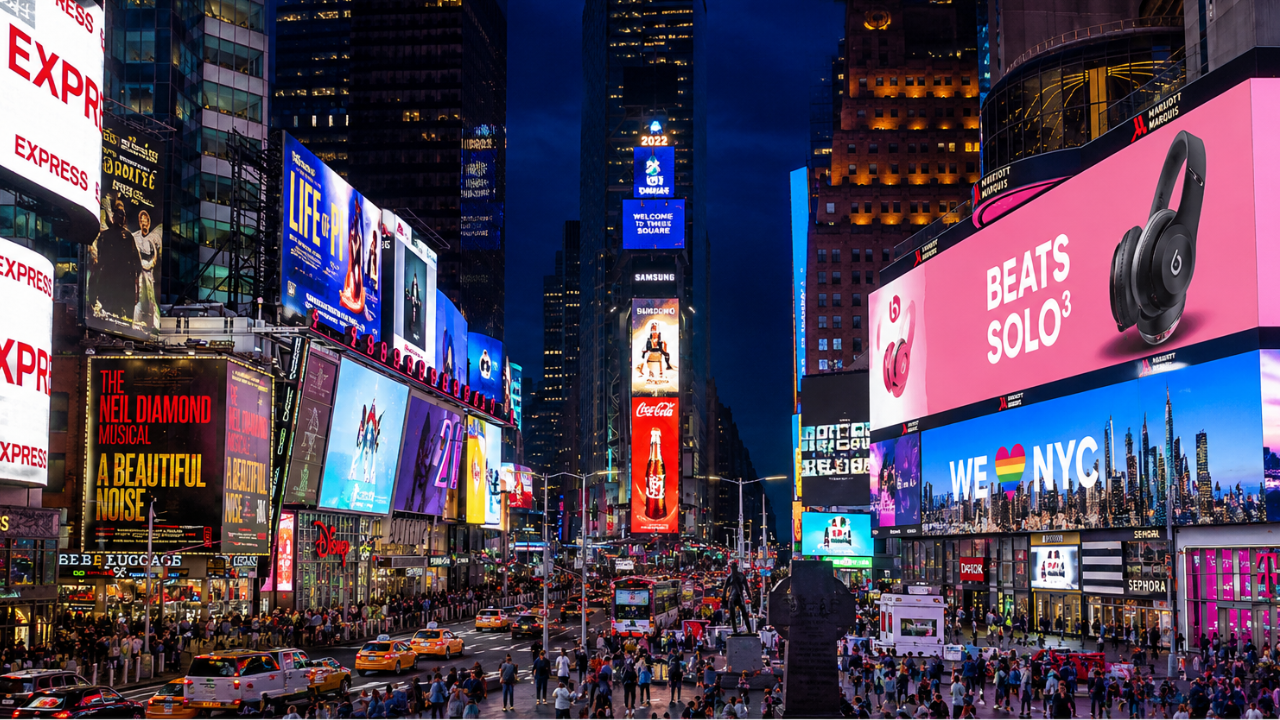
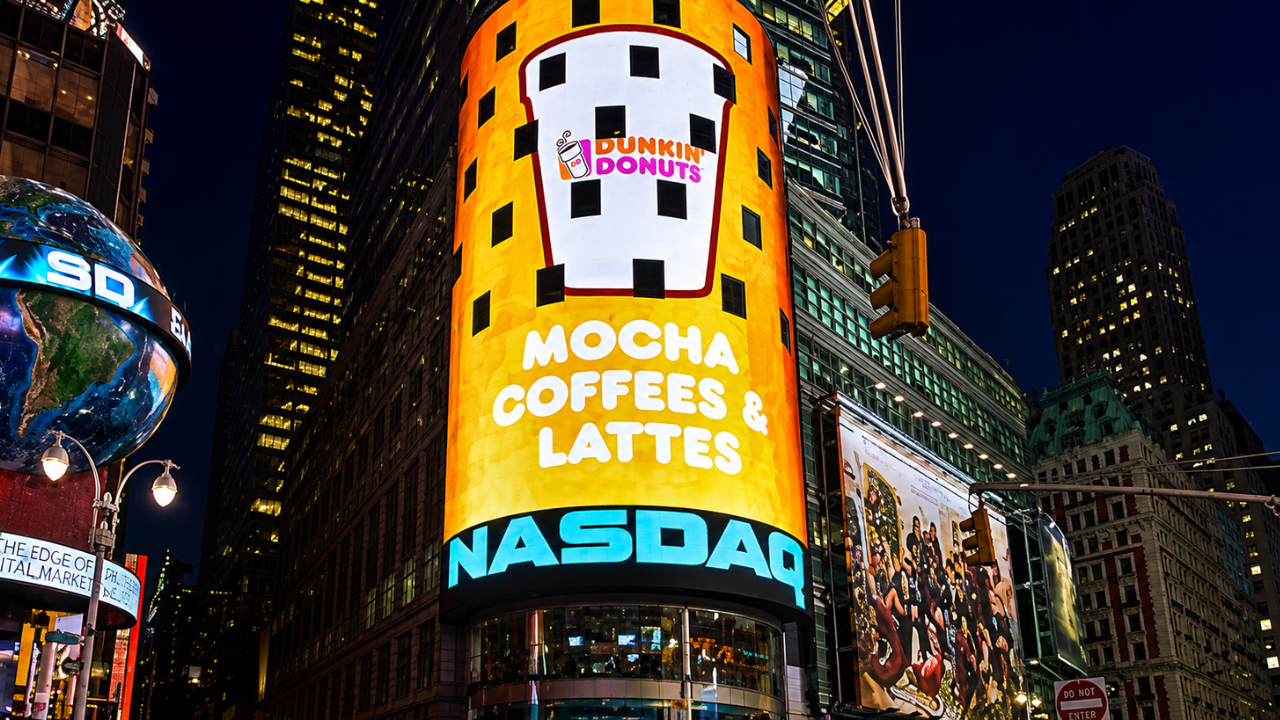
Large outdoor LED display screens at Times Square, New York - a well known example of modular LED technology

Two Fundamental Categories of Display Technology

Before diving into individual technologies, it helps to understand that all displays fall into one of two broad categories. This distinction matters a great deal for commercial use.

Self-Emissive Displays

These screens generate their own light at the pixel level. Each pixel produces its own light without needing a separate backlight. Examples include OLED, MicroLED, Plasma, and QLED. They typically deliver deeper blacks, higher contrast, and wider viewing angles. They are generally more expensive but deliver superior image quality.

Light-Inducing Displays

These screens need an external backlight or ambient light to function. Examples include LCD, TFT-LCD, IPS, VA, and E-Ink. The backlight shines through or reflects off layers that form the image. They are more affordable and well-suited for most commercial environments in India. LCD is the dominant type in this category.

Self-Emissive Display Technologies

These are the premium end of the display technology spectrum. Each pixel produces its own light, which removes the need for a separate backlight and unlocks significantly better image quality.

OLED (Organic Light Emitting Diode)

OLED is currently the most commercially successful self-emissive technology. Each pixel in an OLED screen contains organic compounds that emit light when an electric current passes through them. When a pixel needs to be black, it simply turns off. This delivers true blacks and infinite contrast ratios that no backlit display can match.

Over 60 percent of new smartphones shipped globally now use OLED panels. In commercial display applications, OLED is used in premium retail showrooms, luxury hotels, broadcast studios, and high-end corporate lobbies where the visual impact needs to be exceptional.

Key Characteristics

  • True blacks with infinite contrast ratio
  • Extremely thin and lightweight panels
  • Wide viewing angles with no color shift
  • Fast response times, ideal for video content
  • Higher cost per inch compared to LCD
  • Risk of image burn-in with static content displayed for long hours

MicroLED

MicroLED is the next step after OLED. Instead of organic compounds, it uses microscopic inorganic LED modules for each pixel. This gives MicroLED the pixel-level light control of OLED but with significantly higher brightness, longer lifespan, and no burn-in risk. MicroLED panels can achieve brightness levels above 1,000 nits, making them suitable for well-lit commercial environments where OLED would struggle.

MicroLED is currently used in ultra-premium applications such as Samsung's "The Wall" video installations and Apple Watch displays. As manufacturing costs come down, MicroLED will likely become the leading technology for large commercial video walls in India over the next five to seven years.

Key Characteristics

  • Highest brightness among self-emissive displays
  • No burn-in risk (inorganic materials)
  • Very long lifespan, 100,000+ hours
  • Modular construction allows any screen size or shape
  • Currently expensive, suitable for premium installations

QLED (Quantum Dot LED)

QLED is technically an enhanced LCD technology rather than a true self-emissive display, though it is often marketed alongside OLED. QLED uses a layer of quantum dots, microscopic semiconductor particles, to convert blue LED backlight into more accurate red and green light. The result is a wider color gamut and higher brightness than standard LCD displays without the cost of OLED.

In commercial terms, QLED displays are excellent for retail environments with bright ambient lighting where the extra color saturation and brightness make promotional content look vibrant and attractive.

Light-Inducing Display Technologies: The LCD Family

LCD and its variants remain the backbone of commercial display installations worldwide, including India. Understanding the differences between LCD subtypes helps you choose the right panel for your specific use case.

Simple LCD television screen used as a digital signage display for business

Standard television screens with LCD technology are a low-cost entry point for digital signage in smaller businesses

Standard LCD (Liquid Crystal Display)

An LCD screen uses liquid crystal cells sandwiched between two polarized glass layers. A backlight (fluorescent or LED) illuminates the panel from behind, and the liquid crystals act as tiny shutters that allow or block light to form the image. LCD is the most widely used display technology in India for commercial applications because of its affordability, reliability, and range of available sizes.

TFT-LCD (Thin-Film Transistor LCD)

TFT-LCD is an improvement on standard LCD. Each pixel is controlled by a dedicated thin-film transistor, which allows much more precise control over individual pixels. The result is sharper images, better color reproduction, and faster response times. Virtually all modern LCD screens used in commercial digital signage are TFT-LCD panels.

IPS LCD (In-Plane Switching)

IPS is a variant of TFT-LCD where the liquid crystal molecules align horizontally rather than twisting. This gives IPS panels their most important advantage: excellent viewing angles. You can view an IPS screen from almost any angle without the colors shifting or the image washing out. IPS panels are the preferred choice for queue management screens, reception displays, and any situation where multiple people view the screen from different positions.

Key Characteristics of IPS

  • 178-degree viewing angles both horizontally and vertically
  • Accurate and consistent color reproduction
  • Better for bright, well-lit environments
  • Slightly slower response time than TN panels
  • Preferred for professional, medical, and signage applications

VA LCD (Vertical Alignment)

VA panels align liquid crystals vertically when no voltage is applied. This produces deeper blacks and higher contrast ratios than IPS panels, making VA a good choice for video walls and large display installations where image depth and richness matter. The tradeoff is slightly narrower viewing angles compared to IPS.

TN LCD (Twisted Nematic)

TN panels are the oldest and most basic LCD type. They have faster response times than IPS or VA but significantly worse color accuracy and very poor viewing angles. TN panels are primarily used in entry-level computer monitors and gaming screens. They are generally not recommended for commercial digital signage applications.

Complete Display Technology Comparison

This table brings all the major technologies together for a direct comparison. Use this as a reference when evaluating screens for your business.

Technology Contrast Ratio Brightness Viewing Angle Lifespan Best For
LCD (IPS) 1,000:1 to 5,000:1 300 to 700 nits 178 degrees 50,000+ hrs Indoor retail, offices, hospitals
LCD (VA) 3,000:1 to 8,000:1 300 to 600 nits 160 degrees 50,000+ hrs Video walls, large indoor displays
LCD (TN) 600:1 to 1,500:1 250 to 400 nits Narrow 50,000+ hrs Basic monitors only
LED (Outdoor) High 2,500 to 10,000+ nits Wide 100,000+ hrs Outdoor billboards, DOOH, facades
OLED Infinite 200 to 600 nits 178 degrees 30,000 to 50,000 hrs Luxury retail, premium lobbies
QLED 3,000:1 to 6,000:1 500 to 2,000 nits Medium 60,000+ hrs Bright retail, showrooms
MicroLED Very High 1,000 to 5,000+ nits Wide 100,000+ hrs Premium video walls, luxury installs
E-Ink (EPD) Low Ambient only Wide (reflective) Very long Price tags, e-readers, low-power signs
Transparent OLED High Medium Wide 30,000+ hrs Jewelry, auto showrooms, exhibitions
DLP High Very High (projector) Depends on throw Long (lamp dependent) Cinema, large event projection

Other Important Display Technologies

True LED Module Displays (Direct View LED)

A direct view LED display, often simply called an LED wall or LED panel, is not the same as an LCD with LED backlighting. A true LED display uses individual LED chips as both the light source and the image-forming element. There is no glass panel, no backlight, and no liquid crystals involved.

This makes direct view LED the brightest of all display types, capable of reaching 10,000 nits or more for outdoor applications. Their modular construction means you can build a screen of virtually any size by tiling panels together. LED video walls in corporate lobbies, outdoor digital billboards, and large event backdrops all use this technology.

Creative fabricated digital display installation using LED technology

Creative fabricated displays using LED technology can be designed in custom shapes and sizes for maximum brand impact

DLP (Digital Light Processing)

DLP technology uses millions of microscopic mirrors on a chip to reflect light and form an image. Each mirror represents one pixel and tilts toward or away from the light source to produce bright or dark areas. DLP is primarily used in projectors for cinema, conference rooms, and large event projection. It is not commonly used for flat commercial displays but is worth understanding for event and presentation contexts.

E-Ink (Electronic Paper Display)

E-Ink or EPD screens work by moving charged particles through a fluid using an electric field. When the image is set, the particles hold their position without any power. The screen only consumes electricity when the image changes. This makes E-Ink displays extremely energy-efficient, using near-zero power when displaying static content.

In commercial settings, E-Ink is used for electronic price labels in supermarkets and retail stores, shelf-edge displays, and low-update information boards in libraries or transit stations. The limitation is that E-Ink cannot play video and refreshes slowly.

Transparent Displays

Transparent OLED or transparent LCD panels allow viewers to see both the displayed content and whatever is behind the screen. The effect creates visuals that appear to float in mid-air. Transparent displays are used in premium jewelry showrooms to display pricing and product info while the product remains visible, in automotive showrooms to overlay specifications on the vehicle, and in museum exhibitions to layer information over physical artifacts.

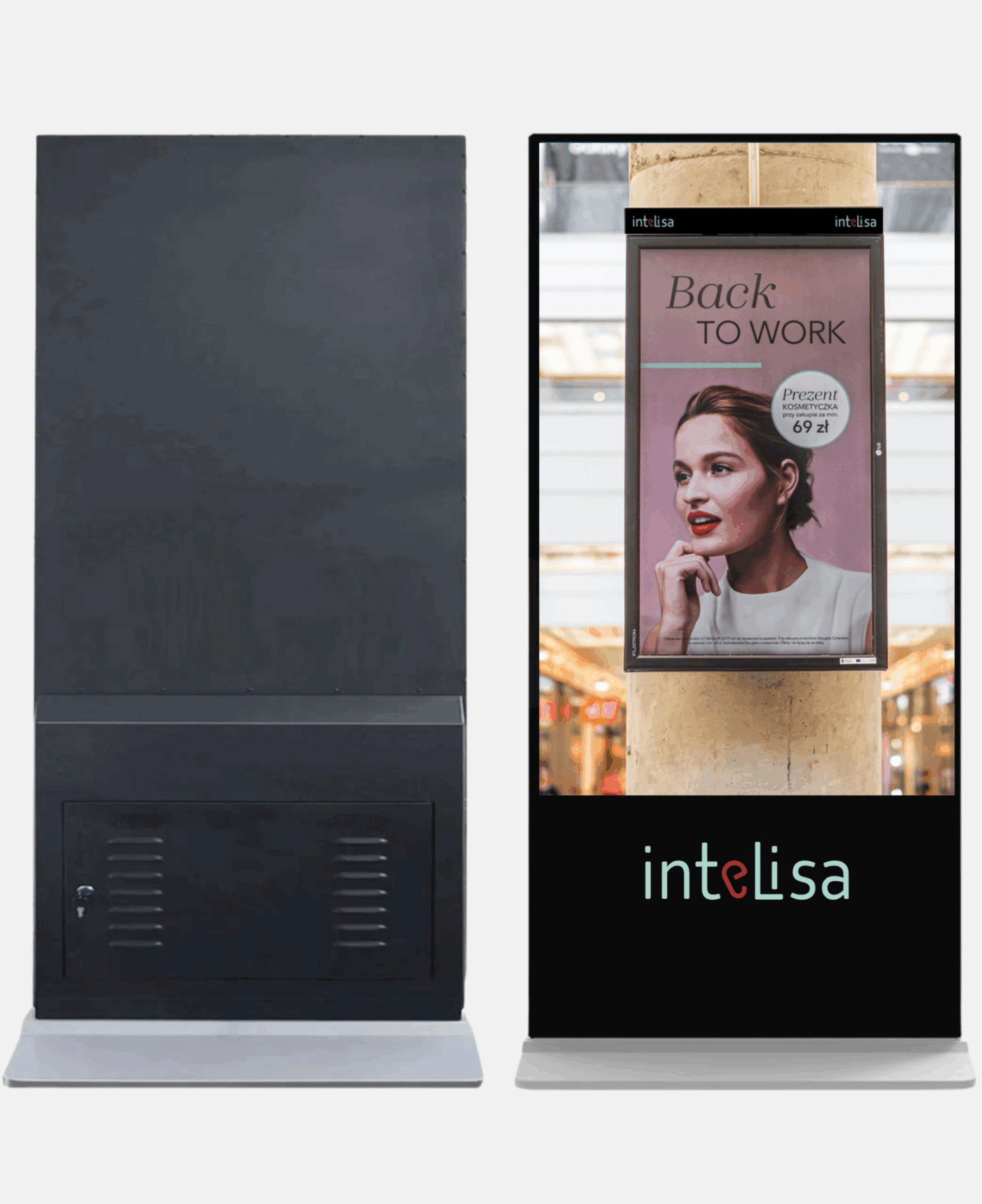
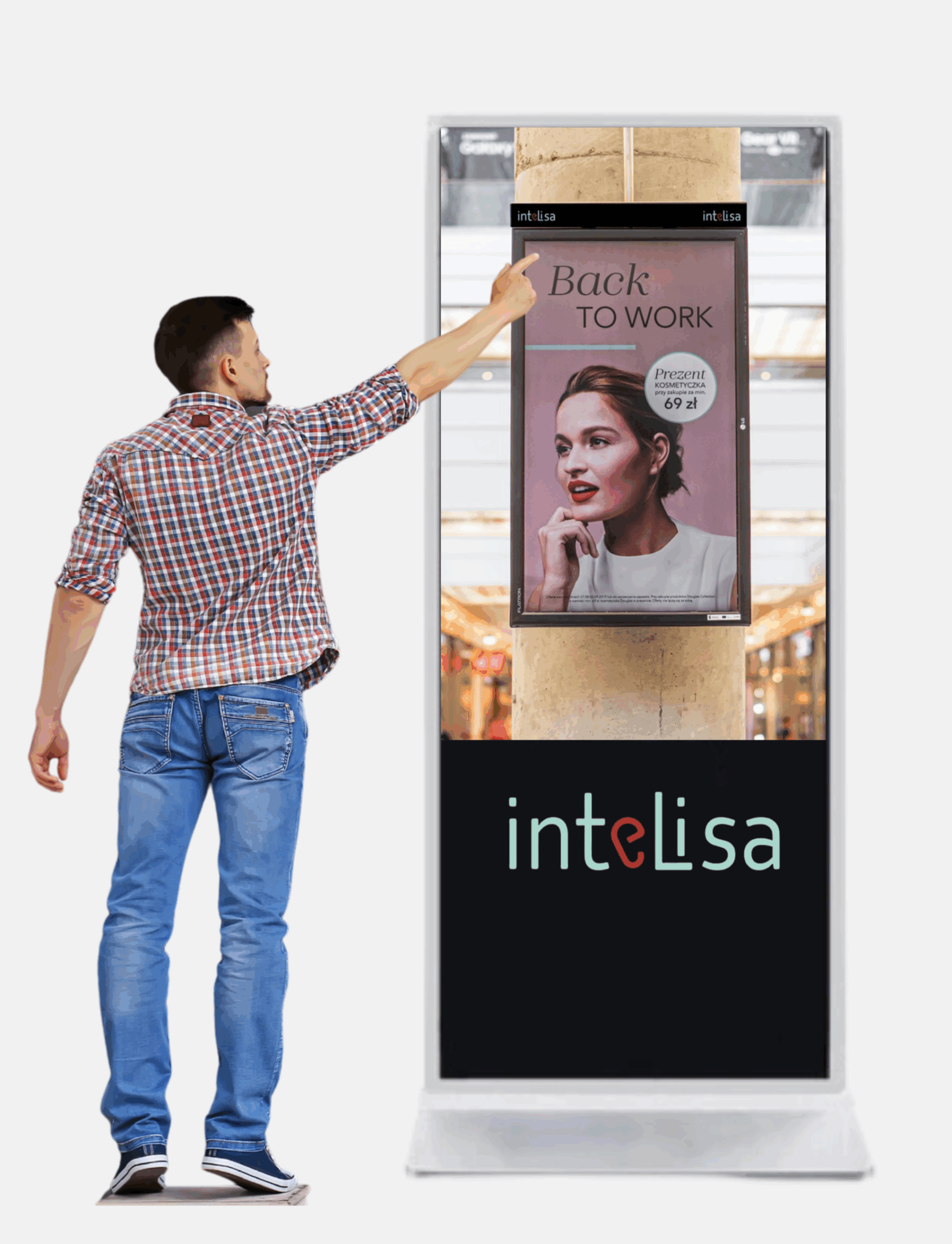
Intelisa Digital Standees

Commercial-grade floor standees powered by Intelisa's cloud software. Available in 43" and 55" sizes with commercial IPS panels, inbuilt Android, speakers, and toughened glass.

  • Full HD and 4K resolution options
  • 400 to 500 Nits brightness (commercial indoor grade)
  • 24x7 commercial operation rated
  • 60,000+ lifetime hours
  • Inbuilt Android media player and speakers
  • Manage remotely from Intelisa CMS
View All Standee Products
Intelisa 43 inch floor standee commercial digital display

How to Choose the Right Display Technology for Your Business

With so many options, it is easy to feel overwhelmed. The right choice comes down to four things: where the screen is placed, how bright the environment is, what type of content you will show, and how many hours per day the screen will run. Here is a practical guide for Indian businesses.

Business Type Recommended Technology Reason
Retail store, indoor Commercial IPS LCD or LED Wide viewing angles for multiple customers, affordable, durable
Restaurant or cafe Commercial LCD (IPS or VA) Bright enough for well-lit dining areas, sharp for menu text and food images
Corporate office lobby OLED or high-end IPS LCD Premium look for first impressions, good viewing angle for visitors
Hospital or clinic Commercial IPS LCD Consistent colors, wide angles for patient seating areas, durable
Factory floor or warehouse High-brightness commercial LCD Bright enough to be read in well-lit industrial environments
Outdoor billboard or facade Direct view LED (outdoor grade) 2,500+ nits to overcome direct sunlight visibility
Shopping mall atrium LED video wall or large LCD Large size impact, high visibility from distance and multiple angles
Jewelry or auto showroom Transparent OLED or OLED Premium visual experience that matches the brand positioning
Exhibition or event stand LED panel or digital standee Portable, high visibility, flexible content

Key Technical Specifications to Check When Buying a Display

Beyond the display technology type, these specifications directly affect how a screen performs in your environment.

Critical

Brightness (Nits)

Nits measures how much light the screen emits. For indoor commercial use, 400 to 700 nits is sufficient. For semi-outdoor or bright retail environments, look for 1,000+ nits. For outdoor use, you need at least 2,500 nits, with premium outdoor LED reaching 5,000 to 10,000 nits.

Min: 400 nits indoor, 2,500 nits outdoor

Critical

Resolution

Resolution determines how sharp the image is. Full HD (1920x1080) is the minimum for commercial displays. 4K (3840x2160) is recommended for larger screens above 55 inches or when viewed at close range, such as a standee at an event or a reception display where visitors stand close.

Minimum: Full HD. Preferred: 4K for 55+ inch

Important

Viewing Angle

Viewing angle measures how far off-center you can view the screen before colors or brightness shift. IPS panels typically offer 178 degrees both ways, meaning the image looks consistent from nearly any position. TN panels have poor viewing angles and are not suitable for public-facing commercial use.

Target: 178 degrees horizontal and vertical

Important

Operating Hours

Consumer TVs are rated for 4 to 8 hours of daily use. Commercial-grade screens are rated for 16 to 24 hours of continuous operation. All Intelisa standees and commercial displays are rated for 24x7 operation. Always check the operating hours specification before purchasing for business use.

Business use: Must be 16/7 or 24/7 rated

Technical

IP Rating (Outdoor)

For outdoor displays, the IP (Ingress Protection) rating tells you how well the screen is sealed against dust and water. IP65 means the screen is fully dust-tight and protected against water jets from any direction. Outdoor displays without at least IP65 will fail quickly in rain or dusty environments common across India.

Outdoor minimum: IP65

Technical

Pixel Pitch (LED Walls)

For LED video walls, pixel pitch is the distance in millimeters between individual LED clusters. A smaller pixel pitch (e.g., P1.5) means higher density and sharper image, suitable for close viewing. A larger pitch (e.g., P6 or P10) is used for large outdoor displays viewed from a distance. Always match the pixel pitch to the minimum viewing distance of your installation.

Indoor close-view: P2.5 or lower

How Intelisa Works With Every Display Technology

One of the most important things to understand about Intelisa is that the software is completely display agnostic. It does not matter whether you have an LCD screen, an OLED panel, a direct view LED wall, a digital standee, or a touch-screen kiosk. Intelisa manages content on all of them from the same platform.

1

Any Screen, Any Technology

Connect Intelisa to any display via an Android media player, Amazon Fire Stick, Windows PC, or the built-in SoC on Samsung Smart Signage displays. The display technology underneath does not matter to the software.

2

One Dashboard for All Screens

Whether your retail chain has LCD screens in one city and LED video walls in another, you manage all of them from the same Intelisa dashboard. Schedule content, group screens by location, and push updates in seconds.

3

Content Optimized for Any Size

Intelisa's content editor lets you create layouts for any resolution and orientation. Portrait, landscape, 4K, Full HD, ultra-wide LED walls - all are supported with the same content creation tools.

4

Works Offline

All display technologies work offline with Intelisa. Content is cached locally on the media player. If the internet connection drops, your screens continue playing without interruption.

Intelisa custom video wall installation using LED display technology

Custom LED video wall installation managed through Intelisa's cloud-based digital signage platform

Why Digital Displays Beat Static Signage Every Time

In India, a large number of businesses still rely on printed flex banners, notice boards, and paper posters for communication. These are static displays. Here is why switching to any digital display technology is a better choice for business communication.

Communication Type Static Printed Signage Digital Display Screen
Update process Design, print, courier, install - 3 to 7 days Upload from phone - live in 30 seconds
Multiple messages One message per board Rotate unlimited messages in one screen
Real-time information Not possible Show live data, queues, prices, stocks
Personalization Same for everyone Change content by time, day, or audience
Recurring cost Every update incurs design and print cost Zero recurring cost after hardware purchase
Audience engagement People ignore static boards after first viewing Motion and video attract 3x more attention
Analytics No data at all Screen uptime, content logs, remote monitoring

Every Display Technology Works With Intelisa

Whether you have one screen or five hundred, LCD or LED, Intelisa manages all of them from one platform. Join 1,000+ businesses across India already using Intelisa.

Start Your Free 14-Day Trial

Frequently Asked Questions

What is the difference between LCD and LED displays?

LCD (Liquid Crystal Display) and LED are often confused because the terms are used loosely in the market. A standard LCD display uses a fluorescent backlight to illuminate liquid crystal cells that form the image. What is marketed as an LED TV is actually an LCD screen with LED backlighting instead of fluorescent tubes. A true LED display, also called direct view LED, uses individual LED modules as both the light source and image element with no LCD layer at all. True LED displays are much brighter and are used for large video walls and outdoor billboards.

Which display technology is best for outdoor use in India?

For outdoor use in India, direct view LED displays are the best choice. They can achieve brightness levels of 2,500 to 10,000+ nits, making them clearly visible in direct sunlight. Outdoor LED displays also carry an IP65 weather protection rating, making them resistant to rain, dust, and humidity. Standard LCD or OLED screens are designed for indoor use and will not perform adequately in outdoor conditions.

Is OLED better than LCD for commercial digital signage?

OLED delivers superior image quality with true blacks, infinite contrast, and wide viewing angles. However, for most commercial digital signage applications in India, commercial IPS LCD displays offer a better balance of performance and cost. OLED screens are recommended for premium installations such as luxury retail, high-end hospitality, and corporate reception areas where the investment in superior visuals is justified. OLED also carries a risk of image burn-in when the same static content runs for extended hours, which is common in digital signage.

What is MicroLED and why is it important?

MicroLED is a display technology that uses microscopic inorganic LED modules at the pixel level, giving it the visual advantages of OLED (deep blacks, high contrast, wide viewing angles) combined with the brightness and durability advantages of standard LED. Unlike OLED, MicroLED does not use organic materials so it has no burn-in risk and a much longer lifespan. MicroLED is currently expensive and used mainly in ultra-premium video wall installations, but is expected to become more mainstream in commercial displays over the next several years.

What is the difference between IPS and VA panels?

IPS (In-Plane Switching) and VA (Vertical Alignment) are both LCD subtypes. IPS panels offer wider viewing angles (up to 178 degrees) and more accurate color reproduction, making them better for public-facing displays where people view the screen from different positions. VA panels offer higher contrast ratios and deeper blacks than IPS, but their viewing angles are slightly narrower. VA panels are better suited for direct-view applications like large indoor video walls or meeting room screens where the audience is mostly seated in front of the display.

How many nits of brightness do I need for my business display?

For a typical indoor commercial environment with standard lighting, 400 to 700 nits is sufficient. This covers most retail stores, offices, restaurants, and hospitals. For brighter environments with large windows or skylights, look for 700 to 1,000 nits. For semi-outdoor applications such as a screen near a glass entrance or in a covered outdoor area, 1,500 to 2,500 nits is recommended. For fully outdoor use in direct sunlight, 2,500 nits is the minimum and 5,000+ nits is preferred.

What is pixel pitch and why does it matter for LED video walls?

Pixel pitch is the distance in millimeters between the centers of adjacent LED clusters (pixels) on an LED panel. A smaller pixel pitch means more pixels in the same area, which means a sharper image. P1.5 means 1.5mm between pixels, which gives a very high-resolution image suitable for close viewing like a corporate lobby or retail store. P6 or P10 is used for large outdoor displays viewed from many meters away where the coarser pixel structure is not visible at that distance. Always choose pixel pitch based on the minimum viewing distance of your installation.

What display types does Intelisa digital signage software work with?

Intelisa works with virtually any display technology, including LCD, LED, OLED, video walls, digital standees, touch screens, and more. Intelisa's platform is display agnostic, meaning the software works with any screen connected to an Android media player, Amazon Fire Stick, Windows PC, or Samsung Smart Signage built-in player. You can manage screens of different display technologies across different locations from one Intelisa dashboard.

Can I use a consumer television for commercial digital signage in India?

While a consumer television can technically display digital signage content, it is not recommended for long-term business use. Consumer TVs are rated for 4 to 8 hours of daily use. Running them as digital signage for 12 to 16 hours per day will significantly shorten their lifespan. They also lack brightness levels suitable for bright commercial environments and do not support portrait orientation. Commercial-grade displays are rated for 16 to 24 hours of daily operation, offer higher brightness, and come with commercial warranties that cover business use.

What is a transparent display and where is it used?

A transparent display is a screen that shows content while allowing viewers to see through it to the background. This is achieved using transparent OLED or transparent LCD technology. The effect creates visuals that appear to float in mid-air. Transparent displays are used in premium jewelry stores to show pricing and details while the jewelry remains visible through the screen, in automobile showrooms to overlay specifications over the vehicle, and in museum exhibits to layer digital information over physical objects. The technology is relatively expensive and is typically used in high-end premium retail and luxury hospitality installations in India.

The Bottom Line for Indian Businesses

Display technology has never been more varied or more capable. From affordable commercial LCD screens that work perfectly in a retail store or restaurant, to high-brightness outdoor LED panels built for Indian weather, to premium OLED displays that make a luxury showroom look extraordinary, there is a right display for every situation and budget.

What remains constant across all of them is the need for a reliable software platform to manage the content. Intelisa is that platform. It connects to any screen, any technology, anywhere in India, and gives you full control from one login.

Talk to the Intelisa Team About the Right Display for You

Tell us your use case, your environment, and your budget. We will recommend the right display technology and show you how Intelisa manages it all.

Visit Intelisa.in
I
Intelisa Content Team

The Intelisa team writes about digital signage, display technology, and smart communication solutions for businesses across India. Questions? Write to us at info@intelisa.in

Categories
Digital Signages

AI + Digital Signage: What’s Changing Right Now

Remember when digital signage was simply a screen looping the same content all day?

Those days are fading fast.

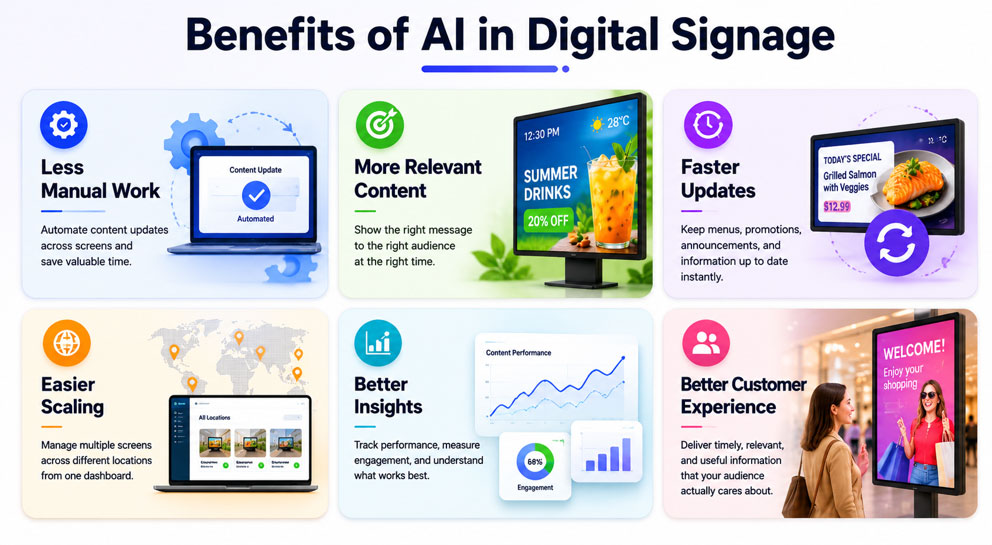
With AI digital signage, screens can react to what’s happening around them.

  • Menus can update automatically
  • Promotions can change throughout the day
  • Information can stay current without someone constantly managing it behind the scenes

It’s a small shift that makes a big difference.

Content feels more relevant, businesses spend less time updating screens, and customers get information that’s actually useful at the moment.

Let’s take a look at how AI is changing digital signage and what’s driving its growing adoption across industries.

What Is AI Digital Signage?

At its simplest, AI digital signage is digital signage that can make smarter decisions about what content to show and when to show it.

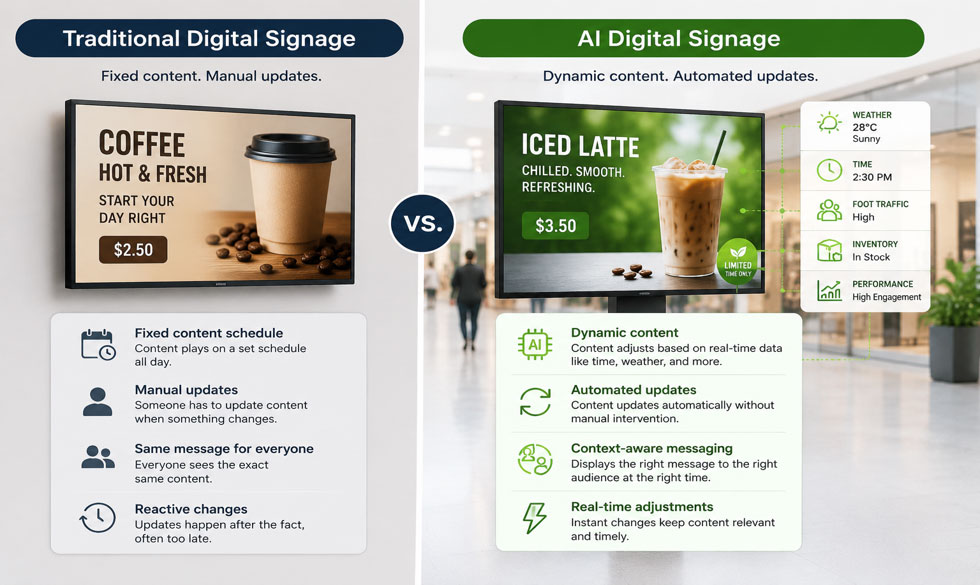
Traditional digital displays follow a set schedule. Someone creates the content, assigns it to a playlist, and decides when it appears on screen. If something changes, a product sells out, the weather shifts, or a promotion ends, someone has to update it manually.

AI adds a layer of intelligence to that process.

Instead of sticking to a fixed schedule, AI-powered digital displays can use data like weather conditions, foot traffic, inventory levels, or time of day to adjust content automatically. The goal isn’t to replace human decision-making. It’s to reduce repetitive tasks and make sure the right message appears at the right time.

AI-Digital-Signage

AI Digital Signage Trends to Watch in 2026

The technology is evolving quickly, but a few trends are standing out from the rest. Here’s what’s shaping the next generation of digital signage.

1. Content That Updates Itself

Nobody wants to manually update dozens of screens throughout the day.

That’s why more businesses are using real-time content automation to keep displays current. Promotions, menus, pricing, announcements, and inventory-based messages can all update automatically as conditions change.

For businesses managing large display networks, it’s a huge time-saver.

2. More Personalized Messaging

Digital displays are becoming better at understanding context.

Instead of showing the same message to everyone, businesses can tailor content based on factors like location, time of day, audience traffic, or local conditions. The goal isn’t one-to-one personalization—it’s making content feel more relevant to the people seeing it.

3. AI-Generated Content

Creating fresh content is often one of the biggest challenges in digital signage.

Generative AI is making it easier to produce ad copy, promotional messages, translations, and design variations, helping teams create more content without adding more work.

4. Smarter Analytics

It’s no longer enough to know what was displayed.

Businesses want to know what actually worked.

Modern intelligent signage systems can help identify which campaigns get the most engagement, which messages perform best, and when audiences are most responsive.

5. Interactive Experiences

Digital displays are becoming more than just screens.

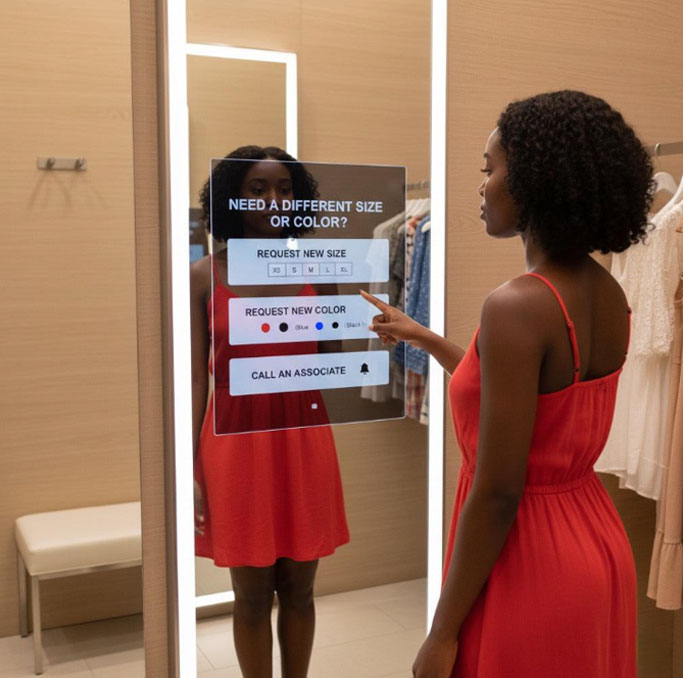
From touch-enabled kiosks to voice-assisted interfaces, businesses are exploring new ways to turn passive displays into interactive customer experiences.

Benefits AI Digital Signage

What AI Digital Signage Looks Like in the Real World

It’s easy to talk about AI in theory. Here’s what it actually looks like on a normal day.

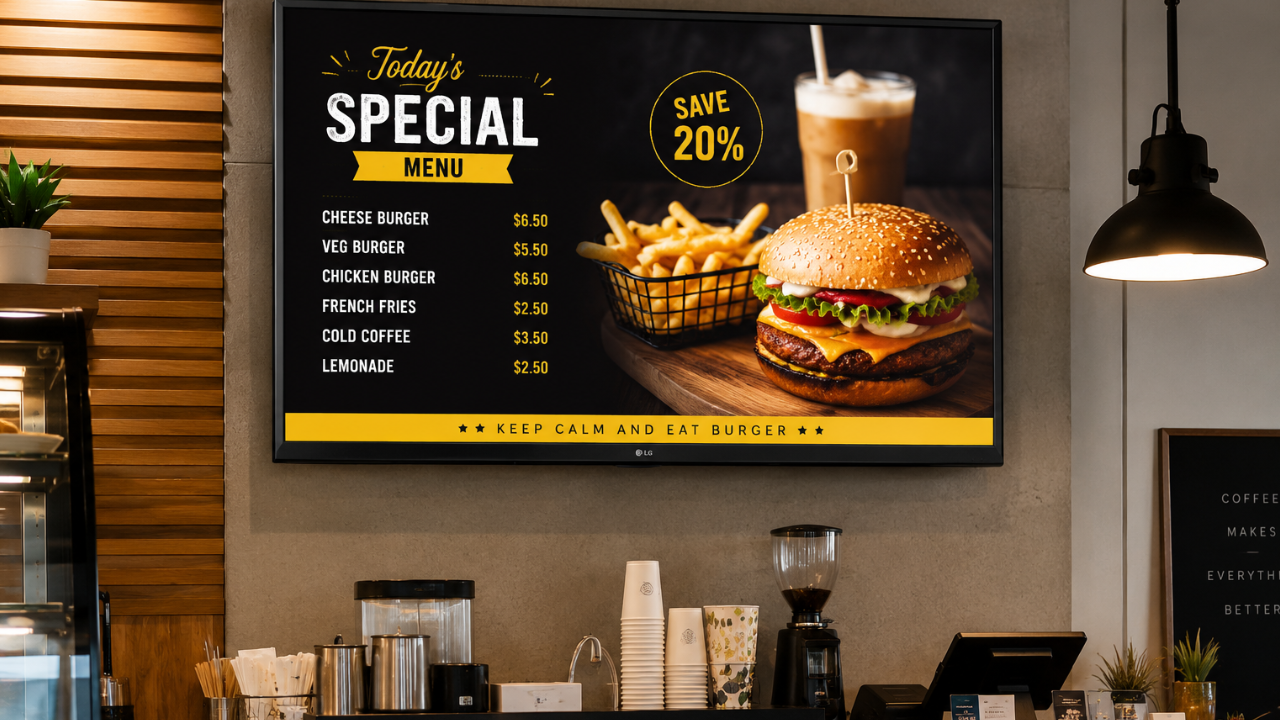
8:00 AM: A coffee shop promotes hot lattes and breakfast combos to commuters rushing to work.

🥗 1:00 PM: The menu board switches to lunch specials automatically.

🌧️ 4:00 PM: Rain starts pouring outside. The display near the entrance begins promoting umbrellas and rain jackets.

🛒 6:00 PM: A product starts selling faster than expected. The store’s digital displays move it to a featured position.

✈️ 8:00 PM: An airport gate changes. Passenger information screens update instantly.

None of these changes require someone running around updating screens manually. The display adapts as situations change.

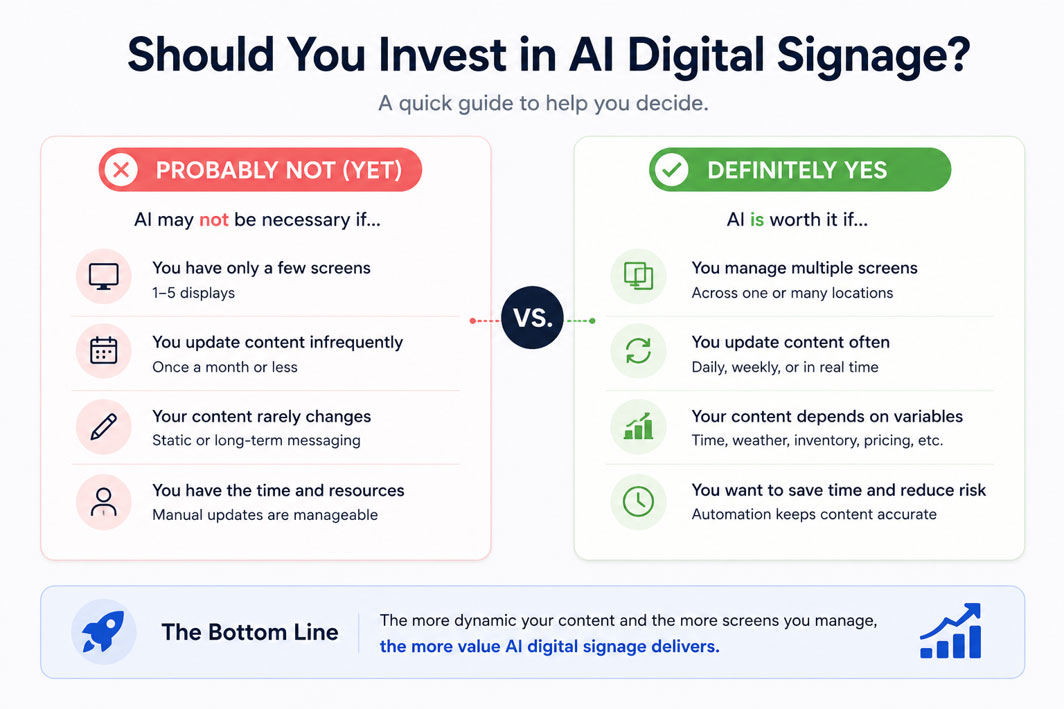
Is AI Digital Signage Worth It?

For most businesses, the question is whether the improvements justify the investment.

The answer depends on how many screens you’re managing and how often your content changes. If you’re updating a handful of displays once a month, AI may not make a dramatic difference.

But if you’re constantly changing menus, promotions, pricing, inventory information, or customer communications, automation can save a significant amount of time and reduce the risk of outdated content appearing on screen.

In a nutshell, the more content there is to manage, the more valuable automation becomes.

invest in ai digital signage

Final Thoughts

Let’s be honest, nobody got into business because they enjoy updating screens all day.

Whether it’s changing menu boards, swapping out promotions, or making sure the right content shows up at the right time, managing digital signage can quickly turn into a tedious task.

That’s exactly why AI digital signage is gaining traction. It takes care of the repetitive stuff, keeps content fresh, and helps your screens stay relevant without constant babysitting.

The technology is getting smarter, but the real win is simple: less time spent managing displays and more time spent focusing on your business.

Still updating screens the hard way?

Book a trial with Intelisa and see how much easier digital signage can be when your displays do more of the work for you.

FAQs

AI is making digital signage more dynamic and easier to manage. Businesses can automate content updates, personalize messaging, analyze performance, and display more relevant content without constantly updating screens manually.

Some of the biggest benefits include:

  • Less manual work
  • Real-time content updates
  • More relevant messaging
  • Better content performance insights
  • Easier management across multiple locations

Improved customer experiences

Yes. AI-powered digital displays can adjust content based on factors like location, time of day, audience traffic, and environmental conditions. This helps businesses show more relevant messages to the people viewing the screen.

AI digital signage is commonly used in retail stores, restaurants, shopping malls, healthcare facilities, airports, corporate offices, hotels, educational institutions, and smart city projects.

The cost depends on the size of your display network and the features you need. Many modern digital signage platforms offer scalable solutions that make AI-powered features accessible to both small businesses and large enterprises.

Start by identifying where manual content management is slowing your team down. From there, choose a digital signage platform that supports automation, centralized content management, and AI-powered features that match your business needs.

Categories
Digital Signages

Digital Display Screens: Everything You Need to Know Before You Buy

Digital Display Screens

Walk into any modern retail store, hospital, or corporate office in India today and you will find screens everywhere. They show promotions, menus, announcements, queues, and live data. These are digital display screens, and they have quietly replaced almost every printed poster, notice board, and static banner in commercial spaces.

But what exactly is a digital display screen? How does it work? And more importantly, which one should you choose for your business? This guide answers all of that, with no technical jargon.

3x Higher attention vs printed posters
20% Average sales increase with digital displays
80% Reduction in printing and design costs

What Is a Digital Display Screen?

A digital display screen is an electronic device that shows visual content such as images, videos, text, or live data. Unlike a printed poster or a whiteboard, the content on a digital screen can be changed instantly, remotely, and as many times as you like.

Digital displays are used in businesses to communicate with customers, employees, and visitors in real time. A retail store uses them to show daily offers. A hospital uses them to display patient queue numbers. A factory uses them to show live production targets. The common thread is that all these screens get their content from a software platform, not from a printer.

"Intelisa's digital signage technology is not the display itself, but the software and intelligence that drives these displays. We are universally compatible with any digital screen in the market." Intelisa

How Does a Digital Display Screen Work?

A digital display system has three main parts working together. Understanding this helps you make a better buying decision.

1

The Display Screen

This is the physical screen you see on the wall or floor. It can be a commercial TV, an LED panel, a touch-screen monitor, or a slim digital standee. The screen itself does not decide what gets shown on it.

2

The Media Player

A small device connected to the screen that runs the signage software. This can be an Android box, an Amazon Fire Stick, a Windows mini-PC, or a built-in system-on-chip (SoC) inside the screen itself. The player fetches content and sends it to the display.

3

The CMS Software

This is the most important part. The Content Management System (CMS) is where you upload your images and videos, schedule what plays when, and manage all your screens from one place. Intelisa is this CMS. You log in from your phone or laptop and your screens anywhere in India update in seconds.

How digital display screens work - Intelisa signage software

Large outdoor LED screens managed remotely through cloud-based signage software

Types of Digital Display Screens

Not all screens are built the same. Each display technology has different strengths. Here is a breakdown of the most common types used in India today.

Most Common

LCD Display

LCD (Liquid Crystal Display) screens use a backlight and liquid crystal cells to create an image. They are the most widely used displays in India across offices, retail stores, hospitals, and homes.

Best For: Indoor retail, offices, reception areas, restaurants

Outdoor Ready

LED Display

LED (Light Emitting Diode) screens produce their own light through tiny diodes. They are significantly brighter than LCD screens, making them the go-to choice for outdoor use where sunlight is a challenge.

Best For: Outdoor billboards, DOOH, malls, stadium screens

Premium Quality

OLED Display

OLED (Organic LED) screens produce light from each individual pixel, resulting in deeper blacks and more vibrant colors than both LCD and standard LED. They are thinner and consume less power.

Best For: Luxury retail, high-end hospitality, premium lobbies

Futuristic

Transparent Display

Transparent screens show content while still allowing viewers to see through them. This creates a striking visual effect, as if the images are floating in mid-air. Mostly used in premium retail and auto showrooms.

Best For: Jewelry stores, auto showrooms, exhibitions

Interactive

Touch Display

Touch screens allow users to interact directly with the content. They power self-service kiosks, interactive directories, and digital menus where customers can tap to explore options.

Best For: Kiosks, malls, hospitals, corporate reception

Long Life

E-Ink Display

E-Ink screens only use power when the image changes, making them extremely energy-efficient. Content looks like printed paper. They cannot play video and are mostly used for price tags or slow-update signage.

Best For: Price tags, library shelves, menu price boards

Intelisa Digital Standees

Slim, commercial-grade floor standees with built-in Android, inbuilt speakers, and toughened glass. Ready to connect to Intelisa software out of the box.

  • 43" and 55" sizes available
  • 400 and 500 Nits brightness
  • Full HD and 4K resolution options
  • 60,000+ lifetime hours
  • Commercial panel for 24x7 operation
  • Optional wheels for easy movement
View All Standees
Intelisa 55 inch floor standee digital display

Static Displays vs Digital Display Screens

Most Indian businesses still rely on printed posters, banners, and flex boards. Walk through any market in Mumbai or a mall in Bangalore and you will see hundreds of these. Here is why digital display screens are a better option in almost every situation.

Factor Static Printed Signage Digital Display Screen
Content Updates Requires new printing each time Update in seconds from your phone
Number of Messages Only one message at a time Rotate multiple messages in a loop
Printing Cost Recurring every time you update Zero after initial setup
Attention Grabbing Low - people ignore static posters High - motion and video attract eyes
Real-time Information Not possible Yes - live prices, queues, data
Analytics No tracking at all See uptime, playback logs, performance
Environment Paper waste, frequent disposal Zero paper, long-lasting hardware

Professional vs Consumer Grade Displays

This is one of the most common mistakes Indian business owners make. They buy a regular consumer TV from an electronics store and use it as a commercial display. Here is why that is a problem.

Feature Consumer TV / Home Display Commercial Display
Daily Usage Hours 4 to 8 hours 16 to 24 hours
Brightness 250 to 350 Nits 400 to 2500+ Nits
Warranty Coverage Standard home warranty Commercial grade warranty
Orientation Support Horizontal only Both portrait and landscape
Heat Management Gets hot with extended use Built for heat and dust environments
Remote Management Not supported Fully remote via CMS software

All Intelisa digital standees and displays are built with commercial-grade panels designed for 24x7 operation. They are made for business use, not home use.

Where Are Digital Display Screens Used in India?

Digital display technology is no longer just for large brands and shopping malls. Today, businesses of all sizes across India are adopting digital displays. Here is how different sectors use them.

Retail and Shopping Malls

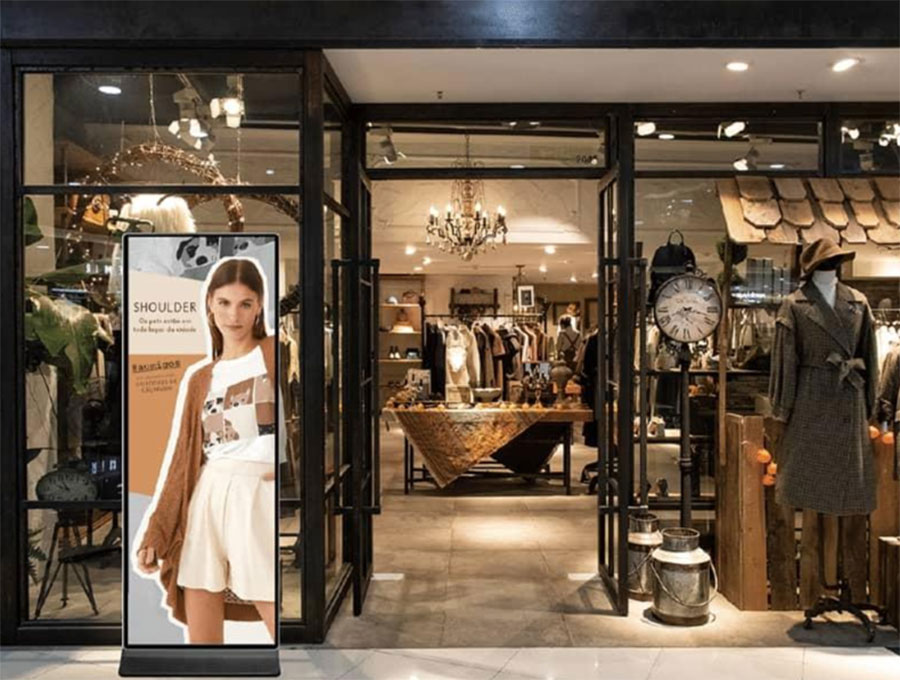
Retail stores use digital displays to promote offers, highlight new arrivals, and showcase brand videos near the entrance and billing counter. In shopping malls, large LED screens run paid advertising alongside tenant promotions. Studies show that customers spend more time and money in stores where digital displays are present.

Restaurants and Cafes

Digital menu boards replace printed laminated menus that get outdated every few months. A restaurant can now update its menu instantly when a dish runs out, change prices without reprinting, or switch from a breakfast menu to a lunch menu automatically at a set time. QSR chains across India have already moved to digital boards completely.

Digital display screens in restaurants and cafes in India

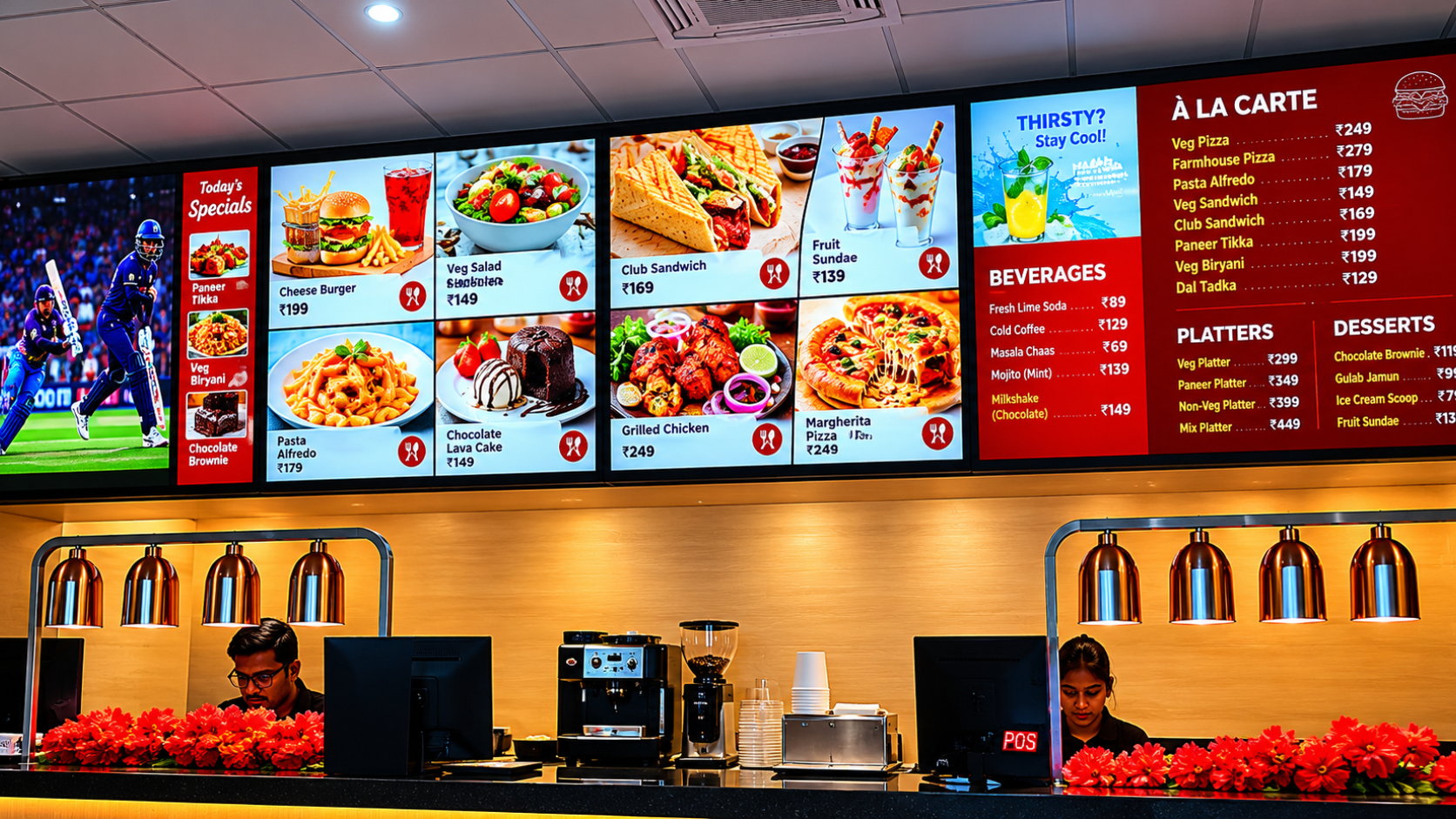
Digital menu boards in Indian restaurants help update offers in real time

Corporate Offices and IT Parks

Office screens show company announcements, HR updates, visitor welcome messages, and live dashboards with sales numbers or project status. This replaces the flood of internal emails that nobody reads and makes company communication visible and immediate.

Healthcare and Hospitals

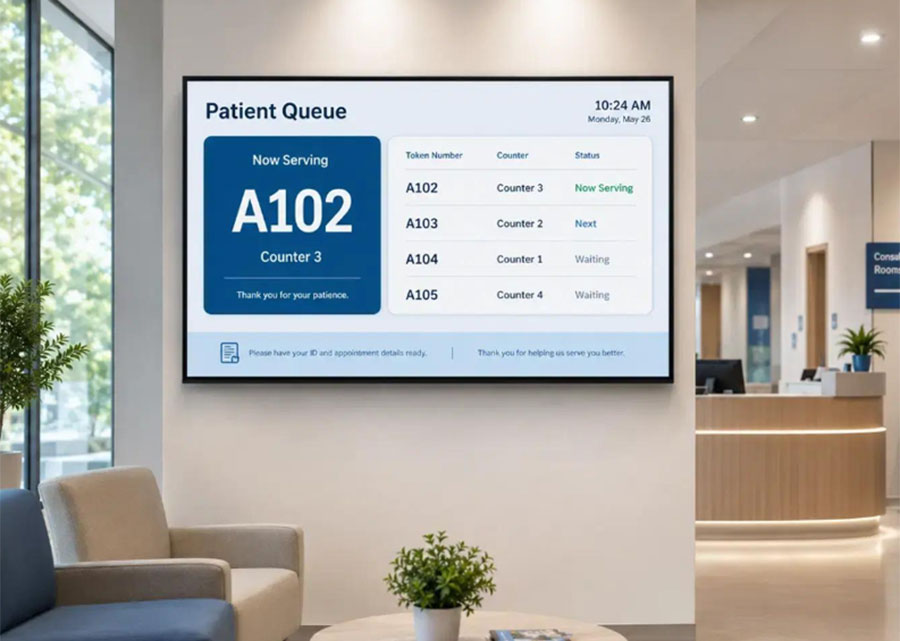
Hospitals in India manage hundreds of patients daily. Digital screens are used to show patient queue tokens, wayfinding directions to departments, health tips in waiting areas, and doctor availability boards. This reduces patient anxiety and staff workload at the same time.

Manufacturing Plants and Warehouses

Factory floors use digital displays to show live production data against targets, safety alerts, shift schedules, and quality control metrics. When a machine breaks down, an alert goes out on all floor screens immediately. This replaces the daily whiteboard update that supervisors would manually do.

Outdoor Advertising and DOOH

Digital Out-of-Home (DOOH) is replacing traditional flex and vinyl billboards across Indian cities. A single digital billboard can run multiple ads from different clients throughout the day, managed from a single software dashboard. No printing, no installation crew, just a content update from a laptop.

Analog vs Digital Displays: What Is the Difference?

The term "analog display" refers to older display technology based on traditional television signals. These screens required thick wiring, could not connect to the internet, and needed a separate video source to show anything. They are mostly obsolete today.

Digital displays use modern panel technologies (LCD, LED, OLED) and connect directly to media players, computers, or cloud-based software. They can receive content over Wi-Fi or a LAN network, be updated remotely from anywhere in the world, and show multiple content formats including video, live data, HTML content, and more. Every commercial screen sold in India today is a digital display.

How to Choose the Right Digital Display Screen for Your Business

The right screen depends on where you are placing it, how bright the environment is, and what kind of content you will display. Here is a simple guide.

Your Use Case Recommended Type Key Spec to Check
Indoor retail, office, or restaurant Commercial LCD or LED 400 to 700 Nits brightness
Outdoor billboard or storefront High-brightness outdoor LED 2,500+ Nits, IP65 rating
Luxury store, hotel, or showroom OLED or fine-pitch LED Thin profile, wide viewing angle
Self-service kiosk or interactive use Touch-screen commercial display Capacitive touch, durable glass
Event or exhibition backdrop LED video wall (modular) Pixel pitch P2.5 or lower for close viewing
Floor standee at entrance or event Slim digital standee Commercial panel, 24x7 rated
Custom video wall display solution by Intelisa

Intelisa custom video wall installations for retail, corporate, and events

Intelisa offers a full range of commercial-grade display hardware including floor standees, wall-mount displays, and custom video walls. All of them connect directly to the Intelisa cloud CMS, so you can manage every screen from one platform regardless of size or location.

Key Advantages of Digital Display Screens for Businesses

Here is a concise summary of why businesses across India are replacing static communication with digital displays.

  • Instant content updates - Change what is on your screen in seconds without leaving your desk
  • Reduced printing costs - No recurring expenses for banners, flex, and posters
  • Better engagement - Moving content and video attract significantly more attention than printed boards
  • Multiple messages on one screen - Rotate between offers, news, reminders, and brand content on the same display
  • Centralized control - Manage 1 screen or 500 screens from one dashboard
  • Real-time data display - Show live stock, queue numbers, sales data, or weather feeds automatically
  • Scalable - Start with one screen in your store today and scale to all branches when ready
  • Works offline - Screens continue playing cached content even when internet goes down temporarily

What Is a System-on-Chip (SoC) Digital Display?

A System-on-Chip display has the media player built directly inside the screen. This means you do not need a separate device like a Fire Stick or Android box plugged into the screen. Everything runs from within the display itself.

SoC displays are common in commercial Samsung, LG, and Philips screens. They are clean in appearance since there are no extra cables or devices hanging off the screen. Intelisa is compatible with most SoC displays, which means you can manage even built-in media player screens through the same Intelisa dashboard.

Ready to Add Digital Displays to Your Business?

Intelisa makes it easy to get started. Start with one screen and manage it from your phone. No technical setup required. Trusted by Adani, Godrej, and 1,000+ Indian businesses.

Start Your Free 14-Day Trial

Frequently Asked Questions

What is a digital display screen?

A digital display screen is an electronic device that shows visual content such as images, videos, text, or live data to an audience. Unlike a printed poster, the content can be updated instantly and remotely using a software platform called a CMS (Content Management System). Digital display screens are used in retail stores, restaurants, hospitals, offices, and outdoor advertising across India.

What are the different types of digital display screens?

The main types of digital display screens are: LCD (Liquid Crystal Display), LED (Light Emitting Diode), OLED (Organic LED), Transparent Display, Interactive Touch Display, and E-Ink Display. Each type has different brightness levels, use cases, and price points. LCD and LED are the most common in Indian businesses. LED is preferred for outdoor use due to its high brightness.

What is the difference between an LED and an LCD digital display?

An LCD screen uses a fluorescent or LED backlight with liquid crystal cells to create an image. What is commonly called an LED TV is technically an LCD screen with LED backlighting. A true LED display uses a panel of individual LED modules as both the light source and the image source. True LED panels are much brighter, more modular, and better suited for outdoor use. LCD screens are more affordable and suitable for indoor commercial use.

How does a digital display screen connect to content?

A digital display screen connects to content through a media player, which can be a separate device (like an Android box or Amazon Fire Stick) or a built-in System-on-Chip (SoC) inside the screen. The media player runs digital signage software that receives content from a cloud-based CMS. You upload your images and videos to the CMS from any browser or phone, and the software pushes the content to your screen over Wi-Fi or a wired network.

What is the difference between a consumer TV and a commercial digital display?

A consumer TV is designed for 4 to 8 hours of use per day in a home environment. A commercial digital display is built for 16 to 24 hours of continuous operation in a business environment. Commercial displays have higher brightness, better heat management, portrait and landscape orientation support, remote management capability, and commercial-grade warranties. Using a consumer TV as a business display leads to early screen failure and poor performance.

What is a digital standee and how is it different from a regular screen?

A digital standee is a slim, freestanding floor display unit that combines a commercial-grade screen with a stylish slim cabinet. Unlike a screen mounted on a wall, a standee can be placed anywhere without any installation. It typically includes an inbuilt Android media player, inbuilt speakers, toughened glass, and optional wheels for easy movement. Intelisa offers 43" and 55" digital standees with Full HD and 4K resolution, rated for 24x7 commercial use.

Can a digital display screen work without the internet?

Yes. Most commercial digital display systems, including Intelisa, support offline mode. This means the screen downloads and caches the content locally. If the internet connection drops, the screen continues playing the last downloaded content without any interruption. An internet connection is required to push new content updates remotely, but it is not required to keep the screen running.

How much does a digital display screen cost in India?

The cost of a digital display screen in India depends on the size, type, and whether it is a standalone screen or a complete solution with a media player and software. A basic 43" commercial screen starts from around Rs. 15,000 to Rs. 25,000. A complete digital standee with built-in Android and commercial panel costs more. Software subscriptions like Intelisa add a small monthly cost per screen. Contact Intelisa for a custom quote based on your specific requirements.

Which industries in India use digital display screens the most?

Digital display screens are widely used across multiple industries in India. Retail stores and shopping malls use them for promotions and branding. Restaurants and QSR chains use digital menu boards. Hospitals and clinics use them for patient queues and wayfinding. Corporate offices use them for employee communication and dashboards. Manufacturing plants use them for KPI boards and safety alerts. Outdoor advertising companies use digital billboards and DOOH screens to run multiple advertising campaigns from one platform.

What software is needed to manage digital display screens?

Digital display screens need a Content Management System (CMS) software to manage what plays on each screen. This software lets you upload images and videos, schedule content by time and day, group screens by location, and monitor screen status remotely. Intelisa is a cloud-based digital signage CMS built specifically for Indian businesses. It works on any screen, supports multiple content formats, and comes with a 14-day free trial. You can manage all your screens from one dashboard on any device.

Ready to Move from Static to Digital?

Digital display screens are no longer just for large corporates with big budgets. Today, a small clothing boutique in Delhi, a pharmacy in Chennai, and a QSR outlet in Pune can all run professional digital signage for a monthly cost that is far less than what they spend on printing alone.

The right screen depends on your environment and use case. But the right software to manage it is the same for everyone. Intelisa gives you a single platform to manage any screen, anywhere, from any device. Start with one screen today and expand as your business grows.

Talk to the Intelisa Team Today

We will recommend the right display type and software plan for your business. No commitment, no pressure.

Visit Intelisa.in
Categories
Digital Signages

Corporate Digital Signage Guide for Modern Workplace

Modern workplaces are evolving rapidly. Offices are no longer merely spaces where employees sit at their desks, working silently throughout the day. Today's companies seek enhanced communication, greater employee engagement, smarter collaboration, and a more connected workplace culture. This is precisely where Corporate Digital Signage proves to be a game-changing solution.

From reception displays and meeting room screens to cafeteria boards and live KPI dashboards, digital signage is empowering companies to communicate more effectively than ever before. Across India, companies are now replacing outdated notice boards, printed posters, and traditional communication methods with dynamic digital screens that deliver instant, real-time information.

At Intelisa, we help companies transform their standard office displays into smart communication platforms, keeping employees informed, motivated, and connected throughout their workday.

Whether you manage a corporate headquarters, an IT office, a co-working space, a manufacturing facility, or a multi-location business, corporate digital signage helps create a smarter, more engaging workplace environment.

47.7%
Boost in Brand Awareness
400%
More Views vs Static Displays
83%
Improved Employee Engagement
1 Dashboard
Control All Office Screens

What is Corporate Digital Signage?

Corporate digital signage refers to the use of digital screens within workspaces to display company messages, live updates, employee information, announcements, dashboards, schedules, and branded content in real time. Rather than relying on emails, which employees might overlook, or printed notices that quickly become outdated, organizations can instantly share essential updates on office screens.

These displays can be installed in reception areas, lobbies, hallways, meeting rooms, cafeterias, elevators, production areas, and common spaces designated for employees. The purpose of corporate digital signage extends beyond merely displaying information; its objective is to enhance internal communication and foster a more engaging environment within the workplace.

Modern businesses use workplace digital signage to:
  • Share Company Announcements
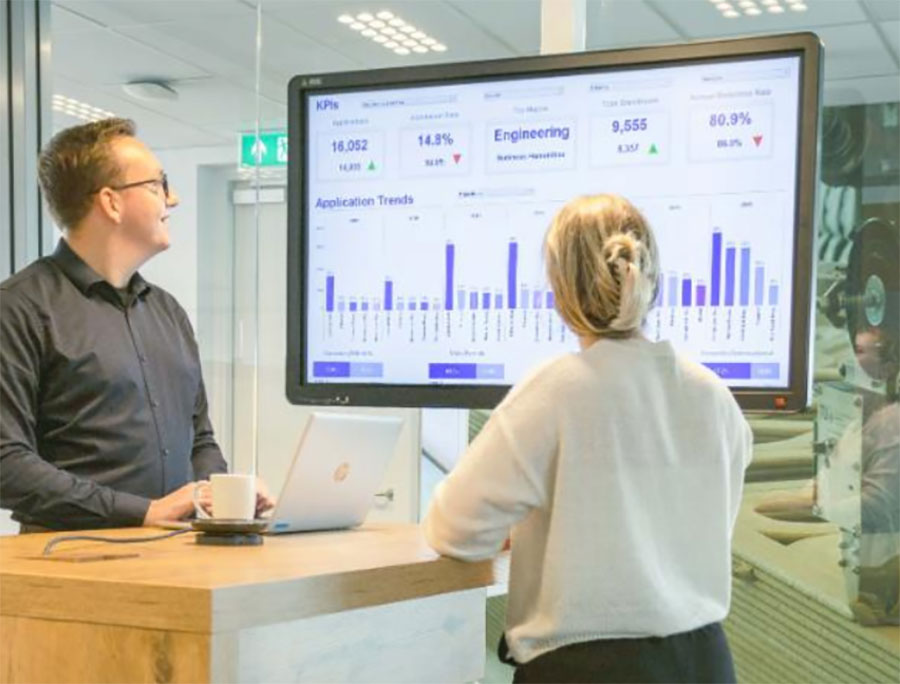
  • Display Sales and KPI Dashboards
  • Highlight Employee Achievements
  • Improve Visitor Experience
  • Manage Meeting Room Availability
  • Share HR Communication
  • Display Live Social Media Feeds
  • Promote Workplace Events
  • Improve Safety Communication

The best part is that all screens can be managed centrally from one location, making communication faster, smarter, and more scalable.

Why Corporate Offices in India Are Adopting Digital Signage

Indian workplaces are becoming increasingly digital-first. Organizations now operate across multiple cities, hybrid teams are more common, and internal communication has become more challenging than ever.

Employees want transparency, quick updates, and better engagement. At the same time, companies want efficient communication systems that save time and improve workplace productivity.

This is why businesses across Mumbai, Delhi, Bangalore, Hyderabad, Pune, Chennai, and Ahmedabad are investing in corporate digital signage solutions.

Digital signage helps organizations to:
  • Reduce communication gaps across departments and locations
  • Keep employees informed in real time without email overload
  • Improve workplace engagement and morale
  • Strengthen company culture and office identity
  • Enhance office branding at every touchpoint
  • Deliver important information instantly to every screen
  • Create a modern, future-ready office environment

For fast-growing companies, internal communication can quickly become chaotic without centralized systems. Digital signage simplifies that process beautifully.

What Does Corporate Digital Signage Actually Do?

Initially, many businesses view office digital signage as nothing more than just another display screen. In reality, it becomes the backbone of workplace communication. Instead of sending repetitive emails or relying entirely on internal chat platforms, companies can visually convey information in the very spaces where employees naturally spend their time throughout the office.

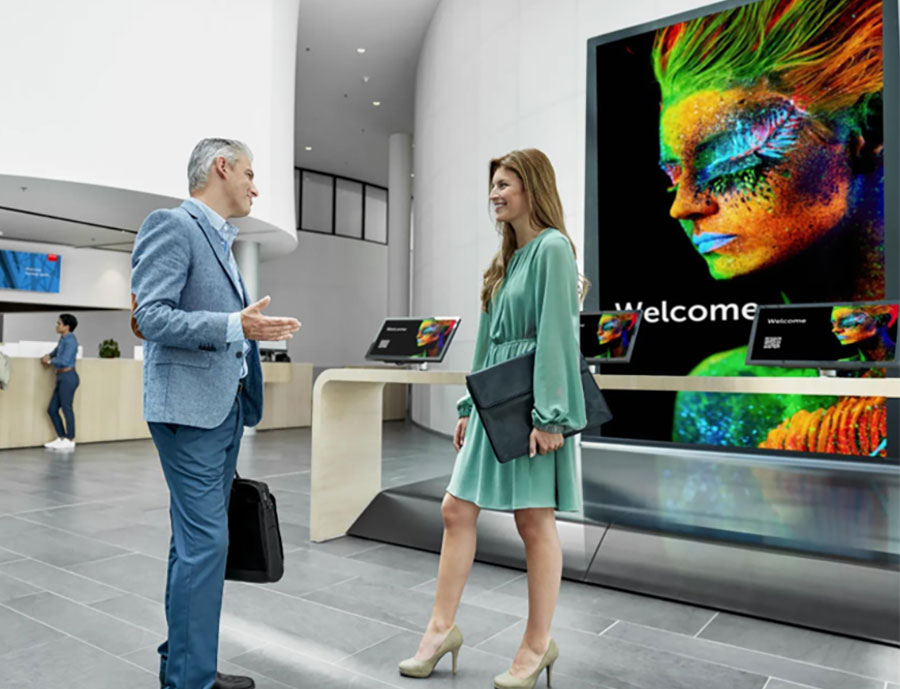
Reception Displays

Welcome visitors, showcase company achievements, display brand videos and directions.

Cafeteria Boards

Digital menu boards, event updates, announcements and daily schedules.

Office Hallways

Announcements, HR reminders, employee achievements and news feeds.

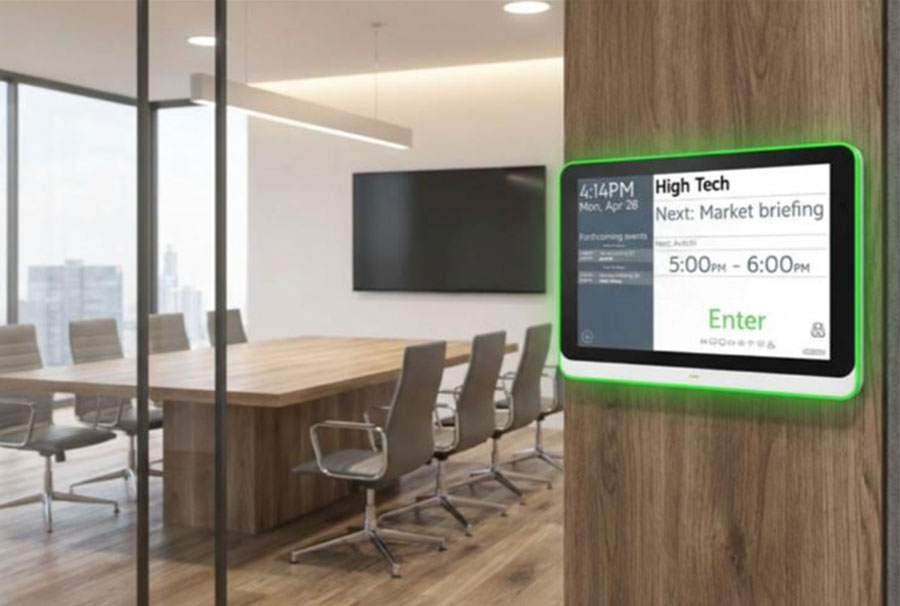
Meeting Room Screens

Booking schedules, real-time room availability, and upcoming meeting details.

This system operates quietly in the background while continuously enhancing communication across the entire organization.

Digital signage also fosters consistency. Whether a company has a single office or twenty locations, the same updates, branding, and messaging can be instantly broadcast from headquarters to every screen. This proves to be invaluable for organizations operating across multiple cities throughout India.

The Key Benefits of Workplace Digital Signage

Corporate digital signage offers far more than just attractive screens. It creates measurable improvements in communication, engagement, productivity, and workplace culture.

Better Internal Communication

One of the biggest workplace challenges is ensuring employees actually see important updates. Emails get buried. Chat notifications are ignored. Printed notices go unnoticed.

Digital signage solves this by placing information directly in high-visibility office areas where employees naturally look throughout the day. Companies can instantly display:

  • HR announcements and policy updates
  • Company news and leadership messages
  • Holiday calendars and event reminders
  • Training updates and compliance notices
  • Emergency notifications and safety alerts
  • Town hall schedules and important deadlines

This improves communication reach significantly.

Stronger Employee Engagement

Employees feel more connected when they know what is happening within the organization. Digital signage creates visibility around company culture, achievements, employee recognition, and organizational goals. It helps employees feel included instead of disconnected from leadership communication.

Organizations can display:

  • Employee of the month and work anniversaries
  • Birthday celebrations and new joiners
  • Team achievements and internal success stories
  • Leadership messages and organizational milestones

These small moments create a stronger emotional connection with the workplace.

Real-Time KPI Dashboards

Modern organizations are increasingly data-driven. Teams perform better when they can see live business metrics and progress visually. Corporate digital signage allows companies to display:

  • Sales dashboards and performance metrics
  • Production numbers and operational KPIs
  • Customer satisfaction scores and support ticket updates
  • Business intelligence dashboards and live reports

These live updates improve transparency and keep teams aligned toward common goals.

📌 Did You Know?

Organizations using digital signage for internal communication report up to 25% improvement in employee productivity and significant reduction in internal email volume. Real-time visibility drives real-time performance.

Improved Visitor Experience

Reception and lobby displays help organizations create a strong first impression. Visitors entering the office can instantly see welcome messages, company achievements, brand videos, client success stories, office directions, and event information.

Guest welcome screens can even display visitor names dynamically, creating a premium and personalized experience.

Better Multi-Location Management

Many Indian businesses operate from multiple cities and office locations. Managing communication separately across different offices can become difficult and inconsistent.

With Intelisa corporate digital signage solutions, businesses can control all office screens centrally from headquarters. Content can be updated remotely across:

  • Mumbai offices and Nariman Point towers
  • Delhi branches and NCR campuses
  • Bangalore tech parks and IT corridors
  • Hyderabad facilities and HITEC City offices
  • Pune campuses and Chennai offices

This ensures communication consistency across the entire organization.

What to Display on Corporate Office Screens

What to Display on Corporate Office Screens

One of the biggest advantages of workplace digital signage is flexibility. Businesses can display different content based on the screen location and audience.

Live Business Dashboards

Sales numbers, operational KPIs, support metrics, production reports and performance dashboards that help employees stay informed and motivated.

Employee Recognition

Birthdays, anniversaries, employee awards, and achievements on office screens, helping employees feel valued and appreciated every day.

HR & Internal Announcements

Policies, office updates, training reminders, holiday schedules and event announcements, quickly and efficiently to all employees.

News & Industry Updates

Market news, industry headlines, company updates, competitor trends and economic updates, keeping employees connected to the bigger picture.

Cafeteria & Facility Updates

Cafeteria menus, shuttle schedules, maintenance notices, facility updates, parking alerts and event timings for daily operational communication.

Safety & Compliance Messages

Safety reminders, compliance notices, emergency procedures, shift schedules, training alerts and workplace guidelines for industrial and manufacturing offices.

Boosting Employee Engagement with Digital Signage

Employee engagement is one of the biggest priorities for modern organizations. Disconnected employees often feel less motivated, less informed, and less connected to the company culture.

Digital signage helps solve this by creating ongoing workplace communication throughout the day. Instead of communication happening only inside emails or meetings, employees continuously interact with company updates visually across office spaces.

Interactive workplace communication creates:

  • Better transparency between leadership and teams
  • Stronger emotional connection with the organization
  • Improved morale and sense of belonging
  • Better organizational alignment toward shared goals
  • Increased participation in company activities and events

Even something as simple as displaying employee achievements publicly can improve workplace motivation dramatically.

Perfect for Indian Corporate Environments

Corporate digital signage works exceptionally well in Indian workplaces because many organizations operate across large teams, multiple departments, and several office locations simultaneously.

Intelisa solutions are designed specifically for Indian business environments, including:

💻 IT Companies 🏢 Coworking Spaces 🏭 Manufacturing Head Offices 🏙️ Enterprise Campuses 🏛️ Corporate Towers 🎓 Educational Organizations 🏦 Banking Offices 📋 Consulting Firms

Our solutions support multi-language communication, which is especially important for organizations operating across different regions of India.

Smart Features Modern Offices Love

Modern workplace digital signage systems now include advanced features that make office communication even more efficient.

Conference Room Displays

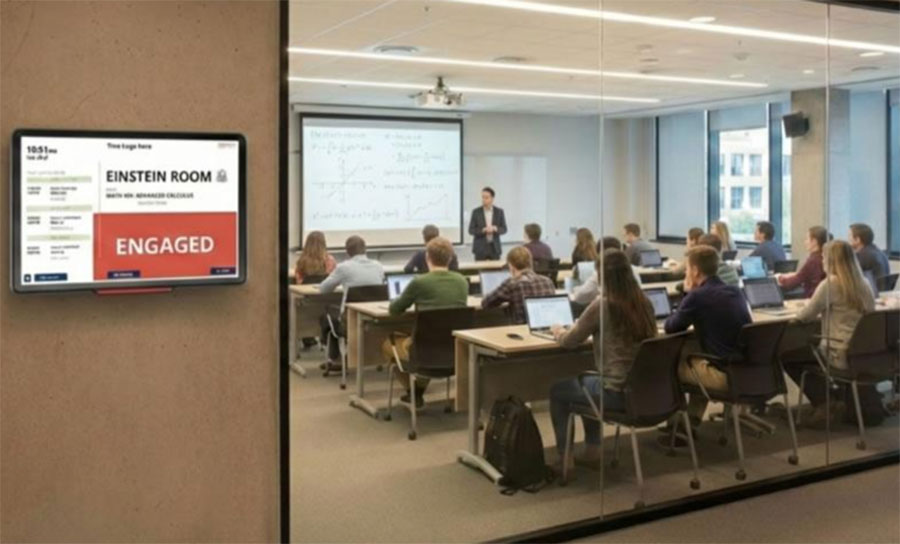
Meeting room displays show live booking schedules, room availability, upcoming meetings, and booking status. This helps reduce meeting conflicts while improving room utilization across the entire office.

Cloud-Based Management

Content can be controlled remotely from one dashboard. Businesses can schedule announcements, update content instantly, manage multiple screens, push emergency updates, and customize content by location — making office communication incredibly efficient.

Multi-Language Support

For organizations operating across India, multi-language support is extremely valuable. Content can be displayed in English, Hindi, and other regional languages. This improves communication reach across diverse teams significantly.

Intelisa Smart Features at a Glance

☁️
Cloud-Based Control

Manage all screens from one dashboard remotely

📅
Content Scheduling

Schedule content in advance by time, day or event

🌐
Multi-Language

English, Hindi and all Indian regional languages

📊
Live Dashboards

Real-time KPIs, sales data and business metrics

🖥️
Multi-Screen Management

Control hundreds of screens across all locations

📱
Social Media Integration

Auto-display latest social feeds on office screens

Is Corporate Digital Signage Easy to Use?

Yes. Modern corporate digital signage systems are designed to be simple and user-friendly. Intelisa solutions allow businesses to manage office screens without requiring technical expertise.

Content updates can be done through an easy dashboard where teams can:

  • Upload images and add videos
  • Schedule announcements in advance
  • Display live dashboards and presentations
  • Run customized playlists by screen or location
  • Manage all content from any device, anywhere

Most organizations can start using the platform with minimal training.

Tips for Using Digital Signage in Your Workplace

Keep Content Simple

Employees usually glance at office screens for only a few seconds. Keep messaging clean, visual, and easy to understand quickly.

Use Real-Time Information

Live dashboards, event updates, social media feeds, and announcements perform much better than static content. Fresh content keeps employees engaged.

Celebrate Employees

Recognition content performs exceptionally well in workplaces. Employee appreciation builds a stronger culture and improves morale naturally.

Customize by Location

Reception screens, cafeteria displays, meeting rooms, and production floors all serve different purposes. Content should match the environment and audience.

The Future of Corporate Digital Signage

Corporate workplaces are becoming smarter, more connected, and increasingly digital. Future-ready offices are already adopting:

  • AI-powered dashboards that adapt content automatically based on audience and time
  • Interactive displays and touch-enabled kiosks for hands-on engagement
  • Real-time analytics to measure screen performance and content effectiveness
  • Cloud-managed communication systems for seamless multi-location control
  • Smart workplace integrations with HR, ERP, and business intelligence tools

Digital signage is quickly evolving from simple office displays into intelligent workplace communication ecosystems. Organizations that invest early create stronger employee experiences and more efficient communication systems.

Why Businesses Choose Intelisa

Intelisa provides complete corporate digital signage solutions designed for modern Indian workplaces. We help businesses with:

🖥️
Screen Setup
⚙️
Software Deployment
📝
Content Management
🌍
Multi-Location Control
📊
Dashboard Integrations
🎨
Office Branding
🤝
Ongoing Support

Our solutions are scalable for both small offices and enterprise-level organizations. Whether you need reception displays, cafeteria screens, KPI dashboards, meeting room displays, or company-wide communication systems, Intelisa delivers customized workplace digital signage solutions tailored to your business.

Ready to Modernize Your Workplace Communication?

Corporate communication should not feel outdated, slow, or disconnected. With Intelisa's corporate digital signage solutions, businesses can transform ordinary office screens into smart communication platforms that improve engagement, transparency, and workplace culture.

Start Free Trial → Explore Corporate Solutions

Intelisa - Smart Corporate Digital Signage Solutions for Modern Indian Offices.

Frequently Asked Questions

What is corporate digital signage?

Corporate digital signage refers to the use of digital screens within workspaces to display company messages, live updates, employee information, announcements, KPI dashboards, schedules, and branded content in real time. It replaces emails, printed notices, and outdated communication methods with dynamic, centrally managed screens across office spaces.

How does corporate digital signage improve employee engagement?

Corporate digital signage improves employee engagement by displaying recognition content, company achievements, team milestones, announcements, and live business metrics across office screens. Employees feel more connected, informed, and valued when they can see organizational updates in their everyday workspace — not just in emails or meetings.

Can Intelisa manage digital signage across multiple office locations in India?

Yes. Intelisa's cloud-based platform allows businesses to manage and update content across all office screens — whether across Mumbai, Delhi, Bangalore, Hyderabad, Pune, or any other city — from a single centralized dashboard. All screens can be updated simultaneously in real time from headquarters.

What kind of content can be displayed on corporate office screens?

Corporate office screens can display live KPI dashboards, sales metrics, HR announcements, employee recognition, company news, cafeteria menus, meeting room schedules, safety messages, social media feeds, industry updates, event information, and branded content. Content can be customized by screen location and audience.

Is corporate digital signage easy to manage without technical expertise?

Yes. Intelisa's corporate digital signage platform is designed to be user-friendly and requires no technical expertise. Teams can upload images, schedule announcements, display dashboards, run playlists, and manage all screens from an intuitive dashboard with minimal training required.

Does Intelisa support multi-language content for Indian offices?

Yes. Intelisa supports multi-language content display including English, Hindi, and other regional Indian languages. This is especially valuable for organizations operating across different regions of India with diverse teams and employee demographics.

Categories
Digital Signages

Is Digital Signage Worth It? A Cost vs. Value Breakdown

Is Digital Signage Worth It? A Cost vs. Value Breakdown

Walk into any modern retail store, café, corporate office, or gym today and you’ll notice one thing instantly: screens are everywhere

A bright, moving display naturally grabs more attention than a faded poster taped to a wall. 

But here’s the real question businesses keep asking: Is digital signage actually worth the investment?

The short answer? Yes, if you use it strategically.

For many businesses, digital signage has become a tool for improving customer engagement, increasing sales, streamlining communication, and creating a more modern brand experience. 

Still, before investing, it’s important to understand the actual digital signage cost, the ongoing expenses, and the potential return you can expect. 

Let’s break it all down in simple terms.

Understanding the real digital signage cost

When businesses first look into digital signage, they often focus only on the screen price. But the cost of a digital signage system includes several moving parts.

The good news? You can scale it based on your budget.

1. Hardware costs

The biggest upfront expense is usually the display itself.

Most businesses use commercial-grade digital displays because they’re designed to run for long hours without overheating or losing brightness. Consumer TVs may seem cheaper initially, but they often don’t hold up well in business environments.

A basic setup may include:

  • Commercial displays
  • Media players
  • Wall mounts
  • Cabling and installation accessories

Why commercial displays matter

Commercial screens are built for:

  • 16/7 or 24/7 operation
  • Better brightness
  • Longer lifespan
  • Remote management compatibility

That’s why they’re often recommended for professional digital signage setups.

2. Software costs

The next part of digital signage pricing is the software.

Most businesses use a Content Management System (CMS) to:

  • Schedule content
  • Update screens remotely
  • Manage multiple locations
  • Run promotions in real time

Some CMS platforms charge monthly SaaS fees, while others offer one-time licenses.

Cloud-based systems are usually preferred because they’re easier to manage and scale.

This is why many businesses now prefer integrated digital signage solutions instead of sourcing hardware, software, and content tools separately. 

Digital Signage Costs
💡Platforms like Intelisa combine cloud-based content management, remote scheduling, and plug-and-play deployment into a single system, making it easier for businesses to manage screens without needing a large technical team.

3. Content creation & maintenance costs

This is the part businesses sometimes overlook.

A screen is only as effective as the content displayed on it.

You may need:

  • Promotional graphics
  • Videos
  • Menus
  • Internal announcements
  • Motion design

You’ll also need occasional maintenance for:

  • Internet connectivity
  • Software updates
  • Hardware servicing

The upside? Once your system is live, updating content becomes far cheaper than constantly printing posters or banners.

How much does digital signage cost?

Digital Signage System

Here’s a simple breakdown of typical digital signage cost ranges.

Component Estimated Cost Range Frequency
Commercial Displays $300 – $2,000+ per screen One-time
Media Players $50 – $300 per unit One-time
CMS Software $10 – $50 per screen/month Recurring
Installation & Setup $200 – $1,000+ One-time

The final cost of digital signage system depends on:

  • Screen size
  • Number of displays
  • Content complexity
  • Installation requirements
  • Software features

A small business may start with a single screen setup, while enterprises may deploy hundreds of networked displays.

Digital signage benefits: Why businesses invest anyway

At first glance, digital signage can seem expensive.

But businesses don’t invest in it because it looks cool. They invest because it delivers measurable value.

Let’s look at the biggest digital signage benefits.

Why Businesses Choose Digital Signage

Benefits of digital signage for retail

Retail is one of the biggest adopters of digital signage, and for good reason.

1. Increased impulse purchases

Dynamic screens naturally attract attention.

Retailers often use digital displays to:

  • Promote limited-time offers
  • Highlight high-margin products
  • Upsell add-ons near checkout

Studies have shown that digital signage can significantly increase customer engagement compared to static signage.

2. Faster Promotional Updates

Traditional print promotions take time and money.

With digital signage, you can:

  • Change offers instantly
  • Schedule promotions by time of day
  • Run seasonal campaigns without reprinting materials

This flexibility becomes especially valuable for restaurants, retail stores, and supermarkets.

Also Read: How digital signage transforms the shopping mall experience

3. Reduced perceived wait times

Customers feel less frustrated when they’re visually engaged.

That’s why many businesses place screens near:

  • Billing counters
  • Waiting areas
  • Reception desks

Even simple content like entertainment, product highlights, or social proof can improve the customer experience.

💡Confused about where to deploy digital signage? Here are some unexpected places to place digital signage and why it works.

Digital Signage Benefits for Corporate Spaces

The value isn’t limited to retail.

Corporate offices use digital signage solutions for:

  • Internal communication
  • Employee engagement
  • Meeting room scheduling
  • KPI dashboards
  • Company announcements

Instead of sending long email chains, organizations can communicate visually and instantly across offices.

Digital signage cost vs ROI: Is the return actually worth it?

This is where the conversation gets interesting.

When evaluating digital signage cost vs ROI, businesses should look at two different things:

  1. Return on Investment (ROI)
  2. Return on Objective (ROO)

Both matter.

1. Return on Investment (ROI)

This refers to direct financial gains.

For example:

  • Increased sales from promoted products
  • More foot traffic
  • Higher average order values
  • Reduced printing expenses

A restaurant might promote a combo meal on a digital menu board and see a noticeable increase in orders. A retail store may push flash sales during peak hours and increase conversions.

These are measurable financial outcomes tied directly to your digital signage investment.

One major factor influencing digital signage ROI is how quickly businesses can update and personalize content across locations.

For example, Intelisa’s digital signage platform helps businesses remotely manage screens, schedule campaigns in real time, integrate social media feeds, and standardize communication across locations.

In fact, some businesses have reported engagement and sales improvements of up to 3X–5X using our dynamic digital signage displays. 

Global digital network and advertising map

What makes this interesting is the range of sectors using digital signage differently to improve ROI.

Our solutions are currently used across:

  • Retail outlets
  • Restaurants & cafés
  • Corporate offices
  • Healthcare facilities
  • Manufacturing plants
  • Advertising & Digital OOH environments

For instance:

  • Retail brands use digital displays for promotions and omnichannel experiences
  • Restaurants use them for dynamic menu boards and queue management
  • Healthcare clinics use screens for patient education and communication
  • Manufacturing facilities use them for process visibility and workforce communication

You can find the details about the various sectors we serve here!

The platform has also been deployed across large multi-location businesses.

One apparel and fashion chain in India reportedly rolled out our solution across 250 stores to support centralized content management and larger omnichannel goals.

This highlights an important point: the ROI of digital signage often increases as businesses scale because content updates, promotions, and communication become far easier to manage centrally.

2. Return on Objective (ROO)

Some benefits are harder to measure directly, but they still have a major business impact.

This includes:

  • Better brand perception
  • A more modern customer experience
  • Stronger employee communication
  • Increased brand recall
  • Better customer compliance
  • Improved visual consistency across locations

For example, a sleek digital display in a retail store, clinic, or office lobby instantly makes the business feel more modern and premium.

That perception influences customer trust.

This is one reason why sectors like retail, healthcare, hospitality, and corporate offices are rapidly adopting modern digital signage solutions. Businesses are no longer using screens just to display information, they’re using them to shape experiences.

Digital Signage Cost vs Roi

Is digital signage worth it for small businesses?

Yes, if you start small and use it strategically.

Many small businesses assume digital signage is only for giant retailers or corporations. That’s no longer true. Affordable hardware and cloud-based software have made digital signage solutions accessible even for local businesses.

Today, small businesses don’t necessarily need expensive enterprise infrastructure to get started.

Many modern platforms, including our solution, offer plug-and-play deployment, centralized scheduling, and subscription-based pricing models that make digital signage more affordable for growing brands.

Digital signage in India: Why the market is growing fast

The adoption of digital signage in India has grown rapidly over the last few years.

Retail chains, restaurants, malls, hospitals, gyms, and corporate offices are increasingly replacing traditional posters with digital displays.

Several factors are driving this growth:

  • More affordable hardware
  • Better internet connectivity
  • Competitive SaaS pricing
  • Growing demand for modern customer experiences

The rise of affordable cloud-based platforms has also accelerated the growth of digital signage in India. Even smaller brands are using digital displays to compete with larger businesses visually.

Final verdict: Is digital signage worth it?

For most businesses, yes.

The real value of digital signage goes beyond the screen itself. It’s about flexibility, visibility, engagement, and long-term efficiency.

While the upfront digital signage cost can feel significant, the long-term savings and customer engagement benefits often outweigh the initial investment.

The key is having:

  • The right hardware
  • A clear content strategy
  • Consistent updates
  • Defined business goals

When used correctly, digital signage becomes less of an expense and more of a business growth tool. Want to explore how it works? Book a free trial with us today!

FAQs About Digital Signage Cost & ROI

A basic digital signage setup can cost anywhere from a few hundred dollars to several thousand, depending on the display size, software, installation, and number of screens.

The biggest factors include:

  • Commercial display quality
  • Number of screens
  • CMS software subscriptions
  • Content creation needs
  • Installation complexity

Yes. Small businesses can start with affordable single-screen setups and still see strong engagement and branding benefits.

The biggest benefits include:

  • Better customer engagement
  • Faster promotional updates
  • Reduced printing costs
  • Improved brand perception
  • Increased sales opportunities

Businesses typically track:

  • Sales lift
  • Customer engagement
  • Foot traffic
  • Promotion performance
  • Operational savings

They also measure softer metrics like brand awareness and customer experience improvements.

Categories
Digital Signages

Beyond the Menu: 10 Creative Content Ideas for Restaurant Lobby Screens

Most restaurants use their screens the same way. A menu goes up, maybe a combo offer, or a festive graphic that stays there for three months.

However, restaurant digital signage can do so much more than display food prices. Your lobby screen is one of the first things people notice when they walk in.

It’s there while they wait for a table, stand in line, scroll through delivery orders, or decide what to eat. So why waste that attention?

The smartest restaurants today are using screens to entertain customers, build cravings, increase upsells, create ambience, and make the whole dining experience feel more memorable.

And the best part? You don’t need massive budgets or complicated tech to make it work.

In this guide, we’ll look at creative restaurant screen content ideas you can start using right away, whether you run a café, QSR, cloud kitchen, fine-dining restaurant, or franchise.

What to show on restaurant digital signages

This is where many restaurants get stuck. Once the menu is live, people often run out of ideas. But your screen content should evolve constantly. The goal isn’t just to fill empty screen space. 

It’s to create moments that make someone suddenly crave dessert, pull out their phone to post a story, or feel like the wait wasn’t actually that long.

Here are some restaurant lobby screen ideas that actually work.

Beyond the Menu 10 Creative Content Ideas for Restaurant Lobby Screens

1. Make Your Food Look Impossible to Ignore

This one sounds obvious, but most restaurants still don’t do it particularly well.

Instead of relying on static food photos, use motion wherever possible. Show cheese pulls, coffee pours, burgers sizzling on the grill, chocolate dripping over desserts, or steam rising from fresh dishes.

Food visuals work because people eat with their eyes first. One of the best digital menu board ideas is turning your signature dishes into mini cinematic moments that instantly trigger cravings.

Even subtle movement can dramatically increase attention. And instead of simply showing the dish, add small emotional cues like: “Our most ordered pasta.”

Or: “Freshly baked every morning”.

That extra layer of storytelling makes the food feel far more memorable and desirable.

Make Your Food Look Impossible to Ignore

2. Put Customer Reviews on Your Screens

People trust people. A glowing review on a screen feels far more authentic than traditional advertising.

So instead of only talking about yourself, let customers do it for you.

You can showcase:

  • Google reviews
  • Customer photos
  • Instagram mentions
  • Food creator shoutouts
  • User-generated content
  • Milestones like “10,000 happy customers”

This works especially well in crowded food markets where customers are choosing between multiple restaurants nearby.

Social proof gives people reassurance.

It quietly says: “Others loved this place too.”

And that matters more than most restaurant owners realize.

Put Customer Reviews on Your Screens

3. Use Screens to Push Limited-Time Offers

A printed poster doesn’t create urgency, but a moving screen does.

That’s the magic of restaurant digital signage.

You can instantly highlight:

  • Weekend specials
  • Happy hours
  • Seasonal drinks
  • Combo offers
  • Flash discounts
  • Festive menus
  • Late-night deals

The key here is timing.

Instead of saying: “Try our summer drinks.”

Say: “Only available this weekend”

That small change makes people act faster.

FOMO works, especially with food.

Use Screens to Push Limited-Time Offers

4. Tell People About Your Restaurant

Not just your menu, but your story. Customers love knowing what makes a restaurant different.

  • Maybe your ingredients come from local farms.
  • Maybe your recipes are family traditions.
  • Maybe your chef trained somewhere interesting.
  • Maybe your café rescues surplus food.

These stories matter.

And lobby screens are a great place to tell them.

You can show:

  • Behind-the-scenes kitchen footage
  • Chef interviews
  • Team stories
  • Sustainability efforts
  • Ingredient sourcing
  • Restaurant history

Storytelling gives your brand personality, and personality is what people remember.

Tell People About Your Restaurant

5. Display Live Social Media Feeds

This is one of the easiest ways to make the restaurant lobby display content feel fresh all the time.

Instead of static graphics, pull in live social content.

  • Customer posts
  • Tagged photos
  • Instagram reels
  • TikToks

This does two things:

First, it makes your space feel active and popular.

Second, it encourages more customers to post about you.

You can even add: “Tag us to get featured.”

That simple line can increase user-generated content dramatically.

Especially for cafés and visually driven restaurants.

Display Live Social Media Feeds

6. Make Waiting Feel Less Annoying

Nobody likes waiting. But interesting screens can make waits feel shorter.

That’s why entertainment-based content works so well.

You can show:

  • Food trivia
  • Fun facts
  • Sports updates
  • Interactive polls
  • Mini quizzes
  • Entertaining short videos
  • Local event updates

This strategy works particularly well for QSRs and busy restaurants with long queues.

Because distracted customers are usually more patient customers.

And a better waiting experience often leads to a better overall brand experience.

Make Waiting Feel Less Annoying

7. Educate Customers Without Sounding Boring

Modern customers care more about ingredients than ever before, especially younger audiences. 

People want transparency. They want to know:

  • Where ingredients come from
  • Whether dishes are healthy
  • Which options are vegan or gluten-free
  • How fresh the food is
  • What makes your food different

Restaurant digital signage is perfect for this.

And no, educational content doesn’t have to feel corporate.

You can keep it visual, quick, and conversational.

Something like: “Our coffee beans are roasted locally every week.”

Simple, useful, and memorable.

Educate Customers Without Sounding Boring

8. Upsell Without Feeling Pushy

Nobody enjoys aggressive selling. But smart upselling? That works.

Digital screens are amazing for subtle recommendations.

For example:

  • Showing desserts right after meal visuals
  • Pairing drinks with burgers or pizzas
  • Highlighting combo upgrades visually
  • Suggesting sides during peak ordering hours

The trick is making it feel natural.

Not forced.

The best digital menu boards guide customer decisions visually instead of aggressively shouting offers.

And over time, even small upsells can significantly increase revenue.

Upsell Without Feeling Pushy

9. Promote Events and Community Nights

If your restaurant hosts events, your lobby screen should absolutely talk about them.

Things like:

  • Live music nights
  • Open mics
  • Sports screenings
  • Karaoke nights
  • Festive specials
  • Brunch events
  • Chef tastings
  • Community collaborations

This gives customers a reason to come back.

And honestly? It makes your restaurant feel alive.

Especially for cafés and lifestyle-driven spaces, events help build a loyal community around the brand.

10. Use Screens to Create Ambience

Not every piece of content needs to sell something.

Sometimes the goal is simply to make the space feel better.

This is where ambient visuals become incredibly powerful.

Think:

  • Rain visuals
  • Coffee brewing loops
  • Fireplace animations
  • Cinematic city shots
  • Nature footage
  • Abstract motion graphics
  • Slow café-style visuals

These little details change how a restaurant feels.

And perception matters.

A restaurant that feels premium often gets treated like a premium restaurant.

This is where large-format displays and video walls can completely transform interiors.

A Few Quick Tips Before You Start

Before you start adding random content to your screens, here are a few things worth keeping in mind.

Keep Text Minimal

People glance at screens quickly. If they have to read giant paragraphs, they’ll ignore them.

Short messaging works best.

Motion Works Better Than Static

Even subtle animation attracts attention. You don’t need flashy visuals everywhere.

Just enough movement to guide the eye.

Refresh Content Regularly

If the same graphic stays up for six months, people stop noticing it.

Rotate content often.

Especially:

  • Promotions
  • Seasonal items
  • Events
  • Social posts
  • Featured dishes

Freshness keeps screens effective.

Match Content to Customer Behavior

Different screens should do different things.

For example:

Customer Situation Best Content
Waiting in line Promotions and upsells
Waiting for food Entertainment content
Entering restaurant Branding and ambience
Dining area Lifestyle visuals and events

This makes your digital signage strategy feel intentional instead of random.

How Restaurants Are Using Digital Signage Today

Different restaurants use screens differently.

  • Quick-service restaurants focus heavily on speed and promotions.
  • Fine-dining spaces use screens more subtly for ambience and storytelling.
  • Cafés use them for community-building and social engagement.
  • Cloud kitchens use them for pickup communication.

But the bigger shift happening right now is this:

Restaurant screens are no longer just informational, they’re experiential.

And customers increasingly expect that.

Bringing these ideas to life with Intelisa

If all of this sounds exciting yet slightly overwhelming, that’s exactly where Intelisa comes in. At Intelisa, we’ve seen restaurants use digital signage for far more than just displaying menus.

Some use it to highlight bestsellers and promotions, while others use it to create ambience, showcase customer reviews, run social media feeds, or simply make waiting feel less boring.

The biggest advantage of restaurant digital signage is flexibility. You can update content instantly, manage multiple screens from one place, schedule promotions in advance, and keep your displays fresh without constantly redesigning or reprinting materials.

Whether you run a café, QSR, cloud kitchen, or fine-dining restaurant, Intelisa’s cloud-based digital signage platform helps you create screen experiences that feel engaging rather than repetitive. And because everything is managed centrally, it’s much easier to keep content consistent across locations while still updating in real time.

If you want to see how it works, start your free trial today!

Frequently Asked Questions

Restaurant digital signage refers to digital displays used inside restaurants to show menus, promotions, branding content, entertainment, or customer communication.

Restaurants can show promotions, food visuals, customer reviews, social media feeds, events, ambience visuals, educational content, and upsell recommendations.

Digital signage helps restaurants improve customer engagement, increase upsells, reduce perceived wait times, and create a more modern dining experience.

Some of the best digital menu board ideas include motion food visuals, combo offers, limited-time deals, add-on recommendations, and seasonal promotions.

Restaurants should ideally update promotions weekly and rotate visuals regularly to keep content fresh and engaging.

Categories
Digital Signages

How Gym Digital Signage Improves Workouts with Timers, Leaderboards & More

You walk into a gym. On one side, people are working out, but everyone’s doing their own thing. Someone’s checking their phone between sets. A trainer is shouting out timings, but half the group missed it.

Now imagine this instead. A large screen counts down a workout timer, and everyone moves together. Another screen shows a live leaderboard. Names go up. Energy shifts. People push harder. That’s the difference gym digital signage makes.

Today, gyms aren’t just about equipment, they’re about experience.

And fitness center digital screens are quickly becoming the easiest way to bring that experience to life. From gym workout timer displays to gym leaderboard displays, these screens do more than just show information.

They guide workouts, create energy, and keep members coming back.

In this guide, we’ll break down exactly how digital signage for gyms works, how to use it effectively, and why it’s becoming a core part of smart gym technology.

What Is Gym Digital Signage?

At its simplest, gym digital signage means using screens inside your gym to display useful, real-time content. Think of it as replacing static posters and whiteboards with dynamic, easy-to-update displays.

These fitness center digital screens can show things like:

  • Workout timers
  • Class schedules
  • Leaderboards
  • Announcements
  • Exercise demos

Instead of members guessing what to do next or waiting for instructions, the screen tells them.

For example, during a group class, a gym workout timer display can count down each set. No confusion or interruptions, and everyone stays in sync. Or take a gym leaderboard digital display, which shows top performers in real time.

Suddenly, workouts feel more like a challenge, not a routine.

The key idea is simple: digital signage for gyms turns information into experience.

And once you start using it well, it becomes a core part of how your gym feels.

What Can Gym Digital Signage Be Used For? (With Real Examples)

Once you install gym digital signage, the next question is, what do you actually show on it?

Anything that makes workouts smoother, more engaging, or more fun.

Here are some of the most effective ways gyms are using fitness center digital screens today: 

1. Workout Timer Screens

This is the most common and most useful use case.

In group classes or circuit training, a gym workout timer display shows:

  • Countdown timers
  • Work/rest intervals
  • Round numbers
Workout Timer Screens

Example scenario: A HIIT class is running. Instead of the trainer shouting “10 seconds left,” the screen counts it down. Everyone moves together without any confusion.

2. Gym Leaderboard Displays

Leaderboards turn workouts into a game.

They can show:

  • Top performers of the day
  • Calories burned
  • Fastest times
  • Attendance streaks
Gym Leaderboard Displays

Example scenario: Someone sees their name move from #5 to #3 mid-workout. Instant motivation.

3. Class Schedules and Announcements

Instead of printed schedules, screens can display:

  • Live class timings
  • Trainer availability
  • Special sessions
  • Gym announcements
Class Schedules and Announcements

Example scenario: A member walks in and instantly knows what class is next without asking at the front desk.

4. Exercise Demos and Form Guidance

Screens can play:

  • Exercise tutorials
  • Correct form videos
  • Beginner guides
Exercise Demos and Form Guidance

Example scenario: A new member forgets how to do a movement. Instead of guessing, they glance at the screen and follow along.

5. Member Shoutouts and Community Moments

This is where gyms build connections.

You can display:

  • Member of the week
  • Transformation stories
  • Birthday shoutouts
  • Milestone achievements
Member Shoutouts and Community Moments

Example scenario: A member sees their name on the screen for hitting a 30-day streak. They feel seen, and they come back.

6. Promotions and Offers

Screens can also help drive revenue.

Display:

  • Personal training offers
  • Membership upgrades
  • Merchandise
Promotions and Offers

Example scenario: Someone finishing a workout sees a limited-time PT offer right on the screen.

7. Live Metrics from Smart Equipment

In more advanced setups, screens can show:

  • Heart rate data
  • Calories burned
  • Performance stats
Live Metrics from Smart Equipment

Example scenario: Cycling class where everyone sees their stats live on screen.

How to Use Digital Signage in Gyms (Practical Setup Guide)

If you’re wondering how to use digital signage in gyms, keep it simple.

It’;s not about adding screens everywhere, but about placing the right screen in the right spot with the right content.

Here’s how to do it.

Where to Place Your Screens

  1. Entrance

This is your first impression. Use a screen here to show:

  • Class schedules
  • Announcements
  • Offers

When someone walks in, they should instantly know what’s happening that day.

  1. Workout Floor

This is where most of the action happens. Screens here should focus on:

  • Gym workout timer displays
  • Exercise demos
  • Quick tips

Keep it visible from multiple angles. People shouldn’t have to stop their set to look for it.

  1. Group Class Rooms

This is where screens make the biggest impact.

Use them for:

  • Workout timer screens for gym members
  • Round tracking
  • Instructions

A clear timer on screen keeps everyone in sync. The class feels smoother and more structured.

Simple Rule to Follow

Don’t overload your screens.

Each screen should have one clear purpose:

  • Timer
  • Info
  • Motivation

That’s it. When done right, fitness center digital screens don’t just sit there, they actively guide the workout and improve the overall experience.

Why Intelisa Is a Smart Choice for Gym Digital Signage

At this point, you know what makes gym digital signage work:good placement, the right content, and most importantly, the right software.

This is where Intelisa comes in.

It’s not just another tool. It’s built to make managing fitness center digital screens simple, even if you’re not very technical.

What Makes Intelisa Work for Gyms

  1. You Can Control Everything from One Place

With Intelisa, you don’t have to walk up to each screen.

You can:

  • Update your gym workout timer display
  • Change announcements
  • Push new content

All from one dashboard.

  1. Real-Time Updates (No More Outdated Screens)

One of the biggest problems with digital signage for gyms is outdated content.

Intelisa fixes that with real-time updates. You can change what’s on your screens instantly, even across multiple locations.

  1. Easy to Use (No Tech Team Needed)

Most gyms don’t have a dedicated tech team.

Intelisa is built to be:

  • Plug-and-play
  • Simple to manage
  • Quick to set up

So you don’t waste time figuring things out.

  1. Works with Any Screen

You don’t need special hardware.

Intelisa works with:

  • TVs
  • LED screens
  • Existing displays

That makes it easier to get started with smart gym technology without a big upfront cost.

  1. More Than Just Display; It Drives Engagement

Intelisa isn’t just about showing content.

It helps you:

  • Run dynamic content (videos, social feeds, dashboards)
  • Personalize what members see
  • Keep screens fresh and engaging

Which is exactly what gym engagement ideas using digital screens are meant to do.

Want to see how it can 10x your gym experience? Sign up for a free trial today!

Frequently Asked Questions

Start with screens in key areas like the entrance, workout floor, and group class rooms. Use them for workout timers, leaderboards, and announcements to guide members without constant trainer input.

Workout timer screens show countdowns, intervals, and rest periods during workouts. A gym workout timer display helps members stay in sync, especially during HIIT or group training sessions.

A gym leaderboard display shows top performers based on metrics like reps, calories burned, or attendance. It adds a competitive element that motivates members to push harder.

The biggest benefits include better workout flow, higher engagement, improved member retention, and easier communication. Digital signage for gyms also reduces the need for constant trainer instructions.

No. Most gym digital signage setups work with regular TVs or existing screens. The main requirement is reliable digital signage software to manage content.

You can display workout timers, leaderboards, class schedules, announcements, exercise demos, and promotions. The goal is to make workouts smoother and more engaging.

Yes. Screens can promote personal training, memberships, and offers at the right time, helping gyms drive additional revenue without extra effort.

Absolutely. Even one or two screens can improve the member experience. You don’t need a large setup to start seeing results.

Smart gym technology, like digital screens and real-time data displays, makes workouts more structured, interactive, and engaging. It helps members stay consistent and motivated.

Categories
Digital Signages

Electronic Signage: Complete Guide for Businesses in 2026

Still using printed posters and static boards to communicate with your customers? In 2026, that approach is costing you attention, engagement, and revenue. Electronic signage, also known as digital signage, is transforming how businesses of all sizes communicate, promote, and connect with their audiences.

From retail stores and airports to corporate offices and smart cities, electronic display screens are reshaping how brands deliver messages. According to industry research, electronic signage can boost brand awareness by up to 47.7% and increase average purchase amounts by 29.5%.

In 2026, electronic signage is no longer just about displaying content; it’s about delivering smart, real-time, and personalized experiences. With the rise of AI and cloud-based platforms like Intelisa, businesses can now turn simple screens into intelligent communication systems.

This complete guide will help you understand what electronic signage is, how it works, why it matters more than ever, and how to get started today.

What is Electronic Signage?

Electronic signage refers to the use of digital screens such as LED, LCD, or projection displays to show content such as advertisements, announcements, videos, menus, or real-time information. While the terms “electronic signage” and “digital signage” are often used interchangeably, electronic signage specifically refers to electronic display boards and screen-based communication systems used in physical environments.

Unlike traditional printed signage, an electronic signage system allows businesses to:

  • Update content instantly without any physical effort
  • Display dynamic and interactive visuals that capture attention
  • Schedule content based on specific times, locations, or events
  • Integrate real-time data for smarter, more relevant communication
  • Manage hundreds of screens remotely from a single platform

In simple terms, electronic signage replaces static boards with smart, flexible, and engaging digital display screens that can be fully controlled from anywhere in the world.

Electronic Signage

How Electronic Signage Works

Electronic signage may look simple on the outside, but behind the scenes, it relies on a combination of hardware, software, and connectivity to create a seamless communication system. Here are the four core parts of any electronic signage system:

1. Display Screen

This is the physical electronic display board (LED/LCD) on which the content is shown. These screens are designed for continuous operation and high brightness, so content remains visible even in outdoor environments or well-lit indoor spaces. Modern displays come in various sizes from small indoor panels to large-format electronic billboards.

2. Media Player

A device that stores and plays content on the screen. It ensures smooth playback of videos, images, and animations while supporting multiple file formats and resolutions for better display performance. Some advanced systems use cloud-based players that eliminate the need for local hardware.

3. Content Management System (CMS)

The brain of the electronic signage system. A good digital signage software platform allows you to upload, manage, schedule, and publish content across all your screens. It gives full control over what is displayed, when it appears, and how it is updated, all from a single dashboard without any technical knowledge required.

4. Internet Connectivity

Enables real-time updates and remote management. With internet connectivity, businesses can control screens from anywhere, push instant updates, and run automated campaigns without manual intervention. Wi-Fi, LAN, or 4G/5G connections are all commonly used.

Platforms like Intelisa bring all these elements together into one unified cloud-based electronic signage system, allowing businesses to control multiple screens across different locations from a single dashboard.

Why Electronic Signage Matters in 2026

The importance of electronic signage has grown rapidly due to changes in technology, consumer expectations, and the increasing need for real-time communication across industries. Here is why electronic signage is more critical than ever in 2026:

1. Real-Time Communication

In today’s fast-paced world, information changes constantly, and businesses need a way to communicate instantly. Electronic signage allows real-time updates, ensuring that customers always see the most accurate and relevant information at the right moment.

Examples:

  • Restaurants updating menu availability and daily specials
  • Airports showing live flight status and gate changes
  • Retail stores promote flash sales as they happen
  • Hospitals displaying real-time queue numbers and wait times

With Intelisa, these updates can happen automatically without manual intervention, saving time and eliminating errors.

2. Higher Engagement and Attention

Electronic display screens naturally attract more attention compared to static posters because they use motion, light, and dynamic visuals. This makes them highly effective in crowded environments where grabbing and holding attention is difficult.

  • Motion graphics grab the eye instantly
  • Bright displays stand out in crowded public spaces
  • Videos increase brand recall and customer engagement significantly

Research shows that people retain 65% of information delivered through visual content combined with text, compared to only 10% through text alone, making electronic signage a powerful communication tool.

3. Cost-Effective in the Long Run

Although the initial investment in electronic signage may seem high, it significantly reduces long-term costs associated with printing, installation, and manual updates. Once the electronic signage system is in place:

  • No printing costs for every campaign change
  • No manual replacements or installation charges
  • Instant content updates at zero extra cost
  • Multiple campaigns on a single screen, maximizing ROI

Businesses typically recover their investment within 12-18 months, after which the savings on print and design costs add up significantly.

4. Personalization and Targeted Messaging

In 2026, personalization has become essential for effective marketing. Electronic signage allows businesses to display different content based on time, location, and audience type, making communication far more relevant and effective.

Electronic signage systems can now:

  • Show different content at different times of the day
  • Target specific audiences based on location or demographics
  • Adapt messaging dynamically based on real-time data

Example:
Morning Coffee and breakfast promotions
Afternoon Lunch deals and offers
Evening Dinner specials and happy hour

5. Integration with AI and Data

AI is transforming electronic signage into an intelligent system that can analyze data and optimize performance automatically. It enables businesses to understand audience behavior and adjust content in real time without any manual work.

With AI-powered electronic signage software, screens can:

  • Analyze audience behavior and dwell time
  • Optimize content performance automatically
  • Respond to environmental factors like weather or time of day
  • Deliver hyper-personalized messages at scale

Platforms like Intelisa enable businesses to use AI capabilities without needing any technical expertise, making smart electronic signage accessible to everyone.

6. Sustainability and Environmental Benefits

By eliminating the need for printed materials, electronic signage significantly reduces paper waste and the carbon footprint associated with traditional print advertising. In 2026, sustainability is a growing priority for businesses, and electronic display boards offer a greener communication alternative.

Key Features of Modern Electronic Signage

Modern electronic signage systems come with advanced features that make them powerful tools for communication, marketing, and operations management.

1. Cloud-Based Control

Cloud-based electronic signage systems allow businesses to manage and update content remotely from any device, at any location. This flexibility ensures quick updates and better control over multiple electronic display screens without being physically present.

2. Multi-Screen Management

Businesses can control hundreds of electronic display boards across different locations from a single dashboard, making operations more efficient, consistent, and scalable. Whether you have 5 screens or 500, management is equally simple.

3. Content Scheduling

Content can be scheduled in advance based on time, day, or events, ensuring that the right message is delivered at the right moment to the right audience, automatically and without manual effort.

4. Real-Time Updates

Content on any electronic information display can be updated instantly without any delay, allowing businesses to respond quickly to price changes, promotions, emergencies, or breaking news.

5. Analytics and Insights

Advanced analytics tools help track content performance, viewer engagement, and campaign effectiveness, enabling data-driven decision-making and continuous improvement of your electronic signage strategy.

6. QR Code Integration

QR codes on electronic signage connect offline viewers to online platforms, enabling instant purchases, form fills, social media follows, or information access. This bridges the gap between physical and digital customer journeys.

7. Social Media Integration

Modern electronic signage software can automatically pull and display social media feeds, user-generated content, and live hashtag walls, making content fresh, engaging, and community-driven without extra effort.

8. Zone-Based Content Display

Screens can be divided into multiple zones, each displaying different content simultaneously, for example, a news ticker at the bottom, a promotional video in the center, and live weather updates on the side.

Intelisa combines all these features into one easy-to-use cloud-based digital signage software platform, simplifying electronic signage management for businesses of all sizes.

Electronic Signage

Common Use Cases of Electronic Signage by Industry

Electronic signage is widely used across industries to improve communication, engagement, and customer experience. Here is how different sectors are leveraging electronic display systems in 2026:

Retail

Retail stores use electronic signage for retail to display promotions, highlight new products, show real-time pricing, and create an immersive shopping experience. Electronic display boards at entry points and checkout counters significantly increase impulse purchases and average basket size.

Restaurants and Cafes

Restaurants use digital menu boards and electronic signage to display items, prices, combo deals, and limited-time offers. Menu updates that previously took days now take seconds, improving customer experience and reducing staff workload.

Corporate Offices

Companies use corporate electronic signage for internal communications, KPI dashboards, meeting room displays, visitor welcome screens, and employee recognition boards, ensuring smooth and engaging communication within the organization.

Healthcare

Electronic signage in healthcare is used for patient queue management, wayfinding, health awareness campaigns, appointment reminders, and staff communications, improving operational efficiency and reducing patient anxiety in waiting areas.

Education

Schools, colleges, and universities use electronic information displays for campus announcements, event updates, timetable changes, emergency alerts, and navigation, enhancing communication with students, staff, and visitors across large campuses.

Transportation

Airports, railway stations, and bus terminals use electronic signage for real-time schedule updates, gate information, navigation maps, and emergency communications, ensuring smooth passenger flow and reducing confusion in high-traffic environments.

Manufacturing

Factories and warehouses use electronic display boards for production dashboards, safety alerts, shift updates, and performance metrics, keeping floor workers informed and operations running efficiently without paper-based communication.

Intelisa: Making Electronic Signage Smarter

Intelisa is redefining how businesses use electronic signage by making it smarter, simpler, and more effective. As a leading digital signage solutions provider, Intelisa serves businesses across India, the USA, Canada, the UAE, Qatar, and Australia.

What Makes Intelisa Different?

  • Centralized Dashboard: Manage all your electronic display screens from one place with complete ease and efficiency
  • Real-Time Updates: Instantly update content across all locations and screens without any delay
  • Inventory Sync: Automatically update product availability and pricing to avoid outdated promotions
  • QR Code Integration: Connect offline electronic signage advertising with online conversions seamlessly
  • AI Capabilities: Enable smart automation, audience analytics, and content performance optimization
  • Social Media Integration: Automatically display your latest social media content on any screen
  • Zone-Based Display: Show multiple content types on a single screen simultaneously
  • No Technical Expertise Needed: Anyone can manage electronic signage with Intelisa’s intuitive interface

With Intelisa, businesses can run advanced electronic signage campaigns without complexity or technical challenges and get started in minutes.

Ready to experience smarter electronic signage? Start your free trial with Intelisa today, no credit card required.

Electronic Signage vs Traditional Signage

Here is a clear comparison of electronic signage and traditional signage to understand why businesses are rapidly making the switch:

Feature Traditional Signage Electronic Signage
Content Update Manual requires reprinting Instant update from anywhere
Flexibility Low – fixed once printed High – change anytime
Engagement Low – static visuals High – motion and dynamic content
Cost Over Time High – repeat printing costs Cost-efficient one-time hardware investment
Personalization None Advanced time, location, and audience-based
Environmental Impact High – paper and ink waste Low – no print materials needed
Analytics None Full performance tracking and insights
Remote Management Not possible Fully remote via cloud platform

Signage clearly provides a more modern, flexible, and effective communication solution than traditional signage, and the gap will only grow wider as technology advances.

Electronic Signage in India

Challenges of Electronic Signage and How to Overcome Them

1. Initial Investment

The upfront cost of electronic signage hardware can be high for some businesses. However, the key is to start small, even one or two screens in high-traffic areas, and deliver measurable results quickly. As ROI becomes visible, businesses can scale up their electronic signage system gradually without a large upfront commitment.

2. Content Creation

Creating engaging content consistently may seem challenging, especially for small teams. However, using pre-built templates, AI-generated content tools, and social media auto-integration (as offered by Intelisa) dramatically simplifies the content creation process, making it fast, easy, and cost-effective.

3. Technical Setup

Technical setup and configuration can feel overwhelming for non-technical users. This challenge is easily solved by choosing a user-friendly electronic signage software platform like Intelisa, which offers guided onboarding, customer support, and an intuitive interface that requires zero coding or IT knowledge.

4. Ongoing Maintenance

Like any technology, electronic display boards require periodic maintenance to ensure optimal performance. Investing in high-quality commercial-grade hardware from the beginning significantly reduces maintenance issues and ensures long-term reliability and performance.

The Future of Electronic Signage

The future of electronic signage is exciting and innovation-driven. As technology continues to evolve, electronic signage systems will become even more intelligent, immersive, and deeply integrated into everyday environments.

Key Trends Shaping Electronic Signage in 2026 and Beyond:

  • AI-generated content that adapts automatically based on audience, time, and context
  • Interactive touch and gesture-controlled screens for hands-on customer engagement
  • Voice-enabled electronic kiosks for completely hands-free interaction
  • 3D and immersive holographic visuals that capture attention in a crowded world
  • IoT-connected electronic displays that respond automatically to real-time sensor data
  • Programmatic electronic signage advertising automated, data-driven ad buying for digital out-of-home screens
  • Facial recognition and audience analytics, understanding who is viewing your content to optimize messaging
  • 5G-powered electronic billboards offer faster, more reliable connectivity, enabling richer content experiences

These advancements will make electronic signage more powerful, personalized, and deeply integrated into both physical and digital customer experiences, making it an indispensable business tool for the decade ahead.

Best Practices for Using Electronic Signage Effectively

To get the best results from your electronic signage system, follow these proven best practices:

  • Keep content short and clear: Viewers typically have 3–5 seconds of attention; make your message instantly understood
  • Use high-quality visuals: Blurry or low-resolution images damage credibility; always use sharp, high-resolution graphics
  • Update content regularly: Stale content loses effectiveness; keep screens fresh with new offers, news, and promotions
  • Include a clear call-to-action: Every piece of content should tell the viewer what to do next (scan QR, visit website, call now)
  • Use data to optimize: Review analytics regularly and adjust content based on what is performing best
  • Match content to location and audience: Tailor your electronic signage message to the specific context of each screen
  • Test before going live: Always preview content on the actual screen before publishing to catch any display issues

Final Thoughts

Electronic signage in 2026 is not just a display tool, it’s a smart communication platform that combines technology, data, and creativity to deliver real business results. With real-time updates, AI integration, cloud-based control, and advanced analytics, businesses can deliver personalized and impactful messages that truly connect with their audience at the right time and place.

Whether you run a single retail store or manage hundreds of locations globally, electronic signage offers a scalable, cost-effective, and powerful way to communicate, engage, and convert. Platforms like Intelisa are making this technology accessible, scalable, and easy to use for businesses of all sizes without requiring any technical expertise.

In a world full of distractions, electronic signage helps brands stand out not just by being visible, but by being relevant, engaging, and timely. The businesses that invest in smart electronic signage today will have a clear competitive advantage tomorrow.

Ready to transform your business communication? Try Intelisa for free today and see the difference smart electronic signage can make, no credit card required.

Frequently Asked Questions

Electronic signage refers to digital display systems such as LED or LCD screens used to show advertisements, announcements, menus, or real-time information. Unlike traditional printed signage, electronic signage enables instant content updates, dynamic visuals, and improved audience engagement in any environment.

Electronic signage works through a combination of display screens, media players, and a content management system (CMS). The CMS allows users to upload, schedule, and manage content remotely, while internet connectivity enables real-time updates across all screens simultaneously from a single dashboard.

Electronic signage helps businesses improve visibility, engagement, and communication. It allows real-time content updates, reduces printing costs, supports targeted and personalized messaging, and provides performance analytics, making it a cost-effective and scalable marketing and communication solution for businesses of all sizes.

Yes, electronic signage is significantly more flexible and effective than traditional signage. Electronic signage allows instant content updates, dynamic visuals, personalization, and full performance analytics, while traditional signage is static, expensive to update, and offers no engagement data or targeting capabilities.

Yes, small businesses can easily use electronic signage with affordable cloud-based platforms like Intelisa. These electronic signage solutions make it simple and cost-effective to manage content even without technical expertise or large budgets. Starting with just one screen is enough to see measurable results.

The cost of an electronic signage system depends on factors like screen size, location, hardware quality, and software features. While the initial hardware investment may be higher than printed signage, electronic signage reduces long-term costs by eliminating printing, manual updates, and installation charges, delivering a strong ROI within 12–18 months.

Electronic signage is widely used in retail, restaurants, healthcare, education, corporate offices, manufacturing, and transportation. Each industry uses electronic display systems to improve communication, promote products, manage operations, and enhance the customer or employee experience.

Yes, modern electronic signage systems allow fully remote content updates through cloud-based CMS platforms like Intelisa. This means businesses can change content on any electronic display screen anytime and from anywhere in the world without physically accessing the screen or sending anyone on-site.

AI enhances electronic signage by analyzing audience behavior, automatically optimizing content performance, and enabling real-time personalization. AI-powered electronic signage can adjust ads based on time of day, weather, demographics, or viewer data, significantly improving engagement and campaign effectiveness.

The future of electronic signage includes AI-driven content automation, interactive and touch-enabled screens, voice-controlled kiosks, 3D and holographic displays, IoT integration, and 5G-powered electronic billboards. These advancements will make electronic signage smarter, more personalized, and more deeply integrated into everyday business and customer experiences.

Electronic signage and digital signage refer to the same concept: the use of screen-based display systems to show dynamic content. “Electronic signage” emphasizes the use of electronic display boards and hardware, while “digital signage” is the broader industry term. Both describe the same technology used to communicate, advertise, and inform through screens.

Categories
Digital Signages

How to Set Up a Digital Billboard in 2026 (Step-by-Step Guide)

Digital Billboard

Digital advertising has entered a new era. Traditional hoardings are no longer enough to capture attention in fast-moving cities. In 2026, a digital billboard is not just a display; it’s a smart, responsive advertising system powered by data, automation, and AI.

For ambitious business owners, visionary marketers, and forward-thinking agencies, mastering the ability to deploy and scale these assets is essential to unlocking exponential growth. This is particularly true in high-velocity markets like India, where the demand for measurable results and high-impact visibility is at an all-time high.

This guide breaks everything down into simple, actionable steps so you can start from scratch and build a high-performing DOOH (Digital Out-of-Home) setup. Whether you are a newcomer or a seasoned professional, this step-by-step roadmap will empower you to dominate both the technical execution and the strategic marketing aspects of modern digital billboards.

What is a Digital Billboard?

A digital billboard is a large LED screen used to display advertisements outdoors. Unlike traditional billboards, digital billboards can show multiple ads in rotation, update content instantly, run time-based or event-based campaigns, and integrate with data and AI for optimization.

These screens are now commonly seen in metro cities, on highways, in malls, at airports, and even in Tier-2 cities. With increasing urbanization and digital adoption, their presence is expanding rapidly across both commercial and public spaces.

Key features that define a modern digital billboard include high-resolution LED panels, cloud-based connectivity for remote management, and integrated sensors that allow for real-time audience measurement and environmental triggers.

Digital Billboards in India

Why Digital Billboards Are Growing Rapidly in India

India is one of the fastest-growing markets for digital billboard advertising. Here’s why:

1. Smart City Development

Government initiatives and urban expansion are increasing the demand for digital infrastructure, including smart advertising systems.

2. Affordable Technology

LED screen costs and software solutions are becoming more accessible, making it easier for businesses to invest in digital billboards.

3. Data-Driven Marketing Demand

Brands want measurable results, not just visibility. Digital billboards provide insights that traditional hoardings never could.

4. Consumer Behavior Shift

People expect dynamic, engaging, and relevant content everywhere, whether online or offline.

5. Rise of Platforms Like Intelisa

Cloud-based platforms such as Intelisa are simplifying campaign management, making digital billboard solutions accessible even for small and medium businesses without heavy technical knowledge.

Step-by-Step Guide to Set Up a Digital Billboard

Step 1: Choose the Right Location

Location is the foundation of successful digital billboard advertising.

What to Look For:

  • High footfall or vehicle traffic
  • Areas where people slow down (signals, junctions)
  • Commercial hubs, malls, or transit zones
  • Locations near your target audience

Key Insight:

Not all traffic is equal. A crowded junction where people wait for 60 seconds is more valuable than a fast highway where people pass in 5 seconds.

Pro Tip: Focus on attention time, not just impressions. The longer people stay in front of your billboard, the higher the chances of engagement and recall.

Step 2: Select the Right Hardware and Screen

Choosing the right hardware is critical for performance and durability.

Important Factors:

1. Brightness (Nits)

  • 5,000–8,000 nits recommended for outdoor use
  • Ensures visibility in direct sunlight

2. Pixel Pitch (Resolution)

  • Lower pitch = higher clarity
  • Ideal range: P6 to P10 for outdoor billboards

3. Weather Resistance

  • Must be waterproof and dustproof (IP65 rating or higher)
  • Important for Indian climate conditions, such as heat, rain, and dust

4. Size and Viewing Distance

  • Larger screens for highways
  • Medium screens for urban areas

5. Energy Efficiency

  • Lower power consumption reduces operational costs

Modern digital billboards in India are designed for 24/7 operation with minimal maintenance, making them a long-term investment for businesses.

Step 3: Install a Smart CMS (Content Management System)

A powerful CMS is the brain of your digital billboard.

Platforms like Intelisa transform a simple screen into a smart advertising system.

What a Smart CMS Can Do:

  • Manage multiple screens from one dashboard
  • Schedule ads based on time, location, or triggers
  • Update content instantly without manual intervention
  • Automate campaigns using AI

Intelisa Key Features:

  • Real-time campaign updates
  • Inventory sync (auto-remove unavailable products)
  • Centralized dashboard for multi-location control
  • QR-based engagement tools

Why It Matters:  Without a CMS, your billboard is just a screen. With it, it becomes a revenue-generating machine that can run campaigns efficiently and intelligently.

Step 4: Create High-Impact Content

Content is what drives engagement and conversions.

Best Practices for Digital Billboards:

  • Use bold visuals and minimal text
  • Keep the message readable within 3–5 seconds
  • Use motion graphics or short videos
  • Include a clear call-to-action (CTA)
  • Add QR codes for instant interaction

AI-Driven Content Strategy:

Instead of one ad, create multiple versions:

  • Different headlines
  • Multiple visuals
  • Various offers

AI (via platforms like Intelisa) can automatically test and optimize combinations to find what works best.

Pro Tip: Build a content library, not a single creative. This allows continuous optimization and better performance over time.

Step 5: Enable Programmatic DOOH Advertising

Programmatic DOOH (pDOOH) allows automated buying and optimization of ad space.

Benefits:

  • Hyper-local targeting: Ads within a specific radius
  • Time-based delivery: Morning vs evening campaigns
  • Budget control: Spend where performance is highest
  • Real-time adjustments: Pause or scale instantly

Example Use Cases:

  • A restaurant runs lunch ads between 12 and 3 PM
  • A retail store promotes offers near its location
  • A movie ad runs only near cinemas

This approach makes digital billboard advertising more efficient and ROI-focused.

Step 6: Add QR Codes and Conversion Tracking

One of the biggest advantages of digital billboards in India is measurability.

What You Can Track:

  • QR code scans
  • Website visits
  • Store footfall
  • App downloads
  • Conversions

Why QR Codes Matter:

They bridge offline and online marketing.

Example:
A user scans a billboard → lands on the offer page → makes a purchase.

Pro Tip: Always include a strong CTA like:
“Scan & Get 20% Off”

Step 7: Use AI for Smart Optimization

AI is what truly differentiates modern digital billboard advertising.

What AI Can Do:

  • Adjust ads based on the weather
  • Change creatives based on audience demographics
  • Optimize ad frequency and timing
  • Improve performance automatically

Real-Life Examples:

  • Rain → Promote cabs or umbrellas
  • Hot weather → Cold drinks or AC ads
  • Evening → Food delivery promotions

With platforms like Intelisa, these optimizations happen automatically, reducing manual effort and improving campaign results.

Step 8: Ensure Legal Compliance and Permissions

Before installation, ensure you follow local regulations.

Requirements in India:

  • Municipal permissions
  • Zoning regulations
  • Safety compliance
  • Electrical approvals

Ignoring compliance can lead to penalties or shutdowns, so it is important to handle this step carefully before launching your billboard.

Cost of Digital Billboard in India

Cost of Digital Billboard in India

The cost of setting up a digital billboard in India depends:

  • Location (prime vs non-prime)
  • Screen size and quality
  • Installation and maintenance
  • Software and CMS subscription

Typical Cost Breakdown:

  • Hardware: ₹5 lakh – ₹25 lakh+
  • Installation: ₹1–3 lakh
  • Software (CMS): Monthly/annual subscription
  • Maintenance: Ongoing

ROI Advantage:

Compared to traditional billboards:

  • Multiple advertisers share one screen
  • Higher engagement rates
  • Real-time optimization improves ROI

Common Mistakes to Avoid

Avoid these common pitfalls:

  • Too much text on the screen
  • No clear CTA
  • Ignoring data and analytics
  • Running the same ad all day
  • Poor screen quality
  • No mobile integration

Advanced Strategies for 2026

1. 3D and Anamorphic Ads

Highly engaging and viral-ready content that grabs attention instantly.

2. Interactive Kiosks

Touchscreens for navigation, booking, and product discovery in public spaces.

3. Voice and Gesture Control

Hands-free interaction for a better user experience.

4. IoT Integration

Screens respond to traffic, weather, and city data in real time.

5. Generative AI Creatives

AI creates ads dynamically based on trends, audience behavior, and performance.

Industries Benefiting from Digital Billboards

  • Retail and E-commerce
  • Real Estate
  • Food and Beverage
  • Entertainment and Movies
  • Healthcare
  • Education

In India, digital billboards are especially effective for hyperlocal businesses looking for nearby customers.

Why Intelisa is a Game-Changer

Intelisa simplifies the entire process of digital billboard advertising.

Key Benefits:

  • Easy campaign management
  • Real-time updates
  • Automated optimization
  • Multi-location control
  • Seamless online-to-offline integration

It turns a traditional billboard into a smart marketing system that delivers measurable results.

The Future of Digital Billboards in India

The future of digital billboards in India is incredibly promising.

What to Expect:

  • Smarter AI-driven campaigns
  • Fully automated ad optimization
  • Deeper personalization
  • Integration with smart cities
  • Better ROI tracking

As technology evolves, digital billboards will become more interactive, intelligent, and essential for modern advertising strategies.

Frequently Asked Questions

A large LED screen used to display rotating advertisements outdoors, which can update content instantly and integrate with data and AI for optimization.

Growth is driven by Smart City Development, decreasing costs of LED technology, demand for data-driven marketing, consumer preference for dynamic content, and simplified campaign management via platforms like Intelisa.

A platform like Intelisa acts as the “brain” of the billboard, enabling users to manage multiple screens, schedule time-based ads, update content instantly, and automate campaigns using AI.

It enables automated buying and optimization of ad space, allowing for hyper-local targeting, time-based delivery, and real-time adjustments to campaigns.

5,000–8,000 nits are recommended for outdoor use to ensure the screen is clearly visible in direct sunlight.

Final Thoughts

Setting up a digital billboard in 2026 is not just about installing a screen; it’s about building a smart advertising ecosystem.

With the right location, advanced technology, AI-powered tools like Intelisa, and a strong content strategy, businesses can turn outdoor advertising into a measurable and scalable growth channel.

In today’s competitive world, success in digital billboard advertising doesn’t come from being everywhere.

It comes from being relevant at the right moment.

Categories
Digital Signages

7 Smart Ways to Create an Interactive In-Store Shopping Experience

in-store interactive technology

Let’s be honest: retail has changed, but not in the way many predicted. It’s not that physical stores are becoming obsolete; it’s that uninspired stores are. With the convenience of e-commerce, customers now expect a specific reason to visit a brick-and-mortar location.

If a store feels like a static warehouse, it loses its competitive edge. To succeed, retailers must transform “browsing” into an “event.” Here is how forward-thinking brands are using modern technology to drive engagement and results.

Prioritize Interactive Digital Displays

Traditional static signage often becomes background noise. Interactive digital displays, however, put the customer in control of their own journey.

Instead of a standard “Sale” sign, imagine a screen that allows a customer to filter products by skin type in a beauty aisle or compare technical specifications in an electronics shop. This is about empowered discovery. Shoppers often prefer to find answers independently rather than waiting for a busy sales associate. By providing instant access to details via high-quality digital signage, you remove a significant barrier to the sale.

Implement Smart Product Discovery Tools

Few things frustrate a shopper more than navigating a large floor plan without guidance. Interactive kiosks act as an intuitive “navigation system” for the retail environment.

If a specific item is out of stock, a kiosk shouldn’t simply end the interaction. It should offer alternatives: “This item is available at our downtown branch, or we can arrange home delivery by Tuesday.” This functionality, often integrated into broader digital signage solutions, saves a sale that might otherwise have been lost to a competitor’s mobile app.

Use Augmented Reality (AR) to Resolve Uncertainty

Augmented Reality (AR) is often dismissed as a novelty, but its true value lies in reducing “buyer’s remorse” before the transaction occurs.

  • The Spatial Factor: Furniture retailers can allow customers to visualize exactly how a sectional fits within their specific room dimensions.
  • Virtual Consultations: In the beauty and fashion sectors, AR allows for dozens of “try-ons” in seconds without the need for physical samples or fitting rooms.

The goal of AR isn’t just to impress the customer; it is to provide the certainty required to finalize a purchase.

Provide Personalized, Data-Driven Recommendations

We are all familiar with the “frequently bought together” algorithms used online. Bringing that logic in-store is a significant value-add. When a customer scans a product at one of your interactive kiosks, the system can instantly suggest complementary accessories or matching items. It’s not an “upsell” in the traditional sense; it’s curation. You are helping the customer complete their purchase without forcing them to hunt through multiple aisles.

Transition from Sales to Immersive Demonstrations

You cannot replicate the tactile experience of a product online. This is the inherent advantage of physical retail. Interactive demonstrations, such as live culinary sessions or “hands-on” testing zones for technology, eliminate doubt. When a customer experiences a product’s performance firsthand, the value proposition becomes much clearer than it ever could be in a brochure.

Encourage Organic Social Media Advocacy

Modern shoppers are highly influential when they share their experiences online. Retailers can capitalize on this by creating visually compelling moments using vibrant digital signage solutions that encourage photography and sharing.

Whether it’s a professionally designed “photo zone” or a creative product installation, these features drive organic reach. This turns your customers into brand advocates, providing authentic marketing to their entire social network at no additional cost.

Utilize Gamification to Drive Dwell Time

Gamification is an effective strategy for making the shopping environment more dynamic. Whether it involves scanning QR codes on digital displays for a mystery discount or a digital “loyalty wheel” at checkout, these elements make the experience more memorable. The longer a customer engages with the brand environment, the higher the probability of a completed sale and a return visit.

interactive shopping

The Strategic Advantage

Creating an interactive environment isn’t about collecting gadgets; it’s about measurable outcomes:

  • Active Engagement: Giving shoppers a reason to stay focused on the physical environment.
  • Operational Efficiency: Using self-service tools like interactive kiosks to handle routine questions so staff can focus on high-value sales.
  • Conversion: Turning a hesitant browser into a confident buyer.
interactive stores

Final Thoughts

The future of retail belongs to brands that treat their floor space as a destination, not just a point of distribution. This is where a platform like Intelisa becomes vital.

Intelisa allows you to manage your entire digital signage ecosystem seamlessly from the cloud. You can push real-time updates to your digital displays, launch dynamic promotions, and maintain brand consistency across numerous locations with ease. It serves as the digital backbone of the store, ensuring your interactive content works just as hard as your top-performing team members.

Frequently Asked Questions

It is any retail touchpoint like touchscreens, interactive kiosks, or AR that requires the customer to actively participate rather than just passively browse.

Yes. By providing instant information and building buyer confidence, interactive tools directly improve conversion rates and average transaction value.

No. Digital signage solutions act as support tools, handling routine questions so your team can focus on personalized customer service and closing sales.

Yes. You can start small with QR codes or a single digital display and scale as your budget allows.

Identify your biggest “friction point,” like long wait times or confusing layouts, and choose one digital solution, such as an interactive kiosk, to solve it.

It acts as the central “brain,” allowing you to manage and update all your digital content and digital signage across multiple locations instantly from the cloud.