Categories
Digital Signages

What Is a Digital Kiosk? Types, Design and Smart Uses

What Is a Digital Kiosk? Types, Design, and Smart Uses

You have used a digital kiosk more often than you realise. The screen where you order a burger without talking to anyone, the machine that prints your movie ticket, the touch display that shows you the way around a mall, the counter where you pay an electricity bill in seconds. All of these are digital kiosks, and they are quietly becoming a normal part of daily life in India.

This guide explains what a digital kiosk is in plain language, where the word comes from, the main types, what good kiosk design looks like, and how businesses across India use them, from food and cafe counters to self-service and payments. By the end you will know exactly how a digital kiosk can work for your business.

What Is a Kiosk?

Simply put, a kiosk is a small, standalone booth or station installed in a public space to provide people with essential information, products, or services immediately. The term has interesting historical roots, originally referring to a small, open garden pavilion or traditional street market booth. Over the years, its physical form evolved into the familiar physical stalls seen on crowded streets and in shopping malls. However, in today's modern environment, the concept has evolved into an advanced self-service machine with an interactive touchscreen. Whether you're looking at a classic newspaper stand, a traditional railway ticket booth, or a modern digital terminal, the true meaning of a kiosk is a self-contained station designed to serve people quickly, efficiently, and without any manual staffing.

So the meaning of kiosk in plain English is a compact, self-contained station that serves people directly, whether that is a newspaper stall, a ticket booth, or a modern touchscreen terminal.

Kiosk full form: is there one?

A common search is the kiosk full form, as if kiosk were an abbreviation. It is not. Kiosk is a complete word, not an acronym, so it has no full form. It comes from the Persian and Turkish word for a garden pavilion or booth, and English adopted it centuries ago. So if you were looking for a full form, the short answer is that there is not one, kiosk is simply a word that means a small booth or self-service station.

What Is a Digital Kiosk?

A digital kiosk is a self-service station built around a screen, usually a touchscreen, that lets people complete a task or get information on their own without staff help. It combines three things: a display, a small computer or media player inside, and software that controls what appears and what the user can do.

The difference from an old-style kiosk is simple. A traditional booth needed a person to run it. A digital kiosk runs itself, can be updated remotely, works around the clock, and can handle everything from browsing a menu to taking a payment. It is the same idea as digital signage, but with interaction added, the user touches the screen and the kiosk responds.

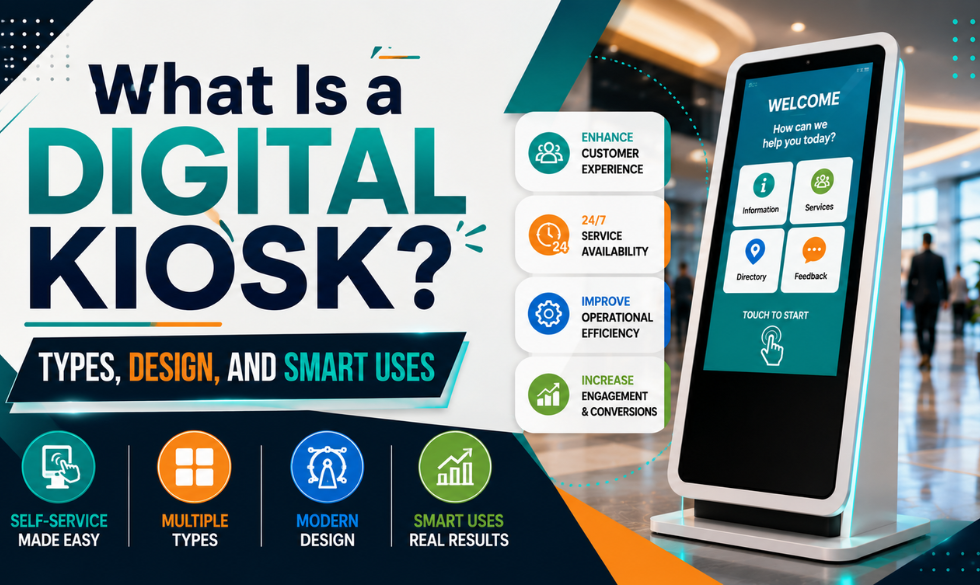
Digital kiosk with a touchscreen used for self-service in India

A digital kiosk puts information, ordering and payment directly in the customer's hands

The Digital Kiosk Market in 2026

Self-service has moved from a novelty to an expectation, and the growth shows it, in India and worldwide.

$37.7B Global interactive kiosk market size in 2026
11.1% India self-service kiosk market CAGR to 2030
Fastest Asia Pacific is the fastest-growing kiosk region

The global market for interactive kiosks is worth around 37.7 billion US dollars in 2026 and keeps climbing. India is one of the fastest movers: its self-service kiosk market is growing at roughly 11 percent a year and is set to nearly double to close to 3 billion US dollars by 2030. Smart-city projects, airport and metro expansion, QSR self-ordering, and UPI-based payments are all pushing kiosk adoption across Indian cities and towns.

"The shift to self-service is driven by customers, not just cost. People want speed and control, and a well-designed digital kiosk gives them both while easing your queues and staffing pressure." Intelisa Product Team

Types of Digital Kiosks

Different jobs call for different kiosks. Here are the main types you will see across India, and where each fits best.

Info

Information Kiosk

Shares directions, schedules, directories and general information. The simplest and most common type, used in malls, airports and campuses.

Malls, airports, universities

Self-Service

Self-Service Kiosk

Lets users check in, order, register or apply on their own. Common at airport check-in, hospital registration and QSR counters.

Airports, hospitals, QSRs

Food

Food Kiosk

Self-ordering screens for restaurants, cafes and food courts. Customers browse the menu, customise, and pay, which lifts order value and cuts queues.

QSRs, food courts, cafes

Payment

Payment Kiosk

Handles bill payments, recharges and transactions. In India, UPI and QR payments make these fast and popular.

Banks, utilities, parking

Wayfinding

Wayfinding Kiosk

Interactive maps that help people navigate large or complex spaces quickly, reducing confusion and staff questions.

Malls, hospitals, campuses

Retail

Retail Kiosk

Lets shoppers browse products, check stock and prices, and buy. Modern versions add AI recommendations and virtual try-on.

Stores, malls, trade shows

Food Kiosks and Cafe Kiosks: A Closer Look

Few places show the value of a digital kiosk better than food and beverage. A food kiosk is a self-ordering screen that lets customers browse the menu, customise their order, and pay, all without waiting for a counter to free up. For a busy quick-service restaurant or a cafe, that means shorter queues, fewer order mistakes, and higher average spend, because a screen never forgets to suggest a side or a dessert.

A kiosk cafe setup can be as simple as one self-ordering screen near the entrance or a row of them in a food court. Customers order in their own time and language, the order goes straight to the kitchen, and staff focus on making and serving rather than taking orders. Menus, prices and offers update instantly through the software, so a festive combo or a new item goes live in seconds.
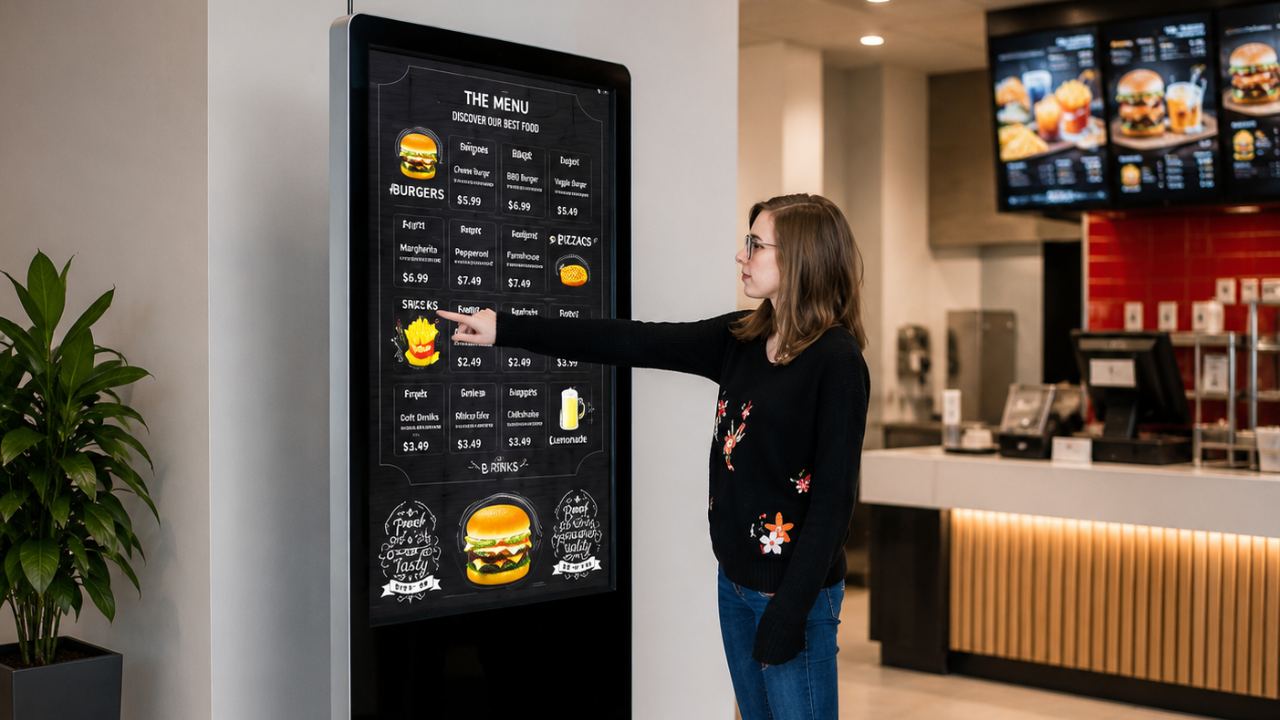
Food kiosk at a modern cafe counter in India

Modern food and cafe kiosks with vibrant menus, overhead signage, and digital ordering screens, displaying fresh pastries and beverages in a compact setup.

What Good Kiosk Design Looks Like

A digital kiosk succeeds or fails on its design. The best kiosk design is not about looking flashy, it is about making the task effortless for a first-time user. Keep these principles in mind.

1

Simple, guided flow

Lead the user step by step with large buttons, clear labels and few choices per screen. Anyone should finish without instructions.

2

Readable and accessible

Big text, high contrast, an adjustable or reachable screen height, and multi-language support. In India, offering local languages is a real advantage.

3

Fast and responsive

Touch should feel instant. Slow screens frustrate users and create queues, defeating the whole purpose of a kiosk.

4

On-brand and inviting

Colours, logo and imagery should match your brand, with an attract screen that draws people in when the kiosk is idle.

5

Durable, well-placed hardware

Commercial-grade screens, sturdy enclosures, and placement in high-traffic spots where people naturally pause.

Benefits of a Digital Kiosk

Why are businesses across India investing in kiosks? Because the gains are quick and clear.

BenefitWhat It Means for Your Business
Shorter queuesCustomers serve themselves, so waiting lines shrink even during rush hours.
Higher order valueSmart upsells and clear visuals encourage add-ons, lifting average spend.
Lower staff loadRoutine tasks are automated, freeing staff for service that needs a human.
Fewer errorsCustomers confirm their own orders and details, reducing mistakes.
24 x 7 serviceMany kiosks run round the clock, serving people outside business hours.
Useful dataKiosks capture what people choose, giving insights to improve your offer.

Digital Kiosks in India

The kiosk story in India is moving fast. Government Digital India programmes are placing service kiosks across smaller cities, retail chains are rolling out self-service and payment kiosks, and food brands are adding self-ordering screens in outlets and food courts. UPI and QR payments have made transactions instant, and local-language interfaces are opening kiosks to a much wider audience.

For any Indian business, from a single cafe to a national chain, a digital kiosk is now an affordable, practical way to serve more customers with the same team. The key is pairing the right hardware with reliable software that keeps every kiosk online and easy to update.

Power Your Digital Kiosks With Intelisa

A kiosk is only as good as the software behind it. Intelisa's cloud platform runs your touch content, updates it remotely, and keeps every kiosk online and monitored from one dashboard.

  • Runs interactive and touch content on any kiosk
  • Update menus, prices and content in seconds, everywhere
  • Monitor uptime and fix issues without a site visit
  • Works offline: kiosks keep running if the internet drops
  • Scales from one kiosk to a nationwide fleet
Explore the Platform
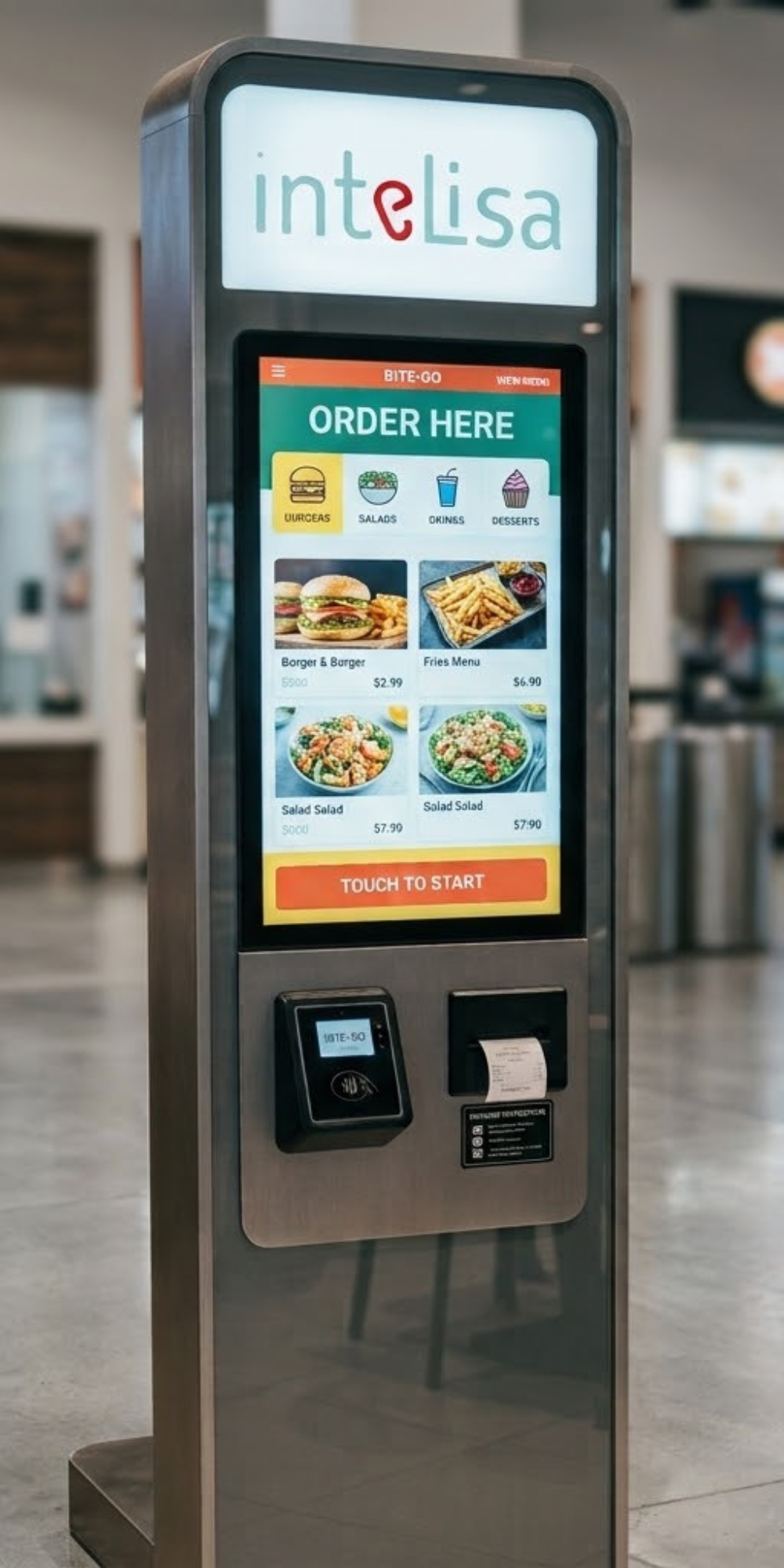
Digital self-service kiosk powered by Intelisa cloud software

Digital Kiosk vs Traditional Kiosk

The difference becomes clear the moment something needs to change or scale.

FactorTraditional Kiosk or BoothDigital Kiosk
Needs staffYes, someone must run itNo, it is self-service
Updating contentManual, reprint or redoInstant, remote, from anywhere
Working hoursStaffed hours only24 x 7 possible
PaymentsCash or card at counterUPI, QR, card, self-service
Data and insightsNoneCaptures usage and choices
Scaling to many sitesSlow and manualOne dashboard for all

Ready to Add a Digital Kiosk to Your Business?

Tell us your use case, from food and cafe ordering to payments, wayfinding and check-in. We will recommend the right kiosk setup and show you how Intelisa runs it all from one dashboard.

Talk to the Intelisa Team

Frequently Asked Questions

What is a digital kiosk?

A digital kiosk is a self-service station built around a touchscreen that lets people complete a task or get information on their own without staff help. It combines a display, a small computer inside, and software that controls the content and what the user can do, from ordering food to making a payment.

What is the meaning of kiosk?

A kiosk is a small, standalone booth or station in a public space where people can get information, a product or a service. In modern use it usually means a self-service machine with a screen, such as a food ordering kiosk, a ticket machine or an information terminal.

What is the full form of kiosk?

Kiosk has no full form because it is not an acronym or abbreviation. It is a complete word that comes from the Persian and Turkish word for a small garden pavilion or booth. So there is no expanded form, kiosk simply means a small booth or self-service station.

What is a food kiosk?

A food kiosk is a self-ordering touchscreen used in restaurants, cafes and food courts. Customers browse the menu, customise their order and pay themselves, which cuts queues, reduces order errors and increases average spend through smart upsells. Menus and prices update instantly through software.

How is a digital kiosk different from a normal kiosk?

A normal kiosk or booth needs a person to run it. A digital kiosk is self-service: it runs on a touchscreen, updates remotely, can work 24 hours a day, accepts digital payments like UPI, and captures useful data. It serves customers on its own while freeing your staff for other work.

What makes a good kiosk design?

Good kiosk design keeps the task effortless: a simple guided flow, large readable text, high contrast, an accessible screen height, local-language support, fast touch response, on-brand visuals, and durable commercial hardware placed in a high-traffic spot.

Are digital kiosks popular in India?

Yes. India's self-service kiosk market is growing at about 11 percent a year and is set to nearly double by 2030. Growth is driven by smart-city projects, airport and metro expansion, QSR self-ordering, UPI and QR payments, and local-language interfaces that make kiosks usable for more people.

What software runs a digital kiosk?

A digital kiosk runs on kiosk or digital signage software that displays interactive content, controls what the user can access, supports remote updates and keeps the kiosk secure. Cloud platforms like Intelisa let you update content and monitor every kiosk from one dashboard.

Conclusion

A digital kiosk turns a simple screen into a self-service assistant that serves customers, cuts queues, and works around the clock. Whether it is a food kiosk in a busy cafe, a payment kiosk at a utility centre, or a wayfinding screen in a mall, the idea is the same: give people a fast, easy way to help themselves. And in India, with UPI, smart cities and local-language support, the opportunity has never been bigger.

What ties every kiosk together is the software running it. With a reliable cloud platform like Intelisa, you can run your touch content, update it instantly across every location, and keep your whole kiosk network online from one dashboard. If you are ready to explore digital kiosks for your business, get in touch with Intelisa.

I
Intelisa Content Team

The Intelisa team writes about digital signage, kiosks and smart display technology for businesses across India. Questions? Write to us at info@intelisa.in

Categories
Digital Signages

What Is Digital Signage? A Complete Guide for 2026

What Is Digital Signage A Complete Guide for 2026

Walk into any modern airport, mall or restaurant in India and you are surrounded by screens. Flight boards, digital menus, glowing product ads, welcome messages, live queue numbers. Almost none of it is printed anymore. That shift from paper posters to smart, updatable screens is called digital signage, and it has quietly become one of the most effective ways for a business to communicate.

This guide explains what digital signage is, how it works, the parts that make up a system, the main types, and the real benefits for businesses in India and around the world. Whether you run a single cafe or a chain of two hundred stores, by the end you will understand exactly how it works and what you need to get started.

What Is Digital Signage?

Digital signage is the use of electronic display screens to show dynamic content such as videos, images, menus, offers and information for advertising or communication. Instead of a fixed printed poster, the content is digital, so it can be changed instantly and controlled remotely through digital signage software.

You have almost certainly used it without thinking about it: the bright screens along a highway, the menu boards above a fast-food counter, the interactive kiosk at a metro station, and the arrival boards at an airport are all examples of digital signage. The core idea is simple. Show the right message, to the right audience, at the right time, and update it whenever you like without reprinting anything.

"The whole point of digital signage is control. One screen can show a hundred different messages, and one dashboard can control a thousand screens. That is something no printed banner will ever do." Intelisa Product Team

How Does Digital Signage Work?

Digital signage looks impressive on the wall, but the way it works is straightforward. It comes down to four steps that connect a screen to the content you want to show.

1

Set up the hardware

Place the display screen where your audience is, and connect a media player to it. The player plugs into the screen and connects to the internet or a local network. Many modern screens have the player built in.

2

Create content in the software

Use the digital signage software, a cloud-based content management system, to build your content: images, videos, menus, layouts and playlists. Good software offers ready templates so you do not need a designer.

3

Publish and schedule

Assign content to specific screens or groups, and schedule when each item plays. Show breakfast menus in the morning and dinner menus in the evening, all automatically.

4

Manage remotely

Monitor and update every screen from a central dashboard, from anywhere. Change content, check that screens are online, and fix issues without visiting the location.

If you want a deeper walkthrough of the beginner basics, our introduction to digital signage technology covers the fundamentals step by step.

400% Higher view rate than static signage, per Intel research
90,000 Estimated connected digital screens across India
24 x 7 Continuous operation supported on commercial displays

The Key Parts of a Digital Signage System

A screen on the wall is only the visible part. A complete digital signage system has three core elements working together. Understanding them helps you plan the right setup for your business.

Part 1

The Hardware

The physical parts: the display screen and the media player. Screens range from small standees to large video walls. Commercial-grade panels are built for long daily use, unlike consumer TVs.

Screens, players, mounts

Part 2

The Software (CMS)

The content management system where you create, schedule and update everything. This is the brain of the system, and the quality of your software decides how easy the whole thing is to run.

Create, schedule, control

Part 3

The Content

The actual media you show: videos, images, text, menus, live feeds, social walls and offers. Content is the lifeblood of signage, and it should suit your audience and location.

Videos, images, feeds, menus

A word on the hardware

The display can be a commercial screen, a digital standee, a touch screen, or a large LED video wall. The media player is usually a small Android device, a Fire Stick, or a Windows player, and some smart screens have it built in. If you want to understand the screen types themselves, our guide to digital display screens and their business uses breaks down every option.

Types of Digital Signage

Digital signage is not one single thing. Different formats suit different goals, spaces and budgets. Here are the main types businesses use.

Indoor and Outdoor Signage

Indoor signage is designed for use inside stores, offices, malls, hotels and clinics, where normal brightness is enough. Outdoor signage is built to survive heat, rain and dust, and uses much higher brightness so it stays visible in direct sunlight, which matters a lot in Indian weather. Outdoor screens are common on highways, building facades and transit stations.

Interactive Signage and Kiosks

Interactive signage lets people touch the screen to browse, order or find their way. In retail, customers check product details and stock. In restaurants, they place orders at a self-service interactive kiosk and skip the queue. Kiosks are also widely used for wayfinding in malls, hospitals and airports.

Digital Menu Boards

Digital menu boards replace printed menus in restaurants, cafes and QSRs. They let you update prices and items instantly, promote combos, and change menus by time of day. They also reduce perceived wait time by keeping customers engaged while they decide.

Video Walls

A video wall tiles several screens together to create one large, high-impact display. They are used in mall atriums, corporate lobbies and control rooms where size and visual impact matter. Learn more about custom video walls by Intelisa.

Digital menu board signage above a modern cafe counter in India

Digital menu boards let restaurants and cafes update menus and offers instantly, without reprinting

Where Is Digital Signage Used?

Almost any business that wants to communicate better with customers uses digital signage. These are the sectors where it delivers the strongest results in India.

Retail Stores and Malls

Promote offers, guide shoppers, and build brand image at entrances and aisles. Signage lifts footfall and encourages impulse purchases.

Restaurants and Cafes

Show digital menus, combos and food visuals that change by meal time, far cheaper and faster than printing new boards.

Corporate Offices

Share announcements, dashboards, welcome messages and safety information across lobbies, cafeterias and meeting areas.

Hospitals and Clinics

Manage queues, guide patients with wayfinding, and run health awareness content in waiting areas and receptions.

Hotels and Hospitality

Welcome guests, promote services, and display event schedules and directions in lobbies and banquet areas.

Transport and Education

Show timings and wayfinding at stations and airports, and events, results and notices across schools and colleges.

You can see the full range of use cases on our digital signage solutions page, which breaks it down by industry.

Run Every Screen With Intelisa

Intelisa is a cloud-based digital signage platform that connects to any screen and lets you manage all your content and displays from one simple dashboard.

  • Works with any screen: LED, LCD, standee, video wall, touch
  • Update content in seconds from your phone or laptop
  • Schedule by time, day, location or campaign
  • Works offline: screens keep playing if the internet drops
  • Manage one screen or thousands across cities
Explore the Platform
Intelisa digital standee running cloud-based digital signage software

Benefits of Digital Signage

Why are businesses across India moving from printed signage to screens? Because the advantages add up quickly, both in engagement and in long-term cost.

BenefitWhat It Means for Your Business
Grabs attentionBright, self-lit screens with motion draw far more eyes than static posters, even in busy, well-lit spaces.
Instant updatesChange offers, prices or messages in seconds from anywhere, with no printing or waiting.
Higher engagementVideo and dynamic content hold attention longer and communicate more than a fixed image.
Better experienceWayfinding, menus and queue displays make life easier for customers and reduce stress.
Lower long-term costNo repeated printing, courier or installation costs. The savings add up with every update.
Central controlManage many screens across many locations from one dashboard, saving time and travel.

Digital Signage vs Traditional Signage

The clearest way to understand the value is to compare it directly with the printed banners and boards most businesses still use.

FactorTraditional Printed SignageDigital Signage
Updating contentReprint and reinstall each timeChange in seconds, remotely
Messages per screenOne fixed messageUnlimited, in a rotating loop
Video and motionNot possibleFull video and animation
Real-time infoNot possibleLive queues, prices, feeds
Recurring costEvery change costs moneyNo print cost after setup
Multi-location controlManual at each siteOne dashboard for all

How to Choose the Right Digital Signage Software

The hardware matters, but the software is what makes digital signage easy or painful to run. Whether a project succeeds usually comes down to the platform you choose. Look for these things.

  • Cloud-based: so you can manage screens from anywhere and scale easily as you add locations, with lower upfront cost.
  • Easy to use: a simple, drag-and-drop interface and ready templates, so anyone on your team can create content without design skills.
  • Scheduling and playlists: so the right content plays at the right time automatically.
  • Works offline: content should keep playing even if the internet drops, which matters in Indian conditions.
  • Supports all content formats: images, 4K video, animations, live feeds and social walls.
  • Remote monitoring: so you can see which screens are online and fix issues without visiting each site.
  • Secure: encrypted connections and role-based access to keep your content and data safe.

Intelisa is built around exactly these needs. See how it compares on our digital signage software page, or explore the full list of Intelisa features.

Ready to Get Started With Digital Signage?

Tell us your goals and we will show you how Intelisa can power your screens, from a single display to a network across India. Join 1,000+ businesses already using Intelisa.

Start Your Free 14-Day Trial

Frequently Asked Questions

What is digital signage in simple terms?

Digital signage is the use of electronic screens to show content like videos, images, menus, offers and information, instead of printed posters. The content is digital, so it can be updated instantly and controlled remotely through software, letting businesses show the right message at the right time.

How does digital signage work?

Digital signage works in four steps. First, you connect a display screen to a media player. Second, you create content in cloud-based signage software. Third, you publish and schedule that content to specific screens. Fourth, you manage and monitor everything remotely from a central dashboard, updating content from anywhere.

What are the main parts of a digital signage system?

A digital signage system has three core parts: the hardware (the display screen and a media player), the software or content management system used to create and schedule content, and the content itself, which includes videos, images, menus and live feeds shown on the screens.

What are the different types of digital signage?

The main types are indoor and outdoor signage, interactive signage and kiosks, digital menu boards, and video walls. Indoor signage suits stores and offices, outdoor signage handles sunlight and weather, kiosks allow touch interaction, menu boards replace printed menus, and video walls create large high-impact displays.

What are the benefits of digital signage for business?

Digital signage grabs attention with bright, dynamic visuals, allows instant content updates, increases customer engagement, improves the customer experience through wayfinding and menus, lowers long-term costs by removing repeated printing, and lets you control many screens across locations from one central dashboard.

What do I need to get started with digital signage?

You need three things: a display screen, an internet or local network connection, and power. Add a media player if the screen does not have one built in, and digital signage software to manage content. Intelisa handles the setup for you and can supply the hardware too if you need it.

Is digital signage suitable for small businesses in India?

Yes. Cloud-based signage is scalable and budget-friendly, so a single cafe, salon, clinic or retail store can start with one screen and add more over time. Intelisa offers flexible plans designed for small and growing businesses, with no need for large upfront hardware investment.

Does digital signage work without the internet?

Yes. With Intelisa, content is cached locally on the media player, so your screens keep playing their scheduled content even if the internet connection drops. Once the connection returns, the screens sync and update automatically. This reliability matters in Indian conditions where connectivity can vary.

The Bottom Line

Digital signage has moved from a nice-to-have to a practical, everyday tool for businesses of every size. It grabs attention, communicates clearly, updates instantly, and saves money over time. From a single menu board in a cafe to a nationwide network of screens, the technology is now affordable, reliable and easy to run.

The one thing that ties it all together is the software. With a reliable, cloud-based platform like Intelisa, any business in India can connect its screens, control content from one place, and start communicating in a way that printed signage never could. If you are ready to begin, explore Intelisa and see how simple digital signage can be.

I
Intelisa Content Team

The Intelisa team writes about digital signage, display technology and smart communication for businesses across India. Questions? Write to us at info@intelisa.in

Categories
Digital Signages

Interactive Digital Billboards: Examples and Ideas for 2026

A regular billboard talks at you. An interactive digital billboard talks with you. That single difference is quietly changing how brands advertise on the streets of Mumbai, Delhi and Bengaluru, and on high streets around the world. Instead of a fixed message that people glance at and forget, these screens react to the person in front of them, to the weather, to a live cricket score, or to a simple scan of a phone.

This guide breaks down what interactive digital billboards actually are, the technology that powers them, the most memorable campaigns from India and across the globe, and practical ideas you can borrow whether you are a large brand or a growing business. No jargon, just a clear picture of where outdoor advertising is heading.

What Is an Interactive Digital Billboard?

An interactive digital billboard is a digital out-of-home (DOOH) screen that invites the viewer to take part, rather than just watch. The content changes in response to an action or a signal. That action might be a person scanning a QR code, waving a hand, touching the screen, looking at it, or simply walking past at a certain time of day.

Traditional outdoor advertising is one-way. A printed hoarding shows the same image to everyone for weeks. A standard digital billboard is a step up because the content can move and update, but it still plays the same loop to every passer-by. An interactive billboard closes the loop between the brand and the audience. It turns a passive onlooker into an active participant, and that participation is what makes the message stick.

"The screens that win attention in 2026 are the ones that respond. Intelisa is built to power exactly this kind of dynamic, sensor-driven, remotely managed content across any display, anywhere." Intelisa Product Team

Why Interactive Billboards Work So Well

People are surrounded by advertising and have learned to ignore most of it. Interactive content cuts through that wall because it does something the human brain cannot resist: it reacts. When a screen responds to you, it feels less like an ad and more like an experience, and experiences are remembered and shared.

The numbers back this up. Studies of outdoor media consistently show that dynamic, digital screens hold attention far longer than static print, and that interactive formats push recall and social sharing even higher. For a brand, that means more eyeballs, more time spent with the message, and a real chance of the campaign travelling online long after someone walks away from the screen.

For the Viewer

It is fun, surprising and often rewarding. A game, a discount, a selfie with a star, or a message that seems to know the weather turns a boring commute into a moment worth talking about.

For the Brand

It delivers deeper engagement, stronger recall, measurable interactions, and free amplification when people post the experience on social media. One clever screen can earn millions of online impressions.

The Technology That Makes a Billboard Interactive

Interactivity is not one single technology. It is a toolkit, and different campaigns mix and match from it depending on the goal, the location and the budget. Here are the main methods used on interactive digital billboards today.

Most Popular

QR Codes and Mobile Links

The simplest and most affordable form of interaction. A viewer scans a code on the screen and lands on a website, an offer, a game, a WhatsApp chat or a video. It needs no special hardware and works on any digital screen, which makes it ideal for Indian businesses of any size.

Best for: offers, lead capture, app installs

Immersive

Augmented Reality (AR)

The billboard blends digital objects into the real world. A viewer points a phone at the screen and sees a 3D product, a virtual try-on, or an animated character in their surroundings. AR works especially well for beauty, fashion, auto and entertainment brands.

Best for: product launches, try-before-you-buy

Hands On

Touch Screens

The viewer touches the screen to browse products, play a game, pick an option or find directions. Common on street furniture, bus shelters and mall displays where people stand close enough to reach the screen.

Best for: malls, transit hubs, discovery

Sensor Driven

Gesture and Motion Sensing

Cameras and sensors detect movement, so the content reacts as people wave, move or simply walk by. No touching required, which keeps it hygienic and works even for large high-mounted screens.

Best for: big installations, crowd moments

Smart

Face and Audience Detection

Anonymous sensors estimate age group, gender, group size or even mood, and the screen plays the most relevant of several ready videos. Used responsibly and with privacy in mind, it makes an ad feel personal.

Best for: personalized, targeted creative

Contextual

Data and Weather Triggers

The screen changes with live signals: weather, temperature, traffic, time of day, or a cricket score. Cold drinks on a hot Delhi afternoon, hot tea when it rains. Simple to run and highly relevant.

Best for: FMCG, seasonal and real-time offers

Rs 2,000cr Projected size of India's DOOH industry by 2026
25%+ Annual growth rate of DOOH in India
90,000 Estimated connected DOOH screens across India
Large interactive digital billboards lighting up a busy city street at night

Large digital billboards in high-traffic city centres are the natural home for interactive campaigns

Interactive Digital Billboards: Global Examples

Some of the world's most talked-about outdoor campaigns became famous precisely because they invited people to take part. These are worth studying for the creative thinking behind them, not just the technology.

GMC Arcadia: Ads That Read the Crowd

Car brand GMC installed screens fitted with video sensors in a shopping centre. The system could sense whether the person in front was alone, in a couple or with family, an adult or a child, and even whether they were smiling. Based on that, it played one of around thirty tailored videos for the vehicle, so different shoppers saw a different, more relevant version of the same ad.

Women's Aid: Look at Me

One of the most powerful uses of interactive DOOH was a domestic-violence awareness campaign that used gaze-tracking technology. A bruised face was shown on the screen, and the more people who actually looked at it, the faster the injuries appeared to heal. It turned collective attention into the message itself, and became a landmark example of purpose-driven outdoor advertising.

Dallas Cowboys: Pose With the Pros

At a sports stadium, special kiosks let fans take augmented-reality selfies standing next to virtual star players. Fans picked their favourite players, posed, and shared the images on social media. The campaign generated tens of millions of social impressions, showing how a simple, shareable interaction can massively extend a physical activation online.

"The best interactive billboards are not the ones with the most expensive technology. They are the ones with the simplest idea that makes a stranger stop, smile and pull out their phone." On what makes DOOH campaigns work

Interactive Digital Billboards: India Examples

India has quickly become one of the most exciting markets for interactive outdoor advertising, driven by smart-city projects, metro expansion, and brands hungry to stand out. Here are campaigns that captured attention across Indian cities.

Netflix India: Motion-Sensitive Stranger Things Billboard

To promote a hit show, Netflix used a motion-sensitive billboard in Mumbai that flickered and reacted as people walked past, mimicking the eerie lights from the series. The pairing of pop-culture relevance with a screen that responded to movement made it a natural photo and video moment for passers-by.

Pepsi: Real-Time Cricket Polling

During cricket season, Pepsi ran billboards across Delhi that asked viewers to vote for their favourite players. The live results appeared on the screens themselves, tapping into India's love of the game and turning a billboard into a shared, real-time conversation with the crowd.

Coca-Cola: 3D and Experiential Moments

Coca-Cola has repeatedly used eye-catching outdoor executions in India, from a 3D bottle that appeared to pour LED bubbles at a busy Delhi intersection to interactive vending activations in Mumbai malls that rewarded people for engaging. These moments earned huge social media attention and became instant photo spots.

Absolut: Augmented Reality in Bengaluru

As part of a city campaign, Absolut set up AR installations in Bengaluru where people could scan to unlock animations that told the brand's story. It resonated strongly with a younger, tech-comfortable audience and lifted both engagement and brand awareness.

Large LED video wall used for dynamic interactive digital advertising

High-brightness LED video walls are the hardware backbone of most large interactive billboard campaigns

Creative Ideas You Can Actually Use

You do not need a Hollywood budget to make outdoor advertising interactive. The most practical ideas use low-cost triggers that any brand can run on a good digital signage platform. Here are ideas sorted by effort and budget.

Idea How It Works Effort Great For
QR code offer Scan to unlock a coupon, menu, or WhatsApp chat Low Retail, cafes, local brands
Weather-based creative Screen swaps content based on live temperature or rain Low Beverages, apparel, FMCG
Live social wall Show real customer posts using a campaign hashtag Medium Events, launches, malls
Real-time polling Viewers vote by SMS or scan, results shown live Medium Sports, entertainment, youth brands
Countdown and stock Live countdown to a sale or a shrinking stock counter Low Retail, e-commerce, offers
Touch to explore Touch screen to browse a catalogue or find a store Medium Malls, showrooms, transit
AR try-on or 3D Scan to see a 3D product or virtual try-on High Beauty, auto, fashion, premium
Gesture game Sensors let people play using body movement High Big brand activations, festivals

Where Interactive Billboards Perform Best in India

Location decides success. Interactive formats need dwell time, the few seconds or minutes when people are standing, waiting or walking slowly enough to notice and respond. These are the high-value environments across Indian cities.

1

Metro Stations and Transit Hubs

Millions of daily commuters with real waiting time. Delhi and Mumbai metro networks are ideal for QR, polling and social-wall interactions while people wait for a train.

2

Shopping Malls

A captive, buying-minded audience with time to spare. Touch screens, AR try-ons and store-finder interactions fit naturally in mall atriums and corridors.

3

Airports

Long dwell time and an affluent audience. Premium AR and immersive 3D executions land well with travellers who have time to engage.

4

High-Traffic Intersections and Highways

Best for weather-triggered and 3D anamorphic content that impresses at a glance, since drivers and pedestrians have only a few seconds.

Power Your Screens With Intelisa

Interactive campaigns need a platform that can schedule, trigger and update content across many screens in real time. Intelisa does exactly that, on any display, from one cloud dashboard.

  • Manage one screen or thousands from a single login
  • Schedule content by time, day, location or live trigger
  • Show social walls, QR campaigns and dynamic feeds
  • Works offline, content keeps playing if the internet drops
  • Display agnostic: LED walls, standees, touch screens and more
Explore Intelisa Software
Intelisa commercial digital display powered by cloud signage software

Standard Digital Billboard vs Interactive Digital Billboard

It helps to see the difference side by side. Both are far ahead of printed hoardings, but interactivity adds a layer of engagement and measurement that a standard loop cannot match.

Feature Standard Digital Billboard Interactive Digital Billboard
Audience role Passive viewer Active participant
Content Same loop for everyone Responds to person, data or action
Engagement Glance and move on Stops, plays, scans, shares
Social amplification Limited High, built for sharing
Measurement Estimated views Scans, taps, interactions counted
Cost Lower Higher, varies by method
Best use Broad awareness Engagement, launches, buzz

Things to Plan Before You Launch

Interactive billboards reward good planning. Before committing budget, think through these points so the experience is smooth and the results are measurable.

  • Start with the idea, not the tech. Decide what you want people to feel or do, then pick the simplest trigger that achieves it.
  • Match the interaction to the location. Touch works where people stand close, weather and 3D work for fast-moving traffic, QR works almost anywhere.
  • Keep it quick. Most people give a screen five to seven seconds. The reward for interacting should be obvious and fast.
  • Respect privacy. If you use cameras or audience sensing, keep it anonymous, disclose it clearly, and follow data-protection norms.
  • Check local rules. Outdoor advertising in India needs municipal permissions, and rules on lighting and placement vary by city.
  • Plan the software. You need a reliable platform to schedule content, feed live data, and keep screens running without downtime.

The Future of Interactive Billboards

Interactive DOOH is moving from rare, big-brand stunts to an everyday option for businesses of all sizes. Three forces are driving this. Falling LED and screen prices are putting quality displays within reach of smaller brands. Programmatic DOOH platforms let advertisers buy screen time by the hour or by the view instead of locking into long contracts. And smarter software makes live triggers, personalization and measurement simple to run.

Add faster connectivity, better sensors and AI-assisted content, and the direction is clear. Outdoor screens are becoming responsive, measurable media that behave more like the digital channels marketers already know. The brands that experiment now, even with something as simple as a well-placed QR code or a weather-triggered creative, will be the ones people remember.

Turn Any Screen Into an Interactive Experience

Whether you run one display or a nationwide network, Intelisa gives you the cloud software to schedule, trigger and manage dynamic content in real time. Join 1,000+ businesses across India using Intelisa.

Start Your Free 14-Day Trial

Frequently Asked Questions

What is an interactive digital billboard?

An interactive digital billboard is a digital out-of-home screen that responds to the viewer or to live data instead of showing a fixed message. People can engage by scanning a QR code, touching the screen, using augmented reality on their phone, or moving in front of motion sensors. The content changes based on that action, turning a passive viewer into an active participant.

How is an interactive billboard different from a normal digital billboard?

A normal digital billboard plays the same content loop to everyone, though it can move and be updated remotely. An interactive billboard reacts to the individual or to live signals such as weather, time or a scan. This creates two-way engagement, higher recall, social sharing, and measurable interactions like scans and taps that a standard billboard cannot provide.

What technologies make a billboard interactive?

The main methods are QR codes and mobile links, augmented reality, touch screens, gesture and motion sensing, anonymous face or audience detection, and live data triggers such as weather, traffic or sports scores. Campaigns often combine two or more of these. QR codes and data triggers are the cheapest and easiest to run, while AR and gesture-based interactions are more advanced and costly.

Are interactive billboards only for big brands?

No. While large, custom AR and sensor installations tend to be run by big brands, smaller businesses can add interactivity affordably. A QR code that opens an offer or WhatsApp chat, a weather-triggered creative, or a live countdown needs no special hardware and works on any digital screen. Programmatic DOOH platforms also let small brands buy screen time flexibly by the hour or by the view.

Where do interactive billboards work best in India?

They perform best in locations with dwell time, where people wait or move slowly. Metro stations, shopping malls and airports are ideal because commuters and shoppers have time to scan, touch or play. High-traffic intersections and highways suit weather-triggered and 3D content that makes an impact in a few seconds. Delhi, Mumbai and Bengaluru currently lead in digital screen availability.

How do you measure the success of an interactive billboard campaign?

Unlike static hoardings, interactive campaigns produce real data. You can track QR scans, touch interactions, AR activations, poll votes, and the website visits or WhatsApp chats they drive. Many screens also carry sensors that estimate how many people passed and engaged. Combined with social media impressions from shared content, this makes interactive DOOH far more measurable than traditional outdoor advertising.

What software do I need to run interactive content on screens?

You need a digital signage platform that can schedule content, pull in live data feeds, display social walls and QR campaigns, and manage many screens remotely. Intelisa is a cloud-based, display-agnostic platform that does this across LED walls, standees, touch screens and more from one dashboard, and it keeps playing content offline if the internet drops.

The Bottom Line

Interactive digital billboards are where creativity, technology and location meet. They take the reach of outdoor advertising and add the engagement and measurability of digital, giving brands a way to genuinely connect with people in busy public spaces. From a global gaze-tracking campaign to a cricket poll in Delhi or a simple QR offer outside a shop, the principle is the same: give people a reason to take part, and they will remember you.

The technology to run these experiences no longer sits out of reach. With the right idea and a reliable platform like Intelisa to power the screens, any brand in India can start turning ordinary displays into interactive moments that get noticed, and shared.

I
Intelisa Content Team

The Intelisa team writes about digital signage, DOOH, and smart display technology for businesses across India. Questions? Write to us at info@intelisa.in

Interactive Digital Billboards: Examples and Ideas for 2026
Need a quote or product info?
Our sales assistant is here to help.