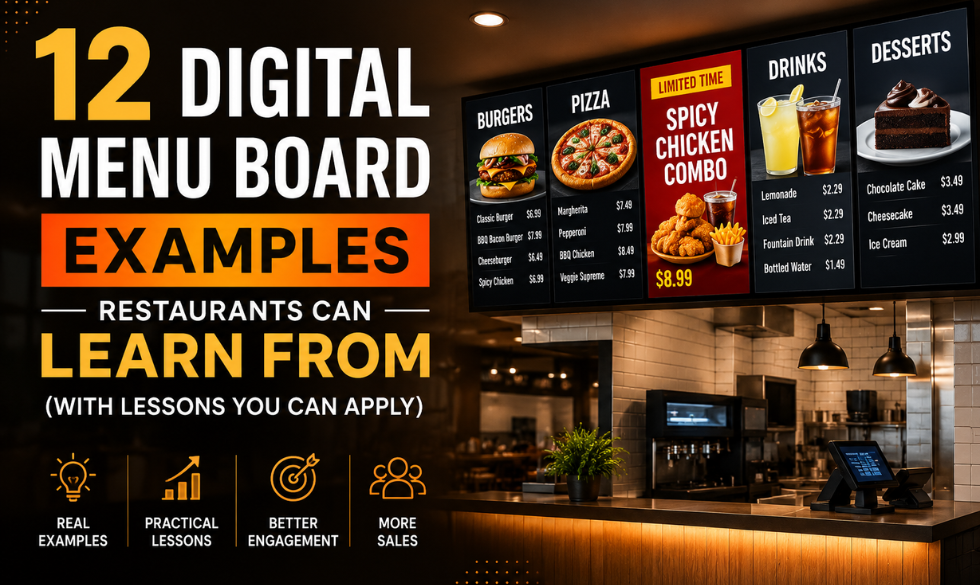
The days of static printed menus are quickly becoming a thing of the past. Restaurants are now embracing digital menu boards to create engaging customer experiences, promote high-margin items, and adapt their menus in real time.
Whether you're running a quick-service restaurant (QSR), cafe, bakery, food truck, or fine dining establishment, digital menu boards offer much more than visual appeal. They help customers make decisions faster, reduce perceived wait times, simplify menu updates, and encourage larger orders through strategic merchandising.
The best part? You don't need a global brand's budget to create an effective digital menu board. Many of the principles used by industry leaders can be applied by restaurants of any size.
In this guide, we'll explore 12 outstanding digital menu board examples and the lessons they offer for designing menus that look great and drive sales.
Why Digital Menu Boards Matter
Before diving into examples, it's worth understanding why so many restaurants are replacing printed menus with digital displays.
Digital menu boards allow restaurants to:
- Update prices instantly across multiple locations
- Promote seasonal specials and limited-time offers
- Display daypart-specific menus automatically
- Highlight profitable menu items
- Improve brand consistency
- Reduce printing costs
- Display appetizing visuals that influence purchasing decisions
Unlike traditional menus, digital displays can evolve throughout the day based on customer traffic, weather, inventory, or promotional campaigns.
1. McDonald's: Keep It Simple
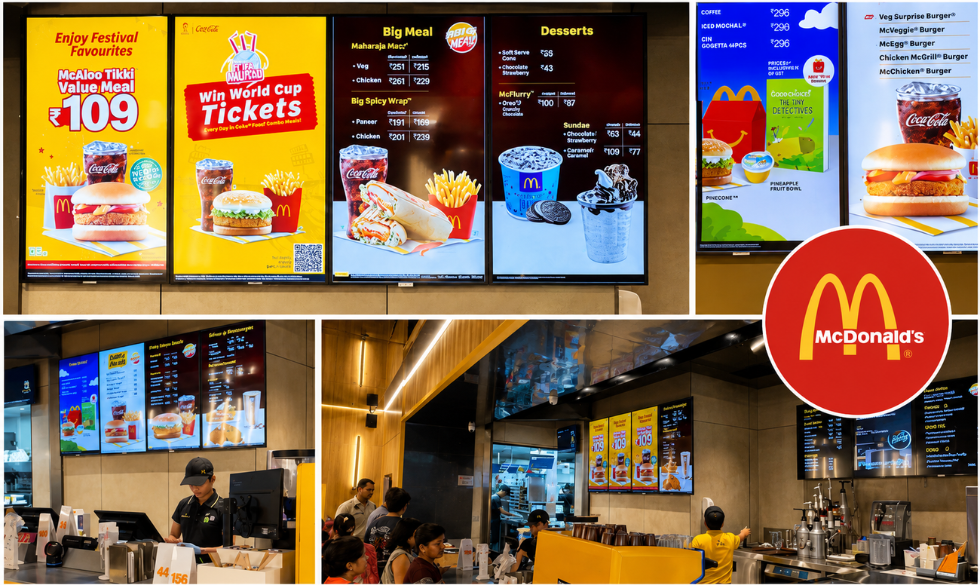
McDonald's has spent decades refining one of the world's most recognizable menu systems. Despite offering dozens of products, its digital menu boards remain remarkably easy to understand.
Instead of treating every menu item equally, McDonald's emphasizes its bestselling products with larger visuals and strategically places combo meals at eye level.
What makes it effective?
- Large food photography
- Clear category separation
- High contrast colors
- Minimal text
- Consistent branding
Customers can quickly identify burgers, chicken, breakfast items, desserts, and beverages without feeling overwhelmed.
Lesson for restaurants
Avoid displaying everything at once. Customers should be able to identify your primary offerings within a few seconds.
2. Starbucks: Sell an Experience, Not Just Coffee
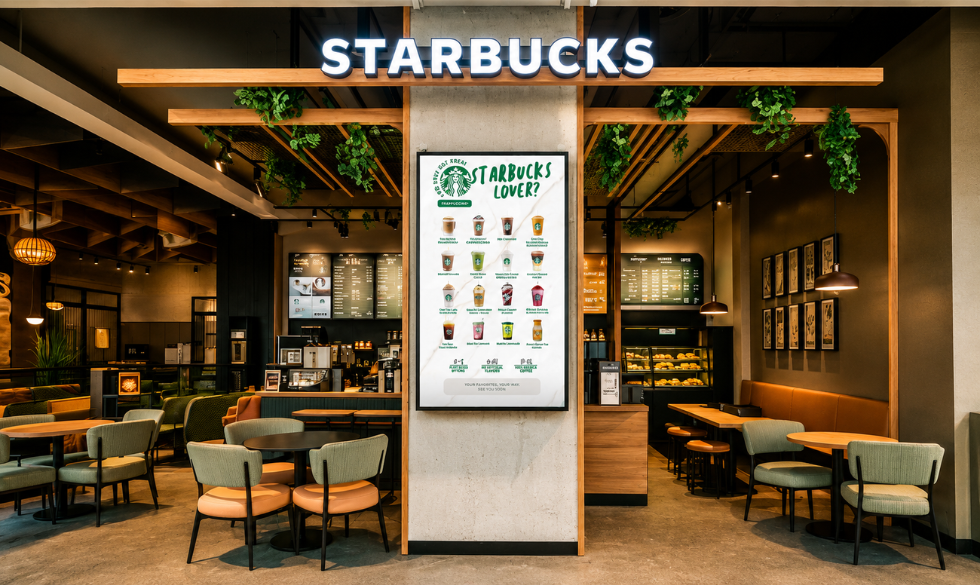
Starbucks uses digital menu boards to reinforce its premium brand image.
Instead of overwhelming customers with dozens of drink combinations, Starbucks focuses on storytelling through seasonal campaigns, lifestyle imagery, and featured beverages.
Pumpkin Spice Latte season is a perfect example. Rather than simply adding another menu item, Starbucks creates an entire visual experience around it.
Why it works
- Warm color palettes
- Lifestyle-focused photography
- Seasonal promotions
- Clean typography
- Premium visual hierarchy
Lesson
People often buy emotions before they buy products. Your menu should communicate the feeling customers associate with your restaurant.
3. Shake Shack: Minimalism Creates Premium Appeal
Shake Shack proves that less is often more.
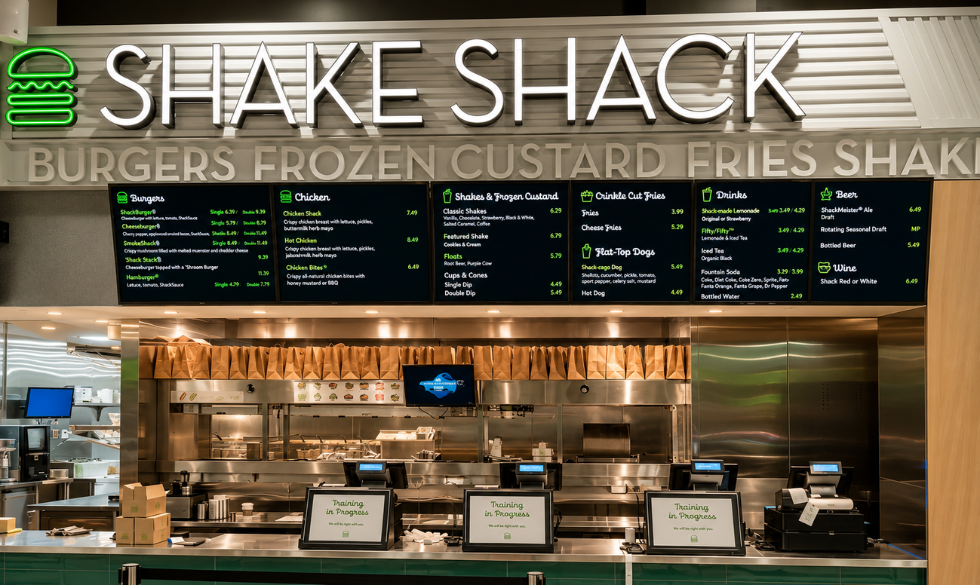
Its digital menu boards feature plenty of white space, allowing premium burger photography to stand out without competing against excessive text or promotional clutter.
Every section feels intentional.
Design highlights
- Simple backgrounds
- Bold food imagery
- Limited promotional messaging
- Easy-to-read pricing
- Consistent typography
Lesson
A cluttered menu creates decision fatigue. White space helps customers focus on what matters most.
4. Domino's: Make Promotions Impossible to Miss
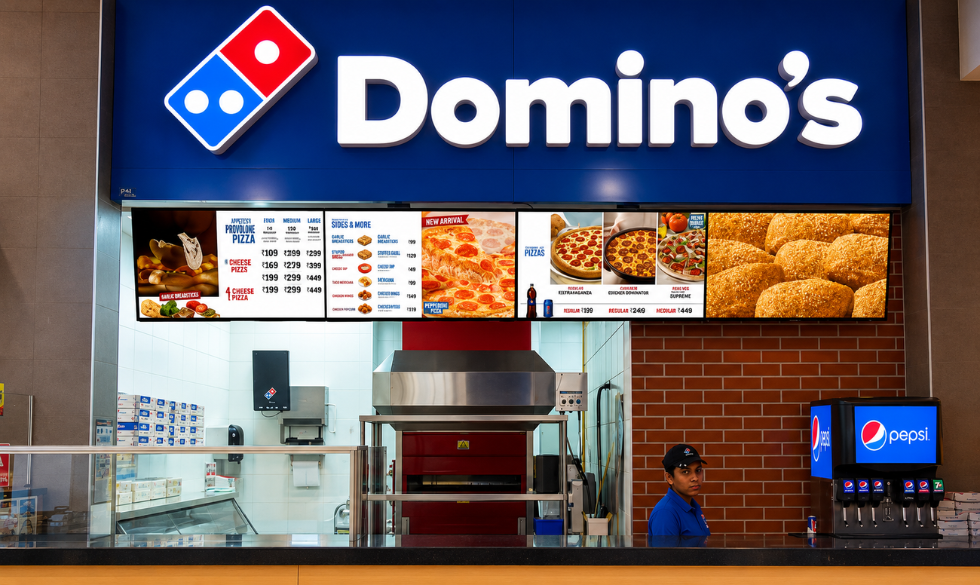
Domino's frequently changes its digital menu boards to showcase meal deals, combo offers, and limited-time promotions.
Instead of treating promotions as an afterthought, they're integrated into the menu design.
This encourages customers to upgrade their orders.
Why it works
- Dynamic promotional banners
- Combo pricing
- Time-sensitive offers
- Large call-to-action sections
Lesson
Your digital menu should actively sell, not simply display information.
5. KFC: Let Food Photography Do the Selling
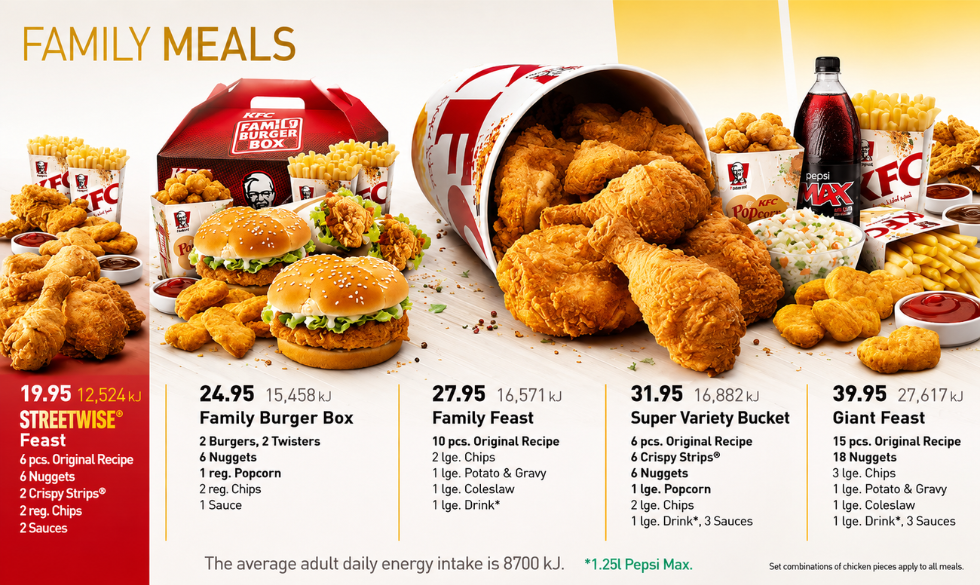
KFC's digital menu boards rely heavily on close-up food photography.
Customers don't need lengthy descriptions when they can clearly see crispy fried chicken, fresh sandwiches, and family meals.
Professional photography immediately triggers appetite.
Design strengths
- Large product images
- High color contrast
- Minimal copy
- Clear meal combinations
Lesson
Investing in professional food photography often delivers a higher return than adding more text.
6. Taco Bell: Use Motion to Capture Attention
One advantage digital menu boards have over printed menus is movement.
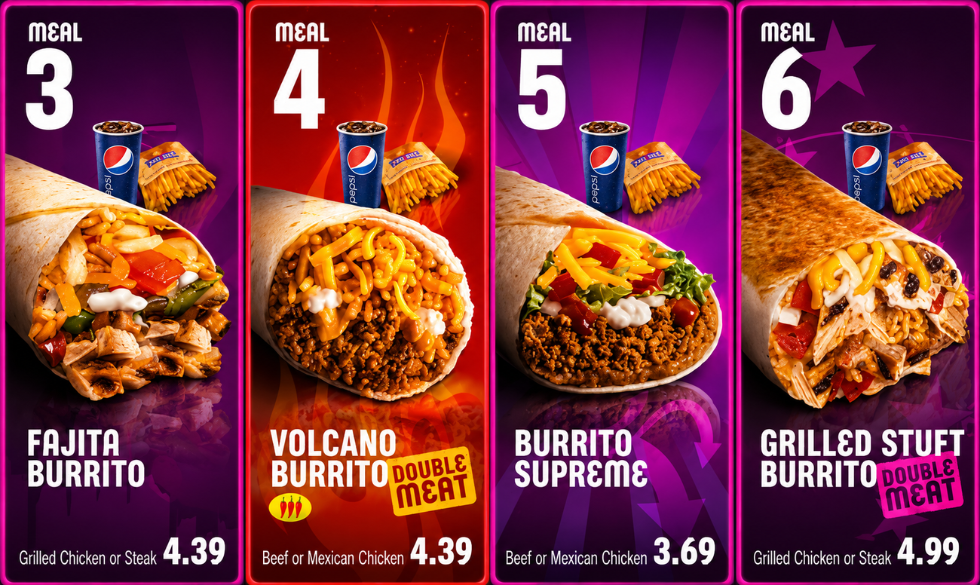
Taco Bell uses subtle animations to showcase promotions without distracting customers.
New products fade into view, featured meals gently animate, and promotional graphics rotate automatically.
Benefits
- Draws attention naturally
- Highlights limited-time offers
- Keeps menus feeling fresh
- Encourages repeat visits
Lesson
Animation should support your message, not dominate it.
7. Panera Bread: Organize by Customer Journey
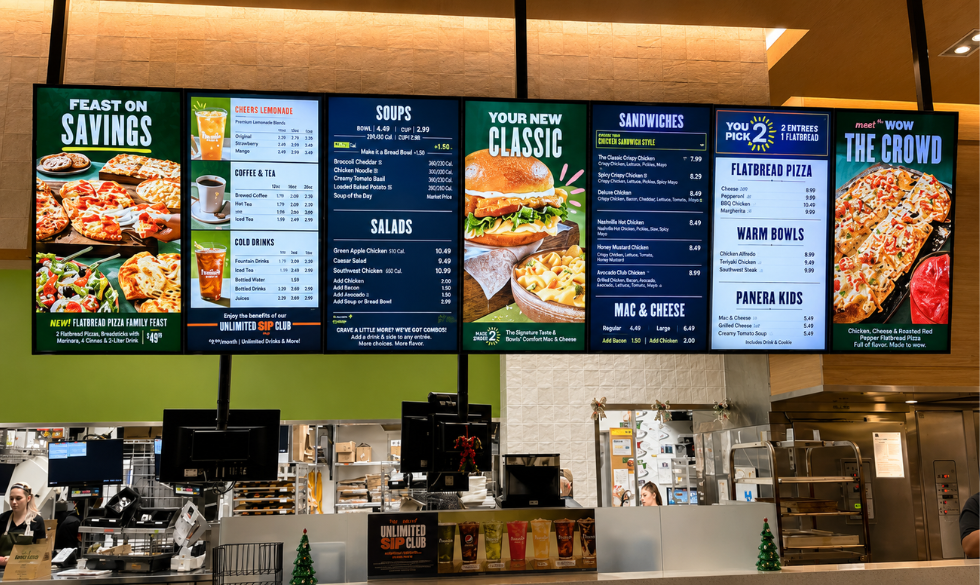
Panera serves soups, sandwiches, salads, pastries, drinks, and breakfast items.
Without proper organization, the menu could easily become overwhelming.
Instead, Panera groups similar products into clear sections that align with how customers naturally browse.
Why customers love it
- Easy navigation
- Clear categories
- Logical product placement
- Balanced layouts
Lesson
Customers shouldn't have to search for what they want.
8. Costa Coffee: Refresh the Menu Throughout the Year
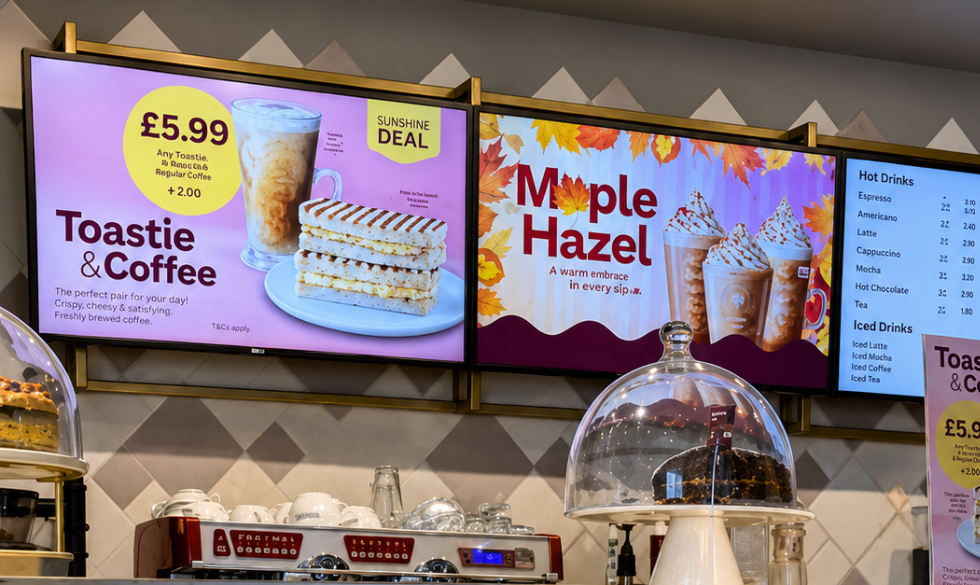
Costa updates its digital menu boards regularly to reflect changing seasons.
- Winter introduces festive beverages.
- Summer highlights iced drinks.
- Autumn promotes pumpkin-flavored products.
These updates keep returning customers engaged.
Advantages
- Seasonal excitement
- Better product visibility
- Increased repeat purchases
- Fresh visual identity
Lesson
If your menu always looks the same, customers stop noticing it.
9. Five Guys: Stay Authentic
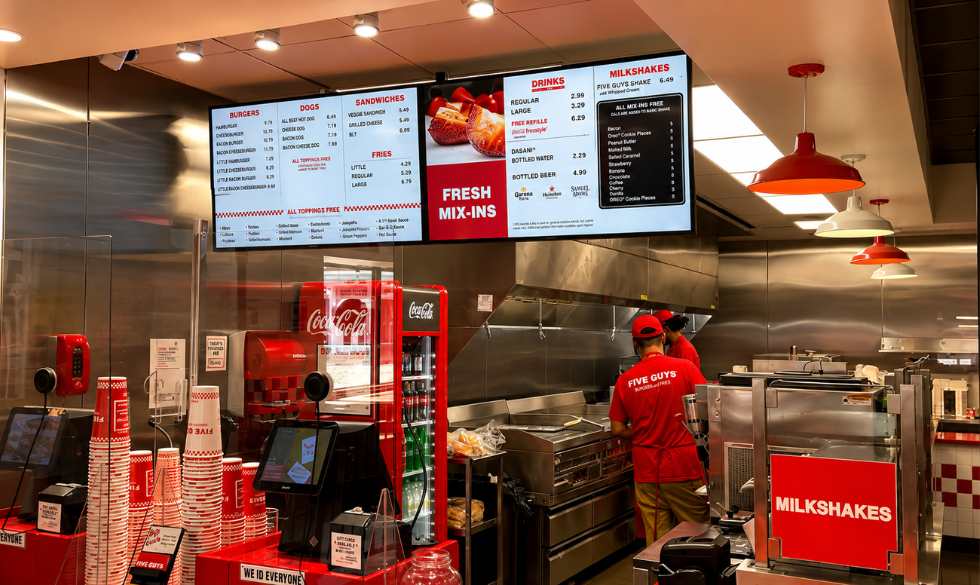
Five Guys demonstrates that digital menu boards don't always need elaborate animations or flashy designs.
Instead, they reinforce the restaurant's straightforward, honest brand identity.
Simple layouts communicate confidence.
Design approach
- Strong brand colors
- Honest messaging
- Straightforward pricing
- Minimal distractions
Lesson
Your menu should reflect your brand personality.
10. Bubble Tea Shops: Embrace Color Psychology
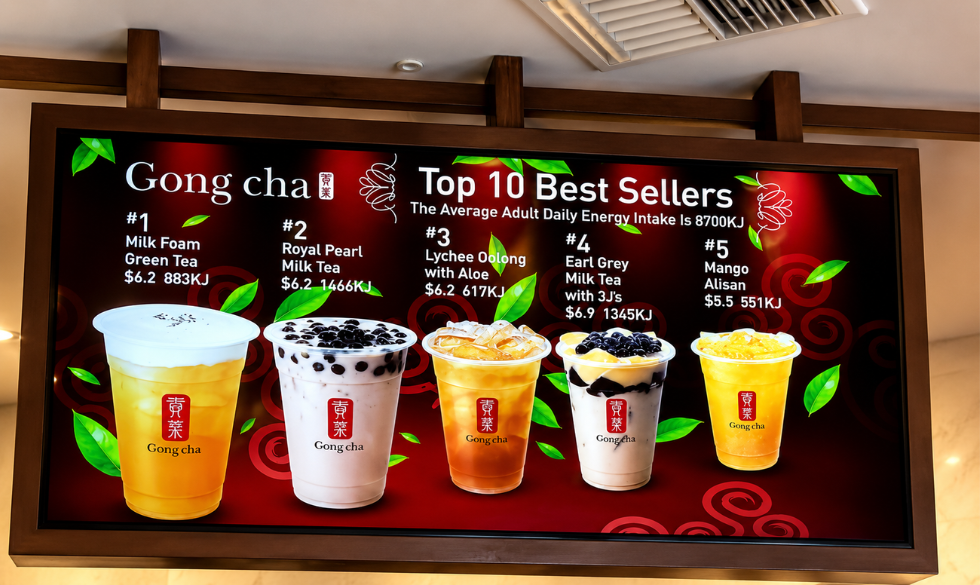
Bubble tea brands often use bright colors because their products are playful, customizable, and visually exciting.
Their digital menu boards mirror that personality.
Customers instantly associate vibrant colors with refreshing drinks.
Common design elements
- Colorful backgrounds
- Large drink photography
- Topping illustrations
- Playful typography
Lesson
Choose colors that complement your food category and brand identity.
11. Fine Dining Restaurants: Luxury Through Simplicity
Luxury restaurants often take the opposite approach of QSRs.
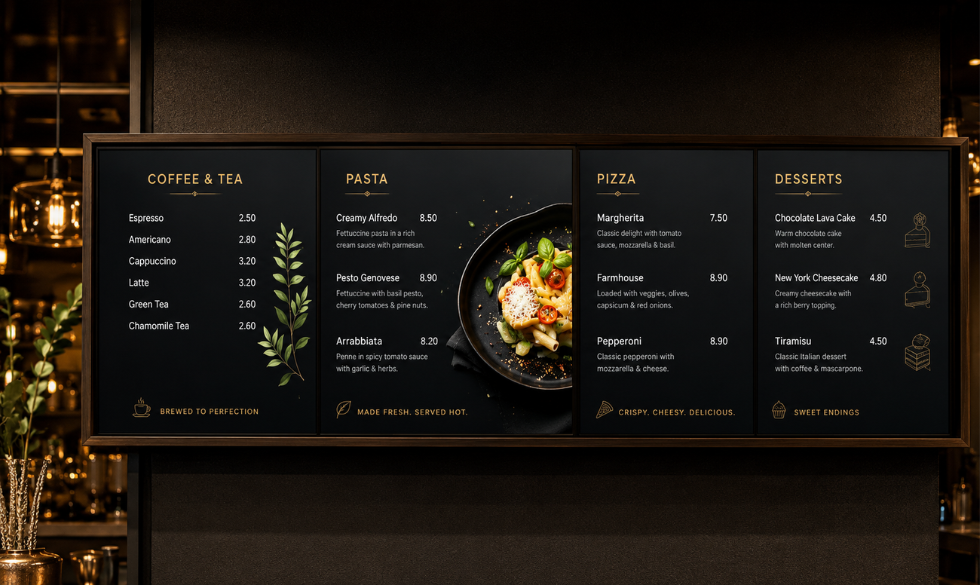
Instead of displaying dozens of dishes, they use elegant typography, subtle backgrounds, and refined spacing.
The menu feels curated.
Characteristics
- Dark backgrounds
- Gold or neutral typography
- Minimal imagery
- Sophisticated layouts
Lesson
Premium brands communicate confidence through restraint.
12. Drive-Thru Digital Menu Boards: Design for Speed
Drive-thru customers make purchasing decisions within seconds.
Successful drive-thru menu boards prioritize visibility over aesthetics.
Large fonts, simplified layouts, and clearly highlighted combo meals reduce ordering time.
Best practices
- Large typography
- High contrast
- Minimal scrolling
- Weather-resistant brightness
- Fast-changing promotions
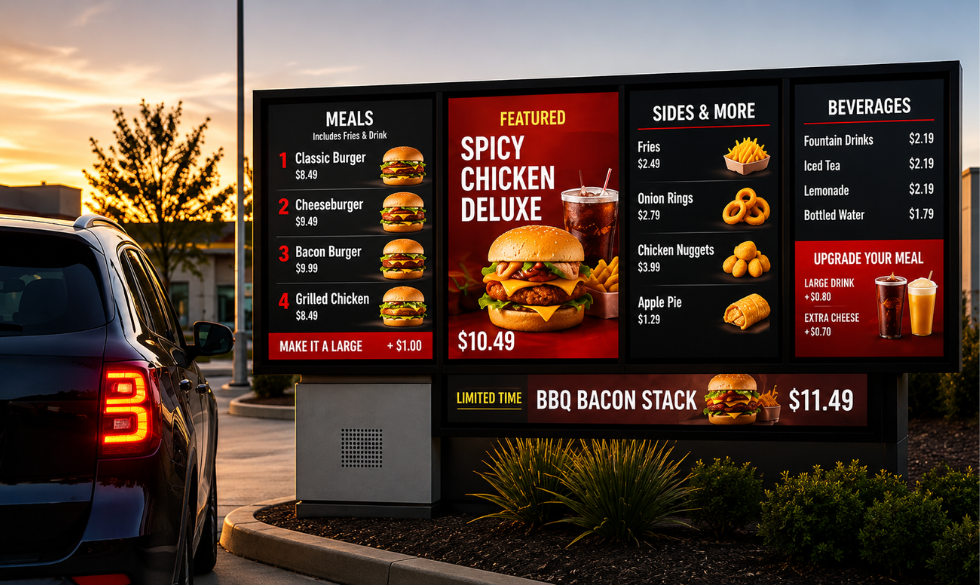
Lesson
Always design for the environment where customers will view your menu.
What Makes a Great Digital Menu Board?
Across all these examples, several best practices consistently appear.
1. Clear Visual Hierarchy
Customers should instantly identify:
- Featured products
- Categories
- Prices
- Promotions
Avoid treating every menu item equally.
2. High-Quality Food Photography
Professional photography increases appetite appeal and helps customers understand what they're ordering.
Avoid low-resolution or inconsistent images.
3. Readable Typography
Customers often stand several feet away from menu boards.
Use:
- Large font sizes
- High contrast
- Simple font families
- Adequate spacing
4. Strategic Color Usage
Colors influence emotion.
For example:
- Red encourages urgency and appetite.
- Green suggests freshness.
- Black conveys sophistication.
- Orange creates energy.
- Blue should be used sparingly in food menus, as it is less commonly associated with appetite.
Choose colors that align with your brand and improve readability rather than overwhelming the design.
5. Dynamic Content
Take advantage of digital technology by scheduling:
- Breakfast menus
- Lunch promotions
- Happy hour specials
- Seasonal campaigns
- Limited-time offers
This keeps your menu relevant throughout the day.
Common Digital Menu Board Mistakes
Even well-designed restaurants can make mistakes that reduce the effectiveness of their menu boards.
Avoid these common pitfalls:
- Displaying too much information on one screen
- Using low-quality food images
- Choosing fonts that are difficult to read
- Overusing animations
- Failing to update promotions regularly
- Poor color contrast
- Inconsistent branding across locations
- Making prices difficult to find
Remember: simplicity often performs better than complexity.
How Restaurants Can Get Started
You don't need a massive budget to launch digital menu boards.
Start by:
- Identifying your bestselling and highest-margin items.
- Organizing products into clear categories.
- Investing in professional food photography.
- Designing layouts with readability in mind.
- Scheduling content updates for different times of the day.
- Measuring customer response and refining the design over time.
Even small improvements can have a meaningful impact on customer experience and sales.
Frequently Asked Questions
What is a digital menu board?
A digital menu board is an electronic display that presents restaurant menus, pricing, promotions, and product images on screens instead of printed signage.
Do digital menu boards increase sales?
They can. By highlighting featured products, promotions, and high-margin items, digital menu boards often encourage customers to purchase more and improve average order value.
What size should restaurant menu boards be?
The ideal size depends on viewing distance and restaurant layout. The priority should always be clear readability from where customers place their orders.
Can small restaurants benefit from digital menu boards?
Absolutely. Cafes, bakeries, food trucks, and independent restaurants can all use digital displays to update menus quickly, reduce printing costs, and present their offerings more attractively.
Create and Manage High-Performing Digital Menu Boards with Intelisa
Great digital menu boards combine thoughtful design with the right technology to deliver a seamless customer experience. Once you've finalized your menu strategy, a platform like Intelisa can help bring it to life with centralized content management, instant menu updates, automated daypart scheduling, and dynamic promotions across one or multiple locations.
It also supports rich media like videos and social media feeds, helping restaurants keep their displays fresh and engaging. With the right design and a flexible digital signage solution, restaurants can improve efficiency, strengthen their brand, and drive more sales.
Want to see how it works?
Book a 14-Day Free Trial Today