That's exactly the kind of problem a digital signage CMS is built to solve.
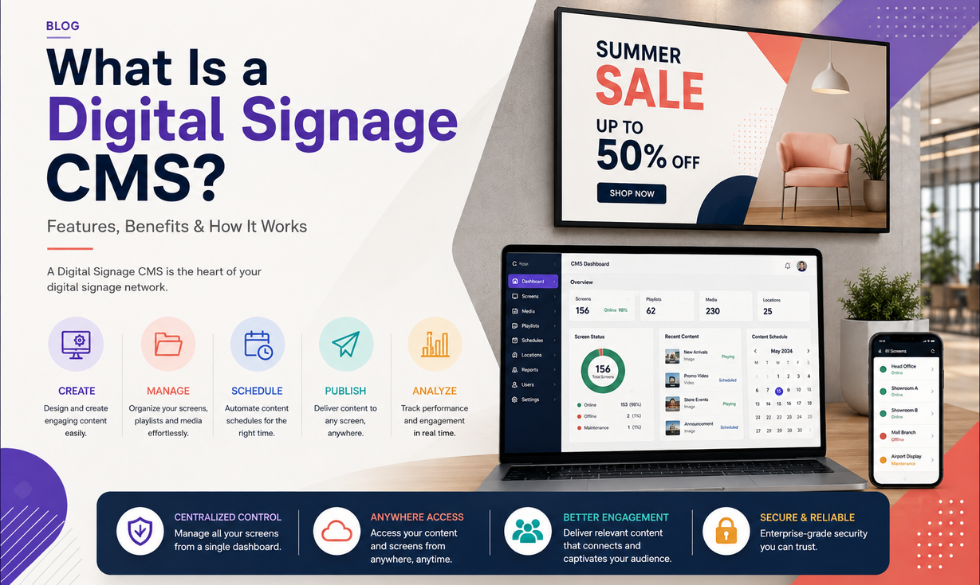
A digital signage CMS (Content Management System) is the software that lets you manage what appears on your digital screens, wherever those screens happen to be. You can upload content, create playlists, schedule campaigns, control screen groups, and make changes remotely, all from one place.
In simple terms, a digital signage CMS is the control centre behind your screens.
And this isn't a niche technology anymore. The global digital signage market was valued at $31.1 billion in 2025 and is projected to reach $58.4 billion by 2033, growing at a CAGR of 8.2%.
India is moving even faster. The country's digital signage market generated an estimated $1.32 billion in revenue in 2025 and is expected to reach nearly $3 billion by 2033, with a projected CAGR of 10.7%.
So yes, those screens you're seeing everywhere aren't going away anytime soon.
In this guide, we'll break down what a digital signage CMS actually does, how it works, which features matter, and how to choose the right platform for your business.
What Is a Digital Signage CMS?
A digital signage CMS is software used to create, manage, schedule, and publish content to digital displays.
That content could be almost anything:
- Videos
- Images
- Promotions
- Digital menus
- Social media feeds
- Web pages
- News
- Dashboards
- Live data
- Announcements
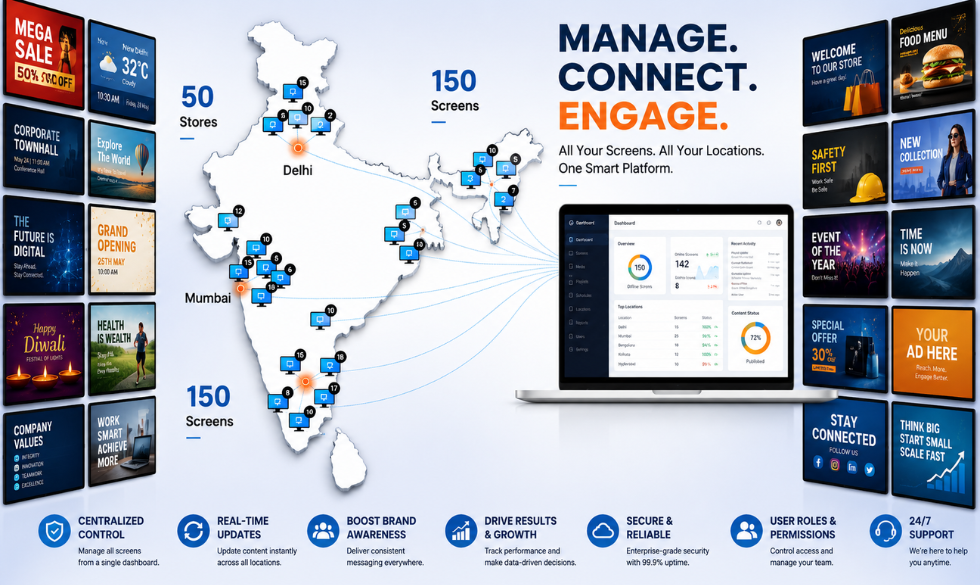
Instead of updating each screen individually, your team can manage them through a central dashboard.
For example, say a retail brand has stores in Mumbai, Delhi, Bengaluru, and Pune.
The marketing team can create one campaign and push it to every store. But they can also make the campaign location-specific.
Mumbai gets the Mumbai offer, Delhi gets the Delhi offer, and the regional manager doesn't have to call someone at every store to make it happen.
That ability to control content across screens, locations, and schedules from one place is what makes a CMS so useful for digital signage.
💡Also Read: How to Manage Digital Signage Across Multiple Locations
How Does a Digital Signage CMS Work?
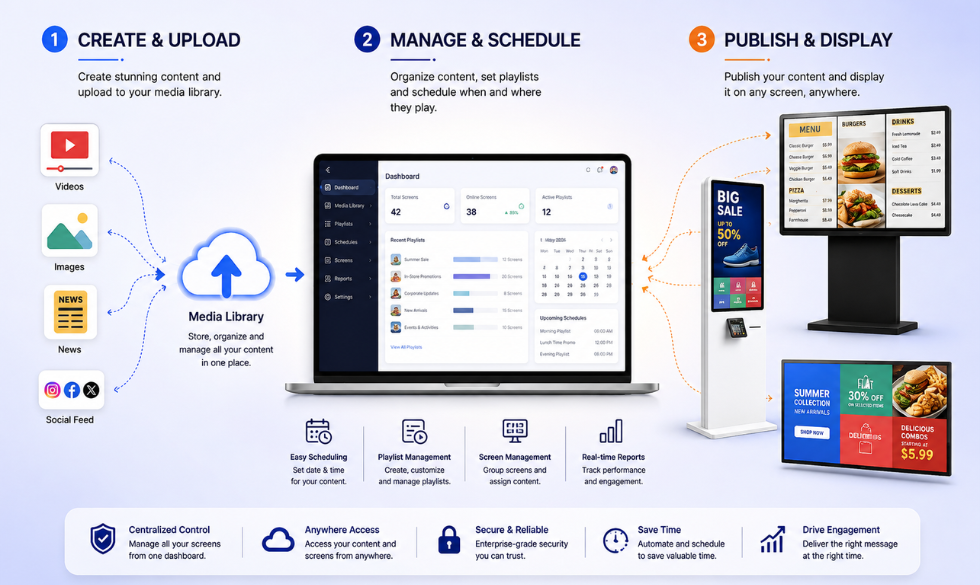
The easiest way to understand it is to think of a digital signage setup as three parts:
Content → CMS → Screen
You create or upload your content.
The CMS decides what should be displayed, where, and when.
The screen plays it.
Here's what that looks like in practice.
Connect Your Screens
Your digital displays need a way to receive and play content. This is usually handled by a media player or signage application connected to the screen. The CMS communicates with that player and tells it what to display.
Upload Your Content
Your team uploads the content they want to show. That could be a new product video, a promotional banner, a digital menu, or even a live dashboard.
Choose Where It Should Appear
This is where things get interesting. You can assign content to one screen, a group of screens, one store, multiple locations, or an entire network. So you don't have to show the same thing everywhere.
Schedule It
Want your breakfast menu to disappear at 11 AM? Schedule it. Want a Diwali campaign to run only from October 15 to November 5? Schedule it. Want different content in the morning, afternoon, and evening? You guessed it, schedule it. Scheduling is one of the biggest reasons businesses move from manually managed screens to a digital signage CMS.
Publish
Once everything is set up, the CMS sends the content to the relevant screens. And because the system is centrally managed, you can make changes without physically visiting every location.
Monitor Your Screens
A good digital signage CMS doesn't stop at publishing content. It can also help you see what's happening across your network. Are your screens online? Is a player offline? Is the right campaign playing? Do you need to update something? Instead of waiting for someone at a store to tell you there's a problem, you can manage and monitor your screens remotely.
What Are the Key Features of a Digital Signage CMS?
Not all digital signage software is created equal.
Some platforms are essentially a way to upload a few images and play them on a screen.
Others are built to manage hundreds or thousands of displays across different locations.
If you're evaluating a digital signage CMS, these are the features worth paying attention to.
1. Centralized Content Management
This is the basic job of a CMS: keep your content in one place.
Instead of hunting through folders, WhatsApp messages, emails, and random USB drives for the latest version of a campaign, your team has a central content library.
Upload it once. Organize it. Use it where you need it.
Much less chaos.
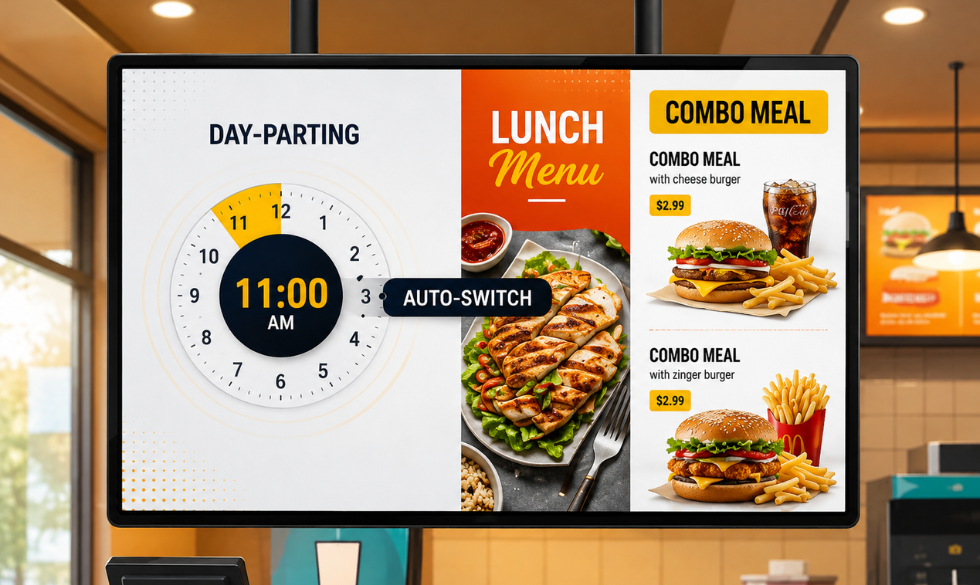
2. Content Scheduling
A good CMS lets you decide exactly what plays, where it plays, and when it plays.
For example:
8 AM–11 AM: Breakfast promotion
11 AM–4 PM: Lunch menu
4 PM–8 PM: Evening offers
8 PM onwards: Brand campaign
Once you've set the schedule, the system handles the switching automatically.
No one has to stand next to the screen at 11 AM.
3. Multi-Screen Management
Managing one screen is easy.
Managing 500 is where things get interesting.
A digital signage CMS lets you group screens and manage them together.
You could create groups such as:
- Mumbai stores
- North India stores
- Flagship stores
- Airport locations
- Corporate offices
- QSR outlets
Then publish content to the group you actually want to reach.
This is particularly important for franchises, retail chains, banks, hospitals, and other businesses with distributed locations.
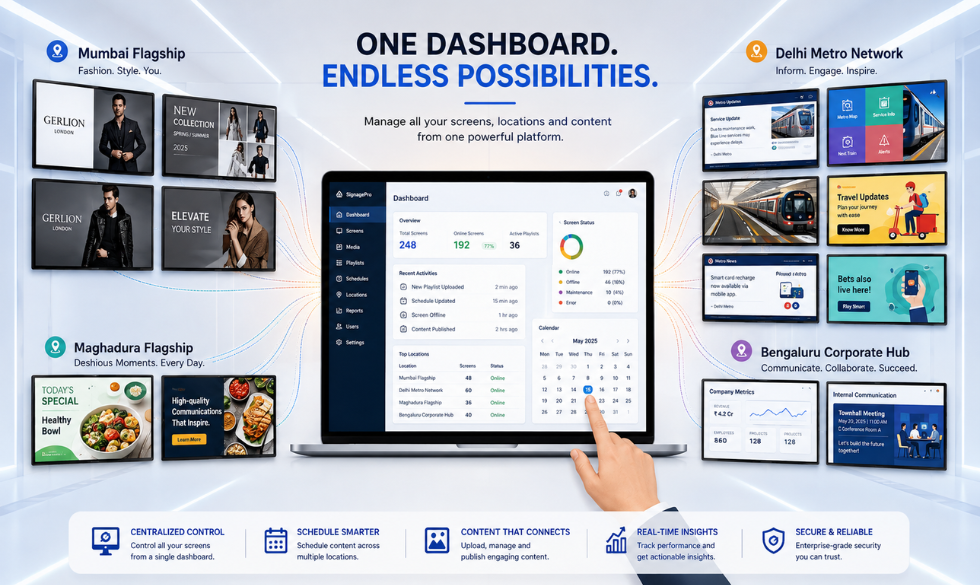
4. Remote Screen Management
Your screens don't have to be in the same building, or even the same city, as your marketing team. With cloud-based digital signage software, teams can manage content and monitor screens remotely through a central dashboard.
That means a campaign update that once required a site visit could take a few clicks instead.
5. Playlists and Layouts
You don't always want one piece of content taking up the entire screen.
A CMS can let you create layouts with multiple zones.
For example:
- Main area: Product promotion
- Side panel: Social media feed
- Bottom strip: Breaking announcement
You can also arrange multiple pieces of content into playlists so they play in a particular order.
6. Support for Different Content Types
Digital signage isn't just a fancy TV playing videos.
Depending on the CMS, you can display:
- Images
- Videos
- Web pages
- Social media feeds
- Digital menus
- News
- Dashboards
- Live data
- Custom widgets
Intelisa, for example, supports formats including social media feeds, news, videos, webpages, graphic templates, and digital menus.
That gives businesses much more room to build useful screens instead of endlessly rotating the same five promotional posters.
7. User Roles and Permissions
What happens when 20 people have access to your screens?
You probably don't want all 20 people to be able to publish whatever they want.
User roles let businesses control who can create, edit, approve, or publish content.
This becomes increasingly important as your digital signage network grows and different teams start using the platform.
8. Offline Playback
Here's a feature you don't think about until your internet decides to have a bad day.
Some digital signage platforms can continue playing previously downloaded content even when the internet connection drops.
Intelisa's digital signage solution supports offline operation, so screens can continue displaying content without relying on a constant internet connection.
9. Integrations
Your digital signage doesn't have to operate in isolation.
A CMS can connect with other systems and data sources to bring live information onto your screens.
For example:
- A retail screen could show live product information.
- An office screen could display a company dashboard.
- A restaurant could update menu information.
- A social media feed could appear in real time.
Intelisa also supports social media integrations and custom widgets for displaying dynamic information such as business dashboards.
10. Analytics and Audience Insights
Once your screens become a serious communication channel, you may want to know more than just whether they're switched on.
Analytics can help businesses understand things like impressions, audience segments, engagement, and campaign performance.
Intelisa offers impression monitoring and AI-based personalization features designed to help businesses make their screen communication more targeted.
What Are the Benefits of Using a Digital Signage CMS?
So, why not just plug a USB drive into your TV and call it a day?
You can.
For one screen that changes once every few months, that might be perfectly fine.
The problem starts when your screens, and your content, start multiplying.
Here's where a CMS earns its keep.
Update Content Without Visiting Every Location
Got a new promotion?
Change it centrally.
No calls to store managers. No couriering USB drives. No asking someone on-site to "just replace that one file."
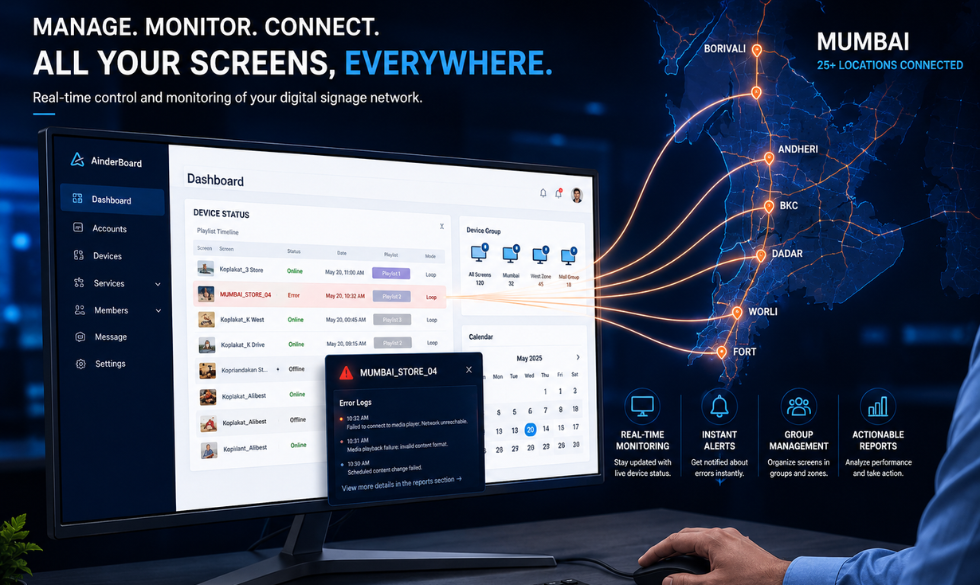
Manage Hundreds of Screens From One Place
A central CMS gives your team one place to manage a distributed screen network.
That's a huge operational advantage for businesses with multiple stores, offices, branches, or facilities.
Keep Content Relevant
A screen showing an offer from three months ago isn't doing your brand any favours. With scheduling and centralized management, content can be refreshed regularly and automatically.
This matters particularly in retail, where content needs to keep pace with promotions, products, seasons, and customer behaviour.
That's a good reminder that digital signage isn't a "set it and forget it" channel. The value comes from keeping the content useful and current.
Personalize Communication
Not every customer needs to see the same message.
Digital signage can be targeted based on factors such as location, time, audience, or other available data.
The result? Less generic communication and more relevant messaging.
Reduce Manual Work
Once your campaigns are scheduled, much of the day-to-day work happens automatically.
Your team spends less time managing screens and more time figuring out what those screens should actually say.
Make Digital Signage More Measurable
Traditional posters don't give you much visibility into what happened after you put them up.
Digital signage platforms with analytics can provide data around screen activity, impressions, and content performance.
That gives marketers more information to work with when planning future campaigns.
Where Can a Digital Signage CMS Be Used?
Pretty much anywhere a business needs to communicate information on a screen.
Retail
Retail is currently the largest application segment in the global digital signage market, accounting for more than 19% of market revenue in 2025, according to Grand View Research. You can use retail digital signage to showcase:
- Offers and discounts
- New products
- Product information
- Seasonal campaigns
- Cross-sells
- Brand content
Restaurants and QSRs
Digital signage can power:
- Menu boards
- Combo offers
- Limited-time promotions
- Product videos
- Upselling messages
And because menus change throughout the day, scheduling can be particularly useful.
Corporate Offices
Screens can display:
- Company announcements
- Employee achievements
- KPIs
- Events
- Internal campaigns
- Real-time dashboards
Hospitals and Healthcare
Digital signage for healthcare can help with:
- Patient information
- Queue updates
- Wayfinding
- Health education
- Announcements
Hotels and Hospitality
Screens can be used for:
- Welcome messages
- Event information
- Restaurant promotions
- Directions
- Guest information
Schools and Universities
Digital signage can communicate:
- Events
- Announcements
- Timetables
- Campus information
- Emergency messages
And the way retailers are using those screens is evolving. It's not just static advertising anymore, screens are pulling in video, social content, dashboards, menus, and other dynamic information. Kitcast's 2026 retail data shows just how diverse that content mix has become.
Digital Signage CMS vs. Traditional Signage
The difference is pretty straightforward. With traditional signage, changing the message usually means changing the physical sign. With digital signage, the screen stays the same. The content changes.
You're no longer managing hundreds of individual signs, you're managing one connected communication network.
💡Learn more: Digital Screen Signage vs. Static Communication: Which is Better?
How Do You Choose the Right Digital Signage CMS?
Don't choose a CMS just because its demo looks pretty.
Ask what happens when you actually have to use it.
Can Your Team Use It Without a Technical Expert?
If every tiny content change requires IT, your "easy-to-use" CMS isn't particularly easy.
Can It Handle Your Number of Screens?
A platform that works beautifully for five screens may not be the right choice for 500. Think about where you are now, and where you expect the network to go.
Can You Manage Different Locations?
If you operate across multiple cities or branches, look for screen groups, location-based publishing, and centralized management.
Can You Schedule Content?
You should be able to automate campaigns instead of manually changing content throughout the day.
Can You Monitor Screens Remotely?
If something goes wrong, you want to know about it before a customer does.
Does It Work With Your Existing Setup?
Check hardware compatibility, supported content formats, integrations, and deployment requirements before making a decision.
Does It Give You Useful Data?
If digital signage is part of your marketing or communication strategy, analytics can help you understand what's actually happening on those screens.
Why Intelisa?
Intelisa takes the digital signage CMS concept a step further by combining centralized content management with real-time screen management and personalization.
- Plug-and-play, connects to any TV or LED screen
- Cloud dashboard for remote screen management
- Offline playback and multiple content formats
- Social media integrations, custom widgets, and AI-based personalization
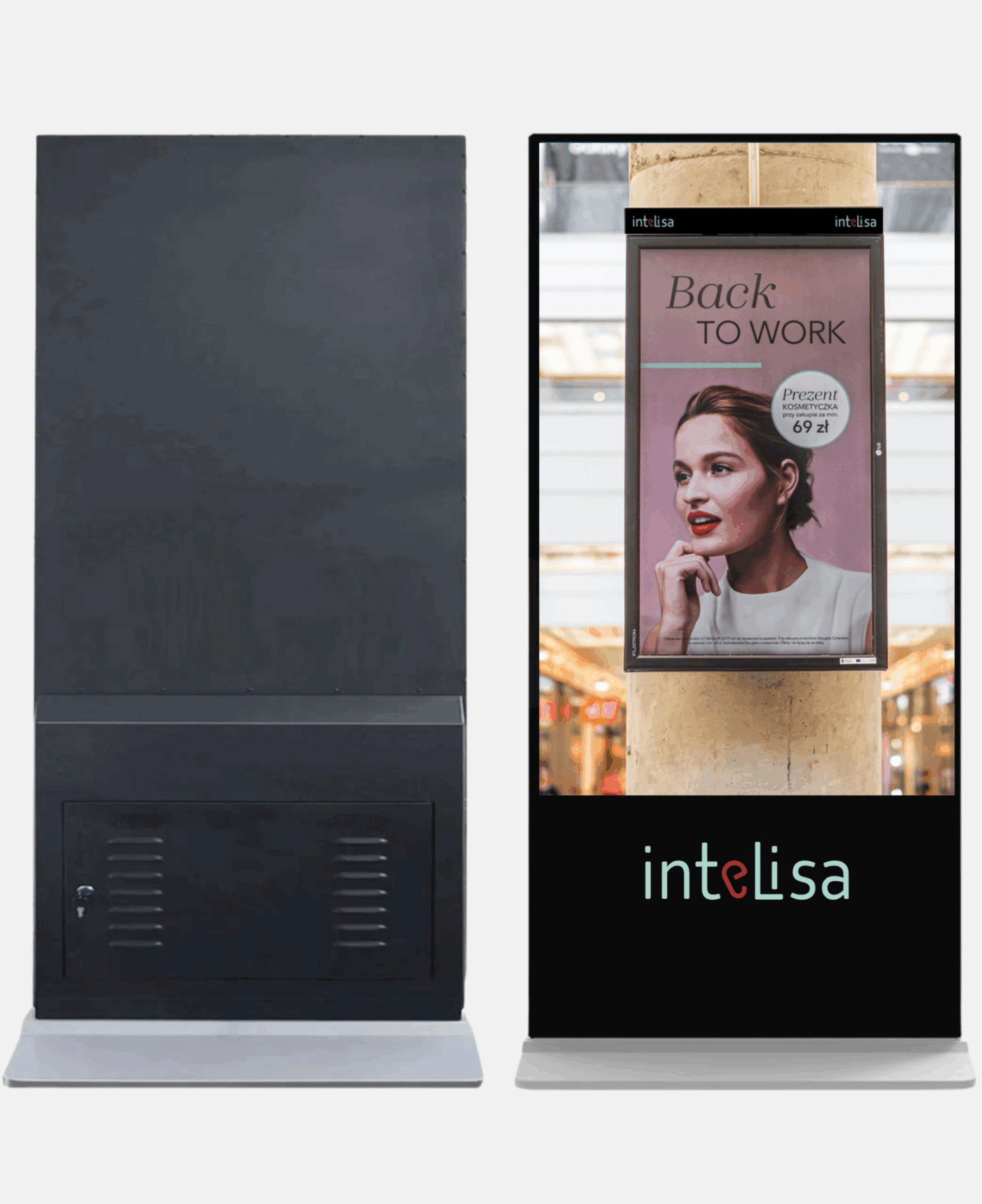
That combination is particularly useful for businesses that don't just want to put content on screens, they want to manage a growing screen network without creating a growing pile of operational work.
Frequently Asked Questions About Digital Signage CMS
What is a digital signage CMS?
A digital signage CMS is software that lets businesses create, organize, schedule, publish, and manage content across digital screens. Think of it as the central control system for a digital signage network.
How does a digital signage CMS work?
The CMS stores and manages your content, lets you create playlists and schedules, and sends the appropriate content to connected media players and screens. You can typically manage the system remotely through a web-based dashboard.
Can a digital signage CMS manage multiple screens?
Yes. Multi-screen management is one of the main reasons businesses use a digital signage CMS. Screens can usually be organized into groups based on location, department, campaign, or other criteria.
Can digital signage work without the internet?
Some digital signage systems support offline playback. Content that has already been downloaded to the player can continue playing even when the internet connection is temporarily unavailable. Intelisa supports offline playback as part of its solution.
What can you display using digital signage software?
Depending on the platform, you can display videos, images, webpages, social media feeds, digital menus, dashboards, news, live data, and custom widgets.
Is a digital signage CMS useful for small businesses?
It can be. If you only have one screen and rarely change its content, you may not need a sophisticated CMS. But as soon as you need regular updates, scheduling, remote management, or multiple screens, a CMS becomes much more useful.
How much does digital signage CMS software cost?
Pricing depends on the platform, number of screens, features, hardware, and support requirements. When comparing options, look at the total cost rather than just the monthly software fee.
Want to See How It Works?
Book a 14-day free trial and manage your entire digital signage network from one dashboard with Intelisa.
Book a 14-Day Free Trial